Freedom251 › Automotive Software
Bay-Master
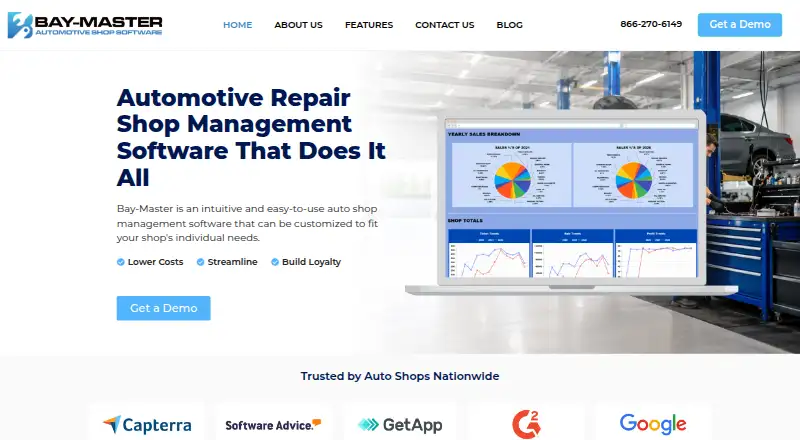
What Bay-Master is
Bay-Master is automotive repair shop management software for organizing customer records, estimates, work orders, payments, parts, schedules, and reporting. Shops can manage tickets and bays, set committed times, and review schedules by day, week, or month. Digital inspections use customizable forms that staff can fill out on a tablet or smartphone with notes and pictures; those inspections can also lead to related estimates. Parts tools show supplier availability, compare prices, check shop inventory, and let staff order vehicle-compatible parts from a ticket. Customer features include financing, service history, text and email marketing, and reminders for appointments, services due, recommendations, and inactive customers.
Bay-Master lists Workstation + Cloud access and supports Android, iOS, web, and Windows. Its packages are Essentials, Traditional, and High Performance. The Essentials package is described for a small shop that needs to create invoices; Traditional lists two technician tablet connections, while High Performance lists five. Listed connections include a QuickBooks interface for posting sales and receivables, tracking postings, and updating inventory, along with Carfax, Worldpac, MOTOR, Wisetack, PartsTech, NAPA Auto Parts, and Nexpart. Pricing is on request. Bay-Master is headquartered in Oakhurst, New Jersey, United States.
Who it suits
Bay-Master suits automotive repair shops that need to manage work orders, estimates, inventory, scheduling, and customer communications in one system. Its Essentials package is described for a small shop focused on creating invoices, while the other packages list technician tablet connections for larger setups.
What it does well
- Custom digital inspections include notes, pictures, and related estimates.
- Schedules can be viewed by day, week, or month.
- Parts ordering can compare supplier prices and availability.
- Customer reminders cover appointments, services due, and recommendations.
- QuickBooks interface can post sales and update inventory.
- Available on Android, iOS, web, and Windows.
What to know first
- Pricing is available on request.
- Traditional lists two technician tablet connections.
- High Performance lists five technician tablet connections.
Limits
Traditional lists two technician tablet connections, and High Performance lists five. Essentials is described for a small shop that needs to create invoices.
Plans
| Plan | Billed and limits | Price |
|---|---|---|
| Essentials | Workstation + Cloud · Tech Tablet Connections · listed features include scheduling, inventory, reporting, digital inspections, QuickBooks integration, and marketing | On request |
| Traditional | Workstation + Cloud x 1 · Tech Tablet Connections x 2 · listed features include scheduling, inventory, reporting, digital inspections, QuickBooks integration, and marketing | On request |
| High Performance | Workstation + Cloud x 3 · Tech Tablet Connections x 5 · listed features include scheduling, inventory, reporting, digital inspections, QuickBooks integration, and marketing | On request |
As bay-master.com lists them, read 9 Oct 2026. The maker's own page has the final word.
Getting started
- Visit the Bay-Master website.
- Contact sales to discuss pricing and package configuration.
- Choose Essentials, Traditional, or High Performance.
- Use Workstation + Cloud access on a supported platform.
- Use a tablet or smartphone to access digital inspections.
Overview
Bay-Master is a full automotive repair shop management system covering customer records, estimates, work orders, payments, inventory, parts purchasing, scheduling, and reporting. It is a strong fit for shops that want inspections, purchasing, technician workflow, and customer follow-up connected in one application. The main trade-off is that every package uses custom pricing, so budget qualification requires contacting sales.
Key features
Work-order management, estimate approvals, vehicle history, technician time tracking, payments, and inventory provide the operational backbone for a repair shop. Digital inspection forms are customizable and let technicians add notes and photos from a tablet or smartphone. Estimates can be created from inspection results, linking findings directly to recommended work and customer approval.
Scheduling handles tickets, named bays, committed times, and day, week, or month views. That is useful for shops balancing bay capacity and promised completion times rather than relying on a basic appointment calendar. Parts tools show supplier availability, compare prices, check on-hand inventory, and support ordering vehicle-compatible parts directly from a ticket. Shops that want purchasing tied to each repair should find this more useful than a standalone inventory ledger.
Customer management includes service history, financing, text and email marketing, and automated reminders for appointments, services due, recommendations, and inactive customers. These tools support repeat-business follow-up without requiring a separate communications system.
The QuickBooks interface can post sales and accounts-receivable tickets, track postings, and update inventory from deliveries and sales. Bay-Master also displays connections with Carfax, Worldpac, MOTOR, Wisetack, PartsTech, NAPA Auto Parts, and Nexpart. Those named industry connections may matter to shops already using those services, although the scope of each connection should be confirmed during purchase.
Workstation plus Cloud access is offered, with inspections available on tablets and smartphones. Bay-Master says it protects personal and financial information in transit and storage using generally accepted industry standards, but does not promise absolute security. It says credit-card data is not received or stored by Bay-Master and that an outside processor or Fullsteam Operations LLC handles subscription and point-of-sale payments. Support is available by voicemail at (855) 211-2828 or direct line at (732) 473-0260, Monday through Friday, 9:00 AM–5:30 PM EST.
Pricing
Bay-Master uses paid, custom pricing; the package pages direct prospective customers to speak with sales rather than publishing fees.
Essentials
Essentials is positioned for a small shop that mainly needs to create invoices while keeping operations simple. It includes Workstation + Cloud, technician tablet connections, scheduling, inventory, reporting, digital inspections, QuickBooks integration, and marketing.
Traditional
Traditional includes Workstation + Cloud x 1 and two technician tablet connections, along with scheduling, inventory, reporting, digital inspections, QuickBooks integration, and marketing. It suits a shop with multiple technicians who need simultaneous inspection access.
High Performance
High Performance expands access to Workstation + Cloud x 3 and five technician tablet connections while retaining the listed operational features. It is the clearest fit for a larger or busier shop coordinating several technicians and workstations. Because prices and renewal terms are custom, ask sales to spell out recurring charges and any package-specific limits.
Platforms
Bay-Master supports Android, iOS, web, and Windows. Workstation plus Cloud access is listed, while digital inspections can be used on tablets or smartphones.
Who it's for
Choose Bay-Master for an independent or multi-technician repair shop that wants one workflow from inspection and estimate approval through parts ordering, scheduling, invoicing, accounting updates, and customer reminders. Essentials targets smaller operations; Traditional and High Performance make more sense when several technicians need tablet connections. It is less suitable for buyers who require transparent online pricing or a clearly defined self-service free tier.
Pros and cons
- Pro: Inspections combine customizable forms, photos, notes, and estimate creation, shortening the path from diagnosis to approved work.
- Pro: Ticket-linked parts purchasing compares suppliers and prices while checking inventory, reducing separate purchasing steps.
- Pro: QuickBooks posting and inventory updates connect shop activity with accounting records.
- Pro: Named automotive connections include Carfax, Worldpac, MOTOR, PartsTech, NAPA Auto Parts, Nexpart, Wisetack, and QuickBooks.
- Con: No package price is published, making affordability difficult to assess before a sales call.
Alternatives
For a free, self-hosted option with unlimited core software under its Community plan, consider LxCars. Carstio is another free, self-hosted choice with unlimited users, clients, cars, and features. Shops wanting free and open-source Windows software can look at OpenAuto. Shop OS is free for shops handling fewer than 10 jobs per month. Choose ARI instead when a published $39.99-per-month Pro plan, free plan, and trial are more important than Bay-Master's custom packaging. CCC ONE Repair Workflow, Mitchell RepairCenter, and Repair360 are paid alternatives for shops comparing other repair-workflow products.
Verdict
Bay-Master is a capable choice for repair shops that need inspections, bay scheduling, parts procurement, customer communications, and accounting connections in one system. Its strongest reason to buy is the way ticket, inspection, purchasing, and follow-up workflows connect. Look elsewhere if you need upfront pricing, a free plan, or package limits that can be evaluated without contacting sales.
Verdict
Choose Bay-Master if your shop needs repair workflow tools for tickets, inspections, parts, scheduling, and customer follow-up. It also offers a QuickBooks interface and several listed industry connections. Shops that need to know the price before speaking with sales should look elsewhere.
Questions
How much does Bay-Master cost?
Bay-Master's pricing is on request; its features page directs visitors to speak with sales.
What platforms does Bay-Master support?
The listed platforms are Android, iOS, web, and Windows. The features page also lists Workstation + Cloud access.
What packages does Bay-Master offer?
The listed packages are Essentials, Traditional, and High Performance. Traditional lists two technician tablet connections, and High Performance lists five.
Does Bay-Master integrate with QuickBooks?
Yes. Its QuickBooks interface can post sales and receivables, track postings, and update inventory from deliveries and sales.
What can shops manage with Bay-Master?
Listed capabilities include customers, estimates, work orders, payments, inventory, parts ordering, scheduling, reporting, and digital inspections.
Facts from Bay-Master's own pages
- Accounting integration
- The features page lists a QuickBooks interface for posting sales, receivables, delivery invoices, and inventory updates. · bay-master.com, 9 Oct 2026
- Customer communications
- The software supports text and email reminders for appointments, services due, recommendations, and inactive customers. · bay-master.com, 9 Oct 2026
- Customer management
- The product includes customer financing, text and email marketing, service history, and customer communications. · bay-master.com, 9 Oct 2026
- Digital inspections
- Users can customize inspection forms, add notes and pictures, and create estimates related to an inspection. · bay-master.com, 9 Oct 2026
- Headquarters
- The contact page lists a mailing address at PO Box 610, 715 W Park Ave, Oakhurst, NJ 07755. · bay-master.com, 9 Oct 2026
- Inspections
- The software supports customizable digital inspection forms with notes and pictures, accessible on a tablet or smartphone. · bay-master.com, 9 Oct 2026
- Integrations
- The site lists integrations or connections with QuickBooks, Carfax, Worldpac, MOTOR, Wisetack, PartsTech, NAPA Auto Parts, and Nexpart. · bay-master.com, 9 Oct 2026
- Intended customer
- The Essentials package is described as keeping things simple for a small shop that just needs to create an invoice. · bay-master.com, 9 Oct 2026
- Other integrations
- The home page displays integrations or partner logos for Carfax, Worldpac, MOTOR, Wisetack, PartsTech, NAPA Auto Parts, Nexpart, and QuickBooks. · bay-master.com, 9 Oct 2026
- Parts ordering
- Bay-Master can show supplier availability, compare prices, check shop inventory, and order vehicle-compatible parts from a ticket. · bay-master.com, 9 Oct 2026
- Payment data
- Bay-Master says it does not receive or store customers’ credit card information and uses an outside processor or Fullsteam Operations LLC for subscription and point-of-sale payments. · bay-master.com, 9 Oct 2026
- Plan configuration
- The features page lists Essentials, Traditional, and High Performance; the listed technician tablet connections are 2 for Traditional and 5 for High Performance. · bay-master.com, 9 Oct 2026
- Platform access
- The features page lists Workstation + Cloud access, and says digital inspections can be accessed on a tablet or smartphone. · bay-master.com, 9 Oct 2026
- Pricing
- The features page directs visitors to speak with sales and does not display plan prices. · bay-master.com, 9 Oct 2026
- Product
- Bay-Master is automotive repair shop management software for managing customers, estimates, work orders, payments, inventory, parts ordering, scheduling, and reporting. · bay-master.com, 9 Oct 2026
- Purpose
- Bay-Master is auto repair shop management software for managing customers, estimates, work orders, payments, inventory, parts ordering, scheduling, and reporting. · bay-master.com, 9 Oct 2026
- QuickBooks
- The QuickBooks interface can post sales and accounts receivable tickets, track postings, and update inventory from deliveries and sales. · bay-master.com, 9 Oct 2026
- Scheduling
- Shops can schedule tickets, name their bays, set committed times, and view schedules by day, week, or month. · bay-master.com, 9 Oct 2026
- Security
- Bay-Master says it follows generally accepted industry standards to protect personal and financial information in transmission and storage, while stating it cannot guarantee absolute security. · bay-master.com, 9 Oct 2026
- Security reporting
- Baymaster invites reports of vulnerabilities in its hosted applications and associated services through its responsible disclosure policy. · bay-master.com, 9 Oct 2026
- Support
- The contact page lists support by voicemail at (855) 211-2828 and a direct line at (732) 473-0260, with office hours Monday through Friday, 9:00 AM–5:30 PM EST. · bay-master.com, 9 Oct 2026
Where Bay-Master stands on Freedom251
- Automotive Software#6 of 25
- Automotive Repair Software#12 of 33