Freedom251 › Automotive Repair Software
OpenAuto
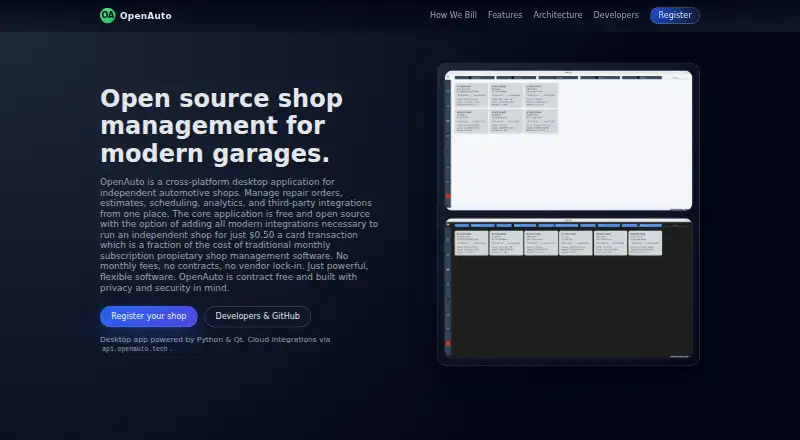
What OpenAuto is
OpenAuto is shop management software for independent automotive shops, with a free core application for Windows. It supports estimates, repair orders, invoices, customer and vehicle records, scheduling, and analytics. Shops can order parts directly and manage technician hours and labor rates. Reports include profit and loss, cost of goods sold, and technician hours. Optional integrations named by the maker include PartsTech, QuickBooks, Odoo, Plate2vin, SMS notifications, and Square payment processing. The desktop app uses Python and PyQt6 with a local MySQL database; an optional FastAPI backend handles integrations and callbacks. The maker says core features run locally and describes callbacks via Cloudflare Tunnel as secure. OpenAuto is described as free and open source. The Core application costs nothing. Optional integrations and services cost $0.50, paid once, billed per card transaction, and include unlimited users, techs, and workstations. Availability may vary; the maker says this model has no monthly fees or long-term contracts.
Who it suits
OpenAuto suits independent automotive shops seeking tools for work orders, scheduling, parts ordering, and technician time tracking. Its optional integrations may suit shops using the named accounting, parts, or payment services.
What it does well
- Free, open source core application for Windows
- Handles estimates, repair orders, and invoices
- Includes parts ordering and technician time tracking
- Reports profit and loss and cost of goods sold
What to know first
- Optional integrations cost $0.50, paid once
- Integration availability may vary
Limits
The core application is free. Optional integrations and services are priced at $0.50, paid once, billed per card transaction; integration availability may vary.
Plans
| Plan | Billed and limits | Price |
|---|---|---|
| Core application | At no cost · Core application | Free |
| Optional integrations & services | Per card transaction · Unlimited users · unlimited techs · unlimited workstations | $0.50, paid once |
As openauto.tech lists them, read 11 Oct 2026. The maker's own page has the final word.
Getting started
- Visit https://openauto.tech/.
- Use a Windows computer for the desktop application.
- Start with the core application, listed as free.
- Add optional integrations and services if needed; they are billed at $0.50, paid once per card transaction.
Overview
OpenAuto brings job administration, parts ordering, technician time tracking, and reporting together in a Windows desktop application for independent automotive shops. It suits shops that want a free core system and prefer to keep its main features running locally. The trade-off is that optional integrations carry a per-card-transaction charge, and their availability may vary.
Key features
The workflow covers estimates, repair orders, invoices, customer and vehicle records, and scheduling. Parts ordering, technician hours, and labor rates extend it from recordkeeping into day-to-day job coordination. That breadth makes OpenAuto a credible core system for an independent shop; shops that depend on a particular supplier, accounting package, or payment connection should confirm the integration is available before relying on it.
Reporting includes profit and loss, cost of goods sold, and technician hours. These measures help owners review financial performance and labor activity alongside work orders, though the stated scope does not establish how reports can be customized.
The desktop app uses Python and PyQt6 with a local MySQL database. The maker says core features run locally; an optional FastAPI backend supports integrations and callbacks, with secure callbacks handled through Cloudflare Tunnel. This local-first arrangement may suit shops that want core operations on their own machine, while shops seeking a web-based system should consider alternatives.
Named optional integrations include PartsTech, QuickBooks, Odoo, Plate2vin, SMS notifications, and Square payment processing. The connections can broaden the workflow, but availability may vary and the payment-based charge means integration use has an ongoing cost tied to card transactions.
Pricing
The Core application costs nothing. It is the right starting point for shops that need the core shop workflow without a software fee. OpenAuto is described as free and open source.
Optional integrations & services cost $0.50, paid once, billed per card transaction. This option includes unlimited users, techs, and workstations, so the stated terms do not impose a seat or workstation cap. The maker says there are no monthly fees, long-term contracts, or vendor lock-in for this pay-per-transaction model. Shops should weigh that flexibility against transaction charges, especially if they process many card payments.
Platforms
OpenAuto is available for Windows. Its desktop architecture and local MySQL database make it a fit for shops choosing a Windows-based setup; it is not presented for other desktop or mobile platforms.
Who it's for
OpenAuto is best for independent automotive shops that want estimates, repair orders, invoicing, scheduling, parts ordering, technician time tracking, and reporting in one free core application. It is less suitable for shops that require a guaranteed integration, need another platform, or want to avoid transaction-based charges for optional services.
Pros and cons
- Pros: The free core application covers a broad shop workflow, from estimates and scheduling to invoices, with parts ordering and labor tracking included.
- Pros: Local core operation and a local MySQL database suit shops that prefer a desktop system with core features running locally.
- Pros: Unlimited users, techs, and workstations under the optional integration model avoid per-seat limits.
- Cons: Optional integrations cost $0.50, paid once for each card transaction, which can add up with payment volume.
- Cons: Integration availability may vary, making OpenAuto a weaker fit when a particular connection is essential.
- Cons: Windows is the only stated platform, limiting its fit for shops using other systems.
Alternatives
Compare automotive repair software if you want to survey more options across the category.
LxCars is a better fit for Linux users or shops that want self-hosted or web access; its Community plan is free, self-hosted, and MIT-licensed, while Enterprise offers dedicated-server deployment and individual configuration at custom pricing.
Carstio suits shops preferring a self-hosted web setup: its free plan is €0/ month, forever, with unlimited users, clients, and cars and all features included.
Shop OS is an option for web-based shops with fewer than 10 jobs per month, which can use its free plan.
ARI may suit shops looking across Android, iOS, web, and Windows, with a free plan and a free trial; its ARI Pro monthly plan costs $39.99 a month and includes invoicing, inspections, inventory, accounting, appointments, reminders, and time tracking.
Bay-Master is a paid option spanning Android, iOS, web, and Windows.
CCC ONE Repair Workflow is a paid option available on Android, iOS, web, and Windows.
Mitchell RepairCenter is a paid option for Android, API, iOS, and Windows.
Repair360 is a paid option for Android, iOS, and web.
Verdict
Choose OpenAuto if your independent shop runs Windows and wants a free, locally operating core system for jobs, scheduling, parts, technician time, and reporting. Its main advantage is the breadth of that free workflow; look elsewhere if you need a confirmed integration, another platform, or a payment model without per-card-transaction charges.
Verdict
OpenAuto combines core shop workflows and reporting in a free Windows application. Shops considering integrations should account for the per-card-transaction charge and check availability.
Questions
How much does OpenAuto cost?
The core application is free. Optional integrations and services cost $0.50, paid once, billed per card transaction.
Is OpenAuto free and open source?
The maker describes OpenAuto as free and open source software. Its core application is listed as free.
Which platforms does OpenAuto support?
The listed platform is Windows.
What integrations are available?
Optional integrations named include PartsTech, QuickBooks, Odoo, Plate2vin, SMS notifications, and Square payment processing. Integration availability may vary.
Does OpenAuto charge a monthly fee or require a long-term contract?
The maker says its pay-per-transaction model has no monthly fees or long-term contracts.
Facts from OpenAuto's own pages
- Analytics
- The site lists profit and loss, cost of goods sold, and technician hours among its analytics and reporting capabilities. · openauto.tech, 11 Oct 2026
- Architecture
- The desktop app uses Python and PyQt6 with local MySQL, while an optional FastAPI backend handles integrations and callbacks. · openauto.tech, 11 Oct 2026
- Contracts
- The maker says there are no monthly fees, long-term contracts, or vendor lock-in for its pay-per-transaction model. · openauto.tech, 11 Oct 2026
- Integrations
- The site names PartsTech, QuickBooks, Odoo, Plate2vin, SMS notifications, and Square payment processing as optional integrations. · openauto.tech, 11 Oct 2026
- Open source
- The maker describes OpenAuto as free and open source software. · openauto.tech, 11 Oct 2026
- Parts
- The app lets shops order parts directly and manage technician hours and labor rates. · openauto.tech, 11 Oct 2026
- Pricing limits
- The billing page says all integrations and services include unlimited users, techs, and workstations, and that integration availability may vary. · openauto.tech, 11 Oct 2026
- Purpose
- OpenAuto is shop management software for independent automotive shops. · openauto.tech, 11 Oct 2026
- Security
- The site says core features run locally and describes secure callbacks via Cloudflare Tunnel. · openauto.tech, 11 Oct 2026
- Workflow
- It supports estimates, repair orders, invoices, customers, vehicles, scheduling, and analytics. · openauto.tech, 11 Oct 2026
Where OpenAuto stands on Freedom251
- Automotive Repair Software#4 of 33