Freedom251 › Automotive Repair Software
Shop OS
What Shop OS is
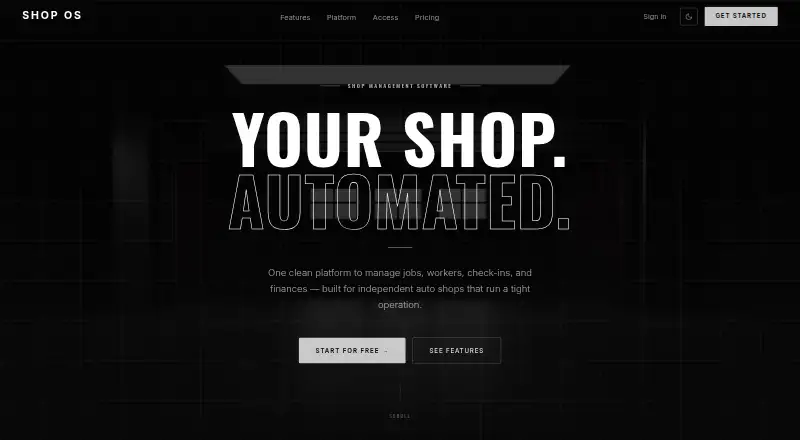
Shop OS is a web-based management platform for independent auto shops, covering jobs, workers, vehicle intake, and finances. Shops can create, assign, and track jobs from intake through invoicing, with vehicle history, status flows, and per-job profit tracking. Owners can manage team assignments, hours, and pay, while technicians can view assigned work, clock in, and access pay information. Vehicle check-ins support condition photos and notes; the site says VINs and plates can be scanned to populate vehicle data. Customers can see job progress, check-in photos, and status updates without an account. Financial views show revenue, expenses, and profit margins, with job and overhead breakdowns. Workers can punch in and out per job, with labor costs calculated automatically and timesheets available for payroll export. The owner dashboard lists active jobs, monthly revenue, pending expenses, and worker check-ins, with live updates described. The Free plan costs nothing for shops under 10 jobs per month. The site also says there are no contracts or setup fees, no credit card is required to start, and users can cancel anytime.
Who it suits
Shop OS suits independent auto shops, garages, and mechanic shops that need to manage jobs, staff, vehicle intake, and finances. Its free plan is for shops with fewer than 10 jobs per month.
What it does well
- Tracks jobs from intake through invoicing.
- Customers can view progress without an account.
- Includes per-job time tracking and labor costs.
- Timesheets can be exported for payroll.
- Free plan covers shops under 10 jobs monthly.
What to know first
- Free plan is limited to fewer than 10 jobs per month.
- The listed platform is web.
Limits
The free plan is for shops handling fewer than 10 jobs per month.
Plans
| Plan | Billed and limits | Price |
|---|---|---|
| Free | Free for shops under 10 jobs/month | Free |
As shoposauto.com lists them, read 10 Oct 2026. The maker's own page has the final word.
Getting started
- Open the Shop OS website in a web browser.
- Start on the free plan; it is for shops with fewer than 10 jobs per month.
- Create jobs and assign them to workers.
- Record vehicle check-ins with photos and notes, then track work through invoicing.
Shop OS is a web-based management system for independent auto shops, combining work orders, vehicle intake, technician operations, and financial reporting. It is best suited to a small shop that wants one shared record for each repair and a customer-facing progress view. The free offer is compelling for very low monthly volume, but the job cap is the central qualification.
Overview
Shop OS connects a repair from intake through invoicing, while keeping vehicle history, labor, expenses, and profitability attached to the work. Owners get a live operational view, technicians get assigned work and time tools, and vehicle owners can follow progress without creating an account. That breadth makes it more than a simple work-order list, although the free plan is explicitly limited to shops handling fewer than 10 jobs per month.
Key features
Jobs, vehicles, and customer communication
Users can create, assign, and track jobs through status flows from intake to invoice. Vehicle history and per-job profit tracking help an owner connect operational progress with financial results instead of treating each repair as an isolated ticket. Check-ins can record condition photos and notes, and VIN or license-plate scanning can populate vehicle information. Customers can see live job progress, check-in photos, and status updates without an account, reducing the need to create separate customer logins for routine updates.
Technician operations and time
Owners can manage team assignments, hours, and pay, while technicians can view their jobs, clock in, and access pay information. Punching in and out against a specific job allows the system to calculate labor costs automatically. Timesheets can be exported for payroll, making the time feature useful both for paying staff and for measuring the real labor cost of each repair.
Financial visibility and dashboard
Financial reporting covers revenue, expenses, and profit margins, with breakdowns by job and overhead. The owner dashboard brings together active jobs, monthly revenue, pending expenses, and worker check-ins, with data described as live. Shops that want operational and financial indicators in the same view should find this more actionable than tracking those figures in separate spreadsheets.
Reliability
The homepage reports a 99.9% uptime SLA over the last 365 days. That is a useful service commitment for a web platform used during daily intake and repair operations.
Pricing
Shop OS has one published plan: Free at free, for shops under 10 jobs per month. The product is free to start, requires no credit card, has no contracts or setup fees, and can be canceled at any time. This is a strong fit for a very small or newly established shop whose monthly workload stays below the stated threshold. The same threshold is the decisive drawback for busier operations: once a shop regularly reaches 10 or more jobs, this published plan no longer fits its volume, and no higher-tier price is provided.
Platforms
Shop OS runs on the web. A browser-based deployment suits owners and technicians who need access from different workstations, while shops that require a native desktop or mobile application should consider the platform limitations before committing.
Who it's for
Shop OS is aimed at independent auto shops, garages, and mechanic shops of any size, but its free-plan economics most clearly favor low-volume businesses. It is a good match for an owner who wants assignments, technician time, vehicle records, customer updates, and margin reporting tied to one repair workflow. Shops with higher job volume should treat the under-10-jobs condition as a hard screening question rather than assume the free offer will scale.
Pros and cons
- Pros: Work orders run from intake to invoice with status tracking, vehicle history, and job-level profit visibility.
- Pros: Job-based clock-ins, automatic labor-cost calculation, and payroll-ready timesheet exports connect technician time to profitability.
- Pros: Customers can follow progress and view check-in photos without an account.
- Pros: The free plan has no credit-card requirement, contracts, setup fees, or cancellation penalty.
- Cons: The free plan is restricted to shops under 10 jobs per month, excluding many established shops on volume alone.
- Cons: It is web-only, so shops seeking a dedicated Windows, Android, or iOS application need another option.
Alternatives
Browse the broader Automotive Repair Software directory when you want to compare more systems by platform and pricing model.
- LxCars is the better choice if you want free, self-hosted software with a Linux option and an MIT license; its Community plan includes the full software, while Enterprise uses custom pricing.
- Carstio suits shops that need unlimited users, clients, and cars with all features included forever at €0 per month, provided self-hosting is acceptable.
- OpenAuto is worth considering if Windows and open-source software are priorities; its core application is free, with optional integrations and services.
- ARI is a stronger fit when you need a broader paid workflow across Android, iOS, web, and Windows, with a $39.99 monthly Pro plan covering invoicing, inspections, inventory, accounting, appointments, reminders, and time tracking.
- Bay-Master is an alternative paid platform for shops seeking workstation and cloud operation with scheduling, inventory, reporting, digital inspections, QuickBooks integration, and marketing.
- CCC ONE Repair Workflow is another paid option for teams that need a multi-platform repair workflow.
- Mitchell RepairCenter offers paid packages, including QuickStart Parts and Essentials, for shops evaluating a Mitchell product line.
- Repair360 is a paid alternative available on Android, iOS, and the web.
Verdict
Choose Shop OS if you run a small independent shop and want work orders, technician time, vehicle intake, customer updates, and financial reporting in one web service without an upfront fee. Its main reason to look elsewhere is the under-10-jobs-per-month ceiling: higher-volume shops should select a platform with a plan that clearly accommodates their workload.
Verdict
Shop OS brings job tracking, worker operations, vehicle check-ins, and financial reporting into a web platform. Its free plan has a defined monthly job limit, so shops should check whether their volume fits.
Questions
How much does Shop OS cost?
The Free plan costs nothing for shops under 10 jobs per month. The site says it is free to start, with no credit card, contracts or setup fees, and can be canceled anytime.
Which platforms does Shop OS support?
Shop OS is available on the web.
Can customers follow a repair job?
Vehicle owners can see real-time job progress, check-in photos and status updates without an account.
Does Shop OS include technician time tracking?
Yes. Workers can punch in and out per job, labor costs are calculated automatically, and timesheets can be exported for payroll.
Can vehicle details be captured at check-in?
Check-ins support condition photos and notes. The site says VINs and plates can be scanned to populate vehicle data.
Facts from Shop OS's own pages
- Customer access
- Vehicle owners can see real-time job progress, check-in photos, and status updates without needing an account. · shoposauto.com, 10 Oct 2026
- Dashboard
- The owner dashboard includes active jobs, monthly revenue, pending expenses, and worker check-ins, with data updates described as live. · shoposauto.com, 10 Oct 2026
- Financial reporting
- The product shows revenue, expenses, and profit margins, including breakdowns by job and overhead. · shoposauto.com, 10 Oct 2026
- Job management
- It supports creating, assigning, and tracking jobs from intake to invoice, with vehicle history, status flows, and per-job profit tracking. · shoposauto.com, 10 Oct 2026
- Pricing terms
- The site says it is free to start, requires no credit card, has no contracts or setup fees, and can be canceled anytime. · shoposauto.com, 10 Oct 2026
- Purpose
- Shop OS is a shop management platform for independent auto shops that manages jobs, workers, check-ins, and finances. · shoposauto.com, 10 Oct 2026
- Target shops
- The site describes Shop OS as built for independent auto shops and says it is suitable for auto shops, garages, and mechanic shops of any size. · shoposauto.com, 10 Oct 2026
- Time tracking
- Workers can punch in and out per job, calculate labor costs automatically, and export timesheets for payroll. · shoposauto.com, 10 Oct 2026
- Uptime
- The homepage reports a 99.9% uptime SLA over the last 365 days. · shoposauto.com, 10 Oct 2026
- Vehicle intake
- Vehicle check-ins support condition photos and notes, and the site says VINs and plates can be scanned to populate vehicle data. · shoposauto.com, 10 Oct 2026
- Worker operations
- Owners can manage team assignments, hours, and pay, while technicians can view assigned jobs, clock in, and access pay information. · shoposauto.com, 10 Oct 2026
Where Shop OS stands on Freedom251
- Automotive Repair Software#5 of 33