Freedom251 › Bookmark Managers
Shiori
What Shiori is
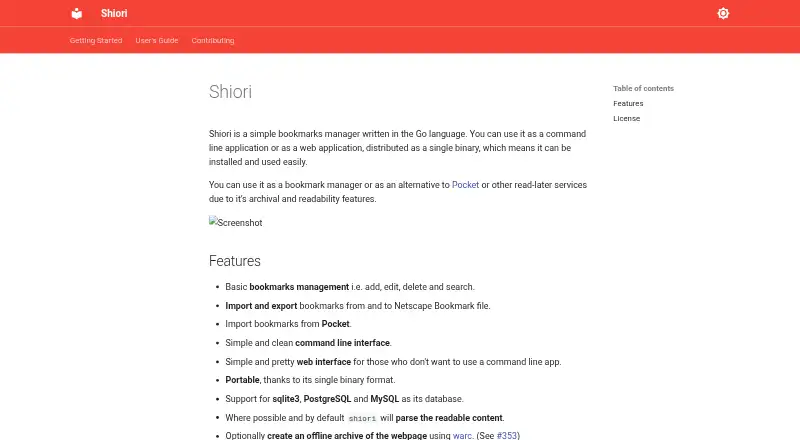
Shiori is a free, Go-based bookmark manager that can be used from the command line or as a web application. It supports adding, editing, deleting, and searching bookmarks, including full-text search. Bookmarks can be imported from Pocket or Netscape Bookmark files and exported in Netscape Bookmark format. Where possible, Shiori parses readable page content by default; users can also create offline webpage archives and ePub ebooks. The documentation lists SQLite3, PostgreSQL, and MySQL support. Shiori is self-hosted and distributed as a single binary under the MIT license, which permits use and modification. Installation options include precompiled binaries, building from source, and Docker images, with setup instructions for Windows, Linux, and macOS. Beta web extensions are described for Firefox and Chrome. The documented API v1 is still in development, and breaking changes may occur before release. The project welcomes contributions through pull requests, including contributions to community-provided installation methods. The listed Shiori plan is free.
Who it suits
Shiori suits people who want a self-hosted bookmark manager with web or command-line access and options for importing, exporting, and archiving saved pages. It is available for Windows, Linux, and macOS, with beta extensions for Firefox and Chrome.
What it does well
- Supports full-text bookmark search.
- Can create offline webpage archives and ePub ebooks.
- Imports from Pocket and Netscape Bookmark files.
- Supports SQLite3, PostgreSQL, and MySQL.
- MIT license permits use and modification.
What to know first
- API v1 remains in development.
- Firefox and Chrome extensions are beta.
- Software is self-hosted.
Limits
Shiori is listed as a free, self-hosted single binary. Its documented API v1 is in development, and breaking changes may occur before release; Firefox and Chrome web extensions are beta.
Plans
| Plan | Billed and limits | Price |
|---|---|---|
| Shiori | MIT-licensed software · single binary · self-hosted | Free |
As go-shiori.github.io lists them, read 4 Oct 2026. The maker's own page has the final word.
Getting started
- Visit the Shiori project website.
- Choose an installation route: precompiled binary, build from source, or Docker image.
- Follow the setup instructions for Windows, Linux, or macOS.
- Run Shiori as a command-line or web application.
- Optionally install a beta web extension for Firefox or Chrome.
Overview
Shiori is a Go-based bookmark manager that runs as a web or command-line application and is designed for self-hosting. It suits readers and technically inclined teams that want control of storage while keeping searchable page content, not only links. The trade-off is that its browser extensions are beta and its API is not yet a stable integration target.
Key features
Bookmark management and portability
You can add, edit, delete, and search bookmarks, including full-text search across saved material. Import and export in Netscape Bookmark format makes moving an existing collection practical, and Pocket import helps users migrate from that service. Pocket is supported as an import source, not as a stated export destination.
Readable content and archives
Shiori parses readable page content by default when it can, so saved items can remain useful even when you do not revisit the original layout. Optional offline webpage archives and ePub creation extend it into a reading archive. Those options benefit research and long-term reference, but they are not required if you only need a lightweight link list.
Storage and integration choices
SQLite3, PostgreSQL, and MySQL are documented database back ends. SQLite3 is the straightforward choice for a small installation, while PostgreSQL and MySQL fit environments already operating a server database. The documented API v1 is still in development and may receive breaking changes before release; integrations that require a settled contract should therefore be cautious.
Extensions and installation
Firefox and Chrome web-extension support is described as beta. It can make capturing links faster, but users who depend on a polished, dependable capture workflow should treat it as provisional. Installation options include precompiled binaries, building from source, and Docker images, giving self-hosters several deployment paths. The project documents setup for Windows, Linux, and macOS.
Pricing
Shiori costs free on the Shiori plan. It is MIT-licensed, distributed as a single binary, and intended for self-hosting. The license permits use and modification, so there is no subscription renewal or hosted-service charge in this plan; you provide the infrastructure and administration yourself. That makes it a strong fit for individuals, households, and organizations able to operate their own instance, but less suitable for readers seeking a managed service with vendor-run hosting.
Platforms
Shiori is offered for api, extension, linux, macos, self-hosted, web, and windows. The web and command-line forms cover browser-based and terminal-oriented workflows, while documented installation instructions span Windows, Linux, and macOS. Docker images and precompiled binaries can reduce setup work; building from source is available for users who prefer that route.
Who it's for
Choose Shiori if you want an open-source, self-hosted bookmark archive with full-text search, readable-content parsing, and optional offline or ePub copies. It is particularly appropriate when database choice matters or when you want to inspect and modify the software under the MIT license. Look elsewhere if you need a turnkey hosted product, production-ready browser extensions, or an API whose behavior is unlikely to change.
Pros and cons
Pros
- No software charge: the MIT-licensed plan is free and has no stated subscription renewal.
- Content preservation: readable-page parsing, offline archives, and ePub output preserve more than a URL.
- Portable collections: Netscape-format import and export plus Pocket import ease migration.
- Deployment flexibility: binaries, source builds, Docker, and three database systems support different self-hosting setups.
- Full-text search: saved content can be found by its text, not only bookmark metadata.
Cons
- Beta extensions: Firefox and Chrome support is still beta, weakening the case for users who require a mature capture tool.
- API uncertainty: API v1 may change incompatibly before release, creating maintenance risk for dependent integrations.
- Self-hosting responsibility: you must run and maintain the instance rather than relying on included managed hosting.
Alternatives
For a broad comparison, see Bookmark Managers.
- Diigo is a freemium, multi-platform option whose free tier allows 1,000 bookmarks or notes, 200 highlights, 50 screenshots or images, five outliners, and one private group with three members, but excludes PDF annotation.
- Karakeep suits users wanting mobile and web apps with browser extensions; its free tier is capped at 10 bookmarks and 20MB, while self-hosting is free.
- Raindrop.io is a hosted, cross-platform choice with unlimited bookmarks, collections, highlights, and devices on its free plan, subject to 100MB of file uploads per month.
- Delinqs fits small shared groups: its free plan supports up to three users with unlimited bookmarks and all features, while Team costs $9.99 a month per seat.
- LinkAce is another self-hosted bookmark archive; its open-source plan is free, with hosted service from €4 a month.
- Start.me is oriented around start pages rather than self-hosted archiving; its free tier allows three pages with basic widgets and advertising.
- Symbaloo provides ad-supported bookmark pages and Learning Paths on its free plan, with Personal Premium at $34.95 a year.
- Atavi is a free web bookmarking service for saving as many bookmarks as you want.
Verdict
Shiori is a strong choice for self-hosters who want free, modifiable bookmark management with full-text search and optional preservation of page content. Choose it when storage control and deployment flexibility outweigh administration work. Look to a hosted alternative when you need polished extensions, a stable API, or someone else to run the service.
Verdict
Shiori combines bookmark management with content parsing, optional archives, and several installation and database options. Its API remains in development, so users relying on it should account for possible breaking changes before release.
Questions
How much does Shiori cost?
The Shiori plan is free.
Which platforms can I use it on?
The project provides installation instructions for Windows, Linux, and macOS. Web, API, and extension platforms are also listed.
Can Shiori import or export bookmarks?
It imports and exports Netscape Bookmark files and can import bookmarks from Pocket.
Does Shiori support offline reading?
Where possible, it parses readable content by default. It can optionally create offline webpage archives and ePub ebooks.
Which databases does it support?
The documentation lists SQLite3, PostgreSQL, and MySQL.
Is Shiori open source?
Yes. It is distributed under the MIT license, which the project says permits use and modification.
Facts from Shiori's own pages
- API
- The documented API v1 is still in development, and the page says breaking changes may occur before release. · go-shiori.github.io, 4 Oct 2026
- Bookmark management
- It supports adding, editing, deleting, and searching bookmarks. · go-shiori.github.io, 4 Oct 2026
- Browser extension
- The project describes beta web extension support for Firefox and Chrome. · go-shiori.github.io, 4 Oct 2026
- Databases
- The documentation lists SQLite3, PostgreSQL, and MySQL database support. · go-shiori.github.io, 4 Oct 2026
- Import and export
- It can import and export bookmarks in Netscape Bookmark file format and import bookmarks from Pocket. · go-shiori.github.io, 4 Oct 2026
- Installation
- The project documents precompiled binaries, building from source, and Docker images as installation methods. · go-shiori.github.io, 4 Oct 2026
- License
- Shiori is distributed under the MIT license, which the project says permits use and modification. · go-shiori.github.io, 4 Oct 2026
- Operating systems
- The installation page gives setup instructions for Windows, Linux, and macOS. · go-shiori.github.io, 4 Oct 2026
- Purpose
- Shiori is a Go-based bookmark manager that can also be used as a command-line or web application. · go-shiori.github.io, 4 Oct 2026
- Reading and archives
- It parses readable content by default where possible and can optionally create offline webpage archives and ePub ebooks. · go-shiori.github.io, 4 Oct 2026
- Support
- The project invites contributions through pull requests and says contributions to its community-provided installation methods are welcome. · go-shiori.github.io, 4 Oct 2026
Where Shiori stands on Freedom251
- Bookmark Managers#23 of 43