SharpScan
by SharpScan
What SharpScan is
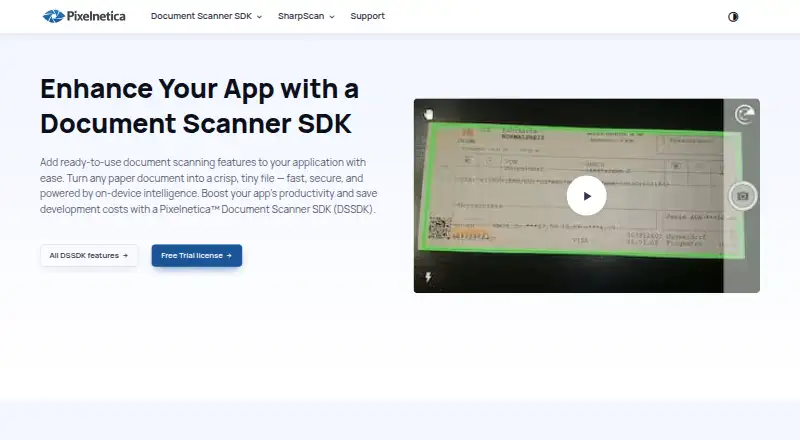
SharpScan turns an Android or iOS smartphone into a multipage PDF scanner for paper documents. Smart Camera and Smart Crop automate capture, boundary detection, cropping, and perspective correction. The maker says processing runs fully offline, without an internet connection, server communication, or tracking. On-device OCR recognizes text in more than 120 languages. Recognized documents and results can be viewed for free, while sharing recognized text requires an additional in-app purchase after a sharing trial; PDF and TXT OCR output is identified as Android-only. Black-and-white processing uses lossless compression and can make files up to 20 times smaller than ordinary JPEGs, according to the maker. Editing is non-destructive, allowing a return to the original scan. PDF tools include page management, automatic or custom page sizes, and password protection on iOS. Documents can be shared as PDF, text, or image files. AutoUpload sends new or changed PDFs to a selected cloud service. The app is free on Google Play and the Apple App Store.
Who it suits
SharpScan suits people who need mobile document capture, multipage PDFs, offline processing, and OCR. It is available on Android and iOS, with OCR recognition in more than 120 languages.
What it does well
- Automatic capture and perspective correction
- Works offline without tracking
- OCR supports 120+ languages
- Non-destructive scan editing
- Free plan available
What to know first
- Sharing OCR text requires an in-app purchase
- Some OCR outputs are Android-only
- AutoUpload excludes unchanged older documents
- Ads require an in-app purchase to remove
Limits
The free plan includes most features, but removing ads and sharing OCR results require in-app purchases. OCR PDF and TXT output is Android-only, and AutoUpload does not automatically send documents created before it was enabled unless they are changed or edited.
Plans
| Plan | Billed and limits | Price |
|---|---|---|
| Free | Most features included · Removing ads and sharing OCR results require in-app purchases | Free |
As pixelnetica.com lists them, read 11 Oct 2026. The maker's own page has the final word.
Getting started
- Install SharpScan from Google Play or the Apple App Store
- Open the app on an Android or iOS phone
- Use Smart Camera and Smart Crop to capture a document
- Assemble pages into a multipage PDF
- Run on-device OCR when text recognition is needed
- Share the PDF, text, or image, or enable AutoUpload for new and changed PDFs
Verdict
SharpScan provides mobile scanning, OCR, PDF tools, and offline processing on Android and iOS. Most features are free, but ad removal and sharing recognized text require in-app purchases.
Questions
Is SharpScan free?
SharpScan is listed as free on Google Play and the Apple App Store. Removing ads and sharing OCR results require in-app purchases.
Which devices support SharpScan?
SharpScan has Android and iOS apps.
Does SharpScan work offline?
The maker says it runs fully offline, without an internet connection, server communication, or tracking.
How many languages does OCR support?
On-device OCR recognizes text in more than 120 languages.
Can SharpScan upload scans to cloud storage?
AutoUpload can send new and changed PDFs to a selected cloud-sharing service in the background. Images and text must be shared manually.
Who makes SharpScan?
The maker is SharpScan, headquartered in Belgrade (Zemun), Serbia.
Facts from SharpScan's own pages
- Android app
- Yes · pixelnetica.com, 22 Sept 2026
- Auto capture
- Yes · pixelnetica.com, 22 Sept 2026
- Automatic scanning
- Smart Camera and Smart Crop automate capture, document boundary detection, cropping, and perspective correction. · pixelnetica.com, 11 Oct 2026
- Availability
- The maker lists SharpScan as free on the Apple App Store and Google Play Store. · pixelnetica.com, 11 Oct 2026
- Cloud integrations
- AutoUpload can send new and changed documents to a selected cloud sharing service in the background; it uploads PDFs, while images and text must be shared manually. · pixelnetica.com, 11 Oct 2026
- Compression
- Black-and-white processing uses lossless compression and can make files up to 20 times smaller than ordinary JPEGs, according to the maker. · pixelnetica.com, 11 Oct 2026
- Editing
- Editing is non-destructive, allowing users to revert to the original file after changing a scan. · pixelnetica.com, 11 Oct 2026
- Existing documents limit
- Documents created before AutoUpload is enabled are not uploaded automatically unless they are changed or edited; otherwise they must be shared manually. · pixelnetica.com, 11 Oct 2026
- Free plan
- Yes · pixelnetica.com, 22 Sept 2026
- Headquarters
- Belgrade (Zemun), Serbia · pixelnetica.com, 28 Sept 2026
- iOS app
- Yes · pixelnetica.com, 22 Sept 2026
- Multipage PDF
- Yes · pixelnetica.com, 22 Sept 2026
- OCR
- OCR recognizes text in 120+ languages on-device; the feature page says sandwiched PDF and TXT output are currently Android-only. · pixelnetica.com, 11 Oct 2026
- OCR purchase limit
- Users can recognize documents and view OCR results for free, but sharing recognized text requires an additional in-app purchase after a sharing trial. · pixelnetica.com, 11 Oct 2026
- On-device processing
- The maker says the app runs fully offline, with no internet connection, server communication, or tracking. · pixelnetica.com, 11 Oct 2026
- PDF tools
- PDF features include page management, automatic and custom page sizes, and password protection on the Apple iOS version. · pixelnetica.com, 11 Oct 2026
- Purpose
- SharpScan turns a smartphone into a multipage PDF scanner for capturing paper documents on the go. · pixelnetica.com, 11 Oct 2026
- Searchable PDF
- Yes · pixelnetica.com, 22 Sept 2026
- Sharing
- Users can share documents as PDF, text, or image files. · pixelnetica.com, 11 Oct 2026
- Support
- The maker directs users with questions to its contact page or the product FAQ and tutorials. · pixelnetica.com, 11 Oct 2026
Where SharpScan stands on Freedom251
- Scanner apps#27 of 76
- Mobile Scanning Apps#32 of 76