Freedom251 › Mobile Scanning Apps
OnlyScans
by OnlyScans
What OnlyScans is
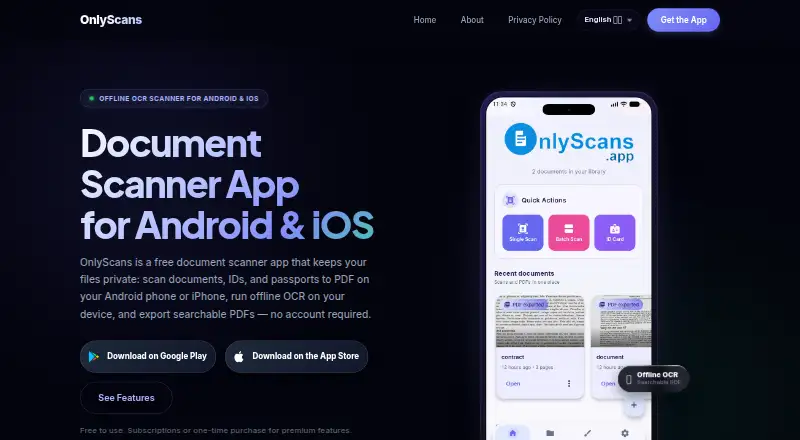
OnlyScans is a document-scanning app from OnlyScans, a maker based in Novo Mesto, Slovenia. It is available on iOS and Android and includes automatic capture, OCR, and multipage PDF creation. Scans can be exported as searchable PDFs. Its Free Tier costs nothing and allows unlimited document scans, making it an option for people who need to scan without a stated scan limit. Pro Monthly and Pro Yearly add scans without watermarks, OCR text extraction, searchable PDF export, batch scanning, signatures, annotations, and password-protected PDFs. The Lifetime plan unlocks Pro features through a one-time purchase. The listed information does not give prices for any of the three Pro options, so their costs cannot be compared here. Buyers can choose between the free scanning tools and the broader Pro set, which adds batch processing and document signing, annotation, and password protection. With apps for both major mobile platforms listed, OnlyScans is suited to scanning and working with documents on an iOS or Android device.
Who it suits
OnlyScans suits people who want to scan documents on an iOS or Android device and make searchable PDFs. The free plan may fit users who need unlimited document scans, while people needing batch scanning, signatures, annotations, or password-protected PDFs can consider Pro.
What it does well
- Free Tier includes unlimited document scans.
- Available on iOS and Android.
- Automatic capture and multipage PDF creation are included.
- OCR and searchable PDF export are supported.
- Pro includes signatures, annotations, and password protection.
What to know first
- The listed price is unavailable for Pro Monthly and Pro Yearly.
- The listed price is unavailable for the Lifetime plan.
- The listed platforms are limited to iOS and Android.
Limits
The Free Tier provides unlimited document scans. Pro plans include no-watermark output, batch scanning, signatures, annotations, and password-protected PDFs.
Plans
| Plan | Billed and limits | Price |
|---|---|---|
| Free Tier | Unlimited document scans | Free |
| Pro Monthly | No watermarks · OCR text extraction · Searchable PDF export · Batch scanning · Signatures and annotations · Password-protected PDFs | On request |
| Pro Yearly | No watermarks · OCR text extraction · Searchable PDF export · Batch scanning · Signatures and annotations · Password-protected PDFs | On request |
| Lifetime | Pro features unlocked with a one-time purchase | On request |
As onlyscans.app lists them, read 22 Sept 2026. The maker's own page has the final word.
Getting started
- Visit the OnlyScans website.
- Install the app on an iOS or Android device.
- Start with the Free Tier for unlimited document scans.
- Choose Pro Monthly, Pro Yearly, or Lifetime if you need Pro features.
Verdict
Choose OnlyScans if you want mobile document scanning with unlimited scans on the free plan. Consider a Pro plan if you need batch scanning, signatures, annotations, or password-protected PDFs; the listed details do not give those plans' prices.
Questions
Is OnlyScans free?
Yes. The Free Tier is listed as free and includes unlimited document scans.
Which platforms support OnlyScans?
OnlyScans is available on iOS and Android.
Does OnlyScans include OCR and searchable PDFs?
Yes. OCR is included, and searchable PDF export is listed.
What do the Pro plans include?
Pro Monthly and Pro Yearly list no-watermark output, OCR text extraction, searchable PDF export, batch scanning, signatures, annotations, and password-protected PDFs.
Is there a one-time purchase option?
Yes. The Lifetime plan unlocks Pro features with a one-time purchase.
Who makes OnlyScans?
The maker is OnlyScans, based in Novo Mesto, Slovenia.
Facts from OnlyScans's own pages
- Android app
- Yes · onlyscans.app, 22 Sept 2026
- Auto capture
- Yes · onlyscans.app, 22 Sept 2026
- Free plan
- Yes · onlyscans.app, 22 Sept 2026
- Headquarters
- Novo Mesto, Slovenia · onlyscans.app, 28 Sept 2026
- iOS app
- Yes · onlyscans.app, 22 Sept 2026
- Multipage PDF
- Yes · onlyscans.app, 22 Sept 2026
- OCR included
- Yes · onlyscans.app, 22 Sept 2026
- Searchable PDF
- Yes · onlyscans.app, 22 Sept 2026
Where OnlyScans stands on Freedom251
- Mobile Scanning Apps#25 of 76
- Scanner apps#25 of 76