OSS Document Scanner
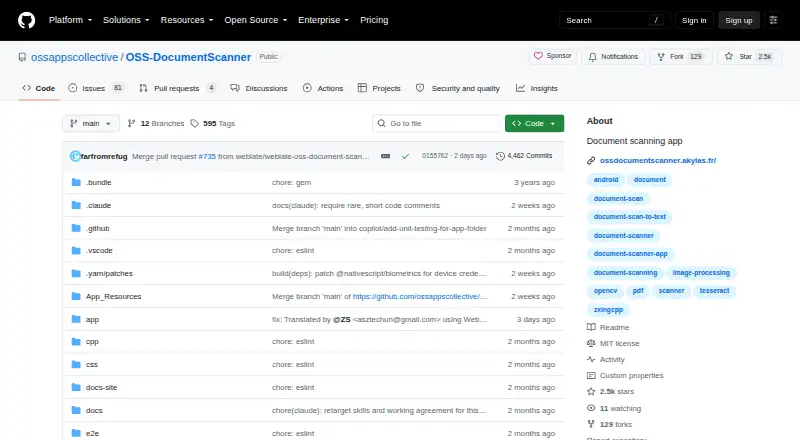
What OSS Document Scanner is
OSS Document Scanner is a free, open-source mobile app for capturing, editing, organizing and exporting scanned documents. Available for Android and iOS, it can detect page edges automatically or use manual capture, and batch scanning can combine multiple pages into one document. After capture, scans can be cropped, rotated and enhanced with image filters. On-device OCR can add searchable text to exported PDFs. Export options include standard PDFs, OCR PDFs, JPEGs and PNGs; documents can also be shared, saved or printed. Optional WebDAV sync supports Nextcloud, ownCloud, Synology NAS, QNAP NAS and other WebDAV servers. The app processes documents on-device and does not upload them unless sync is configured; its FAQ says there is no analytics or tracking. For sync, credentials use the platform keychain, configured HTTPS protects data in transit, and local storage uses device encryption. Backups are ZIP files and are not encrypted by default. Android downloads are listed through Google Play, IzzyOnDroid, GitHub Releases or Obtainium, while iOS distribution is through the App Store. The stated minimum versions are Android 7.0 (API 24) and iOS 13.0. The maker identifies Martin Guillon, an independent mobile application developer and consultant based in France working under Akylas.
Who it suits
This app suits people who want to scan and organize documents on an Android or iOS device, with OCR and searchable PDF export. It also suits users who want optional WebDAV sync with services or storage such as Nextcloud, ownCloud or a NAS.
What it does well
- Free plan has no ads, in-app purchases or paywalled premium features.
- Automatic edge detection and manual capture are supported.
- Batch scanning combines multiple pages in one document.
- On-device OCR can make exported PDFs searchable.
- Exports PDFs, JPEGs and PNGs.
- Optional WebDAV sync supports several servers and NAS products.
What to know first
- Backups are ZIP files and are not encrypted by default.
- WebDAV sync is optional and requires configuration.
- Android requires version 7.0 (API 24) or later.
- iOS requires version 13.0 or later.
Limits
The free plan is listed as free and has no ads, in-app purchases or premium features behind a paywall. Backups are ZIP files and are not encrypted by default; sync is optional and does not occur unless configured.
Plans
| Plan | Billed and limits | Price |
|---|---|---|
| Free | No ads · no in-app purchases · no premium features behind a paywall | Free |
As github.com lists them, read 11 Oct 2026. The maker's own page has the final word.
Getting started
- Install from Google Play, IzzyOnDroid, GitHub Releases or Obtainium on Android, or from the App Store on iOS.
- Check that your device meets the stated minimum: Android 7.0 (API 24) or iOS 13.0.
- Capture a page automatically with edge detection or use manual capture.
- Batch scan pages into one document, then crop, rotate or apply image filters as needed.
- Export as a standard or OCR PDF, JPEG or PNG, or share, save or print the document.
- Configure optional WebDAV sync if you use a supported server.
Verdict
Choose OSS Document Scanner if you want free mobile scanning with on-device OCR, multipage documents and several export formats. Its optional WebDAV sync can suit users with compatible storage. Take care with backups, which are not encrypted by default.
Questions
How much does OSS Document Scanner cost?
The Free plan costs nothing. It has no ads, in-app purchases or premium features behind a paywall.
Which platforms are supported?
The app is available on Android and iOS. The stated minimums are Android 7.0 (API 24) and iOS 13.0.
Does it include OCR and searchable PDFs?
Yes. OCR runs on-device and can add searchable text to exported PDFs.
Is the app open source?
Yes. It is described as an open-source app, and its website is its GitHub project page.
Can it sync with WebDAV storage?
Optional WebDAV sync supports Nextcloud, ownCloud, Synology NAS, QNAP NAS and other WebDAV servers.
Who makes the app?
The maker identifies Martin Guillon as an independent mobile application developer and consultant based in France, working under the company name Akylas.
Facts from OSS Document Scanner's own pages
- Android app
- Yes · github.com, 23 Sept 2026
- Auto capture
- Yes · github.com, 23 Sept 2026
- Backup limit
- Backups are ZIP files and are not encrypted by default. · ossdocumentscanner.akylas.fr, 11 Oct 2026
- Capture
- It supports automatic edge detection, manual capture, and batch scanning of multiple pages into one document. · ossdocumentscanner.akylas.fr, 11 Oct 2026
- Distribution
- The documentation lists Android downloads through Google Play, IzzyOnDroid, GitHub Releases, or Obtainium, and iOS through the App Store. · ossdocumentscanner.akylas.fr, 11 Oct 2026
- Editing
- Scans can be cropped, rotated, and enhanced with image filters. · ossdocumentscanner.akylas.fr, 11 Oct 2026
- Export
- Documents can be exported as standard or OCR PDFs, JPEGs, or PNGs, and shared, saved, or printed. · ossdocumentscanner.akylas.fr, 11 Oct 2026
- Free plan
- Yes · github.com, 23 Sept 2026
- Integrations
- Optional WebDAV sync supports Nextcloud, ownCloud, Synology NAS, QNAP NAS, and other WebDAV servers. · ossdocumentscanner.akylas.fr, 11 Oct 2026
- iOS app
- Yes · github.com, 23 Sept 2026
- Maker
- The maker's About page identifies Martin Guillon as an independent mobile application developer and consultant based in France, working under the company name Akylas. · akylas.fr, 11 Oct 2026
- Multipage PDF
- Yes · github.com, 23 Sept 2026
- OCR
- OCR runs on-device and can add searchable text to exported PDFs. · ossdocumentscanner.akylas.fr, 11 Oct 2026
- Platform requirements
- The FAQ lists Android 7.0 (API 24) and above and iOS 13.0 and above. · ossdocumentscanner.akylas.fr, 11 Oct 2026
- Privacy
- The FAQ says the app processes data on-device, does not upload it unless sync is configured, and includes no analytics or tracking. · ossdocumentscanner.akylas.fr, 11 Oct 2026
- Purpose
- OSS Document Scanner is an open-source app for capturing, editing, organizing, and exporting scanned documents. · ossdocumentscanner.akylas.fr, 11 Oct 2026
- Searchable PDF
- Yes · github.com, 23 Sept 2026
- Security
- The sync guide says credentials use the platform keychain, data in transit uses HTTPS when configured, and local storage uses device encryption. · ossdocumentscanner.akylas.fr, 11 Oct 2026
- Support
- Users can report bugs or request features through GitHub Issues and consult the product documentation. · ossdocumentscanner.akylas.fr, 11 Oct 2026
Where OSS Document Scanner stands on Freedom251
- Scanner apps#16 of 76
- Mobile Scanning Apps#21 of 76