MaShot
What MaShot is
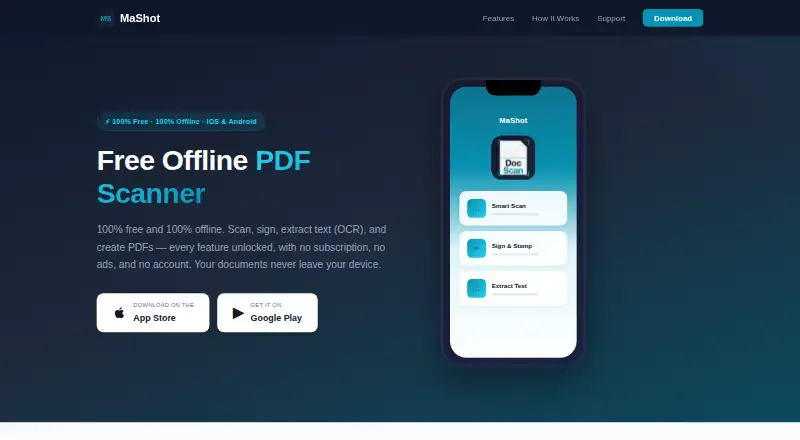
MaShot is a free mobile app for scanning, editing, organizing, and sharing documents on Android and iOS. It detects page edges, corrects perspective, and improves scan clarity, with automatic capture available. On-device OCR extracts text from scanned documents and images for copying or sharing. Scanning, OCR, and document processing run locally, and the app says these tasks do not need an internet connection.
Users can create and place digital signatures, apply date stamps, and adjust their color and weight. PDF tools merge, split, or compress files, reorder or rotate pages, and add watermarks. The app converts PDFs to and from Word and exports as PDF, image, Word, or plain text. Its interface supports over 20 languages, with dark mode available by system setting or manual selection. The plan is free and includes all features, with no subscription, ads, or account. Documents are stored locally; the maker says their security primarily depends on the device’s built-in protections.
Who it suits
MaShot suits people who want to scan and manage documents on an Android or iOS device, including when offline. Its signature, conversion, and PDF tools also fit personal or business document tasks.
What it does well
- Scanning, OCR, and processing work locally offline.
- On-device OCR extracts text from images and documents.
- Includes PDF editing and format conversion tools.
- All features are included in the free plan.
- Interface supports over 20 languages.
What to know first
- Documents are stored locally, so security depends primarily on the device.
- Users are responsible for backups; the maker disclaims liability for data loss.
Plans
| Plan | Billed and limits | Price |
|---|---|---|
| MaShot | All features included · no subscription, ads, or account | Free |
As mashot.net lists them, read 11 Oct 2026. The maker's own page has the final word.
Getting started
- Visit the MaShot website.
- Install MaShot on an Android or iOS device.
- Open the app and scan a document; automatic capture is available.
- Use on-device OCR, signature, date stamp, or PDF tools as needed.
- Keep backups of documents stored on the device.
Verdict
MaShot combines mobile scanning, on-device text recognition, signatures, and PDF editing in a free plan. It fits people who want local document processing and should maintain their own backups.
Questions
How much does MaShot cost?
MaShot costs nothing. All features are included, with no subscription or ads.
Do I need an account or internet connection?
No account is required. Scanning, OCR, and document processing run locally and do not need an internet connection.
Which platforms does MaShot support?
MaShot is available on Android and iOS.
What document and PDF tools does it include?
It scans and enhances documents, extracts text with OCR, and supports digital signatures and date stamps. PDF tools merge, split, compress, reorder, rotate, and watermark files; the app also converts PDFs to and from Word.
Where are documents stored, and what data may be collected?
Documents are stored locally. The privacy policy says MaShot does not collect personal identification information, scanned content, or location, but anonymous crash reports and aggregated usage analytics may be collected.
How can I contact support?
Support is available at [email protected], with a stated response time of 24–48 hours.
Facts from MaShot's own pages
- Android app
- Yes · mashot.net, 23 Sept 2026
- Auto capture
- Yes · mashot.net, 23 Sept 2026
- Data collection
- The privacy policy says it does not collect personal identification information, scanned document content, or location, but may collect anonymous crash reports and aggregated usage analytics. · mashot.net, 11 Oct 2026
- File formats
- It can convert PDFs to and from Word and export as PDF, image, Word, or plain text. · mashot.net, 11 Oct 2026
- Free plan
- Yes · mashot.net, 23 Sept 2026
- iOS app
- Yes · mashot.net, 23 Sept 2026
- Languages and display
- The interface supports over 20 languages and includes a dark mode that can follow system settings or be set manually. · mashot.net, 11 Oct 2026
- Multipage PDF
- Yes · mashot.net, 23 Sept 2026
- OCR
- On-device OCR extracts text from scanned documents and images for copying or sharing. · mashot.net, 11 Oct 2026
- Offline use
- Scanning, OCR, and document processing run locally, and the app says it needs no internet connection for these tasks. · mashot.net, 11 Oct 2026
- PDF tools
- The app can merge, split, and compress PDFs, reorder or rotate pages, and add watermarks. · mashot.net, 11 Oct 2026
- Platforms
- The app is available for iPhone, iPad, and Android phones and tablets. · mashot.net, 11 Oct 2026
- Purpose
- MaShot is a mobile app for scanning, editing, managing, and sharing documents for personal and business use. · mashot.net, 11 Oct 2026
- Scanning
- It detects document edges, corrects perspective, and enhances scan clarity. · mashot.net, 11 Oct 2026
- Security
- Documents are stored locally; the maker says document security primarily depends on the device’s built-in security features. · mashot.net, 11 Oct 2026
- Signatures
- Users can create and place digital signatures and add date stamps, with controls for color and weight. · mashot.net, 11 Oct 2026
- Support
- Support is available by email at [email protected], with a stated response time of 24–48 hours. · mashot.net, 11 Oct 2026
- Third-party service
- Firebase Crashlytics is the only third-party service identified, used for anonymous crash reports and diagnostics. · mashot.net, 11 Oct 2026
- Usage limit
- The terms say users are responsible for maintaining backups and that the maker is not liable for data loss. · mashot.net, 11 Oct 2026
Where MaShot stands on Freedom251
- Scanner apps#12 of 76
- Mobile Scanning Apps#17 of 76