My Scans
by My Scans
What My Scans is
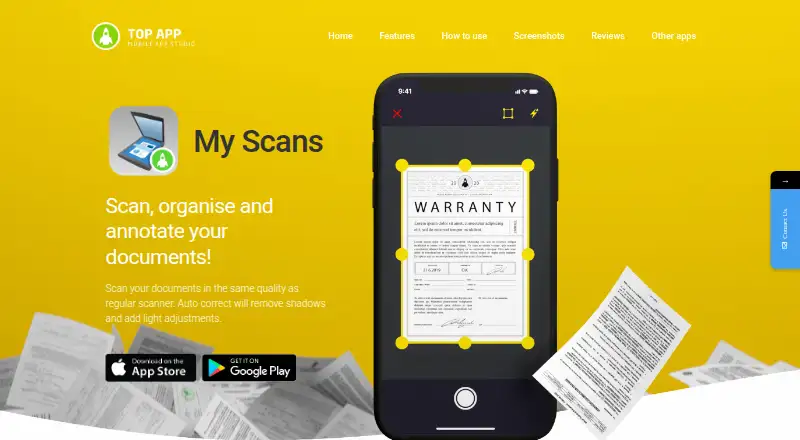
My Scans is a document-scanning app from My Scans, headquartered in Trzin, Slovenia. It runs on Android, iOS, and the web, and is intended for scanning, organizing, and correcting documents. During capture, it detects document edges and adjusts image quality and lighting. Editing tools let you annotate pages, blur selected areas, add text or highlights, and apply saved signatures or stamps. Scans can be saved or shared as PDF or JPG files. OCR, searchable PDFs, and multipage documents are listed with the My Scans PRO plan. The Free plan costs nothing and includes document scanning; PDF export is available after an upgrade or cloud activation. Top App Cloud costs $2.99 a month and adds browser access, backup, synchronization, shared folders, collaboration, and download or receive links. Faxing uses one credit per page, with credits available through in-app purchases. The privacy policy says technical information may be collected, while Top App describes commercially reasonable security precautions.
Who it suits
It suits people who need document scanning and correction across mobile devices and a browser. Teams needing synchronized folders, collaboration, and permissions can consider Top App Cloud.
What it does well
- Scans detect document edges and adjust lighting
- OCR and searchable PDF support are available
- Annotations, blur, text, highlights, signatures, and stamps
- PDF and JPG saving or sharing
- Android, iOS, and web access
What to know first
- PDF export requires upgrade or cloud activation
- Faxing consumes one credit per page
- Cloud collaboration costs $2.99 a month
- Privacy policy lists collection of technical information
Plans
| Plan | Billed and limits | Price |
|---|---|---|
| Free | Document scanning · PDF export after upgrade or cloud activation | Free |
| My Scans PRO | Full scanning features · Searchable PDF · Multipage documents · Annotations, signatures and stamps | On request |
| Top App Cloud | $2.99/month · Cloud collaboration · cloud sharing · cloud backup · browser access · sync across devices | $2.99 a month |
| My Scans | Free app · in-app purchases | Free |
| Top App Cloud | $19.99/year · Cloud collaboration · cloud sharing · cloud backup · browser access · sync across devices | $19.99 a year |
As myscansapp.com lists them, read 22 Sept 2026. The maker's own page has the final word.
Verdict
My Scans combines document capture, correction, and sharing across Android, iOS, and web. Its free scanning option covers basic use, while searchable PDFs, multipage documents, and cloud collaboration depend on plan or credit choices.
Facts from My Scans's own pages
- Android app
- Yes · myscansapp.com, 22 Sept 2026
- Cloud features
- Top App Cloud supports syncing between devices, browser access, shared folders, collaboration, and download or receive links. · myscansapp.com, 11 Oct 2026
- Document scanning
- My Scans detects document edges and adjusts image quality and lighting when scanning. · myscansapp.com, 11 Oct 2026
- Editing
- Users can annotate documents, blur selected areas, add text or highlights, and add saved signatures or stamps. · myscansapp.com, 11 Oct 2026
- Fax
- Faxing costs one credit per page, and users can top up credits through in-app purchases. · myscansapp.com, 11 Oct 2026
- File formats
- Scans can be saved or shared as PDF or JPG files. · myscansapp.com, 11 Oct 2026
- Free plan
- Yes · myscansapp.com, 22 Sept 2026
- Headquarters
- Trzin, Slovenia · myscansapp.com, 28 Sept 2026
- Intended use
- The maker describes My Scans as a mobile scanner for scanning, organizing, and correcting documents. · myscansapp.com, 11 Oct 2026
- iOS app
- Yes · myscansapp.com, 22 Sept 2026
- Multipage PDF
- Yes · myscansapp.com, 22 Sept 2026
- OCR included
- Yes · myscansapp.com, 22 Sept 2026
- Privacy
- Top App says it takes reasonable precautions against unauthorized access and will not sell users’ information without their knowledge and consent. · topapp.si, 11 Oct 2026
- Privacy data
- The privacy policy says the app may collect device and technical information, including IP address, device identifiers, operating system, and device model. · topapp.si, 11 Oct 2026
- Searchable PDF
- Yes · myscansapp.com, 22 Sept 2026
- Security limits
- Top App says its security measures use commercially reasonable efforts and that no security measures are perfect or impenetrable. · topapp.si, 11 Oct 2026
- Sharing permissions
- Shared folder members can be given permissions such as “Can Modify” or “Can manage share.” · myscansapp.com, 11 Oct 2026
- Support
- The FAQ explains how users can cancel subscriptions through iPhone settings or Google Play subscription management. · myscansapp.com, 11 Oct 2026
- Supported mobile stores
- The maker directs users to download My Scans from the App Store or Google Play. · myscansapp.com, 11 Oct 2026
Where My Scans stands on Freedom251
- Scanner apps#28 of 76
- Mobile Scanning Apps#36 of 76