Freedom251 › Task Mining Software
screenpipe
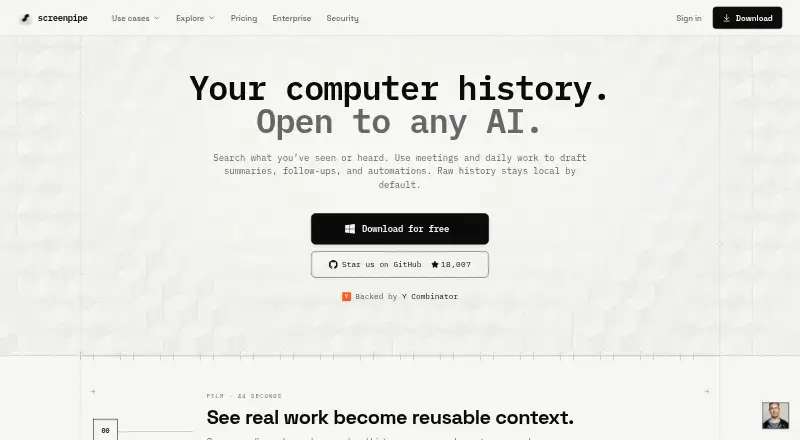
What screenpipe is
screenpipe is a desktop memory tool that records screen content, app text, browser context, and audio for AI search. It captures connected monitors when activity changes, extracts accessibility text with OCR as a fallback, and records the active app, window title, and browser URL when available. System audio and microphone input are transcribed locally with OpenAI Whisper, including speaker identification.
Users can search in natural language and filter history by date, application, window title, or browser URL. Results can include screenshots and audio clips alongside extracted text. A visual timeline provides access to screen history, text, and audio playback. By default, captures and transcriptions remain in a local SQLite database rather than being sent to external servers. Screenpipe provides a localhost REST API, JavaScript/TypeScript SDK, and MCP server, plus integrations with tools including Cursor, Claude Code, Obsidian, and Notion. It runs on macOS, Windows, and Linux; there is no mobile app. The free plan covers one device; paid Basic starts at $21 a month billed annually.
Who it suits
Screenpipe suits desktop users who want searchable screen and audio history, or developers connecting captured content to tools through an API, SDK, or MCP server. It is for users of macOS, Windows, or Linux rather than mobile users.
What it does well
- Captures screen, app text, browser context, and audio.
- Local transcription includes speaker identification.
- Search filters include dates, apps, and browser URLs.
- Captures stay in a local SQLite database by default.
- Offers a REST API, SDK, and MCP server.
What to know first
- There is no mobile app.
- Free plan is limited to one device.
- Basic is billed annually at $21 a month.
- Continuous recording is estimated to use 5–10 GB monthly.
Limits
The Free plan covers one device and recent-work search. Basic, at $21/user/mo billed annually, adds full searchable history, MCP context for Claude and Codex, and unlimited installed scheduled workflows.
Plans
| Plan | Billed and limits | Price |
|---|---|---|
| Free | one device · screen, audio, and meeting capture · recent-work search · AI-tool context sharing | Free |
| Basic | $250/yr billed annually · save $50 · full searchable history · MCP context for Claude and Codex · unlimited installed scheduled workflows | $21 a month |
| Business | $500/seat/yr billed annually · save $100 · personal device sync · recurring workflows · centralized billing and managed seats · shared teammate context not currently included | $42 a month |
| Enterprise | custom · managed searchable history · dedicated support · custom models · SSO, MDM, retention, and device controls | On request |
As screenpipe.com lists them, read 1 Oct 2026. The maker's own page has the final word.
Getting started
- Visit https://screenpipe.com/ and choose the free plan or a paid plan.
- Install the desktop application for macOS, Windows, or Linux.
- Connect the monitors and choose which apps or URLs to filter.
- Use natural-language search or the timeline to review captures and audio.
Screenpipe turns day-to-day computer activity into a searchable record, making it a strong fit for people who need to recover details from past work or share context with AI tools. Its local-first storage and developer access are compelling; continuous recording’s storage demands and desktop-only scope are meaningful trade-offs.
Overview
Screenpipe brings screen content, app text, browser context and audio together in one history. Natural-language search can filter that history by date, application, window title or browser URL, returning screenshots and audio clips with extracted text.
Screen capture follows activity changes across connected monitors, using accessibility text extraction with OCR as a fallback. The active app, window title and browser URL are recorded when available, giving searches useful context beyond the image itself. That context depends on what the system can extract, however, so capture is not a guarantee that every screen detail will be searchable.
Key features
System audio and microphone input are transcribed locally with OpenAI Whisper, with speaker identification for conversations. That makes Screenpipe useful for revisiting spoken discussions as well as visual work, though the product is not a substitute for a dedicated meeting service based on the features described.
Developer access is a particular strength: a localhost REST API exposes screen content, transcriptions and frames, and a JavaScript/TypeScript SDK and MCP server provide other routes into the captured history. Official integrations include Cursor, Claude Code, Cline, Continue, OpenCode, Gemini CLI, ChatGPT and Claude Desktop through MCP, plus Obsidian, Notion, Ollama and OpenAI-compatible model servers. This breadth makes it especially relevant to people building AI-assisted workflows; it is less compelling for someone who only wants occasional screenshots.
Captures, audio, extracted text and transcriptions stay by default in a local SQLite database and are not sent to external servers. Users can filter apps or URLs and redact passwords and personally identifiable information on-device; data can also be encrypted at rest with a zero-knowledge key hierarchy. These controls make the privacy approach a clear advantage, while organizations should weigh that the SOC 2 Type 2 report is available under NDA and ISO 27001 certification is still in progress.
Continuous recording has a real resource cost: Screenpipe recommends 8 GB of RAM, estimates 5–10 GB of disk space per month of continuous recording, and reports typical CPU usage of 5–15% on modern hardware. Those demands may be acceptable for a searchable work archive, but they deserve attention on machines with limited storage or memory.
Pricing
The Free plan costs nothing and covers one device, screen, audio and meeting capture, recent-work search, and AI-tool context sharing. It is a sensible way to try the core workflow, but its one-device cap and recent-work search make it a limited choice for anyone who needs a lasting searchable archive.
Basic costs $21 a month, billed $250/yr billed annually; the annual billing saves $50. It adds full searchable history, MCP context for Claude and Codex, and unlimited installed scheduled workflows. For an individual who wants to retrieve older work and connect it to those AI tools, this is the most direct paid step up. Community support is included.
Business costs $42 a month, billed $500/seat/yr billed annually; annual billing saves $100. It adds personal device sync, recurring workflows, centralized billing and managed seats. Shared teammate context is not currently included, so the plan’s team administration does not mean colleagues share one another’s captured context. Priority support is included.
Enterprise has custom pricing and includes managed searchable history, dedicated support, custom models, SSO, MDM, retention and device controls. It is aimed at organizations that need those administration and security controls rather than a published per-seat price. Free and Basic have community support; Enterprise has dedicated support.
Platforms
Screenpipe is a desktop application for macOS, Windows and Linux, with API access also supported. There is no mobile app, which rules it out for people who need to capture or review activity from a phone or tablet. MP4 is the stated export format.
Who it's for
Screenpipe suits developers and other computer-based workers who want to search past screen and audio activity, especially those who will use its API, SDK, MCP server or listed integrations. Its local storage and on-device redaction controls also make it worth considering for privacy-conscious users. It is a weaker fit for mobile-first work, low-storage machines, or teams that require shared teammate context.
Pros and cons
- Pro: Search combines extracted text, app and browser context, screenshots and audio, so a work history is more useful than a collection of images alone.
- Pro: Local storage by default, on-device redaction and optional encryption at rest give users meaningful privacy controls.
- Pro: The REST API, SDK, MCP server and broad AI-tool integrations make captured history accessible to developer workflows.
- Con: Continuous recording is estimated to use 5–10 GB of disk space per month, alongside recommended 8 GB RAM and typical 5–15% CPU usage.
- Con: There is no mobile app, and the Free plan limits use to one device and recent-work search.
- Con: Business includes managed seats and billing but not shared teammate context; formal compliance buyers should also account for ISO 27001 being in progress.
Alternatives
For document automation rather than personal screen-history search, consider Automation Anywhere Document Automation. Its free Community Edition includes Document Automation for eligible small businesses, capped at 5 machines and 100 pages/month.
mindzie Desktop Process Mining is a better fit for desktop process mining: its free edition supports up to 1,000 cases with full functionality and no time-limited trial. Celonis Process Mining Platform is another process-mining alternative, with a free plan.
EdgeVerve AssistEdge offers a free single-user Community Edition for learning and building automations, so it suits that purpose better than Screenpipe’s searchable work memory. Operavix and ARIS are paid alternatives.
MemoryLane is a freemium alternative for macOS and Windows; its Individual plan is $100 a month. Alexandria is a paid alternative for macOS and Windows.
For a broader category comparison, browse Task Mining Software or AI Screen Recorders.
Verdict
Choose Screenpipe if you want a private-by-default, searchable record of desktop activity and will benefit from its AI integrations or developer interfaces. The main reason to look elsewhere is the cost of continuous capture in storage and computer resources, compounded by the absence of mobile support; teams needing shared context should also look beyond Business.
Verdict
screenpipe combines searchable screen history, local audio transcription, and developer access tools. The free plan covers one device, while Basic is $21 a month billed annually.
Questions
Does screenpipe have a free plan?
Yes. The Free plan costs nothing and covers one device, screen, audio, and meeting capture, recent-work search, and AI-tool context sharing.
What does Basic cost?
Basic costs $21/user/mo billed annually, listed as $250 per year with $50 savings. It includes full searchable history, MCP context for Claude and Codex, and unlimited installed scheduled workflows.
Which platforms does it support?
It is a desktop application for macOS, Windows, and Linux. Screenpipe states that it does not currently have a mobile app.
Where does captured data go?
By default, captures, audio, extracted text, and transcriptions stay in a local SQLite database and are not sent to external servers.
What integrations are listed?
Listed integrations include Cursor, Claude Code, Cline, Continue, OpenCode, Gemini CLI, ChatGPT via MCP, Claude Desktop via MCP, Obsidian, Notion, Ollama, and OpenAI-compatible model servers.
What are its security and compliance statuses?
The security page describes encryption at rest with a zero-knowledge key hierarchy and on-device app or URL filtering and password and PII redaction. Screenpipe says a SOC 2 Type 2 report is available under NDA; ISO 27001 certification is in progress and not yet certified.
Facts from screenpipe's own pages
- AI search
- Natural-language search can filter history by date, application, window title, or browser URL and return screenshots and audio clips with extracted text. · screenpipe.com, 1 Oct 2026
- Audio transcription
- System audio and microphone input are transcribed locally with OpenAI Whisper, with speaker identification for conversations. · screenpipe.com, 1 Oct 2026
- Compliance status
- Screenpipe states that a SOC 2 Type 2 report is available under NDA and that ISO 27001 certification is in progress and not yet certified. · screenpipe.com, 1 Oct 2026
- Developer access
- Screenpipe provides a localhost REST API for screen content, audio transcriptions, and frames, plus a JavaScript/TypeScript SDK and MCP server. · screenpipe.com, 1 Oct 2026
- Founded
- 2024 · screenpipe.com, 28 Sept 2026
- Integrations
- Officially listed integrations include Cursor, Claude Code, Cline, Continue, OpenCode, Gemini CLI, ChatGPT via MCP, Claude Desktop via MCP, Obsidian, Notion, Ollama, and OpenAI-compatible model servers. · screenpipe.com, 1 Oct 2026
- Local privacy
- By default, captures, audio, extracted text, and transcriptions stay in a local SQLite database and are not sent to external servers. · screenpipe.com, 1 Oct 2026
- Mobile availability
- Screenpipe states that it does not currently have a mobile app and is a desktop application for macOS, Windows, and Linux. · screenpipe.com, 1 Oct 2026
- Resource limits
- The site recommends 8 GB RAM, estimates 5–10 GB of disk space per month of continuous recording, and reports typical modern-hardware CPU usage of 5–15%. · screenpipe.com, 1 Oct 2026
- Screen capture
- It captures connected monitors when activity changes, extracts accessibility text with OCR fallback, and records the active app, window title, and browser URL when available. · screenpipe.com, 1 Oct 2026
- Security controls
- The security page states that data can be encrypted at rest with a zero-knowledge key hierarchy and that users can filter apps or URLs and redact passwords and PII on-device. · screenpipe.com, 1 Oct 2026
- Support
- The pricing comparison lists community support for Free and Basic, priority support for Business, and dedicated support for Enterprise. · screenpipe.com, 1 Oct 2026
- Timeline
- A visual timeline lets users scroll through screen history, inspect screenshots and extracted text, and play audio from any period. · screenpipe.com, 1 Oct 2026
- What it does
- Screenpipe is a local-first desktop memory layer that records screen content, app text, browser context, and audio for AI search. · screenpipe.com, 1 Oct 2026
Where screenpipe stands on Freedom251
- Task Mining Software#5 of 28
- AI Screen Recorders#18 of 39