Freedom251 › AI Document Processing Software

Automation Anywhere Document Automation
Visit Automation Anywhere Document Automation Alternatives Pricing
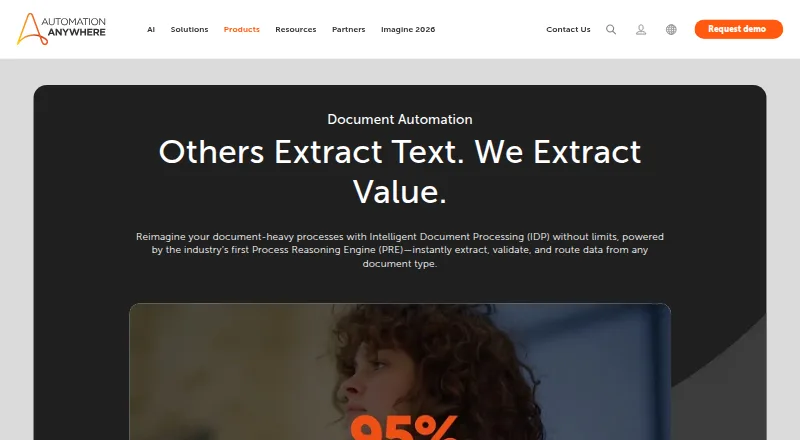
What Automation Anywhere Document Automation is
Automation Anywhere Document Automation extracts and validates information from business documents, then connects that information to workflows. It handles emails, contracts, invoices, spreadsheets, purchase orders, medical reports, tax forms, and other documents, including handwriting, barcodes, and tables. Its classification, extraction, and validation methods use natural language processing, computer vision, generative AI, and machine learning. Automation Co-Pilot can place and validate extracted data in existing applications. Listed integrations include Salesforce, SAP BAPI, ServiceNow, Workday, Google Drive, Microsoft 365, OpenAI, and Azure Cognitive Services, with REST and SOAP support. The maker describes uses in finance, banking, healthcare, human resources, logistics, and manufacturing. It says its Cloud Extraction Service processes large-scale extraction up to five times faster. The platform lists AES-256 encryption at rest, SSL/TLS communications, and several certifications, including SOC 1 Type 2, SOC 2 Type 2, ISO 27001, HITRUST, and ISO 22301. Eligible small businesses on Community Edition can use up to five machines and process or upload 100 pages per month. Business pricing is available on request.
Who it suits
It suits organizations that need to extract and validate data from varied documents as part of business workflows. The maker lists finance, banking, healthcare, human resources, logistics, and manufacturing among its use areas.
What it does well
- Processes documents including handwriting, barcodes, and tables.
- Uses NLP, computer vision, generative AI, and machine learning.
- Automation Co-Pilot connects data to existing applications.
- Supports REST and SOAP integrations.
- Community Edition includes up to 100 pages monthly for eligible small businesses.
What to know first
- Eligible small businesses are limited to five Community Edition machines.
- Community Edition is limited to 100 pages per month.
- Business pricing is available on request.
Limits
Eligible small businesses using Community Edition can use up to five machines and process or upload up to 100 pages per month. Business pricing is provided on request.
Plans
| Plan | Billed and limits | Price |
|---|---|---|
| Free trial | 30 days · non-production evaluation · Enterprise and/or Document Automation | Free |
| Community Edition | students, developers and small businesses · cloud hosted | Free |
| Automation Anywhere Enterprise | usage based · starting price shown by GetApp · subscription | $9,000 a year |
As automationanywhere.com lists them, read 14 Oct 2026. The maker's own page has the final word.
Getting started
- Visit the Automation Anywhere Document Automation website.
- For Community Edition, check eligibility as a small business.
- Use Community Edition for up to five machines and 100 pages per month if eligible.
- For business pricing, book a demo or contact Automation Anywhere.
- Connect document workflows using available integrations or REST and SOAP.
Automation Anywhere Document Automation extracts and validates information from business documents, then connects it to workflows. It is best suited to organizations handling varied document types across established business processes. Its strongest case is the combination of document processing and workflow integration; the main trade-off is that business buyers must request custom pricing.
Overview
The product covers emails, contracts, invoices, spreadsheets, purchase orders, medical reports, tax forms, and other documents, including handwriting, barcodes, and tables. It uses natural language processing, computer vision, generative AI, and machine learning for classification, extraction, and validation. That breadth makes it relevant when document intake does not begin and end with standardized forms.
Automation Co-Pilot can put extracted data into existing applications and validate it in the flow of work. Human approvals and workflow routing connect extraction to review and downstream processes, rather than leaving teams to move results manually between steps. Automation Anywhere says its Cloud Extraction Service processes large-scale extraction up to five times faster; that claim applies to the service, not necessarily every workload.
The maker describes use in finance, banking, healthcare, human resources, logistics, and manufacturing. The platform also supports scheduled runs, task clustering, automation opportunities, and task-level maps, alongside broader workflow automation capabilities.
Key features
- Document processing: Classification, extraction, and validation span varied business documents and content such as handwriting and tables. This is a useful fit for mixed intake, though the published capabilities alone do not establish accuracy for a particular document set.
- Workflow connections: Automation Co-Pilot can place and validate extracted data inside existing applications. Human approvals and workflow routing help accommodate processes that require review rather than fully unattended handling.
- Integrations and APIs: Listed connections include Salesforce, SAP BAPI, ServiceNow, Workday, Google Drive, Microsoft 365, OpenAI, and Azure Cognitive Services, with REST and SOAP support. This gives businesses several routes to connect document work with existing systems.
- Security: The platform states that stored data is encrypted with AES-256 and communications use SSL/TLS. Its certifications include SOC 1 Type 2, SOC 2 Type 2, ISO 27001, HITRUST, and ISO 22301, relevant for buyers evaluating enterprise controls.
- Support: Business technical support plans and community support for Community Edition users provide different support paths for commercial and eligible small-business use.
Pricing
Community Edition costs nothing. Eligible small businesses can use up to five machines and process or upload up to 100 Document Automation pages per month. That allowance offers a no-cost way to assess limited-volume use, but the page cap is restrictive for routine processing at scale.
Business buyers need to book a demo or contact Automation Anywhere for custom pricing. This route may suit organizations evaluating the product as part of a broader business workflow, but buyers cannot compare a published business price or plan terms before contacting the company.
Platforms
Document Automation is listed for API, macOS, web, and Windows. Desktop support specifies Windows 10 and Windows 11, plus Citrix VDI on Windows Server 2016. A desktop agent is the stated capture method. The named desktop environments give Windows users a clearer fit than teams seeking a specified desktop setup on macOS.
Who it's for
Consider it if your organization needs to extract information from varied documents and carry the results into business applications, especially where approvals, validation, or workflow routing matter. Its integrations and industry use cases point to business processes across finance, healthcare, HR, logistics, and manufacturing. It is less compelling for low-volume buyers who need more than 100 pages monthly but cannot justify custom-priced business software, or for anyone seeking a public business price before engaging sales.
Pros and cons
- Pro: Handles diverse document types and features such as handwriting, barcodes, and tables, making it suitable for mixed business intake.
- Pro: Connects extraction to existing applications, approvals, and workflow routing instead of treating processing as a standalone step.
- Pro: The eligible small-business Community Edition includes up to five machines, providing a free entry point for limited monthly volume.
- Con: Community Edition is capped at 100 pages per month, which limits its usefulness as a sustained production allowance.
- Con: Business pricing is custom, so buyers must contact the company rather than compare a published price.
Alternatives
AI Document Processing Software is the relevant category for comparing document-focused products. For broader process-mining needs, mindzie Desktop Process Mining offers a free edition with up to 1,000 cases and full functionality, while Apromore Process Mining is a paid process-mining option with an Enterprise plan on annual subscription and custom pricing. Celonis Process Mining Platform also offers a free plan, while MemoryLane is another freemium alternative for Windows and macOS.
For screen and meeting capture, screenpipe has a free one-device plan with screen, audio, and meeting capture, recent-work search, and AI-tool context sharing; its Basic plan costs $21 a month. EdgeVerve AssistEdge offers a free single-user Community Edition for learning and building automations. UiPath Maestro Case Management offers a free trial and demo request. Microsoft Power Automate is worth considering for cloud flows and standard connectors, with a Premium plan at $15 a month billed yearly.
Explore Task Mining Software, Enterprise Service Management Software, AI Agent Builders, Robotic Process Automation Software, and AI Agent Platforms if your priority is another workflow or automation category.
Verdict
Automation Anywhere Document Automation is a strong candidate for organizations that need document extraction, validation, and workflow connections in one business process. Its varied document coverage, integrations, and support for approvals are the reasons to shortlist it. Look elsewhere if a published business price or a higher free monthly page allowance is essential before you commit.
Verdict
Document Automation combines document processing with workflow connections and integrations across business applications. Eligible small businesses have a free Community Edition allowance; other business buyers need to request pricing.
Questions
Is Automation Anywhere Document Automation free?
The product is included in the free Community Edition for eligible small businesses. That use is limited to five machines and 100 pages per month.
How much does business use cost?
The Document Automation product page directs business buyers to book a demo or contact Automation Anywhere for pricing.
What kinds of documents can it process?
It handles emails, contracts, invoices, spreadsheets, purchase orders, medical reports, tax forms, and other documents. The listed content types include handwriting, barcodes, and tables.
Which integrations and APIs are supported?
Named integrations include Salesforce, SAP BAPI, ServiceNow, Workday, Google Drive, Microsoft 365, OpenAI, and Azure Cognitive Services. REST and SOAP are supported.
What security measures and certifications are listed?
The platform lists AES-256 encryption for data at rest and SSL/TLS communications. It also lists SOC 1 Type 2, SOC 2 Type 2, ISO 27001, HITRUST, and ISO 22301 certifications.
Which platforms are listed?
Automation Anywhere lists API, macOS, web, and Windows platforms. Its desktop platform information also names Windows 10, Windows 11, and Citrix VDI on Windows Server 2016.
Facts from Automation Anywhere Document Automation's own pages
- AI integrations
- Prebuilt integration packages are available for OpenAI, Microsoft, Google and Amazon models, with support for custom models. · automationanywhere.com, 14 Oct 2026
- AI methods
- The product uses natural language processing, computer vision, generative AI, and machine learning for document classification, extraction, and validation. · automationanywhere.com, 28 Sept 2026
- API
- Control Room exposes REST APIs for authentication, bot deployment, workload management, migration and bot execution orchestration. · docs.automationanywhere.com, 14 Oct 2026
- API authentication
- API calls use either an X-Authorization token or OAuth Bearer token; Bearer tokens require Automation 360 version 27 or later. · docs.automationanywhere.com, 14 Oct 2026
- Bot Agent operating systems
- Bot Agent supports 64-bit Windows 10, Windows 11 and supported Windows Server releases; Linux cannot run Bot Agent. · docs.automationanywhere.com, 14 Oct 2026
- Business pricing
- The Document Automation product page directs prospective business buyers to book a demo or contact the company and displays no price. · automationanywhere.com, 28 Sept 2026
- Classification and extraction
- Its IDP engine combines natural-language processing, computer vision, generative AI and machine learning for classification, extraction and validation. · automationanywhere.com, 14 Oct 2026
- Company size
- LinkedIn lists Automation Anywhere as privately held with 1,001–5,000 employees and headquarters in San Jose, California. · linkedin.com, 14 Oct 2026
- Deployment
- Automation 360 is available as Automation Anywhere managed cloud or customer-managed on-premises deployment on physical, private-cloud or public-cloud infrastructure. · docs.automationanywhere.com, 14 Oct 2026
- Documentation
- The documentation set includes cloud and on-premises installation, Bot Agent requirements, deployment models, APIs, OAuth, licensing, security and release notes. · docs.automationanywhere.com, 14 Oct 2026
- Document types
- The service handles emails, contracts, invoices, spreadsheets, purchase orders, medical reports, tax forms, insurance policies and financial statements. · automationanywhere.com, 14 Oct 2026
- Encryption and availability
- The security page states FIPS-140-certified AES-256 encryption at rest, SSL/TLS in transit, 16 global datacenters, a contractually guaranteed greater-than-99.9% SLA and four-hour RTO/RPO. · automationanywhere.com, 14 Oct 2026
- Founded
- G2 lists Automation Anywhere as serving customers since 2003, and its company profile identifies 2003 as the founding year. · g2.com, 14 Oct 2026
- Free tier limit
- Eligible small businesses using Community Edition may use up to five machines and process or upload up to 100 Document Automation pages per month. · automationanywhere.com, 28 Sept 2026
- Funding and layoffs
- Axios reported in April 2020 that the company had raised about $840 million, was valued near $6.8 billion and began layoffs during the pandemic. · axios.com, 14 Oct 2026
- Google Play listing
- Automation Anywhere Events is listed with 500+ downloads; the opened listing does not show a star rating or review count. · play.google.com, 14 Oct 2026
- Headquarters
- San Jose, California, United States · automationanywhere.com, 28 Sept 2026
- Input recognition
- The product interprets images, machine-printed and handwritten text, barcodes, QR codes, free-form text and tables. · automationanywhere.com, 14 Oct 2026
- Integrations
- Packaged connectors cover SAP, Salesforce, ServiceNow and Workday, while REST and SOAP standards support custom connections. · automationanywhere.com, 14 Oct 2026
- Licence
- The enterprise software is proprietary commercial software; the developer agreement says included open-source components retain their separate third-party licences. · automationanywhere.com, 14 Oct 2026
- Limit: bugs and upgrades
- Capterra reviewers report minor platform bugs and painful migrations during major upgrades. · capterra.com, 14 Oct 2026
- Limit: commands and migration
- Review summaries mention command limitations, especially in Excel and Citrix automation, plus onboarding, documentation and bot-migration difficulties between versions. · getapp.com, 14 Oct 2026
- Limit: price
- Independent review summaries say pricing can be high for smaller companies and may weaken the return on investment. · getapp.com, 14 Oct 2026
- OAuth extensibility
- Cloud Control Room can register up to 25 external OAuth 2.0/OIDC clients and supports Authorization Code, PKCE and Refresh Token grants. · docs.automationanywhere.com, 14 Oct 2026
Where Automation Anywhere Document Automation stands on Freedom251
- AI Document Processing Software#2 of 27