Freedom251 › Coding Education Platforms

ScratchJr
What ScratchJr is
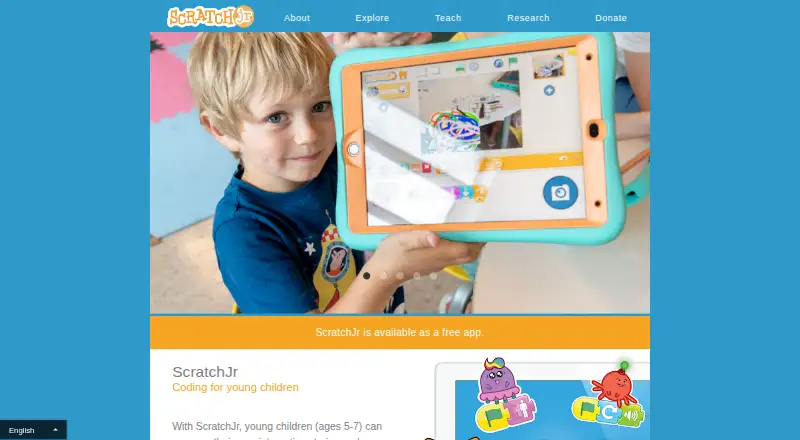
ScratchJr is a free introductory programming app for children ages 5–7 to make interactive stories and games. Children create programs by snapping graphical blocks together to direct characters to move, jump, dance, or sing. They can customize characters in a paint editor, add voices and sounds, and place photos in their projects. The app is designed to support cognitive, personal, social, and emotional growth through creative programming. It is developed for iPads running iOS 10 or later and Android tablets running Android 5 or later, and can also run with limitations on some Chromebooks, Apple-silicon MacBooks, Fire tablets, and Windows 11 PCs. On virtual-container devices, project importing and exporting may be limited. Projects and their images and recordings stay stored locally on the device and are not accessible to Scratch. The privacy policy says the app collects preferences, country-level IP and device information, and possibly usage information such as time spent. Projects can be shared by email, or through AirDrop on iPads. The site also provides teacher-led activities and ScratchJr Connect, a free resource collection.
Who it suits
ScratchJr suits children ages 5–7 who are beginning to explore programming through stories and games. Teachers and families may also use its activities and resource collection.
What it does well
- Free app for iPads, Android tablets, and Chromebooks.
- Blocks let children animate characters and build stories.
- Projects can include voices, sounds, and photos.
- Teacher-led activities and a free resource database are available.
- Projects are stored locally on the device.
What to know first
- Designed for iPads and Android tablets, with other devices limited.
- Virtual-container devices may limit project importing and exporting.
- The app collects device and country-level IP information.
Limits
ScratchJr is free. On devices running the app in a virtual container, importing and exporting projects may be limited; other supported devices are also described as having limitations.
Plans
| Plan | Billed and limits | Price |
|---|---|---|
| ScratchJr | Free app for iPads, Android tablets, and Chromebooks | Free |
As scratchjr.org lists them, read 7 Oct 2026. The maker's own page has the final word.
Getting started
- Visit the ScratchJr website.
- Install the free app on an iPad running iOS 10 or later or an Android tablet running Android 5 or later.
- Open a project and snap graphical blocks together to make characters act.
- Use the paint editor and add voices, sounds, or photos to build the project.
- Share a finished project by email, or use AirDrop on an iPad.
- Explore the teacher-led activities or ScratchJr Connect resources.
ScratchJr is an introductory programming language for children aged 5–7, built around making interactive stories and games. It suits young learners who benefit from visual, project-based work and creative expression. Its free price removes a barrier, but families should confirm device support and understand how local storage and sharing work.
Overview
Launched in 2014 by the DevTech Research Group, MIT Media Lab’s Lifelong Kindergarten group, and the Playful Invention Company, ScratchJr presents programming through graphical blocks rather than typed code. Children assemble instructions to make characters move, jump, dance, and sing, so each change produces a visible result in a story or game.
This is an age-specific starting point, not a general programming environment. The 5–7 focus and ScratchJr language make it appropriate for first concepts and guided experimentation, while older learners seeking text-based syntax or more advanced topics will need a different tool.
Key features
Block programming keeps cause and effect concrete: children can arrange actions and see characters respond. That makes the app a sensible introduction to sequencing and other computer-science ideas without requiring keyboard-based code.
Creative controls broaden projects beyond movement. Children can alter characters in the paint editor, record voices and sounds, and add photos. These options give a child’s project a personal result and support storytelling, although they also make the app more of a creative coding studio than a route into conventional software development.
ScratchJr uses project-based learning, instant feedback, and a mixed learning format. Its stated aims include cognitive, personal, social, and emotional growth alongside computer-science learning. Teachers and families can use teacher-led activities and ScratchJr Connect, a free curated collection of resources, lessons, and projects to provide structure rather than relying on unguided play.
Projects, including embedded images and sound recordings, stay on the device and are not transmitted to or accessible by Scratch. Sharing is possible by email, with AirDrop additionally supported on iPads. On virtual-container devices, importing and exporting projects may be limited, which can complicate moving work between devices.
The privacy policy says the app collects use preferences and automatically gathers country-level IP and device information; it may also collect usage data such as time spent in the app. Google Firebase is named as a service provider for understanding the user base and app usage. Scratch describes administrative, physical, and technical safeguards, while acknowledging that database or transmission security cannot be guaranteed.
Pricing
ScratchJr — free: The free app covers iPads, Android tablets, and Chromebooks, with no trial period because there is no paid tier. That makes it suitable for families, classrooms, and clubs that need a no-cost introduction. There are no paid upgrades or subscription terms to weigh, but device compatibility remains the practical qualification.
Platforms
ScratchJr is offered for Android, iOS, macOS, and Windows. Its primary development targets are iPads running iOS 10 or later and Android tablets running Android 5 or later. It can also run, with limitations, on some Chromebooks, Apple-silicon MacBooks, Fire tablets, and Windows 11 PCs. Virtual-container installations may restrict project import and export, so they are a weaker choice when children need to move projects between devices.
Who it's for
ScratchJr is best for children aged 5–7 beginning computer-science learning, especially when an adult can frame projects around stories, characters, and games. Its teacher resources make it workable for guided classroom activities, while local project storage may appeal to families who prefer creations to remain on the child’s device.
Look elsewhere if the learner is ready for typed programming, needs broad online project collaboration, or depends on unrestricted importing and exporting from a virtual-container setup.
Pros and cons
Pros
- Free access: The app costs $0.00, with no paid plan or trial decision.
- Age-appropriate visual coding: Graphical blocks turn programming actions into immediate character movement for early learners.
- Expressive project tools: Painting, voice and sound recording, and photo insertion support personal stories and games.
- Local project storage: Images and recordings remain on the device rather than being transmitted to or accessed by Scratch.
- Teaching support: Teacher-led activities and ScratchJr Connect provide curated lessons and projects.
Cons
- Narrow age and language focus: It is designed for ages 5–7 and does not target typed or advanced programming.
- Uneven device support: Secondary platforms such as some Chromebooks, Fire tablets, Apple-silicon Macs, and Windows 11 PCs have limitations.
- Virtual-container restrictions: Importing and exporting projects may be limited.
- Usage data collection: Preferences, country-level IP and device information, and potentially time-spent data are collected under the privacy policy.
Alternatives
Hopscotch is the better fit when a learner wants a freemium platform spanning Android, iOS, macOS, web, and Windows, with game creation and a play community; its free account includes basic characters, essential coding blocks, and no monthly seeds.
MIT App Inventor suits learners ready to build and install packaged Android and iOS apps on a free educational platform across a wider set of desktop and web systems.
Progate is preferable for structured introductory lessons across multiple programming languages; its free plan includes some introductory lessons, while fuller access is paid.
CodeHS is aimed at browser-based, teacher-managed courses, with a permanent free teacher plan and more than 100 courses.
Scratch is the natural step toward a broader free platform for creating and sharing projects, including web access, rather than ScratchJr’s early-childhood focus.
Alice is a free desktop download for Windows, Mac, and Linux.
Codecademy offers freemium, browser-based learning with limited access on its always-free Basic plan.
freeCodeCamp is a free, open-source option for learners who want a broader coding curriculum.
Coding Learning Software and Educational Games provide wider category choices.
Verdict
Choose ScratchJr for a 5–7-year-old’s first experience of programming through stories, games, and character-based experimentation, especially when free access and local project storage matter. Look elsewhere when the learner needs advanced coding, broad online collaboration, or dependable project transfer from a virtual-container device.
Verdict
ScratchJr combines block-based programming with tools for making expressive projects, and it is free. Check device compatibility and the privacy details before use, especially on virtual-container devices.
Questions
How much does ScratchJr cost?
ScratchJr is free. Its listed plan costs nothing.
What age is ScratchJr for?
It is an introductory programming language for children ages 5–7.
Which devices support ScratchJr?
It is developed for iPads running iOS 10 or later and Android tablets running Android 5 or later. It can also run with limitations on some Chromebooks, Apple-silicon MacBooks, Fire tablets, and Windows 11 PCs.
Are ScratchJr projects stored online?
Projects, including images and sound recordings, are stored locally on the device and are not transmitted to or accessible by Scratch.
Can children share their projects?
Projects can be shared by email. On iPads, they can also be shared with AirDrop.
Who developed ScratchJr?
It was developed by the DevTech Research Group, MIT Media Lab's Lifelong Kindergarten group, and the Playful Invention Company.
Facts from ScratchJr's own pages
- Coding
- Children snap together graphical programming blocks to make characters move, jump, dance, and sing. · scratchjr.org, 7 Oct 2026
- Creative tools
- Children can modify characters in the paint editor, add voices and sounds, and insert photos into projects. · scratchjr.org, 7 Oct 2026
- Data collection
- The privacy policy says the app collects use preferences and automatically collects country-level IP and device information, and may collect usage information such as time spent in the app. · scratchjr.org, 7 Oct 2026
- Founded
- 2014 · scratchjr.org, 28 Sept 2026
- Integrations
- The privacy policy names Google Firebase as a service provider used to help understand the user base and app usage. · scratchjr.org, 7 Oct 2026
- Learning goals
- ScratchJr is designed to support young children's cognitive, personal, social, and emotional growth. · scratchjr.org, 7 Oct 2026
- Origin
- ScratchJr launched in 2014 and was developed by the DevTech Research Group, MIT Media Lab's Lifelong Kindergarten group, and the Playful Invention Company. · scratchjr.org, 7 Oct 2026
- Platform limitation
- On devices running ScratchJr in a virtual container, project importing and exporting may be limited. · scratchjr.org, 7 Oct 2026
- Project storage
- Projects, including images and sound recordings in them, are stored locally on the device and are not transmitted to or accessible by Scratch. · scratchjr.org, 7 Oct 2026
- Purpose
- ScratchJr is an introductory programming language for children ages 5–7 to create interactive stories and games. · scratchjr.org, 7 Oct 2026
- Security
- Scratch says it uses administrative, physical, and technical procedures to protect collected information, while noting that it cannot guarantee database or transmission security. · scratchjr.org, 7 Oct 2026
- Sharing projects
- ScratchJr projects can be shared by email, and on iPads they can also be shared with AirDrop. · scratchjr.org, 7 Oct 2026
- Support
- The FAQ directs users with additional questions to [email protected]. · scratchjr.org, 7 Oct 2026
- Supported devices
- The app is developed for iPads running iOS 10 or later and Android tablets running Android 5 or later; it can also run on some Chromebooks, Apple-silicon MacBooks, Fire tablets, and Windows 11 PCs with limitations. · scratchjr.org, 7 Oct 2026
- Teaching resources
- The site offers teacher-led activities and ScratchJr Connect, a free curated database of resources, lessons, and projects. · scratchjr.org, 7 Oct 2026
Where ScratchJr stands on Freedom251
- Coding Education Platforms#12 of 49
- Apps For Kids#11 of 28
- Educational Games#13 of 31
- Coding Learning Software#19 of 42
- Kinder Apps#13 of 28