Freedom251 › Coding Education Platforms

Tynker
What Tynker is
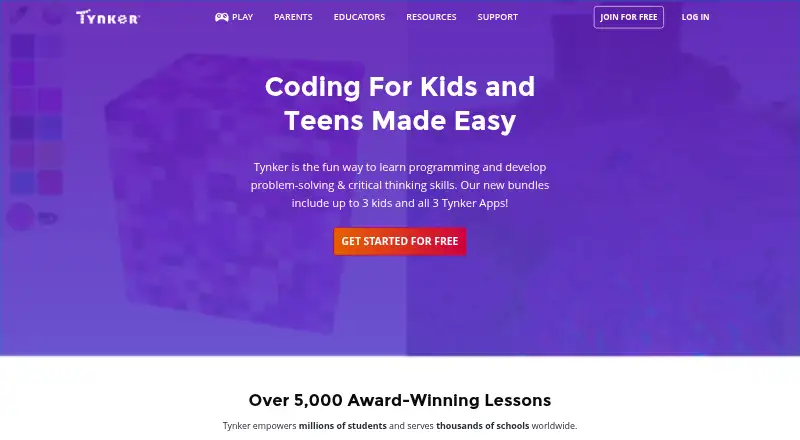
Tynker is a creative coding learning platform for children, offering courses, apps, and lessons for K–12 students and learners ages 5 to 18. Lessons begin with block-based coding and progress to text languages including JavaScript and Python. Its home plans page lists more than 70 courses and 5,000 activities covering game design, Minecraft modding, robotics, hardware, web development, and coding. Creative tools include a physics engine, media gallery, art studio, coding and debugging puzzles, character builder, and level editor. School tools add lesson plans, automatic grading, student management, and progress dashboards. Rostering and learning-system connections include Clever, Google Classroom, ClassLink, Canvas, Microsoft Azure, and Apple Classwork. Tynker says its curriculum aligns with CSTA standards and is endorsed by College Board for two AP computer science courses. Android, iOS, and web access are listed. Home pricing includes a yearly plan at $10 a month billed annually, quarterly access at $12 a month, and lifetime access for 312.00 USD once.
Who it suits
Tynker suits children, families, and schools seeking project-based coding education. Its school tools and integrations fit educators managing classes, while home plans support up to three children.
What it does well
- Courses support ages 5 to 18
- Block coding progresses to JavaScript and Python
- 70+ courses and 5,000+ activities listed
- School tools include grading and progress dashboards
- Available on Android, iOS, and web
What to know first
- Some advanced school features require school offerings
- Shared projects become public to anyone with the link
- Student accounts under 18 require parent or guardian consent
Limits
The free offering provides free starts and school courses. Paid home plans provide access to all self-guided courses for up to three children, with yearly, quarterly, or lifetime terms.
Plans
| Plan | Billed and limits | Price |
|---|---|---|
| Yearly | $120 billed annually · 1-year access to all self-guided courses · up to 3 children | $10 a month |
| Quarterly | $36 billed quarterly · 3-month access to all self-guided courses · up to 3 children | $12 a month |
| Lifetime | $312 one time · Lifetime access to all self-guided courses · up to 3 children | $312, paid once |
As tynker.com lists them, read 4 Oct 2026. The maker's own page has the final word.
Getting started
- Open the Tynker website
- Choose a free start or a home plan
- Use Tynker on Android, iOS, or the web
- Select age-appropriate coding courses and activities
- Create projects with the available creative tools
- Schools can connect supported rostering or LMS services
Verdict
Tynker combines structured coding lessons with creative projects and school administration tools. Free access is available, while paid home plans offer self-guided courses for up to three children across different billing terms.
Questions
Is Tynker free?
Tynker offers free access for home and school users, including free school courses. Paid home plans are also available.
How much do the home plans cost?
The listed yearly plan is $10 a month billed 120 USD annually, quarterly is $12 a month billed 36.00 USD quarterly, and lifetime is 312.00 USD once.
Which platforms support Tynker?
Tynker is available on Android, iOS, and the web.
Which coding languages are covered?
Languages listed include JavaScript, Python, Java, HTML, CSS, Processing (p5.js), MicroPython, and Swift.
Can schools connect classroom systems?
The school offering lists integrations with Clever, Google Classroom, ClassLink, Canvas, Microsoft Azure, and Apple Classwork.
How is student privacy handled?
Tynker says student data is secure and district-owned, and that it complies with COPPA, FERPA, and SOPIPA. Its student privacy policy requires parent or guardian consent for users under 18 to disclose information.
Facts from Tynker's own pages
- Audience
- Tynker describes its platform as serving K–12 students and says its courses support children ages 5 to 18. · tynker.com, 4 Oct 2026
- Classroom tools
- The school offering includes lesson plans, automatic grading, student management and progress dashboards. · tynker.com, 4 Oct 2026
- Company history and location
- Tynker says it celebrated its 10th anniversary in 2022 and that its headquarters is in Chicago, Illinois. · tynker.com, 4 Oct 2026
- Courses
- The home plans page lists 70+ courses, 5,000+ activities, block and text coding, Minecraft modding, game design, robotics, hardware and web development. · tynker.com, 4 Oct 2026
- Creative tools
- The pricing page describes a physics engine, rich media gallery, art studio, coding and debugging puzzles, character builder and level editor. · tynker.com, 4 Oct 2026
- Founded
- 2013 · tynker.com, 4 Oct 2026
- Free access
- Tynker promotes free starts for home and school users, and the school page lists free courses. · tynker.com, 4 Oct 2026
- Headquarters
- Chicago, Illinois, United States · tynker.com, 28 Sept 2026
- Integrations
- The school page lists rostering and LMS integration with Clever, Google Classroom, ClassLink, Canvas, Microsoft Azure and Apple Classwork. · tynker.com, 4 Oct 2026
- Learning path
- Lessons start with block-based coding and progress to text-based languages including JavaScript and Python. · tynker.com, 4 Oct 2026
- Mobile apps
- Tynker lists Tynker Junior, Tynker and Mod Creator as its mobile coding apps. · tynker.com, 4 Oct 2026
- Product
- Tynker is a creative coding learning platform for children, with courses, apps and lessons. · tynker.com, 4 Oct 2026
- Security
- Tynker says student data is secure and owned by the district, and that it is COPPA, FERPA and SOPIPA compliant. · tynker.com, 4 Oct 2026
- Sharing
- Tynker says student progress and projects are private by default; shared projects become public to people with the project link. · tynker.com, 4 Oct 2026
- Standards
- Tynker says its school curriculum aligns with CSTA standards and is endorsed by College Board for AP Computer Science Principles and AP Computer Science A. · tynker.com, 4 Oct 2026
- Student privacy
- The student privacy policy says users under 18 may use Tynker Services and disclose information only with parent or guardian consent. · tynker.com, 4 Oct 2026
- Support
- The contact page lists [email protected] for home users and [email protected] for school support. · tynker.com, 4 Oct 2026
Where Tynker stands on Freedom251
- Coding Education Platforms#13 of 49
- Coding Learning Software#29 of 42
- Minecraft Add-on Editors#19 of 26