Freedom251 › Receipt Management Software

Scan AI
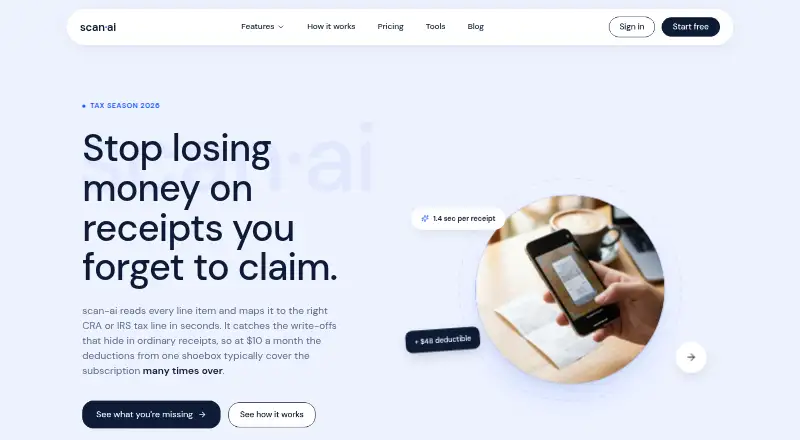
What Scan AI is
Scan AI is a web service for capturing receipts, organizing expenses, and mapping them to CRA T2125 or US Schedule C tax lines. Users can photograph receipts or forward email receipts, including PDFs, to a private @in.scan-ai.ca address. Its OCR extracts vendors, line items, tax, totals, currency, and dates. Users can ask plain-English questions about their receipts and receive answers with cited, verifiable insights.
Scan AI offers CSV and PDF exports, plus ZIP exports that bundle receipt images. It syncs with QuickBooks and Xero, and detects foreign exchange for CAD, USD, EUR, GBP, and other currencies. Its plans include the full feature set, with receipt scan and AI chat limits varying by plan. The free trial costs nothing and includes 20 receipt scans, five AI chats, US and Canada tax categorization, exports, and accounting sync. Paid options include Starter at $3 a month, Pro at $10 a month, and Accountant Pro at $5 a month. The service is described as built for self-employed professionals, with Pro presented for freelancers and SMBs. Scan AI is available on the web; its homepage says iOS and Android apps are on the way and invites early tester registrations.
Who it suits
Scan AI suits self-employed professionals who want to capture receipts and map expenses to tax lines. Its Pro plan is presented for freelancers and SMBs, while Accountant Pro offers a dashboard for every client and per-seat allowances.
What it does well
- OCR extracts vendors, line items, tax, totals, currency, and dates.
- Email receipt forwarding accepts PDFs.
- Exports include CSV, PDF, and ZIP options.
- Live sync is available with QuickBooks and Xero.
- Receipt questions receive cited, verifiable answers.
What to know first
- The service is web-based; iOS and Android apps are on the way.
- Starter allows 30 receipt scans and five AI chats per month.
- The free trial includes 20 receipt scans and five AI chats.
Limits
The free trial includes 20 receipt scans and five AI chats. Starter costs $3 a month and allows 30 receipt scans and five AI chats monthly.
Plans
| Plan | Billed and limits | Price |
|---|---|---|
| Free trial | 20 receipt scans · 5 AI chats · every feature included · US and Canada tax categorization · exports and accounting sync | Free |
| Pro | monthly · Unlimited receipt scans · 200 AI chats/mo · email forwarding and sync · CSV, PDF, ZIP exports | $10 a month |
| Starter | monthly · 30 receipt scans/mo · 5 AI chats/mo · email forwarding and sync · CSV, PDF, ZIP exports | $3 a month |
| Accountant Pro | monthly · Unlimited receipts per seat · 200 AI chats per seat per month · volume discounts at 11+ and 51+ seats · one dashboard for every client | $5 a month |
As scan-ai.ca lists them, read 7 Oct 2026. The maker's own page has the final word.
Getting started
- Open Scan AI in a web browser.
- Start with the free trial for 20 receipt scans and five AI chats.
- Photograph receipts or forward email receipts, including PDFs, to the private receipt address.
- Review extracted receipt details and ask questions in plain English.
- Export records as CSV, PDF, or ZIP, or connect QuickBooks or Xero for live sync.
- Choose a paid plan if its scan and AI chat allowances fit your needs.
Verdict
Choose Scan AI to capture receipts, organize expenses, and map them to CRA T2125 or US Schedule C tax lines, with exports and accounting sync. Starter costs $3 a month; users needing unlimited scans can look at Pro, which costs $10 a month. The service is currently web-based.
Questions
How much does Scan AI cost?
The free trial costs nothing. Starter is $3 a month, Accountant Pro is $5 a month, and Pro is $10 a month.
What does the free trial include?
It includes 20 receipt scans, five AI chats, US and Canada tax categorization, exports, and accounting sync.
Which platforms does Scan AI support?
Scan AI is available on the web. Its homepage says iOS and Android apps are on the way and invites early tester registrations.
Which accounting tools does it sync with?
Scan AI offers live sync with QuickBooks and Xero.
Can Scan AI process emailed receipts?
Yes. Users can forward email receipts, including PDFs, to a private @in.scan-ai.ca address.
What tax lines can it map expenses to?
Scan AI maps expenses to CRA T2125 or US Schedule C tax lines.
Facts from Scan AI's own pages
- Accounting plans
- The pricing page says every plan includes the full feature set and that plans differ by receipt scan and AI chat limits. · scan-ai.ca, 7 Oct 2026
- AI chat
- Users can ask plain-English questions about their receipts and receive answers with cited, verifiable insights. · scan-ai.ca, 7 Oct 2026
- AI data handling
- The security page says Google Gemini OCR uses Zero Data Retention and receipt data is not used to train Google or OpenAI models. · scan-ai.ca, 7 Oct 2026
- Currency support
- The product says it detects foreign exchange automatically and supports CAD, USD, EUR, GBP, and other currencies. · scan-ai.ca, 7 Oct 2026
- Data deletion
- Users can request account and data deletion by emailing support; the security page says GDPR and CCPA requests are processed within 30 days. · scan-ai.ca, 7 Oct 2026
- Exports
- Scan AI offers CSV, PDF, and ZIP exports, with receipt images bundled in ZIP exports. · scan-ai.ca, 7 Oct 2026
- Integrations
- The product offers live sync with QuickBooks and Xero. · scan-ai.ca, 7 Oct 2026
- Intended users
- The homepage describes the product as built for self-employed professionals, while Pro is presented for freelancers and SMBs. · scan-ai.ca, 7 Oct 2026
- Mobile apps
- The homepage says iOS and Android apps are on the way and invites visitors to register as early testers. · scan-ai.ca, 7 Oct 2026
- OCR
- The service extracts vendors, line items, tax, totals, currency, and dates automatically. · scan-ai.ca, 7 Oct 2026
- Product
- Scan AI scans receipts and maps expenses to CRA T2125 or US Schedule C tax lines. · scan-ai.ca, 7 Oct 2026
- Receipt capture
- Users can photograph receipts or forward email receipts, including PDFs, to a private @in.scan-ai.ca address. · scan-ai.ca, 7 Oct 2026
- Security
- The company says traffic is encrypted in transit and receipt images and extracted data are encrypted at rest. · scan-ai.ca, 7 Oct 2026
- Support
- The site lists [email protected] as its support contact. · scan-ai.ca, 7 Oct 2026
Where Scan AI stands on Freedom251
- Receipt Management Software#18 of 27