Freedom251 › Automated Savings Apps

SavingsBox
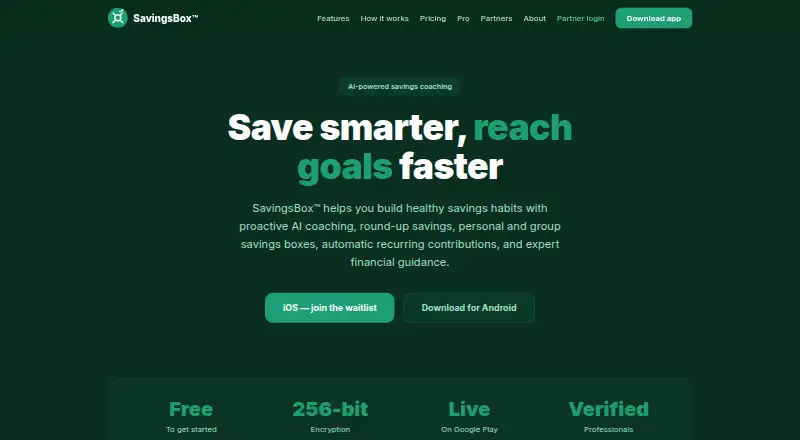
What SavingsBox is
SavingsBox is an app for personal and group savings goals, with contribution tools, spending insights, and AI coaching. Users can create savings boxes, make manual contributions, and use card round-ups. Linked bank accounts connect through Plaid for spending insights; users can fund boxes by ACH transfer or card. Its AI coach, Maya, reviews progress and spending, flags goals falling behind schedule, suggests catch-up plans, and checks in weekly. Other tools include smart bill alerts, savings streaks and challenges, and a real-time financial health score. The Free plan includes personal savings boxes, limited AI coaching, bank and ACH payments, a wallet, and manual contributions. Premium costs $4.99 per month and adds unlimited boxes and coaching, group boxes, recurring contributions, and priority support. SavingsBox Pro offers plans for finance professionals, with appointment and client management, earnings tracking, meeting-link sharing, and premium AI client insights. SavingsBox says it is not a bank; third parties provide payment processing, custody, and money transmission. Consumer users must be at least 18, U.S. residents, and have a valid U.S. bank account.
Who it suits
SavingsBox suits U.S. adults with a valid U.S. bank account who want personal or group savings tools and coaching. Its Pro plans are for licensed or certified finance professionals, including advisors, counselors, coaches, and attorneys.
What it does well
- Supports personal and group savings boxes
- Maya suggests catch-up plans for lagging goals
- Links bank accounts through Plaid for spending insights
- Free plan includes bank and ACH payments
What to know first
- Consumer users must be U.S. residents
- Users must be at least 18
- SavingsBox is not a bank
- Free plan offers limited AI coaching
Limits
The Free plan includes limited AI coaching, personal savings boxes, and manual contributions. Premium costs $4.99 a month and includes unlimited savings boxes and AI coaching, group boxes, and automatic recurring contributions. SavingsBox Pro Basic costs $5 a month and allows up to 10 appointments per month; both Pro plans charge a 5% fee per completed session.
Plans
| Plan | Billed and limits | Price |
|---|---|---|
| Free | Forever free · Personal savings boxes · AI coach (limited) · Bank & ACH payments · Wallet · Manual contributions | Free |
| SavingsBox Pro Premium | per month · Unlimited appointments · Priority listing · Meeting link sharing · Priority support · Early access to new features · 5% fee per completed session | $12 a month |
| Premium | per month · Unlimited appointments · Priority listing · Meeting-link sharing · Priority support · Early access to new features | $12 a month |
| Premium | per month · Unlimited savings boxes · AI coach (unlimited) · Group savings boxes · Automatic recurring contributions · Priority support | $4.99 a month |
| SavingsBox Pro Basic | per month · Up to 10 appointments per month · Client management dashboard · Basic earnings tracking · Email support · 5% fee per completed session | $5 a month |
| Basic | per month · Up to 10 appointments per month · Client management dashboard · Basic earnings tracking · Email support | $5 a month |
As thesavingsbox.com lists them, read 15 Oct 2026. The maker's own page has the final word.
Getting started
- Open https://www.thesavingsbox.com/.
- Use the service on Android, iOS, or the web.
- Meet the consumer eligibility requirements: at least 18, a U.S. resident, and holder of a valid U.S. bank account.
- Choose the Free or Premium plan for personal savings, or a Pro plan if you are a licensed or certified finance professional.
- Create savings boxes and add contributions manually, by ACH transfer, or by card.
- Link accounts through Plaid for spending insights if desired.
Overview
SavingsBox combines personal and group savings boxes with spending insights and an AI coach that checks progress and suggests ways to catch up on goals. It is best suited to eligible U.S. users who want structured saving, or finance professionals who need client-management tools. Its free tier covers basic boxes and manual contributions; recurring saving, group boxes and unlimited coaching start at $4.99 per month.
Key features
Users can set up round-up savings, recurring contributions, savings streaks and challenges, and bill alerts. Linked accounts provide spending insights and a real-time financial health score; contributions and funding can use ACH or card. Withdrawals are manual, and SavingsBox does not offer interest on savings, so it is a savings-organizing tool rather than an interest-bearing account.
Maya, the AI coach, reviews spending and savings progress, flags goals at risk of falling behind, and suggests catch-up plans. Weekly check-ins can help users maintain a routine, though the Free plan limits coaching. Coaching messages and replies are retained for up to 90 days.
The company says data is encrypted in transit and at rest, with database controls restricting users to their own data. It says it does not sell personal information or share it with advertisers. Identity checks use Stripe Identity, and screening covers OFAC, PEP and adverse-media databases. SavingsBox is not a bank: third parties, including Stripe, provide payment processing, custody and money transmission.
Pricing
| Plan | Price | What it includes |
|---|---|---|
| Free | free | Personal savings boxes, limited AI coach, bank and ACH payments, wallet, manual contributions |
| Premium | $4.99 a month | Unlimited savings boxes and AI coach, group boxes, automatic recurring contributions, priority support |
| SavingsBox Pro Basic | $5 a month | Up to 10 appointments per month, client-management dashboard, basic earnings tracking, email support, 5% fee per completed session |
| SavingsBox Pro Premium | $12 a month | Unlimited appointments, priority listing, meeting-link sharing, priority support, early access to new features, 5% fee per completed session |
Free is a sensible starting point for personal boxes and manual saving, but it omits group boxes and automatic recurring contributions, and limits AI coaching. Premium at $4.99 a month is the relevant upgrade for consumers who want those features without appointment or client tools.
Pro is aimed at licensed or certified finance professionals, including advisors, CPAs, loan originators, coaches and attorneys. Basic caps appointments at 10 per month and provides email support; Premium removes the appointment cap and adds priority listing and meeting-link sharing. Both charge a 5% fee per completed session, so the monthly subscription is not the only cost to weigh.
Platforms
SavingsBox is available on Android, iOS and the web. Consumer eligibility is limited to people at least 18 years old who live in the U.S. and have a valid U.S. bank account.
Who it's for
Choose SavingsBox if you meet its U.S. requirements and want personal or shared savings goals, contribution automation and coaching in one app. The free tier suits manual savers; Premium is better for users who want recurring contributions, group boxes or unlimited coaching. Finance professionals may find Pro useful for managing appointments and clients, but should account for the 5% completed-session fee. It is not a fit for people seeking interest on balances or a bank account operated directly by SavingsBox.
Pros and cons
- Pro: Personal and group boxes, round-ups and recurring contributions support several ways to build a savings habit.
- Pro: The free plan includes personal boxes and bank and ACH payments, giving manual savers a no-cost starting point.
- Pro: Premium combines unlimited coaching with automatic contributions and group boxes for $4.99 a month.
- Con: Consumer access requires U.S. residency, age 18 or older and a valid U.S. bank account.
- Con: Withdrawals are manual and savings do not earn interest, limiting its appeal as a destination for cash.
- Con: Pro plans charge 5% per completed session in addition to the monthly fee.
Alternatives
For a broader comparison, see Automated Savings Apps. Consider Betterment if its investment-focused Digital plan's recurring-deposit and eligible-balance terms or Premium plan's minimum eligible investment balance fit your needs. Chip is an alternative with savings accounts, autosaves and recurring deposits, including a Basic plan that charges 45p per save. finbee is another free savings app for Android and iOS, with plan-specific history and transfer limits. Goin offers automatic saving, investment options and rewards on its free plan, with a paid Pro tier. Piggo is free while in beta. PiggyVest has no transaction charges or monthly fees, though some products have processing fees and early withdrawals may incur penalties. Plum offers a free Basic tier with one pocket and a limited spend tracker, and a paid Pro tier. Tunzi has no monthly or maintenance charge, but withdrawal fees apply.
Verdict
SavingsBox is a strong fit for U.S.-based savers who want goal-based boxes, group saving and coaching, particularly if they will use Premium's recurring contributions. Its free plan makes manual saving accessible, but manual withdrawals, no interest and strict eligibility narrow its role. Look elsewhere if you need an interest-bearing account, live outside the U.S. or want a savings product without per-session fees for professional work.
Verdict
SavingsBox brings savings boxes, contributions, spending insights, and coaching into one app, with a separate Pro offering for finance professionals. Consumers must meet its U.S. residency, age, and bank-account requirements, and third parties provide payment processing, custody, and money transmission.
Questions
Does SavingsBox have a free plan?
Yes. Free includes personal savings boxes, limited AI coaching, bank and ACH payments, a wallet, and manual contributions.
How much does Premium cost?
Premium costs $4.99 a month.
What do the SavingsBox Pro plans cost?
Pro Basic costs $5 a month, and Pro Premium costs $12 a month. Both plans charge a 5% fee per completed session.
Which platforms support SavingsBox?
SavingsBox is available on Android, iOS, and the web.
Who can use SavingsBox as a consumer?
Consumer users must be at least 18, U.S. residents, and have a valid U.S. bank account.
Is SavingsBox a bank?
No. The company says third parties, including Stripe, provide payment processing, custody, and money transmission.
Facts from SavingsBox's own pages
- AI coach
- Maya reviews savings progress and spending, flags goals falling behind, suggests catch-up plans and checks in weekly. · thesavingsbox.com, 15 Oct 2026
- API and SDKs
- The official pages describe third-party service integrations but provide no public API or SDK documentation. · thesavingsbox.com, 15 Oct 2026
- Apple system requirements
- The iOS listing requires iOS 15 or later; iPad requires iPadOS 15 or later and Mac requires macOS 12 or later with Apple silicon. · apps.apple.com, 15 Oct 2026
- Bank features
- Users can link accounts through Plaid for spending insights and fund or contribute to boxes by ACH transfer or card. · thesavingsbox.com, 4 Oct 2026
- Banking and payments
- Plaid links bank accounts for insights, while ACH transfers or cards fund wallets and boxes and withdrawals go to a bank. · thesavingsbox.com, 15 Oct 2026
- Bill alerts
- SavingsBox analyzes recurring bill activity and warns when the account balance may be insufficient. · thesavingsbox.com, 15 Oct 2026
- Challenges
- Savings streaks, group leaderboards and challenges such as a 52-week challenge are offered. · thesavingsbox.com, 15 Oct 2026
- Company headquarters
- The LEI record lists headquarters at 5431 Ravine Bluff Ct, Columbus, Ohio, United States. · lei.bloomberg.com, 15 Oct 2026
- Documentation and support
- Support is provided through tracked in-app tickets with priority handling for Premium and Pro subscribers, plus email support. · thesavingsbox.com, 15 Oct 2026
- Eligibility
- The terms require consumer users to be at least 18, U.S. residents, and to have a valid U.S. bank account. · thesavingsbox.com, 4 Oct 2026
- Finance professionals
- Users can book verified CPAs, advisors, loan officers, credit counselors, attorneys and coaches. · thesavingsbox.com, 15 Oct 2026
- Financial status
- The terms say SavingsBox is not a bank and that payment processing, custody, and money transmission are provided by third parties including Stripe. · thesavingsbox.com, 4 Oct 2026
- Founded
- The LEI record gives the entity creation date as July 5, 2023. · lei.bloomberg.com, 15 Oct 2026
- Google Play status
- The Android listing shows 1+ downloads, data encrypted in transit, deletion requests supported and an update dated September 15, 2026; no rating count is displayed. · play.google.com, 15 Oct 2026
- Group savings
- Family and friends can contribute together toward shared savings goals. · thesavingsbox.com, 15 Oct 2026
- Health score
- A real-time financial health score reflects savings habits and progress. · thesavingsbox.com, 15 Oct 2026
- Identity and screening
- Identity verification uses Stripe Identity, and the company says it screens users against OFAC, PEP, and adverse-media databases. · thesavingsbox.com, 4 Oct 2026
- Integrations
- The privacy policy names Stripe, Plaid, Anthropic Claude, Twilio, Verifex, Supabase, Render, RevenueCat, Sentry, Expo, Apple and Google as service providers. · thesavingsbox.com, 15 Oct 2026
- Legal entity
- The maker identifies itself in its legal pages as The Savings Box Inc. · thesavingsbox.com, 15 Oct 2026
- Licence
- The terms state that the software and original content are owned by The Savings Box Inc. and cannot be copied, modified, distributed or leased without permission. · thesavingsbox.com, 15 Oct 2026
- Limit: Apple reviewer complaint
- One reviewer reported that the app did not work properly and that customer-care chat and calls received no response. · apps.apple.com, 15 Oct 2026
- Limit: eligibility
- Consumer users must be at least 18, U.S. residents and have a valid U.S. bank account. · thesavingsbox.com, 15 Oct 2026
- Limit: interest
- The company states that it does not earn interest on deposited savings and does not guarantee a rate of return. · thesavingsbox.com, 15 Oct 2026
- Limit: professional monitoring
- SavingsBox verifies professional licenses at onboarding but says it does not provide ongoing license monitoring. · thesavingsbox.com, 15 Oct 2026
Where SavingsBox stands on Freedom251
- Automated Savings Apps#11 of 17