Freedom251 › Automated Savings Apps
PayDay
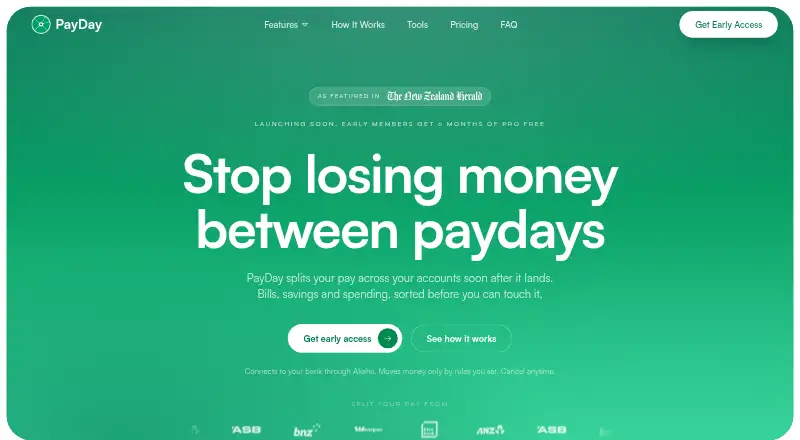
What PayDay is
PayDay detects incoming pay in connected accounts and applies rules to split it across accounts. Percentage rules change with the amount received, while fixed rules keep the same amount. A dashboard displays balances across connected New Zealand accounts and supports transfers; the Insights tab uses transaction activity to estimate what may remain before the next pay and identify upcoming bills. Bank connections and transfers run through Akahu. PayDay lists ANZ, ASB, BNZ, Kiwibank, and Westpac as supported, while TSB, Heartland, SBS, The Co-operative Bank, Rabobank, and credit unions are not yet available. The Free plan is listed as free and includes automatic pay detection, custom split rules, transfer history, a unified account dashboard, Payy AI assistant, biometric lock, and alerts. PayDay says it does not store bank passwords and encrypts data in transit and at rest. It is in private testing and invites users through a waitlist. The service is designed for New Zealanders, including salaried workers, shift workers with variable income, and contractors or self-employed people.
Who it suits
PayDay is aimed at New Zealanders who want pay divided among connected accounts using percentage or fixed rules. Its intended audience includes salaried workers, people with variable shift income, and contractors or self-employed people.
What it does well
- Adjusts percentage splits to the pay received.
- Shows balances across connected New Zealand accounts.
- Includes custom split rules and transfer history.
- Users can pause splits or revoke access.
What to know first
- Available through a waitlist during private testing.
- Several banks and credit unions are not yet available.
- Designed for New Zealand users.
Limits
PayDay is in private testing and invites users through a waitlist. Bank connections are limited to ANZ, ASB, BNZ, Kiwibank, and Westpac; several other banks and credit unions are not yet available.
Plans
| Plan | Billed and limits | Price |
|---|---|---|
| Free | Free while PayDay builds; no card required · Bank linking via Akahu · automatic pay detection · custom percentage or fixed split rules · transfer history · unified NZ accounts dashboard · Payy AI assistant · biometric lock · email and in-app alerts | Free |
As payday.nz lists them, read 7 Oct 2026. The maker's own page has the final word.
Getting started
- Visit https://www.payday.nz/
- Join the waitlist for access during private testing
- Connect a supported bank through Akahu
- Set percentage or fixed split rules for incoming pay
Verdict
PayDay combines automatic pay detection with configurable account splits and a view of upcoming bills. Check whether your bank is supported and note that access is currently through a waitlist.
Questions
Does PayDay have a free plan?
Yes. The listed Free plan costs nothing while PayDay builds, and no card is required.
Which banks does PayDay support?
PayDay lists ANZ, ASB, BNZ, Kiwibank, and Westpac. TSB, Heartland, SBS, The Co-operative Bank, Rabobank, and credit unions are not yet available.
How does PayDay split incoming pay?
It detects deposits matching configured income sources and then applies split rules. Percentage amounts adjust to the pay received; fixed amounts stay the same.
Which platforms are listed for PayDay?
The listed platforms are Android, iOS, and web.
How does PayDay connect to banks?
Bank connections and transfers run through Akahu.
Can users control PayDay's access to their accounts?
PayDay says it can view transactions and make only transfers set up in split rules. Users can pause splits, revoke access, request data deletion, or export their information.
Facts from PayDay's own pages
- Availability
- PayDay says it is in private testing and invites users through a waitlist. · payday.nz, 7 Oct 2026
- Dashboard
- The unified dashboard shows balances across connected NZ accounts and supports moving money between accounts. · payday.nz, 7 Oct 2026
- Founded
- 2025 · payday.nz, 28 Sept 2026
- Headquarters
- Auckland, New Zealand · payday.nz, 28 Sept 2026
- Insights
- The Insights tab uses transactions to estimate money remaining before the next pay and identify upcoming bills. · payday.nz, 7 Oct 2026
- Integration
- Bank connections run through Akahu, which PayDay uses to link bank accounts and facilitate transfers. · payday.nz, 7 Oct 2026
- Intended audience
- PayDay is designed for New Zealanders, including salaried workers, people with variable shift income, and contractors or self-employed people. · payday.nz, 7 Oct 2026
- Pay detection
- PayDay checks connected accounts for deposits matching configured income sources and runs split rules after detecting pay. · payday.nz, 7 Oct 2026
- Permissions
- PayDay can view transactions and make only transfers set up in split rules, and users can revoke access or pause splits. · payday.nz, 7 Oct 2026
- Privacy controls
- Users can request data deletion and export their information from PayDay. · payday.nz, 7 Oct 2026
- Purpose
- PayDay detects incoming pay and automatically splits it across the user's accounts according to their rules. · payday.nz, 7 Oct 2026
- Security
- PayDay says it never stores bank passwords and encrypts data with 256-bit AES in transit and at rest. · payday.nz, 7 Oct 2026
- Support
- PayDay says its support team is based in New Zealand and provides a contact form for questions and feedback. · payday.nz, 7 Oct 2026
- Supported banks
- PayDay lists ANZ, ASB, BNZ, Kiwibank, and Westpac as supported; TSB, Heartland, SBS, The Co-operative Bank, Rabobank, and credit unions are not yet available. · payday.nz, 7 Oct 2026
- Variable income
- Percentage splits adjust to the amount received, while fixed split amounts stay the same. · payday.nz, 7 Oct 2026
Where PayDay stands on Freedom251
- Automated Savings Apps#8 of 18