Freedom251 › Authenticator apps

SafeNet MobilePASS+
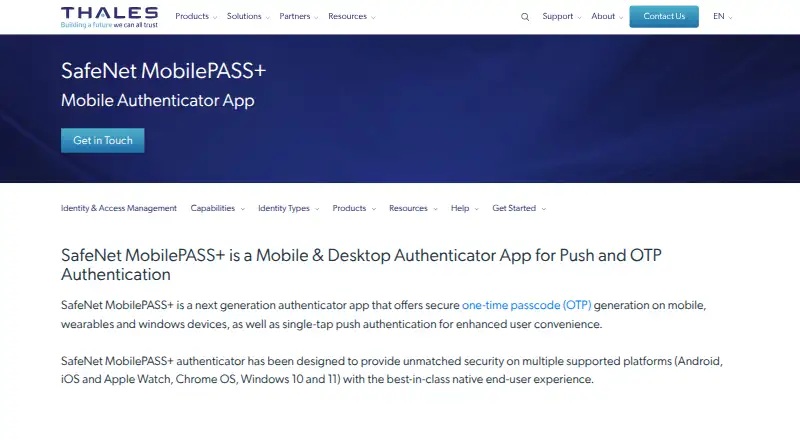
What SafeNet MobilePASS+ is
SafeNet MobilePASS+ generates one-time passcodes on mobile, wearable, and Windows devices and supports single-tap push authentication. When a user accesses a protected resource, a push notification can be approved with a tap. If push is unavailable, users can enter an OTP generated by MobilePASS+ on another device. It supports TOTP and HOTP, automated provisioning, and QR-code installation and activation. Authentication can use an alphanumeric PIN or supported biometrics, including Touch ID and Face ID on iOS, fingerprint or facial recognition on Android, and Windows Hello for Business. Thales names Citrix NetScaler, Microsoft Office 365, and Cisco ASA as examples of compatible services and gateways. Supported platforms include Android, iOS, Apple Watch, Chrome OS, Windows, and macOS. Thales states that MobilePASS+ is FIPS 140-2 compliant and uses encrypted DSKPP seeding so authenticator seeds are not transmitted over air or wire. It also lists zero-touch lifecycle administration and user self-enrollment. The product is intended for employees, partners, and consultants. Pricing is available by request from an Access Management specialist.
Who it suits
MobilePASS+ suits employees, partners, and consultants who need one-time passcodes or push approvals for protected logins. Its administration and provisioning features are also relevant to organizations managing authenticators.
What it does well
- Supports single-tap push approvals
- Provides OTP fallback when push is unavailable
- Supports PINs and listed biometric options
- Includes automated provisioning and QR-code activation
What to know first
- Pricing is available only by request
Getting started
- Visit the SafeNet MobilePASS+ product page
- Contact an Access Management specialist to request pricing
- Install and activate MobilePASS+ using QR-code provisioning or automated provisioning
- Configure a PIN or a supported biometric option
- Use push approval for logins, or enter a generated OTP when push is unavailable
Overview
SafeNet MobilePASS+ is an authenticator for organizations that want employees, partners, and consultants to sign in with push approvals or one-time passcodes. Its strongest case is a flexible second factor: one-tap approval when push works, with an offline OTP fallback and PIN or biometric unlock options. It is a better fit for managed access programs than for people looking for a standalone, free authenticator.
Key features
When someone accesses a protected resource, MobilePASS+ can send a push notification for a single-tap login approval. If the device cannot receive push notifications, the user can enter an OTP generated by the app on another device. That fallback makes push convenient without making it the only route into an account.
The app supports TOTP and HOTP codes, automated provisioning, QR-code installation and activation, and user self-enrollment. Thales also describes zero-touch lifecycle administration and over-the-air provisioning, which can reduce manual setup and upkeep across an organization. Named compatible examples include Citrix NetScaler, Microsoft Office 365, and Cisco ASA.
Users can protect authentication with an alphanumeric PIN or supported biometrics: Touch ID or Face ID on iOS, fingerprint or facial recognition on Android, and Windows Hello for Business on Windows. Thales says MobilePASS+ is FIPS 140-2 compliant and uses encrypted DSKPP seeding so authenticator seeds are not transmitted over air or wire. The product page also states that VPAT 2.0 and WCAG certification applies to Windows 10.
Thales says organizations can migrate incrementally while retaining existing token investments. That makes MobilePASS+ more attractive to teams replacing or extending an established authentication setup than to buyers seeking a hardware-key-only approach.
Pricing
MobilePASS+ is paid, with custom pricing through a Thales Access Management specialist. There is no published plan breakdown or self-service price to compare, so smaller teams and individual buyers should expect to contact sales before they can judge the cost. The product is positioned for organizational use, but no seat minimum, quota, trial, or renewal terms are stated.
Platforms
MobilePASS+ supports Android, iOS, Apple Watch, Chrome OS, Windows 10 and 11, and macOS. That breadth suits mixed-device organizations, including users who authenticate from a wearable or Windows device. Thales also names Windows Hello for Business and the iOS and Android biometric options; Linux is not among the supported MobilePASS+ platforms named for this product.
Who it's for
MobilePASS+ suits organizations securing access for employees, partners, and consultants, especially where administrators need provisioning and lifecycle controls alongside user-facing push and OTP authentication. It is less compelling for an individual who wants a free app, or for a buyer whose priority is a physical security key rather than a managed software authenticator.
Pros and cons
- Pros: Push approvals have a manual OTP fallback, so users have another authentication path when notifications are unavailable.
- Pros: PIN and platform-supported biometrics offer multiple ways to unlock authentication without relying on one method.
- Pros: Automated provisioning, self-enrollment, and lifecycle administration address deployment and account upkeep for organizations.
- Pros: Support across mobile, desktop, Chrome OS, and Apple Watch can accommodate a varied device fleet.
- Cons: Custom pricing requires a sales conversation, making quick cost comparison difficult.
- Cons: The product is paid and organization-oriented, so it is not the straightforward choice for an individual seeking a free authenticator.
Alternatives
For a free, open-source authenticator that requires a YubiKey to store credentials and generate codes, consider Yubico Authenticator. Choose Deepnet SafeKey if its Android, iOS, macOS, web, or Windows platform coverage better fits your deployment. Swissbit iShield Key 2 is another paid option across desktop and mobile platforms.
For a paid FIDO U2F/FIDO2 and HOTP/TOTP security key with NFC, FEITIAN ePass FIDO-NFC Security Key costs $35, paid once. Solo 2 is a paid alternative whose maker describes its software and hardware as open source. Token2 T2F2-NFC-Slim is another paid option; its listed plan information includes volume pricing starting at two units.
Consider YubiKey 5 Series if you prefer a paid physical key, with listed USB-A and USB-C models at $58, paid once and a USB-C model at $65, paid once. Nitrokey 3 is a paid alternative whose maker says its hardware and software are open source. For broader browsing, see Security Keys, Identity and Access Management Software, Customer Identity and Access Management Software, Authenticator apps, and Passkey Authentication Software.
Verdict
Organizations that need centrally provisioned authentication across varied devices should put MobilePASS+ on their shortlist: push approval, OTP fallback, biometrics, and lifecycle administration make a coherent package. Its main drawback is the sales-led custom price, so buyers who need transparent costs or a free personal authenticator should look elsewhere.
Verdict
MobilePASS+ offers push approval and one-time passcodes across several device platforms, with PIN and biometric authentication options. Thales does not publish a price on the product page.
Questions
How much does SafeNet MobilePASS+ cost?
Pricing is on request. The product page directs organizations to contact an Access Management specialist.
Which platforms does MobilePASS+ support?
Listed platforms include Android, iOS, Apple Watch, Chrome OS, Windows 10 and 11, and macOS.
Can it work without push notifications?
Yes. Users can enter an OTP generated by MobilePASS+ on another device when push notifications are unavailable.
Which login systems or services are named as compatible?
Examples include Citrix NetScaler, Microsoft Office 365 and Cisco ASA.
How can users unlock authentication?
They can use an alphanumeric PIN or supported biometrics, including Touch ID, Face ID, Android fingerprint or facial recognition, and Windows Hello for Business.
Does MobilePASS+ support NFC?
No. NFC support is listed as unavailable.
Facts from SafeNet MobilePASS+'s own pages
- Accessibility
- The page states that VPAT 2.0 and WCAG certification applies to Windows 10. · cpl.thalesgroup.com, 4 Oct 2026
- Administration
- Listed benefits include zero-touch lifecycle administration, over-the-air provisioning, and user self-enrollment. · cpl.thalesgroup.com, 4 Oct 2026
- Biometric unlock
- Biometric authentication can replace an alphanumeric PIN using Touch ID or Face ID on iOS, fingerprint or facial recognition on Android, and Windows Hello for Business on Windows. · cpl.thalesgroup.com, 4 Oct 2026
- Code type
- totp and hotp · cpl.thalesgroup.com, 21 Sept 2026
- Downloads and support
- Thales provides links to download MobilePASS+ and to request product support from its support portal. · cpl.thalesgroup.com, 4 Oct 2026
- Founded
- 1893 · cpl.thalesgroup.com, 28 Sept 2026
- Headquarters
- Meudon, France · cpl.thalesgroup.com, 28 Sept 2026
- Integrations
- The page names Citrix NetScaler, Microsoft Office 365, and Cisco ASA as examples of compatible VPNs, security gateways, and cloud applications. · cpl.thalesgroup.com, 4 Oct 2026
- Intended users
- Thales describes the product as suitable for employees, partners, and consultants. · cpl.thalesgroup.com, 4 Oct 2026
- Migration
- Thales says organizations can migrate incrementally while keeping existing token investments. · cpl.thalesgroup.com, 4 Oct 2026
- Offline codes
- If push notifications cannot be received, users can enter OTP codes generated by the app on another device. · cpl.thalesgroup.com, 4 Oct 2026
- OTP fallback
- If push notifications are unavailable, users can manually enter an OTP generated by MobilePASS+ on another device. · cpl.thalesgroup.com, 4 Oct 2026
- PIN and biometrics
- Authentication can use an alphanumeric PIN or supported biometrics, including Touch ID and Face ID on iOS, fingerprint and facial recognition on Android, and Windows Hello for Business. · cpl.thalesgroup.com, 4 Oct 2026
- Pricing
- The product page directs visitors to contact an Access Management specialist and does not state a price. · cpl.thalesgroup.com, 4 Oct 2026
- Provisioning
- It supports automated provisioning and QR-code installation and activation. · cpl.thalesgroup.com, 4 Oct 2026
- Purpose
- SafeNet MobilePASS+ generates one-time passcodes on mobile, wearable, and Windows devices and supports single-tap push authentication. · cpl.thalesgroup.com, 4 Oct 2026
- Push approval
- For a login request, the user can approve the push notification with a single tap. · cpl.thalesgroup.com, 4 Oct 2026
- Push approvals
- Yes · cpl.thalesgroup.com, 21 Sept 2026
- Push flow
- A push notification is sent when a user accesses a protected resource, and the user can tap to approve the login. · cpl.thalesgroup.com, 4 Oct 2026
- Security
- Thales states MobilePASS+ is FIPS 140-2 compliant and uses encrypted DSKPP seeding so authenticator seeds are not transmitted over air or wire. · cpl.thalesgroup.com, 4 Oct 2026
- Supported devices
- Thales lists Android, iOS, Apple Watch, Chrome OS, Windows 10 and 11, and macOS as supported platforms. · cpl.thalesgroup.com, 4 Oct 2026
- Supported platforms
- The product page lists Android, iOS, Apple Watch, Chrome OS, Windows 10, and Windows 11 as supported platforms. · cpl.thalesgroup.com, 4 Oct 2026
- Team administration
- Yes · cpl.thalesgroup.com, 21 Sept 2026
Where SafeNet MobilePASS+ stands on Freedom251
- Authenticator apps#106 of 111