Freedom251 › JavaScript Package Managers

Rush
What Rush is
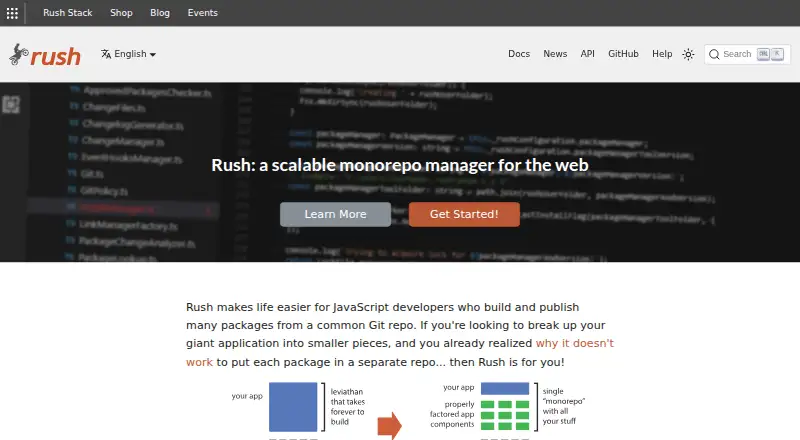
Rush is a free monorepo manager for JavaScript developers who build and publish many packages from a common Git repository. It can install and link dependencies, build projects, generate change logs, update versions, and publish packages to an npm registry. Builds can run in parallel, for selected subsets, incrementally, or in distributed form. Rush places dependencies in a common folder and uses symlinks to reconstruct a node_modules folder for each project. Its installation algorithm supports PNPM, NPM, and Yarn. Project folders remain self-contained: they can be built without Rush or moved to a separate repository without code changes. Rush runs on Linux, macOS, and Windows, and the getting-started demo names NodeJS as the only prerequisite. Plugins can extend Rush and share configuration, but the plugin framework is experimental. Microsoft does not provide official support; the documentation directs users to GitHub issues and Rush Stack Zulip for community help.
Who it suits
Rush suits JavaScript developers consolidating many packages into one Git repository, including large teams maintaining large repositories. It can also help teams coordinate dependency versions and release workflows.
What it does well
- Supports PNPM, NPM, and Yarn
- Builds can be parallel, subset, incremental, or distributed
- Projects can be moved without code changes
- Dependency policies can promote consistent versions
What to know first
- Plugin framework is marked experimental
- Microsoft does not provide official support
Plans
| Plan | Billed and limits | Price |
|---|---|---|
| Rush | Free and open source · JavaScript monorepo manager · installable via npm | Free |
As rushjs.io lists them, read 30 Sept 2026. The maker's own page has the final word.
Getting started
- Install NodeJS, the prerequisite named by the getting-started demo.
- Install Rush with `npm install -g @microsoft/rush`.
- Use Rush to install and link projects in the repository.
- Choose PNPM, NPM, or Yarn for the installation algorithm.
Overview
Rush is a free JavaScript monorepo manager for developers coordinating many packages in one Git repository. It suits teams consolidating projects and maintaining large repositories; the case for it is strongest when dependency management, builds, and releases need to work together. Teams that need official vendor support or depend on stable plugins should weigh its community-support model and experimental plugin framework carefully.
Key features
Rush installs dependencies into a common folder and uses symlinks to recreate a node_modules folder for each project. This keeps project folders self-contained while coordinating dependencies across a repository. Its installation algorithm supports PNPM, NPM, and Yarn, which gives teams using those package managers a path to a shared workflow.
Builds can run in parallel, target a subset of projects, reuse incremental work, or be distributed. Build caching and remote execution are also supported. Those capabilities can help large repositories avoid treating every change as a full rebuild, though the value depends on how much build work a team can divide and reuse.
Rush also handles release steps: it can gather change files, update versions and changelogs, and publish packages to an npm registry. Bringing installation, linking, builds, and release management into one tool is useful for teams coordinating frequent package changes. Its plugins can share configuration across monorepos, extend Rush, or support feature prototypes, but the framework is experimental and is a weaker foundation for teams that need a settled extension surface.
Documentation includes integration guides for Sparo and Mergify and lists build-cache plugins for Amazon S3 and Azure Storage. Rush documentation also describes repository policies for reviewing new dependencies and enforcing consistent versions, which can help teams apply dependency rules across a large codebase.
Pricing
Rush is free and open source. The Rush plan costs nothing and is installable via npm; there is no free trial because the software is free. NodeJS is the only prerequisite in the getting-started demo, which installs Rush with npm install -g @microsoft/rush. There are no paid Rush tiers or seat quotas to weigh.
Platforms
Rush supports Linux, macOS, and Windows. Its contribution instructions include development and testing commands for all three, making it suitable for teams working across those operating systems.
Who it's for
Rush is aimed at JavaScript developers bringing multiple projects or packages into one repository, including large teams maintaining large monorepos. Project directories remain independently buildable without Rush and can be moved to a separate repository without code changes, a useful boundary for teams that want coordinated management without permanently coupling every package to the tool.
Support is community-based: Microsoft does not provide official support, and the documentation points users to GitHub issues and a Rush Stack Zulip chat room. Teams that need a contractual support channel should look elsewhere or plan to handle troubleshooting internally.
Pros and cons
- Pros: One workflow spans dependency installation, orchestration, change tracking, version bumps, and npm publishing, which is valuable when a monorepo has many packages to coordinate.
- Pros: Parallel, subset, incremental, and distributed builds plus caching and remote execution offer several ways to manage build work in larger repositories.
- Pros: Self-contained project folders can be built without Rush or moved to another repository without code changes, reducing the risk of making the tool a hard project boundary.
- Cons: The plugin framework is experimental, so teams should avoid relying on it for critical extensions unless they can absorb that uncertainty.
- Cons: Microsoft offers no official support; help depends on community channels, which may not meet teams' operational support needs.
Alternatives
Choose JSPM if you want open-source import-map package management tools rather than Rush's broader monorepo orchestration and release workflow. Bun is a free, open-source JavaScript runtime and toolkit, an alternative for readers seeking that category of tool. For public package authors who need public registry access and unlimited public packages on a free plan, npm may be a better fit than a monorepo manager.
Pantry is another free-plan option, with public packages, 30 days of full analytics, 50MB artifacts, a standard build queue, and one seat. Textadept is a free, open-source text editor; choose it when editing rather than monorepo management is the need. Yarn is a free open-source package manager with no paid plans or usage limits stated, while Bower is a free command-line utility with no paid plans or usage limits stated.
Deno Sandbox is a web and API option with a free tier capped at 1M requests per month and 10 hours of active CPU, for readers seeking a sandbox service rather than a JavaScript monorepo manager.
For category comparisons, browse JavaScript Package Managers, Monorepo Management Tools, and Build Automation Software.
Verdict
Rush is a strong choice for JavaScript teams managing many packages in one repository, especially when they need coordinated dependency installation, flexible builds, and npm releases without paying for the tool. Its self-contained project boundaries are a practical advantage. Look elsewhere if official support is essential or if your workflow depends on a mature plugin framework.
Verdict
Rush combines dependency management, build orchestration, and package publishing for JavaScript monorepos. Its experimental plugin framework and community-based support are important considerations.
Questions
How much does Rush cost?
Rush is free. Its listed plan is free.
Which operating systems does Rush support?
Rush supports Linux, macOS, and Windows.
What package managers does Rush support?
Its installation algorithm supports PNPM, NPM, and Yarn.
Can Rush publish packages?
Yes. It can update package versions and change logs, then publish packages to an npm registry.
Does Rush have official Microsoft support?
No. Microsoft does not provide official support; community help is directed to GitHub issues and Rush Stack Zulip.
What integrations are documented?
Rush documentation includes integration guides for Sparo and Mergify, and lists Amazon S3 and Azure Storage build-cache plugins.
Facts from Rush's own pages
- Builds
- Rush supports parallel, subset, incremental, and distributed builds. · rushjs.io, 30 Sept 2026
- Dependency management
- Rush installs dependencies into a common folder and uses symlinks to reconstruct a node_modules folder for each project. · rushjs.io, 30 Sept 2026
- Extensibility
- Rush plugins can share configuration across monorepos, extend Rush features, and prototype features; the plugin framework is marked experimental. · rushjs.io, 30 Sept 2026
- Founded
- 1975 · rushjs.io, 28 Sept 2026
- Headquarters
- Redmond, Washington, USA · rushjs.io, 28 Sept 2026
- Integrations
- The Rush documentation includes integration guides for Sparo and Mergify, and lists Amazon S3 and Azure Storage build-cache plugins. · rushjs.io, 30 Sept 2026
- Intended users
- Rush is presented for JavaScript developers consolidating many projects or packages into a single repository, including large teams maintaining large repositories. · rushjs.io, 30 Sept 2026
- Operating systems
- The contribution instructions show Rush development and testing commands for Mac OS, Linux, and Windows. · rushjs.io, 30 Sept 2026
- Orchestration
- Rush can install, link, build, generate change logs, publish packages, and bump versions. · rushjs.io, 30 Sept 2026
- Package managers
- The Rush installation algorithm supports PNPM, NPM, and Yarn. · rushjs.io, 30 Sept 2026
- Prerequisite
- The getting-started demo states that NodeJS is the only prerequisite and installs Rush with npm install -g @microsoft/rush. · rushjs.io, 30 Sept 2026
- Project boundaries
- The FAQ says project folders remain self-contained, can be built without Rush, and can be moved to a separate repository without code changes. · rushjs.io, 30 Sept 2026
- Release management
- Rush can gather change files, update package versions and changelogs, and publish packages to an npm registry. · rushjs.io, 30 Sept 2026
- Security or compliance
- Rush documentation describes repo policies for reviewing new package dependencies and enforcing consistent dependency versions. · rushjs.io, 30 Sept 2026
- Support
- Microsoft does not provide official support for Rush; the documentation points users to GitHub issues and a Rush Stack Zulip chat room for community help. · rushjs.io, 30 Sept 2026
- What it does
- Rush is a scalable monorepo manager for JavaScript developers who build and publish many packages from a common Git repository. · rushjs.io, 30 Sept 2026
Where Rush stands on Freedom251
- JavaScript Package Managers#9 of 19
- Build Automation Software#25 of 42
- Monorepo Management Tools#23 of 33