Rofi
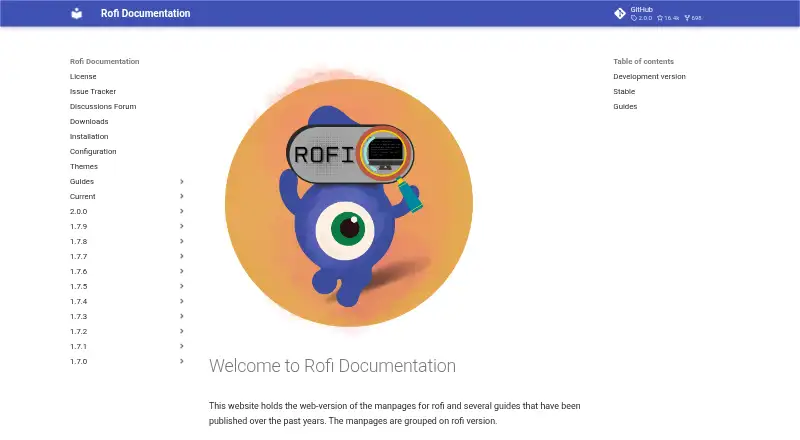
What Rofi is
Rofi is a free utility for switching windows, launching applications, opening SSH login dialogs, and running menu workflows. It can replace dmenu for scripts and offers modes including window, windowcd, run, drun, ssh, keys, script, and combi. Users can navigate with a keyboard or mouse, narrow options by typing, and use tokenized search. For script integration, a dedicated mode acts as a dmenu replacement. Configuration is available through a system configuration file, a Rasi theme file, or command-line options. Rofi builds with X11 and Wayland backends when available, and either backend can be disabled. Installation guidance covers Debian or Ubuntu, Fedora, Arch Linux, Gentoo, openSUSE, and FreeBSD; the documented macOS route is MacPorts. The downloads page lists release archives, with version 1.7.9 as its newest listed release. Development versions have no tarball release; users are directed to the installation instructions to obtain and compile one. Support links lead to a GitHub issue tracker and discussions forum. No paid plans are listed.
Who it suits
Rofi suits Linux or macOS users who want keyboard- or mouse-navigable menus for launching applications, switching windows, or connecting over SSH. Its script mode is relevant to users seeking a dmenu replacement.
What it does well
- Free, with no paid plans listed.
- Includes window, application, SSH, and script modes.
- Supports keyboard and mouse navigation.
- Configuration can use files, themes, or command-line options.
- Builds with X11 and Wayland backends when available.
What to know first
- Newest listed release is version 1.7.9.
- Development versions have no tarball release.
- macOS installation instructions specify MacPorts.
Limits
The Rofi plan is free, with no paid plans listed. Development versions have no tarball release; obtaining and compiling one requires the installation instructions.
Plans
| Plan | Billed and limits | Price |
|---|---|---|
| Rofi | No paid plans listed; development version has no tarball release | Free |
As davatorium.github.io lists them, read 4 Oct 2026. The maker's own page has the final word.
Getting started
- Open the Rofi website and installation guide.
- On Linux, follow the listed package or installation instructions for your distribution.
- On macOS, use the documented MacPorts installation route.
- Configure Rofi with a system file, a Rasi theme file, or command-line options.
- Choose a mode such as window, run, SSH, script, or combi.
Verdict
Rofi brings several launcher and menu workflows into one configurable utility, including a script mode that can replace dmenu. Its listed release archives are at version 1.7.9, while development versions require obtaining and compiling the software through the installation instructions.
Questions
How much does Rofi cost?
Rofi is listed as free. No paid plans are listed, and there is no free trial.
Which platforms can I use it on?
The listed platforms are Linux and macOS. The supported-platform field also describes it as cross-platform.
How do I install Rofi on macOS?
The installation guide says Rofi can be installed on macOS through MacPorts.
Can Rofi replace dmenu for scripts?
Yes. Rofi has a special script mode that works as a drop-in replacement for dmenu.
What release downloads are available?
The downloads page lists release archives, with version 1.7.9 as its newest listed release. Development versions do not have a tarball release.
Where can I get support?
The documentation links to a GitHub issue tracker and a GitHub discussions forum.
Facts from Rofi's own pages
- Backends
- Rofi builds with X11 and Wayland backends when available, and the build can disable either backend. · davatorium.github.io, 4 Oct 2026
- Customization
- Configuration can be set through a system configuration file, a Rasi theme file, or command-line options. · davatorium.github.io, 4 Oct 2026
- Development downloads
- The downloads page says no tarball is released for development versions and directs users to the installation instructions to obtain and compile one. · davatorium.github.io, 4 Oct 2026
- Linux installation
- The installation guide lists packages or install commands for Debian or Ubuntu, Fedora, Arch Linux, Gentoo, openSUSE, and FreeBSD. · davatorium.github.io, 4 Oct 2026
- macOS installation
- The installation guide says Rofi can be installed on macOS via MacPorts. · davatorium.github.io, 4 Oct 2026
- Modes
- Available modes include window, windowcd, run, drun, ssh, keys, script, and combi. · davatorium.github.io, 4 Oct 2026
- Purpose
- Rofi is a window switcher, application launcher, SSH dialog, dmenu replacement, and more. · davatorium.github.io, 4 Oct 2026
- Release downloads
- The downloads page lists release archives, with version 1.7.9 as its newest listed release. · davatorium.github.io, 4 Oct 2026
- Script integration
- For script integration, Rofi provides a special mode that works as a drop-in replacement for dmenu. · davatorium.github.io, 4 Oct 2026
- Search and navigation
- It supports keyboard and mouse navigation, type to filter, and tokenized search. · davatorium.github.io, 4 Oct 2026
- Security and compliance
- The opened official documentation pages do not state security certifications or compliance claims. · davatorium.github.io, 4 Oct 2026
- Support
- The documentation links to a GitHub issue tracker and a GitHub discussions forum. · davatorium.github.io, 4 Oct 2026
- Workflow
- Rofi can switch between windows, start applications, or log in to a remote machine via SSH. · davatorium.github.io, 4 Oct 2026
Where Rofi stands on Freedom251
- App Launchers#11 of 40
- App launchers#12 of 40
- App Launcher Software#21 of 40