Freedom251 › Terminal Emulators
foot
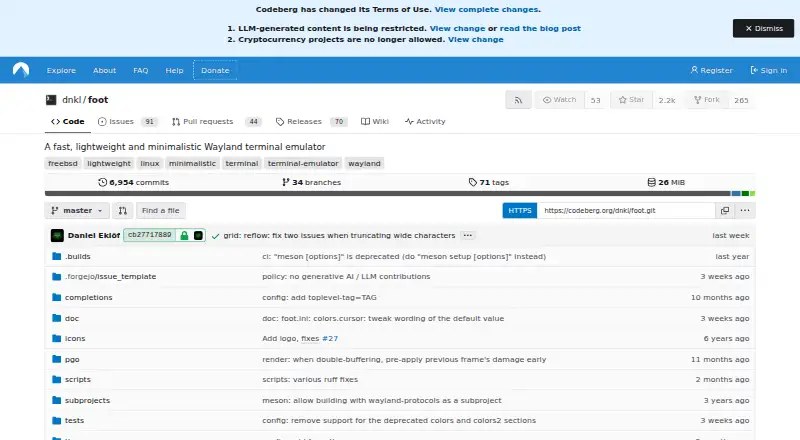
What foot is
foot is a free Linux terminal emulator for Wayland, with native Wayland support and no dependence on a particular desktop environment. Its server mode allows multiple terminal windows to share a process, fonts, and glyph cache. Display options include configurable font fallback, font and DPI changes while running, color emoji, true color, and Sixel images.
For navigation, foot offers scrollback search and keyboard-driven URL detection. It supports SSH, scripting, text input through text-input-v3, and multiple seats. When a shell supports OSC 7, a new terminal can open in the current working directory; OSC 133 enables prompt navigation. URLs launch through xdg-open by default, though the command can be changed in configuration. Settings are kept in a foot.ini file under the user's XDG configuration directory.
The project is released under the MIT license and its listed plan costs nothing. Installation guidance describes building with Meson and Ninja, with Wayland protocols and ncurses among the requirements. Full PGO builds using the real binary must run in a Wayland session.
Who it suits
foot suits Linux users working in a Wayland environment who want a configurable terminal with SSH, scripting, and shell integration. Building from source requires the listed build tools and dependencies.
What it does well
- Native Wayland support
- Server mode shares a process and glyph cache
- Includes scrollback search and URL detection
- Supports SSH and scripting
- MIT licensed and free
What to know first
- Linux and Wayland only
- No split panes
- No GPU acceleration
- Installation requires a Meson and Ninja build
Limits
The free foot plan is listed as free. It is a Wayland terminal emulator for Linux, and full PGO builds using the real binary must run in a Wayland session.
Plans
| Plan | Billed and limits | Price |
|---|---|---|
| foot | Wayland terminal emulator · MIT license | Free |
As codeberg.org lists them, read 7 Oct 2026. The maker's own page has the final word.
Getting started
- Visit https://codeberg.org/dnkl/foot for the project and installation guide.
- Use a Linux system with Wayland.
- Build foot with Meson and Ninja, with Wayland protocols and ncurses among the requirements.
- Configure settings in foot.ini under your XDG configuration directory.
- For a full PGO build using the real binary, run it in a Wayland session.
Verdict
foot offers a focused Wayland terminal with configurable display and navigation features. Its Wayland-only scope and build requirements are worth considering before installation.
Questions
How much does foot cost?
The foot plan is listed as free, and the project is free.
Which platforms does foot support?
Linux. foot is a Wayland terminal emulator with native Wayland support.
What license does foot use?
The project states that foot is released under the MIT license.
How is foot installed?
The installation guide describes building with Meson and Ninja. Wayland protocols and ncurses are among the build requirements.
Does foot support SSH and scripting?
Yes. Its listed features include SSH support and a scripting API.
How can I get support?
The project directs bug reports to its issue tracker and invites questions in the #foot IRC channel on Libera.Chat.
Facts from foot's own pages
- Build and install
- The installation guide describes building with Meson and Ninja and lists Wayland protocols and ncurses among build requirements. · github.com, 7 Oct 2026
- Configuration
- The README describes configuration through a foot.ini file under the user's XDG configuration directory. · github.com, 7 Oct 2026
- Free plan
- Yes · ci.codeberg.org, 20 Sept 2026
- GPU acceleration
- No · ci.codeberg.org, 20 Sept 2026
- Input
- The feature list includes input method support via text-input-v3 and multi-seat support. · github.com, 7 Oct 2026
- License
- The project states that foot is released under the MIT license. · github.com, 7 Oct 2026
- Native support
- The project lists native Wayland support and says it is desktop-environment agnostic. · github.com, 7 Oct 2026
- Navigation
- foot provides scrollback search and keyboard-driven URL detection. · github.com, 7 Oct 2026
- Notable requirement
- foot is a Wayland terminal emulator, and its installation guide says full PGO builds using the real binary must run in a Wayland session. · github.com, 7 Oct 2026
- Scripting API
- Yes · ci.codeberg.org, 20 Sept 2026
- Server mode
- Server mode lets multiple terminal windows share one process, fonts, and glyph cache. · github.com, 7 Oct 2026
- Shell integration
- With shell support for OSC 7, new terminals can open in the current working directory; OSC 133 enables prompt navigation. · github.com, 7 Oct 2026
- Split panes
- No · ci.codeberg.org, 20 Sept 2026
- SSH support
- Yes · ci.codeberg.org, 20 Sept 2026
- Support
- The project directs bug reports to its issue tracker and invites questions in the #foot IRC channel on Libera.Chat. · github.com, 7 Oct 2026
- Supported platforms
- linux · ci.codeberg.org, 20 Sept 2026
- Text and display
- Features include configurable font fallback, on-the-fly font and DPI adjustment, color emoji, true color, and Sixel images. · github.com, 7 Oct 2026
- URL handling
- URL launch uses xdg-open by default, and the launch command can be changed in configuration. · github.com, 7 Oct 2026
- What it does
- foot is a fast, lightweight, minimalistic Wayland terminal emulator. · github.com, 7 Oct 2026
Where foot stands on Freedom251
- Terminal Emulators#10 of 40
- App Launchers#13 of 40
- App launchers#14 of 40
- Terminal apps#30 of 41