Freedom251 › AI Video Background Removers
Robust Video Matting
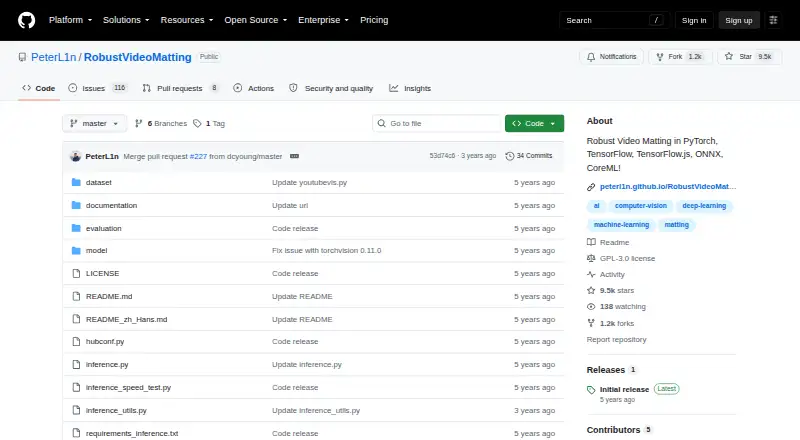
What Robust Video Matting is
Robust Video Matting separates people from video backgrounds using a recurrent neural network that carries temporal memory between frames. The project says it can process video in real time without additional inputs. A browser webcam demo runs the model live and can visualize recurrent states; a conversion API accepts a video or image sequence and outputs a composited video or PNG sequence, with optional alpha and foreground outputs. Models are available for PyTorch, TorchHub, TorchScript, ONNX, TensorFlow, TensorFlow.js, and CoreML. MobileNetv3 is the recommended model for most uses; ResNet50 is larger and offers small performance improvements. The project reports GPU throughput figures, including 4K at 76 FPS and HD at 104 FPS on a GTX 1080 Ti, and 4K at 154 FPS and HD at 172 FPS on an RTX 3090 with FP16 under specified settings. File conversion is expected to be much slower because the script lacks hardware video encoding and decoding and parallel tensor transfers. CoreML requires iOS 13 or later and does not support dynamic resolution. The code is GPL-3.0 licensed.
Who it suits
It suits developers and video workflows that need human matting, model exports across listed frameworks, or a browser webcam demo. iOS users need iOS 13 or later, and CoreML does not support dynamic resolution.
What it does well
- Free plan with GPL-3.0 code.
- Browser webcam demo runs live.
- Conversion supports video files and image sequences.
- Optional alpha and foreground outputs.
- Models span several listed frameworks.
What to know first
- File conversion runs much slower than tensor throughput.
- CoreML requires iOS 13 or later.
- CoreML does not support dynamic resolution.
Limits
CoreML models require iOS 13 or later and do not support dynamic resolution. The project says its video conversion script is much slower than reported tensor throughput because it does not use hardware video encoding or decoding or parallel tensor transfers.
Plans
| Plan | Billed and limits | Price |
|---|---|---|
| Robust Video Matting | GPL-3.0 · pretrained models and source code | Free |
As github.com lists them, read 9 Oct 2026. The maker's own page has the final word.
Getting started
- Open the project repository at https://github.com/PeterL1n/RobustVideoMatting.
- Choose a model format for your environment, such as PyTorch, ONNX, TensorFlow.js, or CoreML.
- Use the browser webcam demo to run the model live, or the Colab demo to test your own videos with a free GPU.
- For file conversion, provide a video file or image sequence to the conversion API and select a composited video or PNG sequence output.
- Consult the linked inference documentation for usage guidance, or the training and evaluation documentation for those workflows.
Robust Video Matting is a free project for isolating people from video, aimed chiefly at developers and technically confident creators building matting into a workflow. Its live processing and broad model exports make it a flexible starting point; it is less suited to users who want a polished, turnkey editor or expect fast file conversion.
Overview
The project uses a recurrent neural network with temporal memory to process video frames, and supports background replacement at resolutions up to 4K. Its focus is human matting, not general video editing, so its strongest fit is a workflow that needs people separated from their backgrounds rather than an all-purpose clip editor.
The source code and pretrained models are released under GPL-3.0. The project was developed at ByteDance Inc. Teams planning to incorporate or distribute the code should consider the license as part of that decision.
Key features
- Matting without extra inputs: The project says it can process video in real time without additional inputs. That can simplify live or continuous footage workflows where supplying guidance for individual frames would be cumbersome.
- Model variants: MobileNetv3 is recommended for most use cases. ResNet50 is larger and offers small performance improvements, so it is a narrower choice for users who value those gains enough to accept a larger model.
- Multiple model formats: Models are provided for PyTorch, TorchHub, TorchScript, ONNX, TensorFlow, TensorFlow.js, and CoreML. This range gives developers options for different runtimes, though framework support does not remove the need to check each runtime's constraints.
- Browser and Colab demos: The webcam demo runs the model live in a browser and can visualize recurrent states. A Colab demo lets users try their own videos with a free GPU, making evaluation possible without first arranging local GPU hardware.
- Video conversion: The conversion API accepts a video file or image sequence and can produce a composited video or PNG sequence, with optional alpha and foreground outputs. The project cautions that conversion runs much slower than the reported tensor throughput because it lacks hardware video encoding and decoding and parallel tensor transfers.
- Performance figures: The README reports 172 FPS at HD and 154 FPS at 4K on an RTX 3090 with FP16, batch size 1, and frame chunk 1. It also reports 104 FPS at HD and 76 FPS at 4K on an Nvidia GTX 1080 Ti. These are model throughput figures, not a promise that the file-conversion script will process footage at the same rate.
Inference, training, and evaluation documentation provides guidance for using and developing the model. ONNX models use opset 12 and are tested with CPU and CUDA backends.
Pricing
Robust Video Matting — free includes pretrained models and source code under GPL-3.0. There are no paid tiers or quotas in this plan. Its cost advantage suits developers and creators who can work with the project directly; the trade-off is that this is a model and conversion workflow, not a consumer editing subscription.
Platforms
The project is associated with Android, API, iOS, Linux, self-hosted, and web use. CoreML models require iOS 13 or later and do not support dynamic resolution. Android support is linked through a third-party NCNN C++ project, so users should distinguish that route from the project's provided model exports.
Who it's for
Choose Robust Video Matting if you need human video matting in a custom workflow, want to select among model formats, or need to evaluate recurrent states in a live browser demo. It is also a sensible option for users who can test their footage in Colab before integrating the model.
Look elsewhere if your priority is a ready-made editing interface or predictable high-speed batch conversion: the project emphasizes model capabilities, and its conversion script is explicitly slower than raw tensor throughput. Mobile developers should also account for the iOS resolution constraint and the third-party nature of the Android route.
Pros and cons
- Pro: Free source code and pretrained models make experimentation and integration possible without a subscription.
- Pro: Multiple framework formats and browser and Colab demos support evaluation across different development workflows.
- Pro: The project reports real-time throughput, including 4K figures, and says no additional inputs are needed.
- Con: File conversion is expected to be much slower than tensor throughput because video encoding, decoding, and parallel transfers are not hardware-accelerated in the script.
- Con: CoreML does not support dynamic resolution, while the Android option relies on a third-party project.
Alternatives
For a broader set of background-removal choices, see Video Background Removal Software or AI Video Background Removers.
- Cutout.Pro is a freemium option with Android, API, iOS, Linux, macOS, web, and Windows platforms; consider it if you want to compare a subscription-based alternative.
- BackgroundRemover is a free, open-source project that can be installed locally with pip or from source; choose it when local installation and a free workflow are priorities.
- Bria Video Background Removal offers a free tier with 100 generations, cloud-only deployment, a 10-requests-per-minute limit, queue-based latency, and Discord community support; it may fit users who prefer a hosted service with a defined free allowance.
- Pixelcut offers limited free background removal and free exports without a watermark; consider it when those editing and export terms are a better fit.
- VCam has a free Starter plan with a watermark and up to 500MB storage; it may suit users comparing a workspace-based option.
- EZ-CorridorKey is a free desktop app for Linux, macOS, and Windows; consider it if you want a desktop alternative.
- Knockout API provides a free recurring allowance of 30 images per month; it may be worth comparing for image-focused API use.
- Transparent Background is an open-source Python package with GUI and webcam support; consider it as another free desktop-oriented option.
Verdict
Robust Video Matting is a strong choice for developers and technically confident creators who need free, adaptable human matting and can work with model exports or conversion tools. Its main draw is the combination of real-time processing claims, multiple frameworks, and usable demos; look elsewhere if you need a consumer-ready editor or fast file conversion without additional workflow work.
Verdict
Robust Video Matting provides model choices, browser demonstration, and file conversion options for human video matting. Note the stated gap between tensor throughput and conversion speed, as well as CoreML's constraints.
Questions
How much does Robust Video Matting cost?
The listed plan is free, with pretrained models and source code.
Is there a free plan?
Yes. The project is free, and its code is released under GPL-3.0.
Which platforms and model formats does it support?
Listed platforms are Android, API, iOS, Linux, self-hosted, and web. Models are provided for PyTorch, TorchHub, TorchScript, ONNX, TensorFlow, TensorFlow.js, and CoreML.
Does it support iOS?
CoreML models require iOS 13 or later. CoreML does not support dynamic resolution.
Can I try it on my own videos?
Yes. The repository links a Colab demo that lets users test videos with a free GPU. Its conversion API accepts a video file or image sequence.
Who developed Robust Video Matting?
The repository says the project was developed at ByteDance Inc.
Facts from Robust Video Matting's own pages
- Browser demo
- The webcam demo runs the model live in a browser and can visualize recurrent states. · github.com, 9 Oct 2026
- Colab demo
- The Colab demo lets users test the model on their own videos with a free GPU. · github.com, 9 Oct 2026
- Compatibility limits
- CoreML does not support dynamic resolution, and the provided ONNX models use opset 12 and are tested with CPU and CUDA backends. · github.com, 9 Oct 2026
- Examples and training
- The repository provides a Colab demo for testing videos with a free GPU and links to training and evaluation documentation. · github.com, 9 Oct 2026
- Frameworks
- The project provides model implementations or exports for PyTorch, TorchScript, ONNX, TensorFlow, TensorFlow.js, and CoreML. · github.com, 9 Oct 2026
- iOS requirement
- The provided CoreML models require iOS 13 or later, and CoreML does not support dynamic resolution. · github.com, 9 Oct 2026
- License
- The repository states that the code is released under the GPL-3.0 license. · github.com, 9 Oct 2026
- Mobile support
- CoreML models require iOS 13 or later, and the README links a third-party NCNN C++ Android project. · github.com, 9 Oct 2026
- Model choices
- The project recommends MobileNetv3 for most use cases and describes ResNet50 as a larger variant with small performance improvements. · github.com, 9 Oct 2026
- Model formats
- The project provides models for PyTorch, TorchHub, TorchScript, ONNX, TensorFlow, TensorFlow.js, and CoreML. · github.com, 9 Oct 2026
- Model variants
- MobileNetv3 is recommended for most use cases, while ResNet50 is larger with small performance improvements. · github.com, 9 Oct 2026
- No additional inputs
- The project says it can perform matting in real time on videos without additional inputs. · github.com, 9 Oct 2026
- Performance
- The README reports 172 FPS for HD and 154 FPS for 4K on an RTX 3090 using FP16, with batch size 1 and frame chunk 1. · github.com, 9 Oct 2026
- Performance limitation
- The project cautions that its video conversion script is expected to run much slower than the reported tensor throughput because it does not use hardware video encoding or decoding or parallel tensor transfers. · github.com, 9 Oct 2026
- Project origin
- The repository says the project was developed at ByteDance Inc. · github.com, 9 Oct 2026
- Purpose
- Robust Video Matting is designed for human video matting and uses a recurrent neural network with temporal memory to process video frames. · github.com, 9 Oct 2026
- Real-time performance
- The README reports 4K at 76 FPS and HD at 104 FPS on an Nvidia GTX 1080 Ti GPU. · github.com, 9 Oct 2026
- Real-time processing
- The project says it can perform matting in real time without additional inputs. · github.com, 9 Oct 2026
- Support and guidance
- The README links inference and training documentation for usage, training, and evaluation instructions. · github.com, 9 Oct 2026
- Video conversion
- The provided conversion API accepts a video file or image sequence and can output a composited video or PNG sequence, with optional alpha and foreground outputs. · github.com, 9 Oct 2026
Where Robust Video Matting stands on Freedom251
- AI Video Background Removers#9 of 29
- Video Background Removal Software#9 of 24