ReText
What ReText is
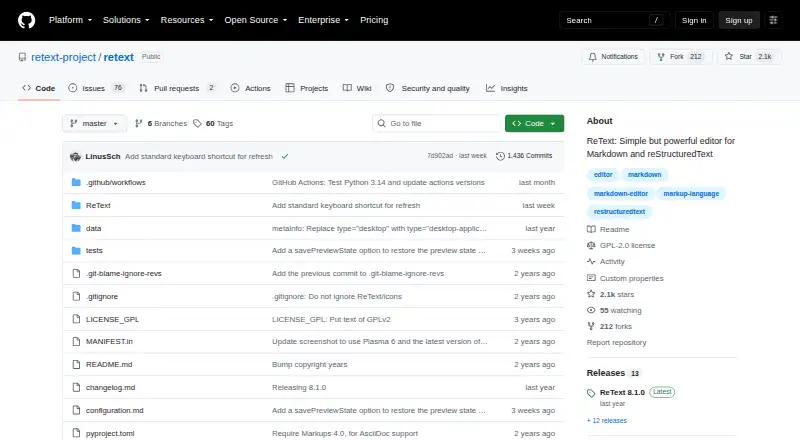
ReText is a Linux editor for writing documents in markup languages and working with local files. Its Markups module supports Markdown, reStructuredText, Textile and AsciiDoc, and Python modules can add support for custom markup. You can export documents as PDF or HTML; the product has no publishing workflow. ReText requires Python 3.9 or later, PyQt6 and Markups 4.0 or later. The project’s installation options include running `pip3 install ReText`, downloading a source tarball or cloning the repository. Optional packages add spell checking, encoding detection and a preview engine with JavaScript support. New tabs can open in editor, normal-preview or live-preview mode. Configurable options include document statistics, line numbers, spell checking, synchronized scrolling and a directory tree. The project wiki also documents export and Markdown syntax extensions, table editing mode and FakeVim mode. ReText is licensed under GNU GPL version 2 or later, and its configuration is stored in a text file whose path it prints at startup. The listed price is free.
Who it suits
ReText suits Linux users who want to edit local Markdown or other supported markup files and export them to PDF or HTML. It may also suit users who want to extend markup support with Python modules.
What it does well
- Supports four markup languages.
- Python modules can add custom markup support.
- Exports to PDF and HTML.
- Offers configurable editing and preview options.
What to know first
- Linux is the only listed platform.
- Requires Python 3.9 or later, PyQt6 and Markups 4.0 or later.
- No publishing workflow is listed.
Limits
The listed plan is free, with no plan quota given. The core installation requires Python 3.9 or later, PyQt6 and Markups 4.0 or later; some recommended features use additional packages.
Plans
| Plan | Billed and limits | Price |
|---|---|---|
| Free | GNU GPL v2 or later · Python 3.9 or later required | Free |
As github.com lists them, read 9 Oct 2026. The maker's own page has the final word.
Getting started
- Install Python 3.9 or later, PyQt6 and Markups 4.0 or later.
- Run `pip3 install ReText`, or download the source tarball or clone the repository.
- Install pyenchant for spell checking, chardet for encoding detection, or PyQt6-WebEngine for JavaScript-enabled preview, as needed.
- Configure new tabs to open in editor, normal-preview or live-preview mode.
- Adjust editing options and check the startup output for the configuration file path.
Verdict
ReText focuses on editing and exporting markup files on Linux, with configurable previews and editing options. Check its Python and library requirements before installing.
Questions
Is ReText free?
Yes. The Free plan costs nothing, and the project is licensed under GNU GPL version 2 or later.
Which platforms does ReText support?
The listed platform is Linux.
Which markup formats can it edit?
Its Markups module supports Markdown, reStructuredText, Textile and AsciiDoc. Python modules can add support for custom markups.
Can ReText export files?
Yes. PDF and HTML are listed export formats.
How do I install ReText?
Install Python 3.9 or later, then run `pip3 install ReText`; alternatively, download the source tarball or clone the repository. ReText also requires PyQt6 and Markups 4.0 or later.
Does it include spell checking?
Spell checking is a configurable option, and the project recommends pyenchant for it.
Facts from ReText's own pages
- Configuration
- ReText stores its configuration in a text file, and prints that file's path to stdout at startup. · github.com, 9 Oct 2026
- Custom markup
- Users can add support for custom markups using Python modules. · github.com, 9 Oct 2026
- Dependencies
- ReText requires PyQt6 and Markups 4.0 or later. · github.com, 9 Oct 2026
- Editing options
- Document statistics, line numbers, spell checking, synchronized scrolling and a directory tree are configurable options. · github.com, 9 Oct 2026
- Export and editing extensions
- The project wiki lists documentation for export extensions, Markdown syntax extensions, table editing mode and FakeVim mode. · github.com, 9 Oct 2026
- Export formats
- PDF,HTML · github.com, 20 Sept 2026
- Free plan
- Yes · github.com, 20 Sept 2026
- Install
- The project says to install Python 3.9 or later and run `pip3 install ReText`, or download the source tarball or clone the repository. · github.com, 9 Oct 2026
- License
- ReText is licensed under the GNU GPL, version 2 or later. · github.com, 9 Oct 2026
- Local file support
- Yes · github.com, 20 Sept 2026
- Maintainer
- The project README credits Dmitry Shachnev and Maurice van der Pot for copyright. · github.com, 9 Oct 2026
- Optional features
- The project recommends pyenchant for spell checking, chardet for encoding detection, and PyQt6-WebEngine for a preview engine with JavaScript support. · github.com, 9 Oct 2026
- Supported platforms
- linux · github.com, 20 Sept 2026
- Preview
- The configuration supports editor, normal-preview and live-preview modes for new tabs. · github.com, 9 Oct 2026
- Publishing workflow
- none · github.com, 20 Sept 2026
- Purpose
- ReText is an editor for markup languages. · github.com, 9 Oct 2026
- Supported markup
- Its Markups module supports Markdown, reStructuredText, Textile and AsciiDoc. · github.com, 9 Oct 2026
- Translation
- The project says users can translate ReText through Transifex. · github.com, 9 Oct 2026
Where ReText stands on Freedom251
- Markdown editors#20 of 31