MultiMarkdown Composer
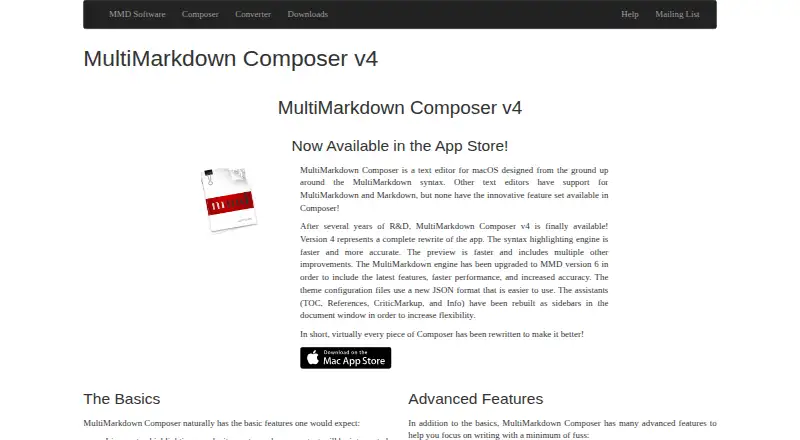
What MultiMarkdown Composer is
MultiMarkdown Composer is a macOS app for working with Markdown documents using the custom MultiMarkdown flavor. Its free plan supports reading and writing files, a live HTML preview, MultiMarkdown v6, CriticMarkup and file comparison. Documents remain local, and the app does not provide cloud sync or real-time collaboration. Its publishing workflow is listed as none.
The Standard Upgrade adds support for opening multiple documents, printing source and HTML preview, and exporting to HTML, EPUB 3, OpenDocument, LaTeX and TextPack. It also adds custom themes and CSS, along with sidebar assistants. The Pro Upgrade adds automatic text expansion, custom keyboard commands and macros, shared themes, CSS and expansion files between machines, history undo mode, and control over table-of-contents depth. These features give buyers a choice between basic local Markdown editing at no cost and paid upgrades for broader document handling, export and customization tools. MultiMarkdown Composer is limited to macOS.
Who it suits
MultiMarkdown Composer suits Mac users who want to read and write local Markdown files with a live HTML preview and MultiMarkdown v6 support. The Standard or Pro upgrade may suit users who need added export, document, theme, shortcut or text expansion features.
What it does well
- Free plan supports reading and writing files.
- Includes a live HTML preview.
- Supports MultiMarkdown v6 and CriticMarkup.
- The free plan includes file comparison.
- Upgrade export formats include EPUB 3, OpenDocument, LaTeX and TextPack.
What to know first
- Available for macOS only.
- Cloud sync is unavailable.
- Real-time collaboration is unavailable.
- Publishing workflow is listed as none.
Limits
The free plan includes file reading and writing, live HTML preview, MultiMarkdown v6, CriticMarkup and file comparison. Multiple-document support, printing, export and themes are in Standard Upgrade; Pro features require Pro Upgrade.
Plans
| Plan | Billed and limits | Price |
|---|---|---|
| Free | Read and write files · Live HTML preview · MultiMarkdown v6 support · CriticMarkup support · File comparison | Free |
| Standard Upgrade | Open multiple documents · Print source and HTML preview · Export to HTML, EPUB 3, OpenDocument, LaTeX, and TextPack · Custom themes and CSS · Sidebar assistants | On request |
| Pro Upgrade | Automatic text expansion · Custom keyboard commands and macros · Share themes, CSS, and expansion files between machines · History undo mode · Control table-of-contents depth | On request |
As multimarkdown.com lists them, read 20 Sept 2026. The maker's own page has the final word.
Getting started
- Visit the MultiMarkdown Composer website.
- Use the free plan to read and write files on macOS.
- Use the live HTML preview, MultiMarkdown v6 support, CriticMarkup or file comparison.
- Choose the Standard Upgrade for expanded document handling, printing, export, themes, CSS or sidebar assistants.
- Choose the Pro Upgrade for text expansion, keyboard commands, macros, shared files, history undo mode or table-of-contents controls.
Verdict
Choose MultiMarkdown Composer if you use macOS and want local Markdown editing with a live preview and file comparison at no cost. Consider an upgrade if you need multiple documents, export or advanced customization tools; it does not provide cloud sync or real-time collaboration.
Questions
Is MultiMarkdown Composer free?
Yes. Its Free plan costs nothing.
Which platform does it support?
MultiMarkdown Composer supports macOS.
What can the free plan do?
It supports reading and writing files, live HTML preview, MultiMarkdown v6, CriticMarkup and file comparison.
Which formats can it export?
The Standard Upgrade lists export to HTML, EPUB 3, OpenDocument, LaTeX and TextPack.
Does it support cloud sync or real-time collaboration?
No. Cloud sync and real-time collaboration are both listed as unavailable.
What do the upgrades add?
Standard adds multiple documents, printing, export, custom themes and CSS, and sidebar assistants. Pro adds text expansion, keyboard commands and macros, sharing customization files between machines, history undo mode and table-of-contents depth control.
Facts from MultiMarkdown Composer's own pages
- Cloud sync
- No · multimarkdown.com, 20 Sept 2026
- Real-time collaboration
- No · multimarkdown.com, 20 Sept 2026
- Export formats
- HTML,EPUB 3,OpenDocument,LaTeX,TextPack · multimarkdown.com, 20 Sept 2026
- Free plan
- Yes · multimarkdown.com, 20 Sept 2026
- Local file support
- Yes · multimarkdown.com, 20 Sept 2026
- Markdown flavor
- custom · multimarkdown.com, 20 Sept 2026
- Supported platforms
- macos · multimarkdown.com, 20 Sept 2026
- Publishing workflow
- none · multimarkdown.com, 20 Sept 2026
Where MultiMarkdown Composer stands on Freedom251
- Markdown editors#19 of 31