
Notula
What Notula is
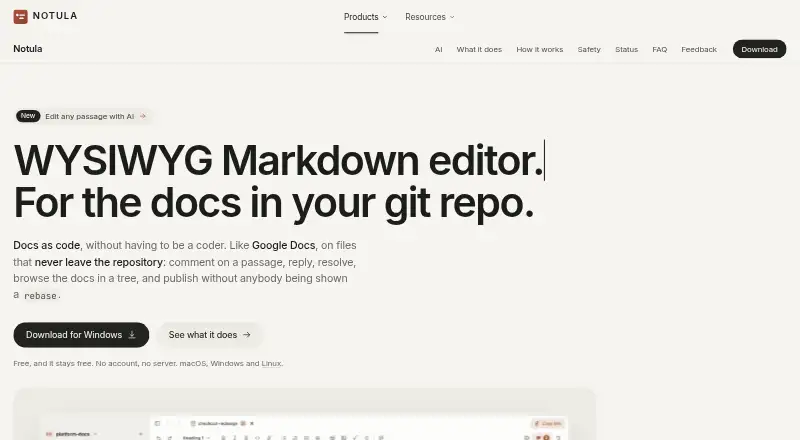
Notula is a free WYSIWYG Markdown editor for documentation kept in Git repositories. It displays formatted Markdown while leaving ordinary files on disk, and supports comments, replies, resolved threads, and document-history review. The desktop app works with GitHub, GitLab, Bitbucket, Gitea, SSH keys, Git LFS, submodules, and repositories without a remote. Installed Claude Code or Codex can edit selected passages; changes are marked for review and reversal. No account or Notula server is required, and documents and comments remain in the repository. Its Git actions are limited to the app’s files and do not stage the whole worktree, stash, rewrite history, or create or switch branches. A free Chrome extension transcribes Google Meet captions with speaker names into Markdown, supports 31 languages, and keeps audio in the browser. Listed desktop support is Windows and macOS.
Who it suits
Notula suits writers and documentation teams working with local Markdown files and Git repositories. The Meet extension fits users who want caption transcripts without a bot joining calls.
What it does well
- Free plans with no account or server
- Local files remain ordinary Markdown
- Broad Git hosting and repository support
- Review comments and document history
- Meet extension supports 31 languages
What to know first
- No cloud sync
- Desktop support listed only for Windows and macOS
- Project is described as early-stage
- Source code is private
Limits
Notula has no cloud sync. The free desktop plan and free Google Meet extension are both priced at 0.00 USD, and the desktop app has the platform support listed for Windows and macOS.
Plans
| Plan | Billed and limits | Price |
|---|---|---|
| Notula for Google Meet | Free Chrome extension | Free |
| Notula | Free; no account or server | Free |
As notula.org lists them, read 8 Oct 2026. The maker's own page has the final word.
Getting started
- Open the Notula website
- Install the desktop app for Windows or macOS
- Open documentation stored in a Git repository or local files
- Connect the repository through a supported Git host, SSH key, or local setup
- Install the free Chrome extension for Google Meet transcription
- Use the extension during a meeting and save the completed captions as Markdown
Verdict
Notula combines local Markdown editing with Git-aware review and optional AI-assisted changes. Its separate Meet extension adds caption transcription, while the workflow remains file-based rather than cloud-synchronized.
Questions
How much does Notula cost?
The Notula plan is free. The Notula for Google Meet Chrome extension is also free.
Does Notula require an account?
The desktop app has no account requirement and no Notula server. Documents and comments remain in the repository and communicate with its Git remote.
Which platforms are supported?
The listed desktop support is Windows and macOS. A separate Chrome extension provides the Google Meet transcription feature.
Can Notula edit Git repositories?
Yes. The desktop app works with GitHub, GitLab, Bitbucket, Gitea, SSH keys, Git LFS, submodules, and repositories without a remote.
Does Notula use cloud synchronization?
No. Notula supports local files and Markdown export, but cloud sync is not provided.
How does Google Meet transcription handle privacy?
The extension reads captions from the page. The maker says audio stays in the browser and no bot joins the call.
Facts from Notula's own pages
- AI features
- The app can use installed Claude Code or Codex to edit selected passages, with changes marked for review and reversal. · notula.org, 8 Oct 2026
- Cloud sync
- No · notula.org, 20 Sept 2026
- Early-stage status
- The maker says the source is private while the app is young and describes the project as early. · notula.org, 8 Oct 2026
- Editing
- The editor displays formatted Markdown without syntax while keeping ordinary Markdown files on disk. · notula.org, 8 Oct 2026
- Export formats
- Markdown · notula.org, 20 Sept 2026
- Free plan
- Yes · notula.org, 20 Sept 2026
- Git support
- The desktop app works with GitHub, GitLab, Bitbucket, Gitea, SSH keys, Git LFS, submodules, and repositories without a remote. · notula.org, 8 Oct 2026
- Google Meet integration
- A free Chrome extension transcribes Google Meet captions with speaker names and saves completed calls as Markdown files. · notula.org, 8 Oct 2026
- Local file support
- Yes · notula.org, 20 Sept 2026
- Platforms
- The desktop app is available for macOS, Windows, and Linux; the iPhone app is in TestFlight beta and not yet on the App Store. · notula.org, 8 Oct 2026
- Privacy
- The desktop app has no account or Notula server; documents and comments stay in the repository and communicate with its Git remote. · notula.org, 8 Oct 2026
- Purpose
- Notula is a WYSIWYG Markdown editor for documentation stored in a Git repository. · notula.org, 8 Oct 2026
- Review
- Users can comment on passages, reply, resolve threads, and review document history. · notula.org, 8 Oct 2026
- Safety limits
- The desktop app limits Git commands to its own files and says it never stages the whole worktree, stashes, rewrites history, or creates or switches branches. · notula.org, 8 Oct 2026
- Support
- The site directs users to its feedback form or to open an issue for questions about privacy. · notula.org, 8 Oct 2026
- Transcription languages
- The Google Meet extension supports 31 languages. · notula.org, 8 Oct 2026
- Transcription privacy
- The Meet extension reads captions from the page; the maker says no audio leaves the browser and no bot joins the call. · notula.org, 8 Oct 2026
Where Notula stands on Freedom251
- Markdown editors#17 of 31