
Markpad
by Markpad
What Markpad is
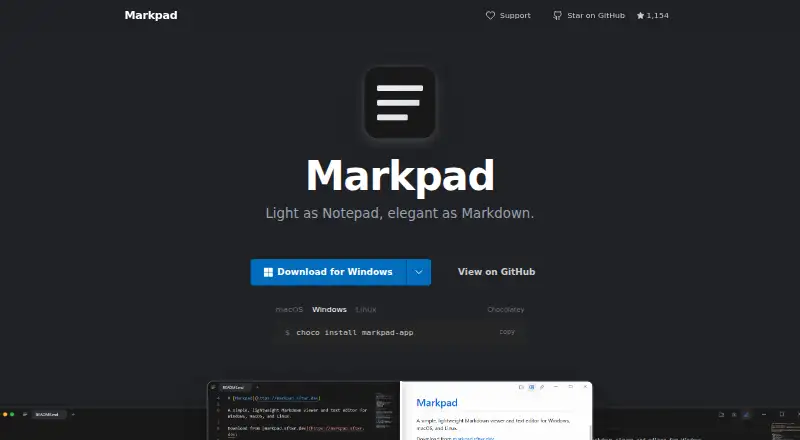
Markpad is a Markdown viewer and text editor for Windows, macOS, and Linux. It presents GitHub-style Markdown with highlighted code blocks, KaTeX formulas, and Mermaid diagrams. In the editor, Monaco and Vim keybindings support writing, while a synchronized side-by-side preview shows how the document renders. Tabs, multiple windows, session restoration, and automatic reloading when a file changes on disk help manage ongoing work. Markpad also handles wikilinks, embeds, and GitHub-style callouts. For navigation and focus, it offers heading folding and Zen mode, and users can import VS Code themes. Images can be pasted into documents, and files can be dragged in to open them. Completed work can be exported as HTML or printed to PDF. The maker describes the app as having zero telemetry; its interface is available in 26 languages. Installation options include Chocolatey on Windows, Homebrew on macOS, and Snap on Linux. Markpad is free and open source under a BSD-3-Clause license. The maker invites users to report bugs, request features, or leave feedback through a GitHub issue.
Who it suits
Markpad suits people who want a desktop Markdown editor and preview across Windows, macOS, or Linux. It is also a fit for writers who use math, diagrams, extended Markdown syntax, or Vim keybindings.
What it does well
- Free and open source under a BSD-3-Clause license
- Supports GitHub-style Markdown, KaTeX, and Mermaid diagrams
- Synchronized side-by-side editor and preview
- Available on Windows, macOS, and Linux
- Exports HTML and prints to PDF
What to know first
- No free trial is offered
- Installation routes vary by operating system
Plans
| Plan | Billed and limits | Price |
|---|---|---|
| Free and open source | 100% free and open source | Free |
As markpad.dev lists them, read 9 Oct 2026. The maker's own page has the final word.
Getting started
- Visit https://markpad.dev/
- Choose the installation route for your system: Chocolatey for Windows, Homebrew for macOS, or Snap for Linux
- Open a local file, drag a file into the app, or start working in the editor
Verdict
Choose Markpad if you want a free, open-source desktop Markdown editor with synchronized preview and support for formulas and diagrams. Look elsewhere if you need a product with a free trial; Markpad has no trial.
Questions
How much does Markpad cost?
Markpad is free. Its listed plan is free.
Is Markpad open source?
Yes. Markpad is free and open source under a BSD-3-Clause license.
Which operating systems does Markpad support?
It supports Windows, macOS, and Linux.
What formats can Markpad export?
It exports HTML and can print documents to PDF.
How can I install Markpad?
The maker lists Chocolatey for Windows, Homebrew for macOS, and Snap for Linux.
Who makes Markpad?
The maker is Markpad, founded in 2023.
Facts from Markpad's own pages
- Distribution
- The maker lists Chocolatey for Windows, Homebrew for macOS, and Snap for Linux installation. · github.com, 9 Oct 2026
- Document tools
- It supports tabs, multiple windows, session restoration, and automatic reload when a file changes on disk. · markpad.dev, 9 Oct 2026
- Editor
- It uses the Monaco editor and includes Vim keybindings. · markpad.dev, 9 Oct 2026
- Export formats
- HTML,PDF · markpad.dev, 20 Sept 2026
- Extended syntax
- It supports wikilinks, embeds, and GitHub-style callouts alongside Markdown. · markpad.dev, 9 Oct 2026
- Founded
- 2023 · markpad.dev, 28 Sept 2026
- Free plan
- Yes · markpad.dev, 20 Sept 2026
- Import and export
- Users can paste images into documents, drag files in to open them, export HTML, and print to PDF. · markpad.dev, 9 Oct 2026
- Languages
- The user interface is available in 26 languages. · markpad.dev, 9 Oct 2026
- License
- The GitHub repository lists a BSD-3-Clause license. · github.com, 9 Oct 2026
- Local file support
- Yes · markpad.dev, 20 Sept 2026
- Markdown preview
- It renders GitHub-style Markdown with syntax highlighting in code blocks. · markpad.dev, 9 Oct 2026
- Math and diagrams
- It supports KaTeX mathematical formulas and Mermaid diagrams. · markpad.dev, 9 Oct 2026
- Supported platforms
- Windows,macOS,Linux · markpad.dev, 20 Sept 2026
- Privacy
- The maker describes Markpad as having zero telemetry. · markpad.dev, 9 Oct 2026
- Product
- Markpad is a lightweight Markdown viewer and text editor for Windows, macOS, and Linux. · github.com, 9 Oct 2026
- Split view
- Its side-by-side editor and preview stay synchronized line by line. · markpad.dev, 9 Oct 2026
- Support
- The maker invites users to report bugs, request features, and leave feedback by opening a GitHub issue. · github.com, 9 Oct 2026
- Themes
- It supports heading folding, Zen mode, and importing VS Code themes. · markpad.dev, 9 Oct 2026
Where Markpad stands on Freedom251
- Markdown editors#13 of 31