
Apostrophe
What Apostrophe is
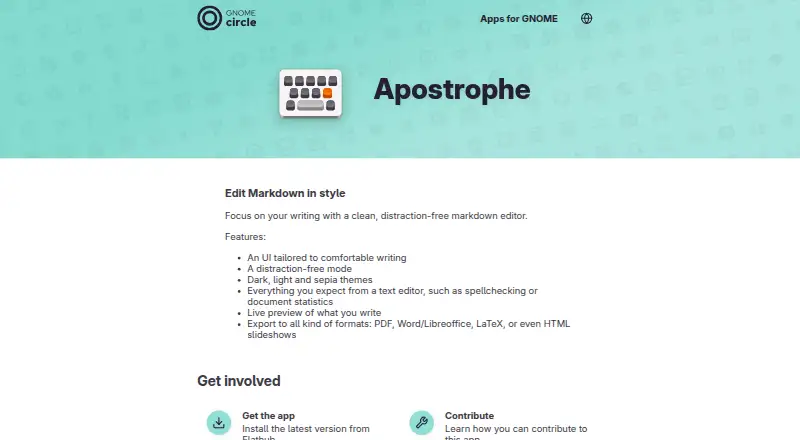
Apostrophe is a Markdown editor for Linux desktops, built around a writing interface with a distraction-free mode. Writers can choose dark, light, or sepia themes and see a live preview update as they work. The editor includes spellchecking and document statistics, keeping those tools alongside the draft. It can export to PDF, ODT, Word, HTML, and LaTeX, with support for HTML slideshows also described. The TexLive plugin enables PDF export and formula display in the inline preview. Apostrophe is free, with a Free plan priced at $0. The maker directs users to Flathub for the latest version, and the app’s issue tracker is available for bug reports and suggestions. The Apps for GNOME page lists version 3.5, released on 2026-10-08, and names Manuel Genovés as maintainer.
Who it suits
Apostrophe suits Linux users who write in Markdown and want a focused editor with live preview, spelling checks, and document statistics. Its export options also suit writers who need output in formats such as PDF, ODT, Word, HTML, or LaTeX.
What it does well
- Free plan costs nothing.
- Live preview updates as you write.
- Includes spellchecking and document statistics.
- Offers dark, light, and sepia themes.
- Exports to PDF, ODT, Word, HTML, and LaTeX.
What to know first
- Available for Linux only.
- PDF export and formula display use the TexLive plugin.
Plans
| Plan | Billed and limits | Price |
|---|---|---|
| Free | Markdown editor · Linux desktop app | Free |
As apps.gnome.org lists them, read 11 Oct 2026. The maker's own page has the final word.
Getting started
- Visit the Apostrophe website.
- Install the latest version through Flathub.
- Open Apostrophe and choose a theme.
- Write in Markdown and use the live preview.
- Export the document in a supported format.
Verdict
Choose Apostrophe if you use Linux and want a distraction-free Markdown writing space with live preview and several export formats. Look elsewhere if you need an app for a platform other than Linux.
Questions
How much does Apostrophe cost?
The Free plan is priced at $0.
Which platforms does Apostrophe support?
Apostrophe is available for Linux.
What formats can Apostrophe export?
Listed formats include PDF, ODT, Word, HTML, and LaTeX. It can also export HTML slideshows.
Does Apostrophe have a live preview?
Yes. The preview updates as the document is written.
How do I install Apostrophe?
The maker directs users to Flathub for the latest version.
Who maintains Apostrophe?
The listed maintainer is Manuel Genovés.
Facts from Apostrophe's own pages
- Availability
- The maker directs users to Flathub to install the latest version. · apps.gnome.org, 11 Oct 2026
- Current release
- The Apps for GNOME page lists version 3.5 as released on 2026-10-08. · apps.gnome.org, 11 Oct 2026
- Editor tools
- The app includes spellchecking and document statistics. · apps.gnome.org, 11 Oct 2026
- Export
- It can export to PDF, Word or LibreOffice, LaTeX, and HTML slideshows. · apps.gnome.org, 11 Oct 2026
- Export formats
- PDF,ODT,Word,HTML,LaTeX · apps.gnome.org, 20 Sept 2026
- Free plan
- Yes · apps.gnome.org, 20 Sept 2026
- Integration
- The TexLive plugin enables PDF export and formula display in the inline preview. · flathub.org, 11 Oct 2026
- Maintainer
- The listed maintainer is Manuel Genovés. · apps.gnome.org, 11 Oct 2026
- Supported platforms
- Linux · apps.gnome.org, 20 Sept 2026
- Preview
- Apostrophe provides a live preview of the document as it is written. · apps.gnome.org, 11 Oct 2026
- Project background
- GNOME says its project was founded in 1997 by Miguel de Icaza and Federico Mena. · gnome.org, 11 Oct 2026
- Purpose
- Apostrophe is a distraction-free Markdown editor designed to help users focus on writing. · apps.gnome.org, 11 Oct 2026
- Support
- Users can report issues or suggest ideas through the app’s issue tracker. · apps.gnome.org, 11 Oct 2026
- Themes
- It includes dark, light, and sepia themes. · apps.gnome.org, 11 Oct 2026
- Writing interface
- The app offers an interface tailored to comfortable writing and a distraction-free mode. · apps.gnome.org, 11 Oct 2026
Where Apostrophe stands on Freedom251
- Writing Apps#43 of 135
- Markdown editors#12 of 31