MacDown 3000
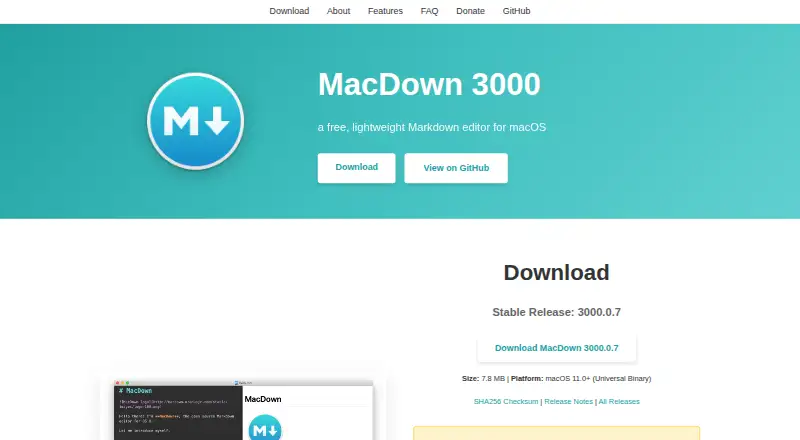
What MacDown 3000 is
MacDown 3000 is a free Markdown editor for macOS, designed for working with local files and previewing rendered documents as you write. It supports CommonMark and GitHub Flavored Markdown, including task lists, and uses Hoedown to turn Markdown into HTML. Code blocks can be fenced and highlighted with Prism; rendering options are available in Preferences. The editor also handles TeX-like math notation and Jekyll front matter. Editing aids include configurable bracket and quote pairing, list continuation, and formatting shortcuts. Finished documents can be exported to HTML or PDF with customizable styling. The software is released under the MIT License, and contributions are welcome. The listed stable release is 3000.0.7, available as a 7.8 MB download; an 8.8 MB pre-release, 3000.0.8-rc.1, may include experimental features or bugs. The FAQ notes that VIM mode is not available. The site also provides a Homebrew cask installation command and directs questions and suggestions to its GitHub issue tracker.
Who it suits
MacDown 3000 suits macOS users who write Markdown in local files and want a live preview, editing shortcuts, and HTML or PDF export. It also fits writers who use fenced code, math notation, task lists, or Jekyll front matter.
What it does well
- Live preview with configurable rendering options
- Exports to HTML and PDF with styling controls
- Supports CommonMark and GitHub Flavored Markdown
- Includes syntax highlighting through Prism
What to know first
- Available only for macOS
- Does not include VIM mode
Plans
| Plan | Billed and limits | Price |
|---|---|---|
| Free | macOS 11.0+ · Apple Silicon and Intel | Free |
As macdown.app lists them, read 8 Oct 2026. The maker's own page has the final word.
Getting started
- Download the stable release from https://macdown.app/
- Install with the provided Homebrew cask command: brew install --cask macdown-3000
- Open a local Markdown file and use the live preview while editing
- Export the document to HTML or PDF and adjust its styling options
Verdict
MacDown 3000 combines local Markdown editing, a live preview, and export options in a free macOS editor. Writers who need VIM mode should note that it is not available.
Questions
How much does MacDown 3000 cost?
The Free plan costs nothing for macOS 11.0+ on Apple Silicon and Intel.
Which platforms does it support?
MacDown 3000 supports macOS.
Can it export documents?
Yes. It exports to HTML or PDF, with customizable styling options.
Is MacDown 3000 open source?
It is Free Software released under the MIT License, and contributions are welcome.
Does it have VIM mode?
No. Its FAQ says VIM mode is not available.
Facts from MacDown 3000's own pages
- Additional formats
- It supports TeX-like math notation, GitHub Flavored Markdown task lists, and Jekyll front matter. · macdown.app, 8 Oct 2026
- Donations
- Donations help cover the Apple developer license, listed at $99 per year, and proceeds beyond maintenance costs go to the Signal Foundation. · macdown.app, 8 Oct 2026
- Download
- The site lists stable release 3000.0.7 as a 7.8 MB download and pre-release 3000.0.8-rc.1 as an 8.8 MB download; the pre-release may contain experimental features or bugs. · macdown.app, 8 Oct 2026
- Editing assistance
- It provides configurable bracket and quote pairing, list continuation, and formatting shortcuts. · macdown.app, 8 Oct 2026
- Export
- It exports documents to HTML or PDF with customizable styling options. · macdown.app, 8 Oct 2026
- Export formats
- HTML,PDF · macdown.app, 20 Sept 2026
- Free plan
- Yes · macdown.app, 20 Sept 2026
- Installation
- The site provides a Homebrew cask installation command: brew install --cask macdown-3000. · macdown.app, 8 Oct 2026
- License
- MacDown 3000 is Free Software released under the MIT License, and contributions are welcome. · macdown.app, 8 Oct 2026
- Local file support
- Yes · macdown.app, 20 Sept 2026
- Markdown rendering
- It uses Hoedown to convert Markdown to HTML and provides a live preview, fenced code blocks, and rendering options in Preferences. · macdown.app, 8 Oct 2026
- Markdown standards
- It supports CommonMark and GitHub Flavored Markdown. · macdown.app, 8 Oct 2026
- Notable limitation
- The FAQ says MacDown 3000 does not have VIM mode. · macdown.app, 8 Oct 2026
- Platforms
- The universal binary requires macOS 11.0 or later and runs on Apple Silicon and Intel Macs. · macdown.app, 8 Oct 2026
- Publishing workflow
- static_site · macdown.app, 20 Sept 2026
- Purpose
- MacDown 3000 is a free, lightweight Markdown editor for macOS. · macdown.app, 8 Oct 2026
- Support
- The site directs questions, problems, and suggestions to the GitHub issue tracker. · macdown.app, 8 Oct 2026
- Syntax highlighting
- Code blocks get syntax highlighting via Prism for programming and markup languages. · macdown.app, 8 Oct 2026
Where MacDown 3000 stands on Freedom251
- Markdown editors#22 of 31
- Text Editors#59 of 82