Freedom251 › File Sync Software
Resilio Sync
What Resilio Sync is
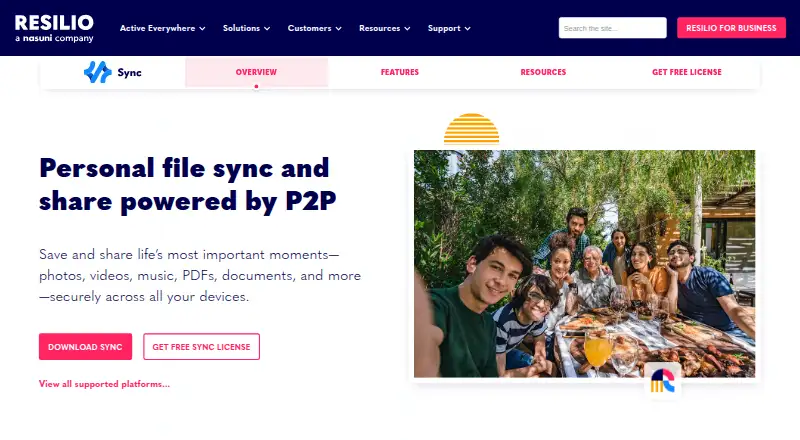
Resilio Sync is a personal file synchronization and sharing product that uses peer-to-peer technology. It can send files to several recipients without giving them access to an entire folder or establishing a permanent sync connection. Advanced Folders provide controls for ownership and read or write permissions, including the ability to revoke access. Selective Sync creates searchable placeholders so users can download chosen files, and users can set bandwidth limits for Sync activity. Resilio describes the product as cloudless, with files held on users' devices; when a relay is used, it carries files encrypted and does not store them. The company says Sync uses AES-128 encryption in transit and X.509 certificates for mutual authentication. The listed platforms are Windows, macOS, Linux, iOS, Android and NAS. The free Sync 3.0 download is for personal, non-commercial use, requires a license to activate and has no expiration date. Commercial users are directed to Sync v2 or Resilio business solutions. Help materials include a Help Center, tutorials, demos and user forums.
Who it suits
Resilio Sync may suit individuals who want to synchronize or share files across supported devices, with controls over folder access and bandwidth. Its listed Sync 3.0 download is for personal, non-commercial use.
What it does well
- Send files without sharing an entire folder.
- Advanced Folders support revocation and read/write permissions.
- Selective Sync downloads chosen files through placeholders.
- Available for desktop, mobile and NAS platforms.
What to know first
- Sync 3.0 is limited to personal, non-commercial use.
- Activation requires a license.
- Commercial users are directed to other products.
Limits
Sync 3.0 is for personal, non-commercial use and requires a license to activate, though the listed plan has no expiration date. NAS packages are also for personal, non-commercial use.
Plans
| Plan | Billed and limits | Price |
|---|---|---|
| Sync 3.0 (personal, non-commercial) | Non-commercial use · requires a license to activate · no expiration date | Free |
As resilio.com lists them, read 3 Oct 2026. The maker's own page has the final word.
Getting started
- Visit https://www.resilio.com/sync/.
- Choose the download for Windows, macOS, or Linux, or use the mobile or NAS download section.
- Install the version for your platform.
- Obtain a license to activate Sync 3.0.
- Set up file sharing or synchronization, then configure folder permissions, selective downloads, or bandwidth limits as needed.
Resilio Sync is a peer-to-peer tool for synchronizing and sharing files between devices. It suits people who want direct folder controls as well as one-off file sending. Its personal Sync 3.0 plan costs nothing, but its non-commercial license rules it out for business use.
Overview
Sync’s strongest case is control over how files move and who can access them. You can send files to multiple recipients without exposing a whole folder or setting up an ongoing sync, while Advanced Folders let you assign ownership and adjust or revoke read and write access. That makes it more adaptable than a simple one-way transfer when sharing needs change.
Resilio describes Sync as cloudless: files stay on users’ devices. If a relay is used, files pass through it encrypted and are not stored there. The company says Sync uses AES-128 encryption in transit and X.509 certificates for mutual authentication. These are specific security measures, though the product still depends on devices participating in the sync.
Key features
- Recipient-specific sending: Send files to multiple recipients without sharing a whole folder or creating a permanent connection. This suits occasional distribution better than setting up a continuing shared workspace.
- Folder permissions: Advanced Folders support ownership assignment and read/write permission changes, including revoking access. These controls are useful when access must be managed beyond the initial share.
- Selective Sync: Searchable placeholders let users download only needed files, helping conserve local storage when a synced collection is larger than the device’s available space.
- Bandwidth limits: Users can cap bandwidth used by Sync activity, a practical control for connections that need to reserve capacity for other work.
- Remote access tools: The plan includes a web interface, remote control, and DHT support alongside selective downloads.
Pricing
Sync 3.0 (personal, non-commercial): free. The plan is non-commercial, requires a license to activate, and has no expiration date. It includes selective download, a web interface, remote control, and DHT support. With no paid personal tier or trial, this is a straightforward no-cost option for individual use, but not a route to commercial use.
For commercial use, Resilio directs customers to Sync v2 or its business solutions; the available plan pricing is custom pricing. The free Sync 3.0 download cannot be used commercially. There is no published free-plan seat or transfer quota to weigh, so the meaningful limit is the license scope rather than a stated usage cap.
Platforms
Sync supports Windows, macOS, Linux, iOS, Android, and NAS. Desktop downloads include Windows 64-bit 7 or later, OS X 10.13 or later, Linux x64, Linux x64 with glibc 2.3, and Linux ARM64. Mobile and NAS downloads are provided separately; NAS packages are also restricted to personal, non-commercial use. The broad mix makes Sync a plausible choice for households or individuals moving files across desktop, mobile, and NAS devices, though its desktop requirements should be checked against older systems.
Who it's for
Choose Sync if you want device-to-device file synchronization with granular folder permissions, selective local downloads, and one-off sending, and your use is personal. It is less suitable if you need a commercially licensed Sync 3.0 product or a conventional cloud-stored file service.
Resilio links users to a Help Center, tutorials and demos, and user forums. It says it was founded in 2016 by technical leaders from BitTorrent and is based in the San Francisco Bay Area. Resilio also says it has been acquired by Nasuni, with products and customer support continuing without immediate changes.
Pros and cons
- Pro: One-off sending does not require sharing an entire folder or maintaining a sync connection, which keeps occasional transfers separate from ongoing access.
- Pro: Ownership, revocable access, and read/write controls make folder sharing more manageable as collaborators or requirements change.
- Pro: Selective Sync and bandwidth limits provide two practical ways to control local storage and network use.
- Con: Sync 3.0 is expressly non-commercial, so organizations need to consider Sync v2 or a business solution instead.
- Con: The cloudless design keeps files on users’ devices; it is not a cloud-storage substitute for keeping a hosted copy independent of those devices.
Alternatives
For a broader peer-to-peer file sharing software shortlist, compare the options by their intended use:
- Feem is worth considering for cross-platform file transfers, with a free plan offering unlimited file transfers; its platforms include web as well as desktop and mobile.
- TorrServer is a better fit for someone seeking a self-hosted torrent streaming server under GPL-3.0, rather than Sync’s file synchronization and sharing focus.
- BiglyBT is a free software option for users seeking a BitTorrent client across desktop, web, and Android platforms.
- BitComet is another free option, limited to private personal, non-commercial purposes.
- aMule may suit users looking for a GPL-2.0-licensed option with no telemetry or advertisements.
- Deluge is a free BitTorrent client whose source repository is published on GitHub.
- FrostWire is a free, open-source project for Android and desktop platforms.
- JSTorrent is a free, open-source multi-platform project, including an extension platform.
Verdict
Resilio Sync is a strong personal file-sharing choice for people who value device-based storage, selective downloads, and adjustable folder access. Its key reason to choose it is the combination of one-off sending and ongoing synchronization controls; its key reason to look elsewhere is the non-commercial restriction on Sync 3.0. Businesses should consider Resilio’s commercial options, while users wanting a hosted cloud copy should choose a different kind of service.
Verdict
Resilio Sync offers recipient-specific sending, folder permissions and selective downloads across a broad set of listed platforms. Its Sync 3.0 download is explicitly non-commercial, so commercial use requires another option.
Questions
How much does Sync 3.0 cost?
The listed Sync 3.0 personal, non-commercial plan costs nothing. It requires a license to activate and has no expiration date.
Can I use Sync 3.0 for commercial work?
No. The download is for personal, non-commercial use. Commercial users are directed to Sync v2 or Resilio business solutions.
Which platforms does Resilio Sync support?
The listed platforms are Windows, macOS, Linux, iOS, Android, and NAS. Desktop downloads include Windows 64-bit 7 or later, OS X 10.13 or later, Linux x64, Linux x64 with glibc 2.3, and Linux ARM64.
How does Resilio describe its file storage and security?
Resilio describes Sync as cloudless, with files stored on users’ devices. It says files passing through a relay are encrypted and not stored there, and that Sync uses AES-128 encryption in transit and X.509 certificates for mutual authentication.
What support resources are available?
The Sync page links to a Help Center, tutorials and demos, and user forums.
Who makes Resilio Sync?
Resilio says it was founded in 2016 by technical leaders from BitTorrent and is based in the San Francisco Bay Area. It also says it has been acquired by Nasuni and that its products and customer support continue without immediate changes.
Facts from Resilio Sync's own pages
- Acquisition
- Resilio says it has been acquired by Nasuni and that its products and customer support continue without immediate changes. · resilio.com, 3 Oct 2026
- Bandwidth
- Users can set bandwidth usage limits for Sync activity. · resilio.com, 3 Oct 2026
- Commercial-use limit
- The Sync 3.0 download is for personal, non-commercial use; the licensing guide directs commercial users to Sync v2 or Resilio business solutions. · resilio.com, 3 Oct 2026
- Company
- Resilio says it was founded in 2016 by technical leaders from BitTorrent and is based in the San Francisco Bay Area. · resilio.com, 3 Oct 2026
- Data handling
- Resilio describes Sync as cloudless, with files stored on users’ devices; if a relay is used, files pass through it encrypted and are not stored there. · help.resilio.com, 3 Oct 2026
- File sending
- It can send files to multiple recipients without sharing an entire folder or creating a permanent sync connection. · resilio.com, 3 Oct 2026
- Folder controls
- Advanced Folders let users assign ownership, revoke access, and change read and write permissions. · resilio.com, 3 Oct 2026
- Mobile and NAS
- The download page has separate sections for mobile and NAS downloads and warns that NAS packages are for personal, non-commercial use. · resilio.com, 3 Oct 2026
- Platform support
- The download page lists Windows 64-bit 7 or later, OS X 10.13 or later, Linux x64, Linux x64 with glibc 2.3, and Linux ARM64 desktop downloads. · resilio.com, 3 Oct 2026
- Purpose
- Resilio Sync is a personal file synchronization and sharing product powered by peer-to-peer technology. · resilio.com, 3 Oct 2026
- Security
- Resilio says Sync uses AES-128 encryption in transit and X.509 certificates for mutual authentication. · help.resilio.com, 3 Oct 2026
- Selective Sync
- Selective Sync creates searchable placeholder files so users can download only the files they need. · resilio.com, 3 Oct 2026
- Support
- The Sync page links to a Help Center, tutorials and demos, and user forums. · resilio.com, 3 Oct 2026
Where Resilio Sync stands on Freedom251
- File Sync Software#9 of 28
- Peer-to-Peer File Sharing Software#14 of 36