Freedom251 › Peer-to-Peer File Sharing Software

Feem
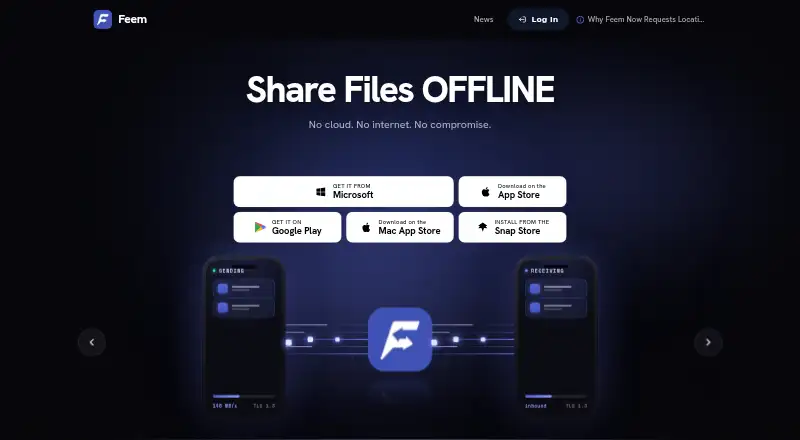
What Feem is
Feem transfers files directly between nearby devices, keeping transfers on the local network rather than routing them through the Internet. Devices can connect over shared Wi-Fi, a hotspot, or Wi-Fi Direct, including when Internet access is unavailable. Devices on the same network are discovered automatically and receive random names by default. Feem supports simultaneous sending and receiving, and includes chat; messages are deleted after 48 hours. The maker says local transfers use TLS 1.3 encryption and files stay on the local network. It says the app pushes files from the sender rather than pulling files or exposing the whole file system by default. Its privacy policy says it does not store chat history or see shared files. Devices must be near each other on the same local network, and Feem needs to remain in the foreground during transfers because mobile operating systems may interrupt background transfers. It is available for Android, iOS, Linux, macOS, web, and Windows. Feem is free with unlimited file transfers; paid plans start at $4.99 a year, with options for iOS, personal, family, and business use.
Who it suits
Feem suits people who want to transfer files between nearby devices, including where Internet connectivity is unavailable. The maker also describes it for home, school, work, and remote or crisis areas.
What it does well
- Transfers can work without Internet access.
- Supports simultaneous sending and receiving.
- Local transfers use TLS 1.3 encryption, according to the maker.
- Free plan includes unlimited file transfers.
What to know first
- Devices must be near each other on the same local network.
- Feem needs to stay in the foreground during transfers.
- Cannot send files to someone in a different city.
Limits
The free plan includes unlimited file transfers. Paid personal, family and business plans cover specified device ranges, and the personal, family and business plans exclude iPhones and iPads; Feem Pro iOS is a separate plan for iPhones and iPads.
Plans
| Plan | Billed and limits | Price |
|---|---|---|
| Feem free | Free to download · unlimited file transfers | Free |
| iOS | annual in-app purchase · iPhones and iPads linked to Apple ID · unlimited transfers · no ads · device names · download-folder customization · WebShare passwords · medium-priority email support | $4.99 a year |
| Feem Pro iOS | Manually renewed each year; not automatically billed · iPhones and iPads · all devices linked to your Apple ID · unlimited file transfer · no ads · medium priority email support | $4.99 a year |
| Family | manual annual renewal · 5–19 devices excluding iPhones/iPads · unlimited transfers · no ads · device names · download-folder customization · WebShare passwords · high-priority email support | $49.99 a year |
| Feem Pro Family | Manually renewed each year; not automatically billed · 5–19 devices, excluding iPhones and iPads · unlimited file transfer · no ads · high priority email support | $49.99 a year |
| Business | manual annual renewal · 20–100 devices excluding iPhones/iPads · unlimited transfers · no ads · device names · download-folder customization · WebShare passwords · highest-priority email support | $499.99 a year |
| Feem Pro Business | Manually renewed each year; not automatically billed · 20–100 devices, excluding iPhones and iPads · unlimited file transfer · no ads · highest priority email support | $499.99 a year |
| Personal | manual annual renewal · 1–4 devices excluding iPhones/iPads · unlimited transfers · no ads · device names · download-folder customization · WebShare passwords · medium-priority email support | $9.99 a year |
The first 8 of 9 plans, as feem.io lists them, read 5 Oct 2026. The maker's own page has the final word. Every plan
Getting started
- Visit feem.io/en.
- Install Feem on the devices you want to connect; downloads are listed for Android 10+, iOS, Windows 10 and 11, macOS and Linux distributions including Ubuntu and Fedora.
- Connect the devices to a shared Wi-Fi network, hotspot or Wi-Fi Direct.
- Open Feem on each device and keep it in the foreground while transferring.
- Choose the free plan or a paid annual plan suited to your devices.
Feem is a direct-transfer app for moving files and messages between nearby devices. It is a strong fit for people sharing across their own devices or with a group on the same local network; its local-only reach rules it out for remote delivery.
Unlimited transfers are available on the free plan, while paid tiers add ad removal, device allowances, customization or prioritized email support. The practical trade-off is that both devices must stay nearby, and Feem needs to remain in the foreground during transfers.
Overview
Feem keeps file transfers on the local network instead of routing them through the Internet. Devices can connect over shared Wi-Fi, a hotspot or Wi-Fi Direct, so the app can still be useful where Internet access is unreliable or absent. That makes it suitable for exchanging files at home, school or work, but not for sending them to someone in another city.
Devices on the same network are discovered automatically and assigned random names by default. This reduces setup steps, though identifying a particular device may take more effort. The Personal plan allows device names and download locations to be customized.
Key features
Full-duplex transfers let connected devices send and receive files at the same time, a useful advantage when both sides are contributing material. Feem also includes chat for messages between devices; messages are automatically deleted after 48 hours, making it better suited to short-lived coordination than retaining a conversation.
Feem says transfers use TLS 1.3 encryption and files stay on the local network. Its push-based design sends files from the sender rather than pulling them or exposing the whole file system by default. Feem's privacy policy says it does not store chat history or see files shared between devices.
The main constraint is operational: devices must be near each other on the same local network, and Feem must stay in the foreground during transfers. Mobile operating systems may interrupt background activity, so it is not the right choice for unattended transfers or sending files across distance.
Pricing
The Feem free plan costs free and includes unlimited file transfers. It is the sensible starting point for people who can accept ads and do not need paid support or customization.
Feem Pro iOS costs $4.99 a year and covers iPhones and iPads, plus all devices linked to the buyer's Apple ID. It includes unlimited transfers, no ads and medium-priority email support. Feem Pro Personal costs $9.99 a year for 1–4 devices, excluding iPhones and iPads, and adds customizable device names and download locations along with no ads, unlimited transfers and medium-priority email support. The device and platform exclusions matter: this tier is not a general allowance that includes iPhones or iPads.
Feem Pro Family costs $49.99 a year for 5–19 devices, excluding iPhones and iPads. It includes unlimited transfers, no ads and high-priority email support. Feem Pro Business costs $499.99 a year for 20–100 devices, also excluding iPhones and iPads, with unlimited transfers, no ads and the highest-priority email support. These tiers principally increase the covered device range and support priority; the published benefits do not describe further transfer capacity.
All paid plans renew manually each year and are not automatically billed. That avoids automatic renewal but means users must renew themselves to continue the paid benefits.
Platforms
Feem supports Android 10+, iOS, Windows 10 and 11, macOS and Linux distributions including Ubuntu and Fedora. A web interface is also available. This range makes it relevant for mixed-device households and groups, though platform support does not remove the need for proximity, a shared local connection and foreground transfers.
Who it's for
Feem suits people who regularly exchange files between nearby devices, especially where Internet access is unreliable. The free plan can cover straightforward transfers without a quota, while paid tiers are aimed at users who want an ad-free experience, more defined device coverage, customization or higher-priority email support. It is a poor fit for remote sharing or transfers that need to run unattended in the background.
Pros and cons
- Pro: Unlimited transfers on the free plan make recurring local exchanges possible without a published transfer cap.
- Pro: Shared Wi-Fi, hotspots and Wi-Fi Direct allow transfers without Internet access.
- Pro: Full-duplex transfers and built-in chat support two-way exchanges and brief coordination in one app.
- Con: Both devices must be nearby on the same local network, so Feem cannot deliver files to distant recipients.
- Con: The foreground requirement, especially on mobile, makes background or unattended transfers unreliable.
- Con: Random default device names can complicate identification until users customize names on the Personal plan.
Alternatives
For other peer-to-peer file-sharing options, browse the Peer-to-Peer File Sharing Software category. Among the listed alternatives, BiglyBT is free and supports Android, Linux, macOS, web and Windows; BitComet is free for private, non-commercial use and also supports self-hosted deployments. Resilio Sync offers a free personal, non-commercial plan that requires a license to activate and has no expiration date. Transmission is free with all features included and no ads or tracking. WebTorrent is free for non-commercial use and is described as open-source MIT-licensed software. Deluge is a BitTorrent client that publishes its source repository, while FrostWire is an open-source project with source code available for forking. qBittorrent is open-source software with no ads.
Verdict
Choose Feem if you need unlimited, direct transfers among nearby devices and value being able to work without Internet access. Its local-network model and broad platform support are the case for it; look elsewhere if recipients are remote or transfers need to continue in the background.
Verdict
Feem focuses on local device-to-device transfers, with chat and support across a range of platforms. Its local-network requirement and foreground limitation are important to consider, particularly for mobile transfers.
Questions
Is Feem free?
Yes. Feem is free to download and its free plan includes unlimited file transfers.
How much do paid plans cost?
Feem Pro iOS costs $4.99 per year, Feem Pro Personal $9.99 per year, Feem Pro Family $49.99 per year and Feem Pro Business $499.99 per year. Each is manually renewed each year and is not automatically billed.
Which platforms does Feem support?
Feem lists Android, iOS, Linux, macOS, web and Windows. Its downloads section lists Android 10+, Windows 10 and 11, macOS, and Linux distributions including Ubuntu and Fedora.
Does Feem need an Internet connection?
No. Devices can connect using shared Wi-Fi, a hotspot or Wi-Fi Direct, but they need to be near each other on the same local network.
Does Feem have a web interface?
Yes, a web interface is available.
What does Feem Pro add?
Paid plans include unlimited transfers and no ads. Depending on the plan, they also cover particular device counts, customizable device names and download locations, and different email support priority levels.
Facts from Feem's own pages
- API availability
- Feem documents a reseller API at backend5.feem.io with Bearer-key authentication and JSON responses. · feem.io, 14 Oct 2026
- API operations
- The reseller reference documents account lookup, license grants, grant listing, payment reporting and payment listing endpoints. · feem.io, 14 Oct 2026
- API security
- Feem requires reseller keys to stay server-side and supports scopes, expiry and IP allowlists. · feem.io, 14 Oct 2026
- API tiers
- Reseller API tiers cover Personal for 5 devices, Family for 20 devices and Business for 100 devices. · feem.io, 14 Oct 2026
- Chat
- Feem includes device-to-device chat and displays transfer history in the chat interface. · feem.io, 14 Oct 2026
- Company founded
- Commercial-register data lists FeePerfect AG as registered on 28 March 2011. · moneyhouse.ch, 14 Oct 2026
- Company headquarters
- FeePerfect AG is registered at Baarerstrasse 12, 6300 Zug, Switzerland. · moneyhouse.ch, 14 Oct 2026
- Company legal name
- The legal entity named in Feem’s terms and privacy policy is FeePerfect AG. · feem.io, 14 Oct 2026
- Device discovery
- Devices on the same network are discovered automatically and are assigned random names by default. · feem.io, 5 Oct 2026
- Documentation
- Help pages cover operation, connectivity troubleshooting, permissions, firewall ports, Wi‑Fi Direct and reseller API usage. · feem.io, 14 Oct 2026
- File access
- Feem pushes files from the sending device and says it does not pull files or expose the whole file system by default. · feem.io, 5 Oct 2026
- Founded
- 2010 · feem.io, 28 Sept 2026
- Founder and origin
- Feem’s own story says Fritz Ekwoge Ekwoge conceived it in Buea, Cameroon, in April 2010, with the name derived from his initials. · feem.io, 14 Oct 2026
- Full duplex
- The app can send and receive files simultaneously across multiple devices because it is multithreaded. · feem.io, 14 Oct 2026
- Integrations
- The maker provides a reseller API for granting Feem Pro licenses; access requires an approved reseller account and authenticated HTTPS requests. · feem.io, 5 Oct 2026
- Intended use
- The maker describes Feem as useful at home, school, work, and in remote or crisis areas without reliable Internet connectivity. · feem.io, 5 Oct 2026
- Large files and folders
- The Android listing says Feem supports large files, entire folders and multi-gigabyte videos. · play.google.com, 14 Oct 2026
- License status
- Feem is presented as proprietary software: its terms reserve ownership of the service materials and restrict modification, reverse engineering and competitive use. · feem.io, 14 Oct 2026
- Limit: advertisements and upgrades
- Apple reviewers complain about intrusive full-screen ads and difficulty finding or applying the Pro upgrade. · apps.apple.com, 14 Oct 2026
- Limit: connectivity
- Feem troubleshooting states that firewalls, VPNs, public Wi‑Fi isolation, mismatched networks and blocked TCP/UDP port 45001 can prevent device discovery. · feem.io, 14 Oct 2026
- Limit: crashes and bugs
- Reviewers report random crashes, paused transfers, post-update bugs and devices failing to discover each other. · apps.apple.com, 14 Oct 2026
- Limit: foreground transfers
- The help documentation warns that mobile operating systems may interrupt transfers when Feem is moved to the background. · feem.io, 14 Oct 2026
- Limit: same-network scope
- Feem cannot send files to a device in another city because both endpoints must be on the same local network. · feem.io, 14 Oct 2026
- Linux package
- The Snap Store publishes Feem 6.3.0 for Ubuntu 16.04 or later and reports the package license as unset. · snapcraft.io, 14 Oct 2026