Freedom251 › Peer-to-Peer File Sharing Software

BitLord
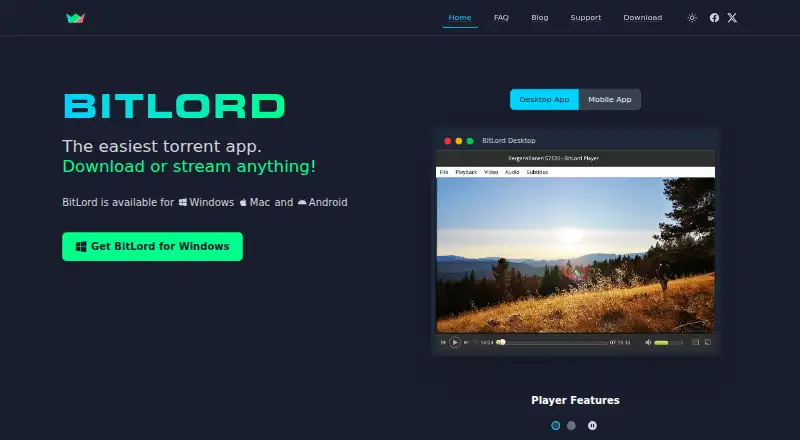
What BitLord is
BitLord is a torrent app for searching, downloading and streaming content on Windows, macOS and Android. It gathers torrents from around the web, which users can choose to stream or download. Its player can start playing videos while they are still downloading, and BitLord can cast a stream to a TV through Chromecast without waiting for the download to finish. The app also fetches multilingual subtitles from OpenSubtitles and lets users create playlists from downloaded audio and video torrents. Selective download is supported. BitLord is free to use, with a listed price of $0, and offers no free trial. The Android app is available on Google Play. Minimum requirements are Windows 10 or later, macOS 12 (Monterey) or later, and Android 7.0 or later. Support is available through an FAQ and contact form. BitLord is headquartered in Sogndal, Norway. Its Android privacy policy says the app does not collect personally identifiable information; third-party services may collect identifying information, and error logs may contain a device IP address and other usage details. The policy also says absolute security cannot be guaranteed.
Who it suits
BitLord suits people who want to search for torrents and stream or download them across Android, macOS or Windows. It may also fit users who value playback during downloads, Chromecast streaming, subtitles and playlists.
What it does well
- Free to use at no cost.
- Plays videos while they are downloading.
- Streams to a TV through Chromecast during downloads.
- Fetches multilingual subtitles from OpenSubtitles.
- Supports selective downloads and playlists.
What to know first
- Windows support requires Windows 10 or later.
- macOS support requires macOS 12 (Monterey) or later.
- Android support requires Android 7.0 or later.
Plans
| Plan | Billed and limits | Price |
|---|---|---|
| BitLord | Free to use · Windows 10 or later · macOS 12 (Monterey) or later · Android 7.0 or later | Free |
As bitlord.com lists them, read 9 Oct 2026. The maker's own page has the final word.
Getting started
- Visit the BitLord website.
- Choose Windows, macOS or Android, subject to the listed minimum requirements.
- Get the Android app through Google Play.
- Use the app to search for torrents to stream or download.
Verdict
Choose BitLord if you want a free torrent app with streaming during downloads, Chromecast support and multilingual subtitles. It is available on Android, macOS and Windows, but each platform has a minimum version requirement.
Questions
How much does BitLord cost?
BitLord is free to use. Its listed plan price is free.
Is there a free trial?
No. BitLord does not offer a free trial.
Which platforms does BitLord support?
It supports Android, macOS and Windows. The Android app is available on Google Play.
What are the minimum system requirements?
Windows requires version 10 or later, macOS requires version 12 (Monterey) or later, and Android requires version 7.0 or later.
What does BitLord do while a torrent downloads?
Its player can play videos before the download finishes, and it supports streaming to a TV with Chromecast during a download.
What does BitLord say about Android privacy?
Its Android privacy policy says the app does not collect personally identifiable information. Third-party services may collect identifying information, and error logs may include a device IP address and other usage details.
Facts from BitLord's own pages
- Android requirements
- The download page lists Android 7.0 or later and says the app is available on Google Play. · bitlord.com, 9 Oct 2026
- Chromecast
- BitLord supports streaming to a TV with Chromecast while a download continues. · bitlord.com, 9 Oct 2026
- Headquarters
- Sogndal, Norway · bitlord.com, 28 Sept 2026
- macOS requirements
- The download page lists macOS 12 (Monterey) or later as the minimum requirement. · bitlord.com, 9 Oct 2026
- Playlists
- Users can make playlists of downloaded audio and video torrents. · bitlord.com, 9 Oct 2026
- Privacy
- The Android privacy policy says the app does not collect personally identifiable information, while third-party services may collect identifying information and error logs may include device IP address and other usage details. · bitlord.com, 9 Oct 2026
- Purpose
- BitLord is a torrent app for searching, downloading, and streaming content. · bitlord.com, 9 Oct 2026
- Search
- BitLord says it collects torrents from around the web and lets users stream or download them. · bitlord.com, 9 Oct 2026
- Security
- The Android privacy policy says BitLord uses commercially acceptable means to protect information but cannot guarantee absolute security. · bitlord.com, 9 Oct 2026
- Streaming
- Its player can play videos while they are downloading. · bitlord.com, 9 Oct 2026
- Subtitles
- BitLord fetches multilingual subtitles from OpenSubtitles. · bitlord.com, 9 Oct 2026
- Support
- BitLord offers an FAQ and a contact form for support inquiries. · bitlord.com, 9 Oct 2026
- Windows requirements
- The download page lists Windows 10 or later as the minimum requirement. · bitlord.com, 9 Oct 2026