Reminde
by Reminde
What Reminde is
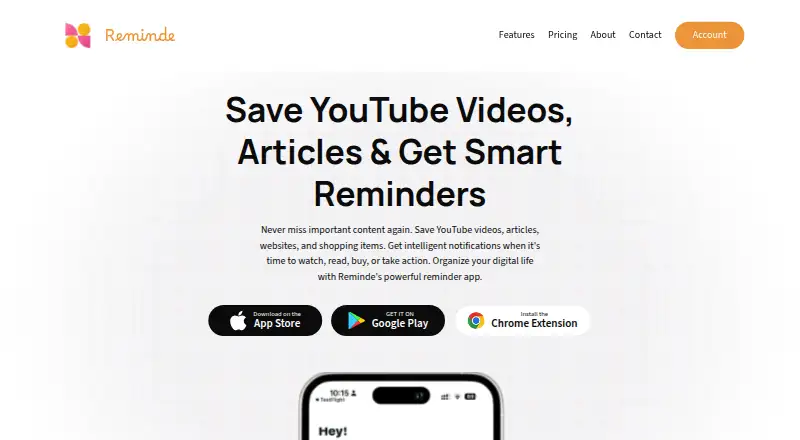
Reminde is a save-for-later app for videos, articles, websites, products, notes, and ideas. It pairs saved items with reminders, so you can choose when to revisit them. Organize items into slots or collections, including reading lists, wishlists, and watch-later lists. A reminder can be set for one date or recur daily or weekly. To save something, use the Chrome extension, a bookmarklet, or a mobile share flow. Reminde says slots and saved items sync across web, iOS, Android, and Chrome, and lists can be shared. The site also offers Pocket data import. The Free plan costs 0.00 USD, billed monthly, and includes one slot with unlimited savings. Pro offers unlimited slots and unlimited savings; Super adds archive access and sharing slots with others. Prices for those paid plans are not given here. Reminde is made by Reminde, headquartered in Italy. The maker offers support by email, Discord, X, and FeatureBase, and says replies usually arrive within a day. Its privacy notice says it does not process sensitive personal information or collect information from third parties. Payment data is handled and stored by Apple, Google Play, and Stripe.
Who it suits
Reminde suits people who save links, media, products, notes, or ideas and want them to resurface at a chosen time. It is also useful for people who want to group saved items into lists and access them across web and mobile platforms.
What it does well
- Reminders can be scheduled once or recur daily or weekly.
- Save items through a Chrome extension, bookmarklet, or mobile sharing.
- Slots and saved items sync across web, iOS, Android, and Chrome.
- Pocket data import is available.
- The Free plan includes unlimited savings.
What to know first
- The Free plan is limited to one slot.
- Prices for Pro and Super are not given here.
Limits
The Free plan includes one slot and unlimited savings. Pro includes unlimited slots and unlimited savings; Super adds archive access and the ability to share slots with others.
Plans
| Plan | Billed and limits | Price |
|---|---|---|
| Free | billed monthly · 1 slot · Unlimited savings | Free |
| Pro | Unlimited slots · Unlimited savings | On request |
| Super | Archive access · Share slots with others | On request |
| Pro Plan Yearly | — | On request |
| Super Plan Yearly | — | On request |
As reminde.app lists them, read 22 Sept 2026. The maker's own page has the final word.
Getting started
- Open https://reminde.app/.
- Choose the Free plan, which includes one slot and unlimited savings.
- Save items with the Chrome extension, bookmarklet, or mobile share flow.
- Group saved items into slots or collections.
- Set a reminder for a date or a recurring daily or weekly time.
- Use the web, iOS, Android, or Chrome options to access synced items.
Reminde is a cross-platform save-and-revisit tool for videos, articles, products, websites, notes, and ideas. It suits people who collect useful links but need a prompt to return to them, rather than a conventional read-it-later library alone. Its strongest case is the combination of flexible collections, scheduled resurfacing, and broad capture options; its main drawback is that paid pricing is custom.
Overview
Reminde turns scattered discoveries into organised “slots” or collections, such as reading lists, wishlists, and watch-later queues. A saved item can be assigned a one-off reminder date or a recurring daily or weekly time, making the service useful for time-sensitive tasks as well as deferred reading. Chrome extension, bookmarklet, and mobile share flows cover the main ways people save content, while lists and items sync across the web, iOS, Android, and Chrome. Shared lists add a collaborative angle, and Pocket import helps existing Pocket users move their archive.
That breadth makes Reminde more than a browser bookmark shelf, but it is still focused on saving and resurfacing rather than presenting a broad set of integrations. The stated connections are Pocket import and device sharing through iOS and Android share flows.
Key features
Collections and reminders
Slots let you separate content by purpose instead of leaving everything in one chronological inbox. Single-date reminders suit a specific deadline; daily and weekly recurrence suits habits and ongoing review. This is a practical fit for people whose problem is remembering to act on saved material, not merely storing it.
Capture, sync, and sharing
The extension, bookmarklet, and mobile share actions reduce the need to switch apps while saving. Cross-device synchronisation keeps the same collections available on web, iOS, Android, and Chrome, and shareable lists can support joint planning or recommendations. Pocket import is useful for migration, although no wider integration set is stated.
Privacy and support
Reminde says it does not process sensitive personal information or collect information from third parties. It uses technical and organisational security measures while acknowledging that absolute security cannot be guaranteed. Apple, Google Play, and Stripe handle and store payment data. Email, Discord, X, and FeatureBase support are offered, with a usual reply within a day.
Pricing
| Plan | What it includes | Best for |
|---|---|---|
| Free | free, billed monthly; one slot and unlimited savings | Individuals who can keep everything within one collection |
| Pro | Custom pricing; unlimited slots and unlimited savings | Users who need separate lists without a savings quota |
| Super | Custom pricing; archive access and the ability to share slots with others | People who need deeper history or collaborative collections |
| Pro Plan Yearly | Custom pricing | Those preferring annual Pro billing |
| Super Plan Yearly | Custom pricing | Those preferring annual Super billing |
The free tier is unusually generous on saved-item volume, but one slot can become restrictive for anyone managing distinct projects or media queues. Pro removes that organisational limit, while Super adds archive access and sharing. Because no paid amount is published, cost-sensitive buyers should confirm pricing before upgrading.
Platforms
Reminde is available on Android, iOS, the web, and as a browser extension. A bookmarklet and mobile share flows broaden capture beyond the extension, while the maker describes synchronisation across these surfaces.
Who it's for
Reminde is best for independent productivity users who save links and ideas now but want them to resurface when action is possible. It also fits anyone moving from Pocket, organising wishlists or watch-later queues, or sharing curated slots. It is less compelling for readers seeking a large ecosystem of integrations or a clearly priced premium service.
Pros and cons
Pros
- Unlimited free savings: the Free plan does not ration captured items.
- Purpose-built resurfacing: one-time and recurring reminders connect saved content with a time to act.
- Flexible capture: extension, bookmarklet, and mobile sharing cover desktop and phone workflows.
- Cross-platform continuity: web, iOS, Android, and Chrome sync, with list sharing and Pocket import.
Cons
- One-slot free limit: serious organisers must move to Pro for multiple collections.
- Unpublished paid prices: Pro and Super require a pricing check before commitment.
- Narrow stated integrations: beyond Pocket import and device sharing, no additional connections are identified.
- No absolute security guarantee: the maker explicitly limits its security assurance.
Alternatives
Choose wallabag instead if you want a free, self-hostable read-it-later service with Android, iOS, web, extension, Linux, and API options, plus export-anytime service plans. Burn 451 suits readers who prefer explicit free quotas, including five Flame saves per day, 30 Spark items, and 100 Vault items, across web, iOS, macOS, extension, and API. Pick Omnivore if self-hosting is the priority; its free option is a self-hosted deployment after the cloud application was deprecated in November 2024. PaperSpan is the better fit for article reading, offline mobile access, highlights, and sending one article at a time to Kindle. Readspace is an alternative for RSS and news reading. Savr offers a free service across Android, iOS, web, extension, and self-hosting. Couch targets Apple users with unlimited saves on its free tier and an optional lifetime Pro plan. Freezetab is preferable for local, offline Chrome saving of links, tabs, groups, articles, quotes, and feeds.
Verdict
Choose Reminde if scheduled resurfacing and collection-based organisation are central to how you manage saved material. The Free plan handles unlimited items, and the capture and sync coverage is broad. Look elsewhere if you need multiple free collections, extensive integrations, or transparent paid pricing before signing up.
Verdict
Choose Reminde if you want saved items organized into collections and brought back by scheduled reminders. The Free plan includes unlimited savings; prices for Pro and Super are not given here.
Questions
Is Reminde free?
Yes. Its Free plan costs 0.00 USD, billed monthly, and includes one slot with unlimited savings.
What do Pro and Super include?
Pro includes unlimited slots and unlimited savings. Super adds archive access and the ability to share slots with others.
Which platforms does Reminde support?
The listed platforms are web, iOS, Android, and a browser extension.
How can I save items?
You can save through a Chrome extension, a bookmarklet, or mobile share flows.
Can I import from Pocket?
Yes. The site offers an option to import Pocket data.
Who makes Reminde?
Reminde is made by Reminde, headquartered in Italy.
Facts from Reminde's own pages
- Browser extension
- Yes · reminde.app, 22 Sept 2026
- Free plan
- Yes · reminde.app, 22 Sept 2026
- Headquarters
- Italy · reminde.app, 28 Sept 2026
- Highlighting
- Yes · reminde.app, 22 Sept 2026
- Integrations
- The listed connections are Pocket import and device sharing through the iOS and Android share flows; no other integrations are stated on the opened maker pages. · reminde.app, 9 Oct 2026
- Mobile apps
- Yes · reminde.app, 22 Sept 2026
- Organization
- Users can group saved items into slots or collections such as reading lists, wishlists, and watch-later lists. · reminde.app, 9 Oct 2026
- Payment processing
- The privacy notice says payment data is handled and stored by Apple, Google Play, and Stripe. · reminde.app, 9 Oct 2026
- Pocket import
- The site offers an option to import Pocket data. · reminde.app, 9 Oct 2026
- Pricing information
- The homepage says “Free to start” and shows monthly and yearly pricing options, but the opened maker page does not expose plan names or prices. · reminde.app, 9 Oct 2026
- Privacy and security
- The privacy notice says the maker uses technical and organizational security measures but cannot guarantee 100% security. · reminde.app, 9 Oct 2026
- Privacy data
- The privacy notice says it does not process sensitive personal information and does not collect information from third parties. · reminde.app, 9 Oct 2026
- Purpose
- Reminde saves videos, articles, websites, products, notes, and ideas so users can return to them with reminders. · reminde.app, 9 Oct 2026
- Reminder schedules
- Reminders can be set for a single date or for recurring daily or weekly times. · reminde.app, 9 Oct 2026
- Saving options
- Items can be saved through a Chrome extension, a bookmarklet, or mobile share flows. · reminde.app, 9 Oct 2026
- Support
- Support is available by email, Discord, X, and FeatureBase, and the maker says it usually replies within a day. · reminde.app, 9 Oct 2026
- Sync and sharing
- The maker says slots and saved items sync across web, iOS, Android, and Chrome, and lists can be shared. · reminde.app, 9 Oct 2026
- Who it is for
- The maker describes Reminde as an independent productivity product for people who want saved links and ideas to resurface when they can act on them. · reminde.app, 9 Oct 2026
Where Reminde stands on Freedom251
- Read-later apps#10 of 28
- Read-It-Later Apps#17 of 28