Freedom251 › Readability Checkers
Readability Analysis Tool (RAT)
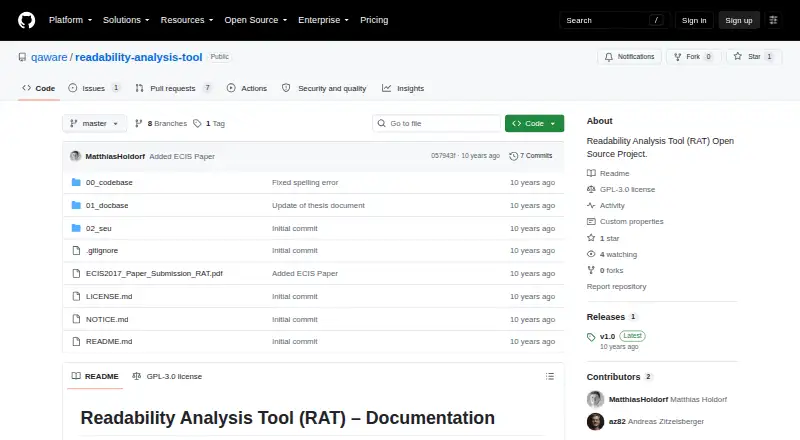
What Readability Analysis Tool (RAT) is
Readability Analysis Tool (RAT) is a free, open-source program for finding readability problems in German text. It applies configurable rules to identify anomalies in a way the project compares with static code analysis. RAT accepts .docx documents and produces an annotated copy with “-rat.docx” added to the filename, preserving the original. It also creates an HTML report with text statistics, readability formulas, detected anomalies and a quality gate that indicates whether the text may be too trivial or too difficult to understand. The documented formulas are Flesch and Wiener Sachtextformel. Report measures can include reading and speaking time, counts of sentences and words, average word and sentence measures, common parts of speech and percentages for configured keywords. Users can adjust anomaly rules and thresholds; the report records issues they declined as false positives or incorporated. RAT runs from the command line using a Java JAR, with options for configuration and the output directory. The project lists performance of 40 seconds for 10,000 words, or 50 pages. It is available for Linux and Windows and uses the GPLv3 license. Its listed technologies are Java, UIMA and DKPro Core.
Who it suits
RAT suits German-language writers and teams that review .docx documents against configurable readability rules. It is intended for people comfortable running a Java JAR from the command line and reviewing HTML reports.
What it does well
- Preserves the original .docx while creating an annotated copy.
- Generates an HTML report with statistics, formulas and anomalies.
- Rules and thresholds can be configured.
- Includes a quality gate for text difficulty.
- Licensed under GPLv3.
What to know first
- Documented input support is limited to .docx.
- Documented readability rules support German.
- Runs from the command line rather than a hosted web interface.
Limits
The documented input type is .docx, and the documented readability rules support German. The project describes command-line execution using a Java JAR.
Plans
| Plan | Billed and limits | Price |
|---|---|---|
| Readability Analysis Tool (RAT) | GPLv3 open-source project · supports .docx · German readability rules | Free |
As github.com lists them, read 7 Oct 2026. The maker's own page has the final word.
Getting started
- Visit the RAT project website on GitHub.
- Use a Linux or Windows system.
- Run the Java JAR from the command line.
- Provide a .docx document and configuration options as needed.
- Choose an output directory for the annotated copy and HTML report.
Readability Analysis Tool (RAT) is a German readability checker that treats writing issues as configurable rule violations. It is best suited to editorial teams working with .docx documents who can use a Java command-line tool. Its combination of in-document comments and an HTML quality report supports repeatable reviews, but the documented scope is narrow.
Overview
Rather than rewriting prose, RAT flags patterns for people to assess, much as static code analysis flags potential bugs. That makes it a stronger fit for a consistent editorial checking process than for writers looking for automatic revisions or a quick browser-based score. Its documented rules cover German, and its supported input is .docx.
Key features
Comments and reports
RAT places detected anomalies in comments on a separate .docx copy ending in -rat.docx, preserving the original. Editors can review issues in the context of the document, though the workflow depends on working with Word-compatible files rather than other formats.
It also produces an HTML report covering text statistics, readability formulas, anomalies, and a quality gate. The report includes Flesch and Wiener Sachtextformel measures, reading and speaking time, sentence and word counts, average word and sentence measures, common parts of speech, and percentages for configured keywords. The breadth is useful when a team wants more than a single score; configured rules and thresholds let it adapt checks to its needs.
Configurable checks and quality gate
The quality gate aggregates formulas, statistics, and anomalies to indicate whether text may be too trivial or difficult to understand. The report also records anomalies users reject as false positives or incorporate, which gives teams a way to track how findings are handled. RAT identifies issues for review; it is not described as an automated editing tool.
Command-line execution
RAT runs from the command line using a Java JAR, with options for configuration and the output directory. The project lists Java, UIMA, and DKPro Core as its technologies, and performance of 40 seconds for 10,000 words, or 50 pages. That makes it a plausible fit for teams able to run Java software and tolerate a command-line workflow, but a poor choice for users who need a hosted interface.
Pricing
RAT is free: its listed plan costs nothing and the project is open source under GPLv3. There are no paid tiers in the listed plan. The free software includes its documented .docx checks and German rules; no API access is listed, so teams seeking an API-based workflow should look elsewhere.
Platforms
RAT is listed for Linux and Windows. Its Java JAR command-line execution is central to using it, so platform support alone does not make it a desktop app with a graphical interface.
Who it's for
RAT is for editors and organizations checking German .docx material against repeatable readability rules, especially when they want comments in the document alongside a detailed report. It is not a good fit for multilingual work, non-.docx documents, browser-only workflows, or applications that need API access.
Pros and cons
- Pros: Comments appear in a separate copy, leaving the original intact; the HTML report combines two readability formulas, statistics, anomalies, and a quality gate.
- Pros: Configurable rules and thresholds can align checks with an editorial process, while the report records how users handle flagged anomalies.
- Cons: The documented input is limited to .docx and the supported rules to German, excluding other formats and languages.
- Cons: Command-line Java execution is less suitable for users who want a hosted or graphical workflow, and there is no API access.
Alternatives
Readability Formulas is a better choice for readers who want free calculators and a Readability Scoring System across web, extension, macOS, and Windows platforms; it is freemium.
ATOS Analyzer suits users who prefer a web tool for text passages or books, with a 25,000-character text limit and 10MB maximum upload.
Eclipse Readability Studio is another free, open-source option for Linux, macOS, and Windows when RAT’s documented German .docx workflow is not the right fit.
ProWritingAid may suit writers seeking a broader writing aid on extension platforms; its free plan allows 500 words per report run, two report runs per day, 10 Rephrases per day, and three Sparks per day.
TextGears is worth considering for web or API access. Its PRO plan is billed from $2.48 a month and includes unlimited checks, translations, and paraphrases of long texts, custom dictionary rules, and an option not to store texts.
Analyze My Writing is a free web alternative for users who want no registration and unlimited texts, subject to text length limits imposed by the browser and system.
AnchorKite Readability Checker is a free web alternative that requires no signup and can work offline after loading.
ApyHub Readability Scores Documents API is an alternative for API-based document checks, with a free Starter plan capped at 3,000 atoms per month, one API key, five requests per second, and one team member.
For more options, see Readability Checkers and AI Readability Checkers.
Verdict
Choose RAT if you need configurable German readability checks on .docx files and can run Java software from the command line. Its free, open-source model and paired document comments and HTML report make it a focused choice for repeatable editorial review. Look elsewhere if your work involves other formats or languages, or if you need a hosted interface or API.
Verdict
Choose RAT if you need configurable German readability checks for .docx files and can run command-line Java software. Look elsewhere if your documents use other file types or languages, or you need a hosted interface.
Questions
How much does RAT cost?
The listed plan is free.
Is RAT open source?
Yes. The project lists its license as GPLv3.
Which file type does RAT support?
The documented supported file type is .docx.
Which languages do the readability rules support?
The documented rules support German.
What does RAT produce?
It creates an annotated .docx copy with a -rat.docx suffix and an HTML report with statistics, formulas, anomalies and a quality gate.
Which platforms can run RAT?
It is listed for Linux and Windows and runs from the command line using a Java JAR.
Facts from Readability Analysis Tool (RAT)'s own pages
- Annotations
- RAT annotates detected anomalies as comments in a .docx copy with a -rat.docx suffix, preserving the original document. · github.com, 7 Oct 2026
- Configurable rules
- Anomaly rules and thresholds can be configured, and the report records anomalies users declined as false positives or incorporated. · github.com, 7 Oct 2026
- Document support
- The documented supported file type is .docx. · github.com, 7 Oct 2026
- Execution
- RAT is invoked from the command line with a Java JAR and accepts configuration and output-directory options. · github.com, 7 Oct 2026
- Founded
- 2005 · github.com, 28 Sept 2026
- Headquarters
- Munich, Germany · github.com, 28 Sept 2026
- Language
- The documented readability rules support German. · github.com, 7 Oct 2026
- License
- The project lists its license as GPLv3. · github.com, 7 Oct 2026
- Notable limits
- The project documentation lists German rules and .docx input, and describes command-line execution rather than a hosted web interface. · github.com, 7 Oct 2026
- Performance
- The project lists performance as 40 seconds for 10,000 words, or 50 pages. · github.com, 7 Oct 2026
- Purpose
- RAT detects readability anomalies in text based on readability rules, similar to bug patterns in static code analysis. · github.com, 7 Oct 2026
- Quality gate
- The quality gate aggregates formulas, statistics, and anomalies to indicate whether text is too trivial or too hard to understand. · github.com, 7 Oct 2026
- Readability formulas
- The documented formulas are Flesch and Wiener Sachtextformel. · github.com, 7 Oct 2026
- Reports
- RAT creates an HTML report with text statistics, readability formulas, anomalies, and a quality gate. · github.com, 7 Oct 2026
- Statistics
- The report includes reading and speaking time, sentence and word counts, average word and sentence measures, common parts of speech, and configured keyword percentages. · github.com, 7 Oct 2026
- Technology
- The listed technologies are Java, UIMA, and DKPro Core. · github.com, 7 Oct 2026
Where Readability Analysis Tool (RAT) stands on Freedom251
- Readability Checkers#16 of 25
- AI Readability Checkers#17 of 26