Freedom251 › Readability Checkers
Eclipse Readability Studio
What Eclipse Readability Studio is
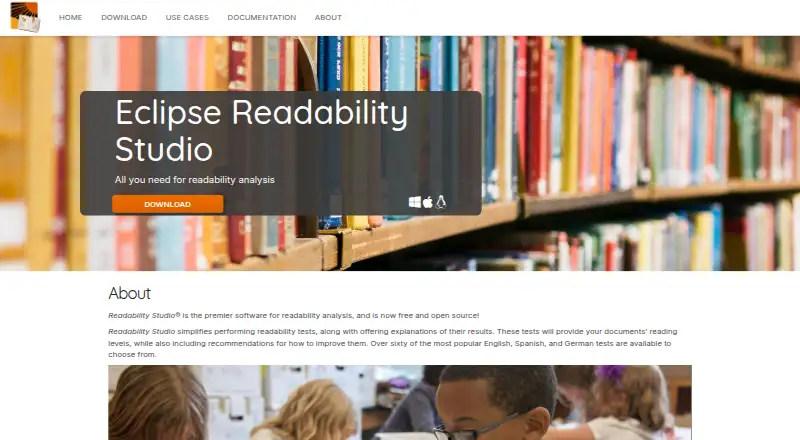
Eclipse Readability Studio analyzes documents and reports how readable they are, explains test results, and recommends improvements. It offers more than 60 readability tests in English, Spanish, and German, alongside grammar checking. Users can analyze one document or a batch, with support for MS Word, OpenDocument, RTF, HTML, PostScript, and text files. The software is free and open source, with Linux, macOS, and Windows versions; no paid tiers are stated. Its intended users include educators, military and government organizations, healthcare, publishers, and students. The Eclipse project lists the project state as Incubating and the license as Eclipse Public License 2.0, while noting that some source code and binaries may have different terms. The project proposal says Readability Studio has offered readability formula and grammar analysis since 2006. It names Blake Madden as project lead and copyright holder. No integrations are stated on the product or project pages.
Who it suits
It suits educators, students, publishers, healthcare workers, and military or government users who need to assess document reading levels or grammar. Batch analysis may also suit users working with multiple documents.
What it does well
- Offers over 60 tests in three languages.
- Analyzes individual documents or batches.
- Supports six listed document formats.
- Available for Linux, macOS, and Windows.
What to know first
- The project is listed as Incubating.
- Some source code and binaries may have different license terms.
- No integrations are stated.
Plans
| Plan | Billed and limits | Price |
|---|---|---|
| Free and open source | Free and open source; no paid tiers stated | Free |
As eclipse.dev lists them, read 8 Oct 2026. The maker's own page has the final word.
Getting started
- Visit the Eclipse Readability Studio website.
- Choose the Linux, macOS, or Windows version.
- Use the free and open-source plan.
- Open an individual document or a batch in a supported file format.
- Choose from the available readability tests and review the results and recommendations.
Eclipse Readability Studio is desktop software for measuring reading difficulty and improving documents. It best suits educators, publishers, students, and organizations reviewing individual files or batches. Its many readability tests, explanations, recommendations, and grammar checking make it a substantial free option, if its language and platform support fit your work.
Overview
The software reports document reading levels, explains readability results, and recommends changes. That makes it useful when a score alone would not tell a reviewer what to address. Grammar checking adds another kind of review, while batch analysis can help teams handling multiple documents.
The project proposal says Readability Studio has provided readability formula and grammar analysis since 2006. The Eclipse project is marked Incubating, a status worth weighing for organizations that prefer established project status. The project lists the Eclipse Public License 2.0 and notes that some source code and binaries may carry different terms.
Key features
Readability tests and explanations
Users can choose from more than 60 popular tests in English, Spanish, and German. That range gives reviewers flexibility to assess documents with different measures; the stated language coverage makes it a less suitable choice for material in other languages. Results include explanations and reading levels, with recommendations intended to guide improvements.
Document review and formats
Analysis works on individual documents or batches. Supported formats include MS Word, OpenDocument, RTF, HTML, PostScript, and text files, covering common office documents as well as web and plain-text content. Grammar checking complements the readability review, though no integrations are stated.
Pricing
Eclipse Readability Studio is free and open source, with a listed price of $0 and no paid tiers stated. There is no free trial because the software is offered on a free plan. That makes it a straightforward fit for individuals and organizations seeking document analysis without a subscription; the project’s license terms deserve attention when selecting or redistributing source code or binaries.
Platforms
The software runs on Linux, macOS, and Windows. These desktop options suit users who work with files locally, but there is no stated web version or mobile platform for people who need browser-based access.
Who it's for
The project presents use cases for educators, military and government, healthcare, publishers, and students. Its batch analysis and choice of tests are particularly relevant to people who review many documents or need to assess reading levels systematically. It is less compelling for teams that need languages beyond English, Spanish, and German, or a stated integration with another editing workflow.
Pros and cons
- Pros: More than 60 readability tests provide a broad set of measures across three languages.
- Pros: Explanations, reading levels, recommendations, and grammar checking bring several review steps together.
- Pros: Batch analysis and six supported file types suit varied document-review workloads.
- Pros: Free and open-source availability removes subscription costs.
- Cons: The stated languages are limited to English, Spanish, and German.
- Cons: Linux, macOS, and Windows support points to a desktop workflow, with no web platform stated.
- Cons: The project is Incubating, and some source code and binaries may have different license terms.
Alternatives
Readability Checkers and AI Readability Checkers are category lists for comparing other tools.
Choose Readability Formulas if you want free calculators and a Readability Scoring System, including web access; it also supports macOS, Windows, and extensions, with freemium pricing. ATOS Analyzer is a web-based free option for text passages or books, with a 25,000-character text limit and 10MB maximum upload.
ProWritingAid may suit writers who want a freemium writing tool on an extension platform; its free plan limits each report run to 500 words and allows two runs per day. For a free Linux or Windows tool with .docx support and German readability rules, consider Readability Analysis Tool (RAT).
TextGears is a freemium web and API option; its PRO plan costs $2.48 a month and includes unlimited checks, translations, and paraphrases of long texts. Analyze My Writing is a browser-based free alternative with no registration and unlimited texts, though text length depends on the browser and system. AnchorKite Readability Checker is another free web option; it needs no signup and works offline after loading.
ApyHub Readability Scores Documents API is an API-based alternative, with a free Starter plan that includes 3,000 atoms per month, one API key, and one team member. Consider it when API access is the priority.
Verdict
Eclipse Readability Studio is a strong choice for educators, publishers, students, and organizations that need free desktop analysis across individual documents or batches. Its combination of many tests, explanations, improvement recommendations, and grammar checking is the main reason to choose it. Look elsewhere if you need languages beyond its three stated options, a web-based workflow, or a project with a status beyond Incubating.
Verdict
Eclipse Readability Studio combines readability testing, explanations, improvement suggestions, and grammar checking. Its supported formats, language set, and project status are worth considering before choosing it.
Questions
How much does Eclipse Readability Studio cost?
Its Free and open source plan is free. No paid tiers are stated.
Is there a free trial?
There is no free trial; the software has a free plan.
Which platforms does it support?
The listed platforms are Linux, macOS, and Windows.
Which languages are covered by its readability tests?
Users can choose from more than 60 popular tests in English, Spanish, and German.
What file formats can it analyze?
Supported formats include MS Word, OpenDocument, RTF, HTML, PostScript, and text files.
What license does the project list?
The project lists Eclipse Public License 2.0 and notes that some source code and binaries may have different terms.
Facts from Eclipse Readability Studio's own pages
- Document analysis
- The project page says the software can analyze individual documents or batches of documents. · projects.eclipse.org, 8 Oct 2026
- File formats
- Listed supported formats are MS Word, OpenDocument, RTF, HTML, PostScript, and text files. · projects.eclipse.org, 8 Oct 2026
- Grammar checking
- The project page lists grammar checking features. · projects.eclipse.org, 8 Oct 2026
- Integrations
- No integrations are stated on the opened product or project pages. · eclipse.dev, 8 Oct 2026
- Intended users
- The site presents use cases for educators, military and government, healthcare, publishers, and students. · eclipse.dev, 8 Oct 2026
- License
- The project page lists the Eclipse Public License 2.0 and notes that some source code and binaries may have different terms. · projects.eclipse.org, 8 Oct 2026
- Platforms
- The 2026 announcement says the software is available for Windows, macOS, and Linux. · eclipse.dev, 8 Oct 2026
- Product history
- The project proposal says Readability Studio has provided readability formula and grammar analysis since 2006. · projects.eclipse.org, 8 Oct 2026
- Project lead and copyright
- The proposal names Blake Madden as a project lead and copyright holder of Readability Studio. · projects.eclipse.org, 8 Oct 2026
- Project status
- The Eclipse project page lists the project state as Incubating. · projects.eclipse.org, 8 Oct 2026
- Purpose
- The software analyzes readability, explains test results, reports document reading levels, and recommends improvements. · eclipse.dev, 8 Oct 2026
- Readability tests
- The site says users can choose from over 60 popular tests in English, Spanish, and German. · eclipse.dev, 8 Oct 2026
Where Eclipse Readability Studio stands on Freedom251
- Readability Checkers#2 of 25
- AI Readability Checkers#4 of 26