Freedom251 › Marketing Project Management Software
QuickProof
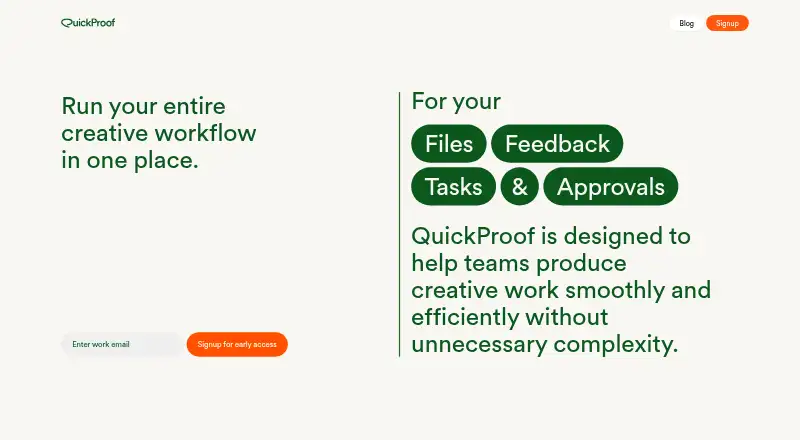
What QuickProof is
QuickProof is a creative workflow platform for organizing briefs, tasks, files, reviews, approvals, and delivery. Projects can start with structured briefs capturing objectives, deliverables, deadlines, and reference assets, with tasks linked to deliverables. Creative assets have version histories, and internal reviewers can leave contextual feedback and annotations tied to the specific file version. For stakeholder approvals, QuickProof describes a review portal, locked approved assets, delivery packages, and an audit trail showing who approved what and when.
The main product is in limited early access, with teams invited to join a waitlist; access begins with a conversation about fit. QuickProof prioritizes in-house creative and marketing teams and also describes small teams and agencies as possible users. Separately, QuickProof Free is a lightweight tool for temporary image reviews. Anyone with a shared link can view uploaded content, and files, comments, and links are deleted after 7 days. The free tool does not use HTTPS encryption, and the policy advises against using it for private, sensitive, or copyrighted material.
Who it suits
The main product is aimed first at in-house creative and marketing teams, and is also described as suitable for small teams and agencies. Teams need to join a limited early-access waitlist.
What it does well
- Briefs capture objectives, deliverables, deadlines, and assets
- Tasks can be tied to deliverables
- Review comments are linked to file versions
- Approval audit trail records who approved what and when
What to know first
- Main product access is limited to early access
- Access starts with a conversation about fit
- Free-tool links are viewable by anyone who has them
- Free-tool uploads and comments are deleted after 7 days
Limits
QuickProof Free is for temporary image reviews; uploaded files, comments, and links are deleted after 7 days. Anyone with the shared URL can view content, and the free version does not use HTTPS encryption.
Plans
| Plan | Billed and limits | Price |
|---|---|---|
| Quickproof Free | Temporary image reviews · shared links are publicly accessible · files, comments, and links deleted after 7 days | Free |
As quickproof.ai lists them, read 9 Oct 2026. The maker's own page has the final word.
Getting started
- Visit https://www.quickproof.ai/.
- Join the limited early-access waitlist for the main product.
- Discuss product fit when QuickProof reaches out.
- For temporary image feedback, use QuickProof Free and share its link with reviewers.
QuickProof brings creative briefs, tasks, assets, review, approval, and delivery into a single workflow. It is best suited to in-house creative and marketing teams, though small teams and agencies are also in scope. Its version-specific review and sign-off process is its clearest strength; immediate access to the main product is not yet an option.
Overview
Projects can start with a structured brief covering objectives, deliverables, deadlines, and reference assets, with tasks connected to those deliverables. Files, feedback, approvals, and delivery then sit alongside that work. This arrangement is a sensible fit for teams that need to follow creative work from request to handoff, rather than manage each stage separately. Its usefulness depends on being able to get in: QuickProof is in limited early access, and teams are asked to join a waitlist and discuss whether it is a fit.
Key features
Briefs, tasks, and file history
Structured briefs give a project a defined starting point, while linked tasks help keep assignments attached to what must be delivered. File version history helps teams distinguish the current asset from earlier iterations. That combination should be most valuable on work with multiple deliverables or revisions; it is less compelling for teams that only need a simple file-sharing or task list.
Review, approval, and delivery
Internal feedback and annotations are tied to the exact file version under review, reducing the risk of comments being detached from the work they concern. QuickProof also describes a stakeholder review portal, locked approved assets, delivery packages, and an audit trail showing who approved what and when. Together, these features address a real weakness of loosely coordinated review processes: uncertainty about which version was approved and by whom.
Separate free image-review tool
QuickProof Free is a lightweight tool for temporary image reviews, not a safe substitute for the main creative workflow. Anyone with a shared link can view uploaded content, and the free tool does not use HTTPS encryption. Files, comments, and links are automatically deleted after seven days; basic logs are retained for up to 30 days. QuickProof warns against using it for private, sensitive, or copyrighted material. Those restrictions sharply narrow its suitability to non-sensitive, short-lived reviews.
Pricing
Quickproof Free costs nothing and covers temporary image reviews through shared links, with files, comments, and links deleted after seven days. It is useful only when public-link access and the security limitations are acceptable. The main creative workflow has no published price: access begins with a conversation about fit, so teams should expect to assess custom pricing rather than assume the free tool includes the full platform.
Platforms
QuickProof is web-based. No mobile or desktop platform is described, so teams needing a dedicated app should not count on one.
Who it's for
In-house creative and marketing teams are the stated early-access priority. Small teams and agencies may also find the briefs-to-approval workflow relevant, particularly when several people need to comment on evolving assets. Teams that need immediate deployment, or must keep review content private, should look elsewhere—especially for the free image-review tool.
Pros and cons
- Pro: Briefs, tasks, files, and approvals are connected, giving creative teams a more continuous path from requirements to delivery.
- Pro: Version-specific annotations and an approval audit trail help clarify which asset received feedback and sign-off.
- Con: Limited early access and a fit conversation prevent teams from starting with the main workflow on demand.
- Con: The free image tool exposes uploads to anyone with the link and lacks HTTPS, ruling it out for sensitive or copyrighted content.
- Con: The main workflow's custom pricing makes budget suitability harder to judge before contacting the company.
Alternatives
For a wider choice of tools in adjacent categories, browse Creative Project Management Software or Marketing Project Management Software.
- CoSchedule is worth considering if a freemium option with a free plan and free trial, plus Android, iOS, web, and extension platforms, better fits your needs.
- Planable offers a free plan capped at 50 total posts, making it an alternative for teams whose work can fit within that allowance.
- Atheer may suit teams looking for a client-review option with a 30-day free plan, one client, three seats, and 1 GB of storage.
- FlowQi is an alternative with a free Basic plan that includes unlimited users, projects, and tasks, alongside 500 MB of storage.
- Wonderful has a free plan with unlimited workspaces and teams and 50 GB of storage per team.
- WorkTogethr offers a free plan for up to three active clients and 15 active projects, with 2 GB storage and 50 AI actions per month.
- Orangescrum has a free plan capped at one user, one project, and 500 MB of storage.
- Varum offers a free plan with core features that does not expire.
Verdict
QuickProof is a promising fit for creative and marketing teams that want briefs, versioned feedback, approvals, and delivery connected in one process. Its clearest reason to choose it is the link between comments and specific asset versions, backed by an approval record. Look elsewhere if you need immediate access, a clear main-product price, or a secure free channel for sharing sensitive work.
Verdict
QuickProof describes a connected workflow for creative briefs, review, approval, and delivery, while its free image-review tool has a narrower temporary-use scope. Consider the early-access status and the free tool's public-link access and lack of HTTPS before choosing it.
Questions
Is QuickProof free?
QuickProof Free is listed as free for temporary image reviews. The main product starts with a conversation about fit, and its site does not list a price.
How do teams get access to the main product?
The main product is in limited early access. Teams can join the waitlist, after which QuickProof says it will reach out.
What platforms does QuickProof support?
The listed platform is web.
Who operates QuickProof?
The privacy policy names Future Logic Ltd as the operator, with a registered office in London, United Kingdom.
Can anyone view QuickProof Free uploads?
Yes. Anyone with the shared URL can view uploaded content. Files, comments, and links are deleted after 7 days.
Does QuickProof integrate with Asana, Google Docs, Dropbox, Slack, or Notion?
Those tools are mentioned as examples of disconnected team tools. QuickProof does not state that it integrates with them.
Facts from QuickProof's own pages
- Access status
- The site says access is limited and invites teams to join an early-access waitlist. · quickproof.ai, 9 Oct 2026
- Approvals and delivery
- The site describes stakeholder review portals, locked approved assets, delivery packages, and an audit trail of who approved what, when, and which version. · quickproof.ai, 9 Oct 2026
- Availability
- The main site invites teams to join a limited early-access waitlist and says it will reach out when access is ready. · quickproof.ai, 8 Oct 2026
- Briefs and tasks
- Structured briefs capture objectives, deliverables, deadlines, and reference assets, while tasks are tied to deliverables. · quickproof.ai, 9 Oct 2026
- Files
- The platform describes file management with version history for creative assets. · quickproof.ai, 8 Oct 2026
- Free image review
- The privacy policy describes a lightweight free version for temporary image reviews and feedback, with shared-link access to uploaded content. · quickproof.ai, 8 Oct 2026
- Free tool scope
- The privacy policy describes Quickproof Free as a lightweight online tool for temporary image reviews and feedback. · quickproof.ai, 9 Oct 2026
- Free version limits
- Uploaded files, comments, and links are automatically deleted after 7 days, and the policy says the free version should not be used for private, sensitive, or copyrighted material. · quickproof.ai, 8 Oct 2026
- Headquarters
- London, United Kingdom · quickproof.ai, 28 Sept 2026
- Integrations
- The main site mentions tools such as Asana, Google Docs, Dropbox, Slack, and Notion as examples of disconnected tools used by teams; it does not state that QuickProof integrates with them. · quickproof.ai, 8 Oct 2026
- Intended teams
- QuickProof says it is prioritizing in-house creative and marketing teams for limited early access; its FAQ also discusses small teams and agencies. · quickproof.ai, 8 Oct 2026
- Intended users
- QuickProof says it is prioritizing in-house creative and marketing teams for limited early access and also describes small teams and agencies as suitable users. · quickproof.ai, 9 Oct 2026
- Operator and location
- The privacy policy identifies Future Logic Ltd as operator and lists its registered office at 71-75 Shelton Street, Covent Garden, London, UK. · quickproof.ai, 9 Oct 2026
- Pricing status
- The main site does not list a price and says access begins with a conversation about whether the product is a fit. · quickproof.ai, 8 Oct 2026
- Product
- QuickProof describes itself as a creative operations platform for running creative workflows from brief through delivery. · quickproof.ai, 9 Oct 2026
- Public links
- The policy says anyone with a shared link can view uploaded content and warns against using Quickproof Free for private or sensitive material. · quickproof.ai, 9 Oct 2026
- Retention
- Uploaded files, comments, and links are automatically deleted after 7 days; basic logs are retained for up to 30 days. · quickproof.ai, 9 Oct 2026
- Review
- Teams can review work internally with contextual feedback and annotations tied to the file version under review. · quickproof.ai, 9 Oct 2026
- Reviews
- Internal review supports contextual feedback and annotations tied to the specific file and version under review. · quickproof.ai, 8 Oct 2026
- Security
- The policy says Quickproof Free does not use HTTPS encryption and that content may be visible to third parties who obtain its URL. · quickproof.ai, 9 Oct 2026
- Version control
- The site says assets have a full version history so teams can identify the latest file. · quickproof.ai, 9 Oct 2026
- Workflow
- It brings briefs, tasks, files, feedback, and approvals together in one system. · quickproof.ai, 9 Oct 2026