Freedom251 › Engineering Administration Software
ProjectTeam.com
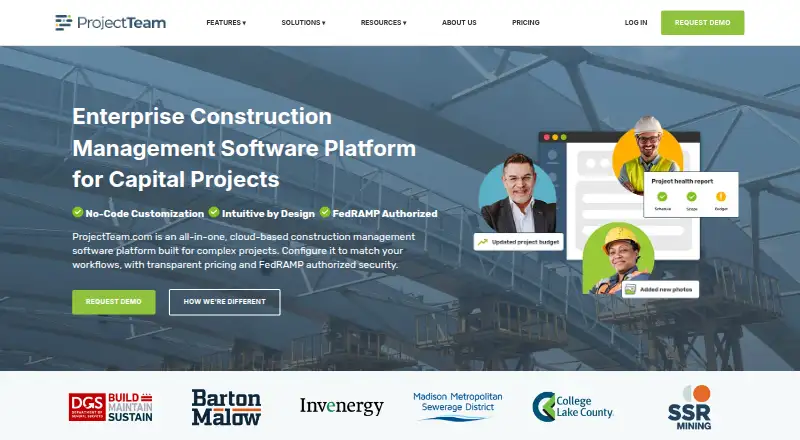
What ProjectTeam.com is
ProjectTeam.com is a cloud-based construction management platform for managing complex projects across their lifecycle. It organizes RFIs, submittals, drawings, contracts, change orders, payment applications, schedules, and other project information. Administrators can configure forms, fields, workflows, and field-level permissions through the interface without writing code. Users can build custom reports and interactive dashboards with grouping, sorting, and filtering. Tailored integrations connect the platform with GIS, accounting, business intelligence, and other enterprise systems, while its API supports scheduled or real-time integrations. The responsive web application works in a modern browser on desktop, laptop, tablet, or smartphone; the maker says every feature is available on each. ProjectTeam.com states that it is FedRAMP and GovRAMP authorized. Subscriptions include a dedicated support team, and all new companies must use its Onboarding Accelerator, which includes a dedicated success manager and structured training. Team Essentials costs $995 a year and is sold in packs of five. Free Contributor access is available for invited projects, with limited features and access dependent on a Subscriber.
Who it suits
ProjectTeam.com suits construction teams coordinating complex project records, workflows, and reporting. Its plans are presented for small teams, growing organizations, and agencies or large organizations managing complex portfolios.
What it does well
- Manages RFIs, submittals, drawings, contracts, and schedules.
- Administrators configure workflows without writing code.
- Reports and dashboards support grouping, sorting, and filtering.
- API supports scheduled or real-time integrations.
- Every feature is stated to be available on mobile devices.
What to know first
- Onboarding Accelerator is required for all new companies.
- Default individual file upload limit is 2 GB.
- Team Essentials is sold in packs of five.
- Free Contributor access depends on a Subscriber.
Limits
Contributor access is limited to invited projects, shared forms and files, and limited features, and access depends on a Subscriber. Team Essentials is sold in packs of five and covers a limited number of active projects. The default individual file upload limit is 2 GB; an optional upgrade is available for larger files.
Plans
| Plan | Billed and limits | Price |
|---|---|---|
| Contributor | At no cost · Access to invited projects, shared forms and files, and limited features; access depends on a Subscriber | Free |
| Team Essentials | Sold in Packs of 5 · Core features for documents, workflows, and collaboration across a limited number of active projects; free block of external Contributor users | $995 a year |
| Professional | Contact Us · Advanced functionality, cross-project reporting, broader user access, enhanced support, configuration tools, and integrations | On request |
| Enterprise | Contact Us · Unlimited users; multi-year pricing options; SSO and system integrations | On request |
As projectteam.com lists them, read 4 Oct 2026. The maker's own page has the final word.
Getting started
- Visit https://www.projectteam.com/.
- Choose free Contributor access for invited projects or review the paid plans.
- Use a modern browser on a desktop, laptop, tablet, or smartphone.
- As a new company, complete the required Onboarding Accelerator with its dedicated success manager and structured training.
ProjectTeam.com brings construction records and workflows together for teams managing complex projects across their lifecycle. It is best suited to organizations that need configurable processes and project-wide reporting; smaller teams should weigh the five-user minimum on its paid entry plan and required onboarding.
Overview
The platform centralizes RFIs, submittals, drawings, contracts, change orders, payment applications, schedules, and other project information. That breadth makes it a stronger fit for teams coordinating documentation across a project than for users seeking only a punch-list or drawing-viewing tool.
Administrators can configure forms, fields, workflows, and field-level permissions through the interface without code. This can accommodate organization-specific processes, while the required Onboarding Accelerator—with a dedicated success manager and structured training—means every new company must plan for a formal setup process.
Key features
- Project records and traceability: RFI and submittal management, drawing versioning, and transmittals support document-heavy coordination. Submittal actions retain timestamps, user attribution, and approval and revision history, helping teams follow changes and decisions within a record.
- Configurable workflows: Interface-based controls for forms, fields, workflows, and field-level permissions give administrators room to reflect local processes without writing code. Teams with simple needs may not benefit enough from that flexibility to justify a broader platform.
- Reporting: Custom reports and interactive dashboards can group, sort, and filter project data. This is useful when teams need views shaped around their own projects rather than a fixed reporting format.
- Integrations and API: Tailored connections can link GIS, accounting, business intelligence, and other enterprise systems. A full API supports scheduled or real-time integrations, including cloud-based and server-side setups, making the platform more relevant to organizations with established systems to connect.
- Security and support: ProjectTeam.com states that it is FedRAMP and GovRAMP authorized. Subscriptions include a dedicated support team, and its help library is available around the clock.
- File handling: The default individual upload limit is 2 GB; an optional upgrade supports larger files. Teams routinely handling larger files should account for the upgrade.
Pricing
Contributor is a free plan for people invited to projects. It provides access to invited projects, shared forms, and files, but features are limited and access depends on a Subscriber. It is useful for external collaborators, not as a standalone workspace for a team.
Team Essentials costs $995 a year and is sold in packs of 5. It covers core document, workflow, and collaboration features across a limited number of active projects and includes a free block of external Contributor users. The pack size and active-project limit matter for small teams and organizations with many concurrent projects: the annual price is not a per-seat entry point for a single user.
Professional has custom pricing and adds advanced functionality, cross-project reporting, broader user access, enhanced support, configuration tools, and integrations. It is the more relevant tier for growing organizations that need portfolio-wide views or deeper configuration. Enterprise also has custom pricing, with unlimited users, multi-year pricing options, SSO, and system integrations, for agencies and large organizations managing complex portfolios.
Platforms
The responsive web application works in a modern browser on desktop, laptop, tablet, or smartphone, and ProjectTeam says every feature is available across those devices. Android and iOS are also listed as platforms, alongside an API. This broad access suits teams moving between office and field devices, though the 2 GB default file limit remains relevant regardless of device.
Who it's for
ProjectTeam.com is a strong fit for construction teams that need shared project records, configurable workflows, traceable submittal decisions, custom reporting, and connections to other enterprise systems. Small project teams can use it through Team Essentials, but should consider whether a five-user pack and limited active projects match their needs. Organizations requiring only free invited-user access, or a focused punch-list tool, are less likely to need its broader paid platform.
Pros and cons
- Pro: A wide range of construction records—including contracts, change orders, payment applications, and schedules—can be managed alongside RFIs, submittals, and drawings.
- Pro: Configurable workflows and field-level permissions allow administrators to adapt processes without code.
- Pro: Custom dashboards, tailored integrations, and a full API can support reporting and connections across larger organizations.
- Con: Team Essentials is sold in packs of 5 and limits active projects, which can make it a poor fit for very small teams or portfolios with many simultaneous jobs.
- Con: Required onboarding adds a structured setup commitment for every new company.
- Con: The default 2 GB individual file limit may constrain teams working with larger files unless they take the optional upgrade.
Alternatives
For a wider comparison, see Construction Document Management Software.
Choose Dalux instead if a free punch-list tool with unlimited tasks and up to 3 active projects or buildings under its free-use terms is the priority; it also has a free trial.
BIMcollab is worth considering for teams seeking a freemium option with a free trial or a defined Basic annual plan at €12.50 a month, including 10 GB per space and one guest access.
Consider Trimble Viewpoint Vista instead if you need a cloud-hosted or on-premises deployment and are willing to contact sales about pricing.
Newforma Project Center is another paid option, with a Contract Management Edition that includes RFIs, submittals, contract management, and field management.
Other paid options include Autodesk Docs, Newforma ConstructEx, Newforma Konekt, and Oracle Aconex.
Verdict
Choose ProjectTeam.com if your construction organization needs configurable records and workflows, traceable submittal history, and reporting or integrations across complex projects. Its broad project coverage is the main reason to choose it; required onboarding, the five-user Team Essentials pack, and the active-project limit are reasons smaller teams should look elsewhere.
Verdict
ProjectTeam.com combines construction records, configurable workflows, reporting, and integrations in a browser-based platform. Teams should account for required onboarding, the default file limit, and the Team Essentials pack size.
Questions
Is there a free plan?
Yes. Contributor is free and provides access to invited projects, shared forms and files, and limited features. Access depends on a Subscriber.
How much does Team Essentials cost?
Team Essentials is $995 per user per year and is sold in packs of five.
What platforms can I use?
ProjectTeam.com lists Android, iOS, API, and web. Its responsive web application works in a modern browser on desktop, laptop, tablet, or smartphone.
Can it connect to other software?
Yes. Tailored integrations can connect it with GIS platforms, accounting software, business intelligence tools, and other enterprise systems. Its API supports scheduled or real-time integrations.
What support and onboarding are included?
Subscriptions include access to a dedicated support team, and the help library is available around the clock. New companies must use the Onboarding Accelerator, which includes a dedicated success manager and structured training.
What is the file upload limit?
The default individual file upload limit is 2 GB. An optional upgrade is available for larger files.
Facts from ProjectTeam.com's own pages
- API
- ProjectTeam offers a full API for scheduled or real-time integrations, including cloud-based and server-side integrations. · projectteam.com, 4 Oct 2026
- Audit history
- Submittal actions are logged with timestamps and tied to specific users, with approval and revision history available in the record. · projectteam.com, 4 Oct 2026
- Custom workflows
- Administrators can configure forms, fields, workflows, and field-level permissions from the interface without writing code. · projectteam.com, 4 Oct 2026
- File limit
- The default individual file upload limit is 2 GB, and an optional upgrade is available for larger files. · help.projectteam.com, 4 Oct 2026
- Headquarters
- Chantilly, Virginia, United States · projectteam.com, 28 Sept 2026
- Integrations
- The platform can connect with GIS platforms, accounting software, business intelligence tools, and other enterprise systems through tailored integrations. · projectteam.com, 4 Oct 2026
- Intended users
- The maker describes plans for small project teams, growing organizations, and agencies or large organizations managing complex portfolios. · projectteam.com, 4 Oct 2026
- Mobile access
- The maker says every feature is available on a computer, tablet, or phone. · projectteam.com, 4 Oct 2026
- Onboarding
- Onboarding Accelerator service is required for all new companies and includes a dedicated success manager and structured training. · projectteam.com, 4 Oct 2026
- Project records
- The platform manages RFIs, submittals, drawings, contracts, change orders, payment applications, schedules, and other project information. · projectteam.com, 4 Oct 2026
- Purpose
- ProjectTeam.com is a cloud-based construction management platform for managing complex projects across their lifecycle. · projectteam.com, 4 Oct 2026
- Reporting
- Users can create custom reports and interactive dashboards using project data, with grouping, sorting, and filtering. · projectteam.com, 4 Oct 2026
- Security
- ProjectTeam.com states that it is FedRAMP and GovRAMP authorized. · projectteam.com, 4 Oct 2026
- Support
- Subscriptions include access to a dedicated support team, and the help library is available around the clock. · projectteam.com, 4 Oct 2026
- Supported devices
- The responsive web application can be accessed through a modern browser on desktop, laptop, tablet, or smartphone. · help.projectteam.com, 4 Oct 2026