Freedom251 › Construction Document Management Software

BIMcollab
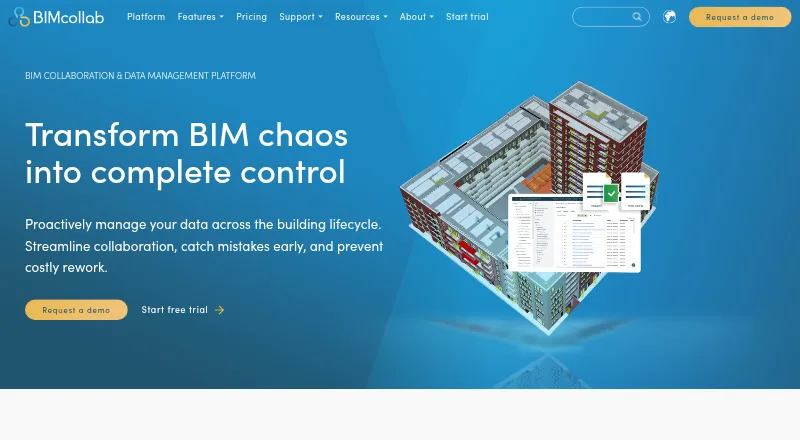
What BIMcollab is
BIMcollab is a platform for coordinating building and infrastructure work across document management, BIM coordination, and model checking. Its WebViewer supports IFC models, and the downloadable BIMcollab Zoom viewer runs on Windows and Mac OS X. Zoom offers Smart Views, clash detection, and IDS checks; its free mode includes model viewing, annotations, BCF issue management, and visual validation with Smart Views. BCF-based issues work through plug-ins for BIM tools and can be exported as BCF, PDF, CSV, or XLS. The maker lists more than 35 integrations, including Power BI, Solibri, Trimble Connect, AutoCAD, Autodesk Docs, and Revit. Every plan allows unlimited projects. Basic has 10 GB of storage per space, while Advanced and Enterprise list unlimited storage. A free plan and free trial are available. Paid plans range from €12.50 a month for Basic with annual commitment to €39 a month for Enterprise billed monthly. BIMcollab is headquartered in Eindhoven, Netherlands.
Who it suits
BIMcollab suits teams coordinating multi-discipline building or infrastructure projects that need IFC viewing, issue management, and model checking. Its plans include unlimited projects, and its platform has web, desktop, mobile, API, and self-hosted availability.
What it does well
- Free plan and free trial available
- WebViewer supports IFC models
- Zoom free mode includes annotations and BCF issue management
- Issues export as BCF, PDF, CSV, or XLS
- More than 35 integrations listed
What to know first
- Basic plan has 10 GB storage per space
- SOC 2 audit reports for SSAE 16 are not available
- On-premise installation is limited to Enterprise plans with 500 or more users
Limits
The free mode includes model viewing, annotations, BCF issue management, and Smart Views for visual validation. Basic paid plans include 10 GB of storage per space and one guest access; Advanced and Enterprise list unlimited storage and two guest accesses.
Plans
| Plan | Billed and limits | Price |
|---|---|---|
| Basic (annual commitment) | Annually; €12,50 per user/month · 10 GB storage per space · 1 guest access · unlimited projects · fair use file conversions | €12.50 a month |
| Advanced (annual commitment) | Annually; €18,75 per user/month · Unlimited storage · 2 guest accesses · unlimited projects · fair use file conversions | €18.75 a month |
| Basic (monthly) | Monthly; €19 per user/month · 10 GB storage per space · 1 guest access · unlimited projects · fair use file conversions | €19 a month |
| Enterprise (annual commitment) | Annually; €25 per user/month · Unlimited storage · 2 guest accesses · unlimited projects · fair use file conversions · contact sales | €25 a month |
| Advanced (monthly) | Monthly; €29 per user/month · Unlimited storage · 2 guest accesses · unlimited projects · fair use file conversions | €29 a month |
| Enterprise (monthly) | Monthly; €39 per user/month · Unlimited storage · 2 guest accesses · unlimited projects · fair use file conversions · contact sales | €39 a month |
As bimcollab.com lists them, read 28 Sept 2026. The maker's own page has the final word.
Getting started
- Open the BIMcollab website.
- Choose the free plan or review the paid plans.
- Start the free trial if you want to try a plan.
- Use the WebViewer for IFC models or download BIMcollab Zoom for Windows or Mac OS X.
- Connect BIM tools through the listed integrations or API access.
BIMcollab is a multi-discipline platform for coordinating building and infrastructure projects. It suits teams that need IFC review and BCF issue work alongside document management, especially when their BIM tools are already part of the workflow. Its strongest case is breadth across coordination and checking; storage, guest access and Enterprise’s 500-user threshold are practical constraints to weigh.
Overview
BIMcollab brings document management, model coordination and checking into one platform, with cloud collaboration, quantity takeoff and API access. Its browser-based WebViewer supports IFC models, while BIMcollab Zoom is a downloadable viewer for Windows and Mac OS X. That mix gives teams a path from model viewing to issue coordination and checking without reducing the product to a standalone viewer.
BCF-based issue management works through plug-ins for BIM tools, and issues can be exported as BCF, PDF, CSV or XLS. The maker cites more than 35 integrations, including Power BI, Solibri, Trimble Connect, AutoCAD, Autodesk Docs and Revit. BIMcollab was founded in 2014 and is headquartered in Eindhoven, the Netherlands.
Key features
- Viewing and checking: Zoom supports Smart Views, clash detection and IDS checks. Its free mode includes viewing, annotations, BCF issue management and visual validation through Smart Views, making it a useful starting point for model review. The free mode does not establish access to the full set of Zoom checks.
- Issue workflows: BCF plug-ins and multiple export formats help teams carry issue work between BIM tools and reporting formats. This is a stronger fit for collaborative coordination than for teams seeking only a read-only viewer.
- Security and hosting: BIMcollab states that it is ISO 27001 and PCI-DSS certified, and says cloud data is stored in the Netherlands. Its security page says SOC 2 audit reports for SSAE 16 are unavailable. Customer-server on-premise installation is available on Enterprise plans for deployments with 500 or more users; smaller organizations needing on-premise hosting should look elsewhere.
- Support: Email, video call and live chat support are offered during regular CET business hours, with Help Center articles and tutorials. The stated hours may be less convenient for teams outside that working day.
Pricing
BIMcollab offers a free plan and a free trial; no trial length is stated. Paid prices are per user per month, with annual commitment or monthly billing as shown:
- Basic, annual commitment: €12.50 per user/month, billed annually. Includes 10 GB storage per space, 1 guest access, unlimited projects and fair-use file conversions. This is the lowest-cost paid option, but storage and guest access are limited.
- Basic, monthly: €19 per user/month, billed monthly. It has the same 10 GB per-space storage, 1 guest access, unlimited projects and fair-use conversions, in exchange for monthly billing.
- Advanced, annual commitment: €18.75 per user/month, billed annually. It raises storage to unlimited and guest access to 2, while retaining unlimited projects and fair-use conversions.
- Advanced, monthly: €29 per user/month, billed monthly, with unlimited storage, 2 guest accesses, unlimited projects and fair-use conversions.
- Enterprise, annual commitment: €25 per user/month, billed annually. It includes unlimited storage, 2 guest accesses, unlimited projects, fair-use conversions and contact with sales.
- Enterprise, monthly: €39 per user/month, billed monthly, with the same listed allowances and sales contact.
Basic is the economical choice for teams able to work within its storage and single-guest cap. Advanced removes the storage cap and adds a guest access. Enterprise keeps those allowances and is the relevant tier for large deployments needing on-premise installation, but that option starts at 500 users. All three tiers list unlimited projects; file conversions remain subject to fair use.
Platforms
BIMcollab lists Android, iOS, macOS, Windows, web, API and self-hosted platforms. Mobile access is viewer-focused. Zoom is available for Windows and Mac OS X, while the WebViewer provides browser-based IFC viewing.
Who it's for
BIMcollab is best suited to multi-discipline project teams that need model coordination, structured issue exchange and checking tied to BIM tools. The integration range, BCF workflows and IFC viewing support a connected coordination process. It is less compelling for a small team that needs substantial storage or multiple guests on the lowest paid tier, or for an organization requiring on-premise hosting below the Enterprise threshold.
Pros and cons
- Pro: BCF plug-ins and exports in BCF, PDF, CSV and XLS connect issue coordination with both BIM tools and common reporting formats.
- Pro: Zoom’s free mode includes annotations, BCF issue management and Smart Views-based visual validation, not just model viewing.
- Pro: Every paid plan lists unlimited projects, and Advanced and Enterprise include unlimited storage.
- Con: Basic limits each space to 10 GB and guest access to one, which can constrain teams sharing larger project files or involving several external collaborators.
- Con: On-premise installation is an Enterprise option only for deployments of 500 or more users.
- Con: BIMcollab says SOC 2 audit reports for SSAE 16 are unavailable, a drawback for organizations that require those reports.
Alternatives
- BIM Software is a useful category comparison for readers considering a broader set of BIM tools.
- Construction Document Management Software is the relevant category for teams whose main requirement is document management rather than model coordination.
- 3D Model Viewer Software helps readers compare options when viewing, rather than issue management and checking, is the priority.
- Trimble Viewpoint Vista is a paid option with a free plan and cloud-hosted or on-premises deployments; its Vista pricing is by contacting sales.
- Archicad is a paid option with a free trial and an educational license priced at 0.00 USD for eligible students and educators, valid for one year.
- usBIM.platform offers a free basic configuration with 10 GB cloud storage and free online applications; subscriptions add applications.
- Speckle is a freemium choice with an Explore plan at 0.00 USD for one project and up to three users, plus file importers and connectors.
- Bonsai is a free, open-source option for readers who want Studio and Viewer on Linux, macOS or Windows.
- Trimble Quadri offers a free read-only Quadri Viewer for model viewing, commenting and measuring distances and areas.
- Finch has a free one-user plan and paid Basic and Enterprise plans for readers comparing another freemium option.
- Hypar offers a Personal plan with three owned projects and a Professional plan at $100 a month with automatic clash detection and editable clearances.
Verdict
Choose BIMcollab if your team needs a connected workflow for IFC viewing, BCF issues and model checking across BIM tools, and the paid plan’s storage and guest allowances fit your projects. Its free mode makes a credible entry point for viewing and issue work. Look elsewhere if SOC 2 audit reports are mandatory, or if you need on-premise hosting without an Enterprise deployment of at least 500 users.
Verdict
BIMcollab combines document management, model coordination, and checking, with a free mode for viewing and issue work. Check the storage limits, security disclosures, and Enterprise user threshold if those affect your deployment.
Questions
Is BIMcollab free?
Yes. It offers a free plan, and BIMcollab Zoom has a free mode with model viewing, annotations, BCF issue management, and Smart Views.
What do paid plans cost?
Basic with annual commitment costs €12.50 per user/month, billed annually. Enterprise billed monthly costs €39 per user/month.
Which platforms does BIMcollab support?
Listed platforms include Android, iOS, macOS, Windows, web, API, and self-hosted. BIMcollab Zoom is downloadable for Windows and Mac OS X.
Does BIMcollab support IFC and clash detection?
Yes. The WebViewer supports IFC models, and BIMcollab Zoom supports clash detection.
Where is BIMcollab cloud data stored?
Cloud data is stored in the Netherlands unless using an on-premise installation.
What support does BIMcollab offer?
Support is available by email, video call, and live chat during regular CET business hours, along with Help Center articles and tutorials.
Facts from BIMcollab's own pages
- Company location
- BIMcollab gives its headquarters as Eindhoven, The Netherlands. · bimcollab.com, 28 Sept 2026
- Data location
- The security page says cloud data is stored in the Netherlands unless using an on-premise installation. · helpcenter.bimcollab.com, 28 Sept 2026
- Founded
- 2014 · bimcollab.com, 23 Sept 2026
- Headquarters
- Eindhoven, Netherlands · bimcollab.com, 23 Sept 2026
- Integrations
- The maker lists integrations including Power BI, Solibri, Trimble Connect, AutoCAD, Autodesk Docs, and Revit, and says it connects to 35+ integrations. · bimcollab.com, 28 Sept 2026
- Issue management
- BIMcollab supports BCF-based issue management with plug-ins for BIM tools and lets users export issues as BCF, PDF, CSV, or XLS. · bimcollab.com, 28 Sept 2026
- Model checking
- BIMcollab Zoom supports Smart Views, clash detection, and IDS checks; its free mode includes model viewing, annotations, BCF issue management, and visual validation through Smart Views. · helpcenter.bimcollab.com, 28 Sept 2026
- Model viewing
- The WebViewer supports IFC models, while BIMcollab Zoom is a downloadable model viewer for Windows and Mac OS X. · bimcollab.com, 28 Sept 2026
- On-premise option
- The features overview says on-premise installation on customer servers is available for Enterprise plans with 500 or more users. · helpcenter.bimcollab.com, 28 Sept 2026
- Plan limits
- The Basic plan includes 10 GB storage per space; Advanced and Enterprise list unlimited storage, and all plans list unlimited projects. · bimcollab.com, 28 Sept 2026
- Product scope
- The platform includes document management, BIM coordination, and model checking features. · bimcollab.com, 28 Sept 2026
- Purpose
- BIMcollab connects data, workflows, and BIM tools to support collaboration across the lifecycle of buildings and infrastructure. · bimcollab.com, 28 Sept 2026
- Security certifications
- BIMcollab states that it is ISO 27001 and PCI-DSS certified. · bimcollab.com, 28 Sept 2026
- Security limits
- BIMcollab’s security page says SOC 2 audit reports for SSAE 16 are not available. · helpcenter.bimcollab.com, 28 Sept 2026
- Support
- Support is available by email, video call, and live chat during regular CET business hours, with Help Center articles and tutorials. · helpcenter.bimcollab.com, 28 Sept 2026
Where BIMcollab stands on Freedom251
- Construction Document Management Software#1 of 25
- 3D Model Viewer Software#2 of 29
- BIM Software#4 of 30