Freedom251 › Construction Document Management Software
Newforma ConstructEx
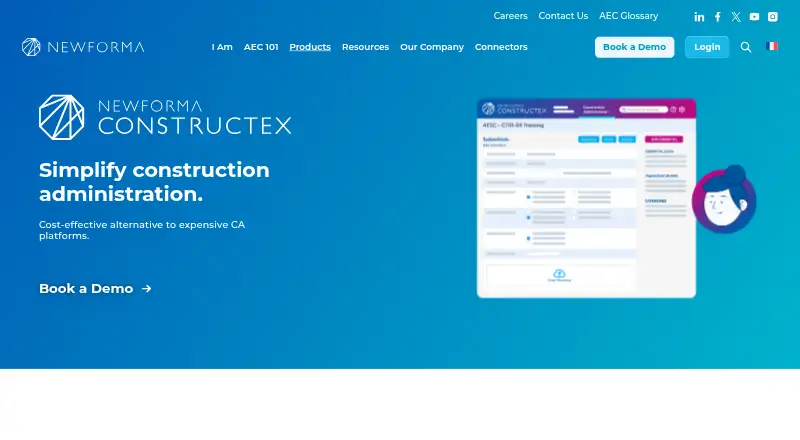
What Newforma ConstructEx is
Newforma ConstructEx is cloud hosted construction management software for construction administration and project information sharing. Contractors and subcontractors can create, send, and track submittals and requests for information through automated workflows with email notifications. Teams can upload and access design, bid, and construction document packages, drawings, and specifications in a central location, with user roles and document permissions controlling access. Review comments, audit trails, and email history are available together; teams can bulk download submittals and RFIs and receive a project archive at project end. Mobile apps support field reports, plans, markups, and punch list items. Punch list data syncs with the project when an internet connection is available. Meeting Minutes and Message Forums give project participants a shared place for agendas, minutes, and discussions. Newforma’s Workflow Connector syncs RFIs and submittals with Newforma Project Center. The product is available on Android, iOS, and the web, and lists project scheduling, field reporting, bid management, and project financials among its capabilities. Newforma offers support by email, phone, and Customer Community. Its terms set support hours at weekdays from 8 AM to 5 PM in the customer’s local time, excluding holidays.
Who it suits
ConstructEx suits contractors, subcontractors, and design or review teams coordinating construction administration and project information. It may also suit teams that need shared document access, tracked submittals and RFIs, and mobile field workflows.
What it does well
- Automates submittal and RFI workflows with email notifications.
- Keeps review comments, audit trails, and email history together.
- Supports mobile field reports, plans, markups, and punch lists.
- Offers project archives at project end and bulk downloads of submittals and RFIs.
- Controls document access through user roles and permissions.
What to know first
- Pricing is available on request.
- Punch list data syncs when an internet connection is available.
- Support hours exclude holidays and are limited to weekday business hours.
Plans
| Plan | Billed and limits | Price |
|---|---|---|
| Newforma ConstructEx | Pricing is tailored; the page says there are no monthly subscription fees. · Unlimited users · Purchase for one project or many | On request |
As newforma.com lists them, read 8 Oct 2026. The maker's own page has the final word.
Getting started
- Visit the Newforma ConstructEx website.
- Contact Newforma to request pricing for your project or projects.
- Use the web version or install the Android or iOS app.
- Set user roles and document permissions for the project.
Newforma ConstructEx is cloud-hosted construction administration software built around shared project information, formal submittal and RFI workflows, and field reporting. It is best suited to contractors, subcontractors, and design or review teams coordinating documents and approvals across a project. The trade-off is a tailored purchase rather than a transparent subscription, with punch-list updates depending on an internet connection.
Overview
ConstructEx brings design, bid, and construction document packages, drawings, and specifications into a central workspace. That structure is useful when several organizations need the same current project material, while user roles and document permissions provide control over who can access it.
Its administration focus extends beyond file storage. Automated workflows and email notifications support the creation, sending, and tracking of RFIs and submittals. Meeting Minutes and Message Forums keep agendas, minutes, and project conversations in a shared location, reducing the need to split formal records across separate channels.
Key features
RFIs, submittals, and records
Review comments, audit trails, and email history stay with the relevant work, giving teams a usable decision record after a review closes. Bulk downloads and a project archive at the end of a project are practical advantages for handover, retention, and later reference.
Field workflows
Mobile apps support field reports, plans, markups, and punch-list items. Punch-list information synchronizes to the project when an internet connection is available, so crews working offline should expect updates to wait until connectivity returns.
Integration and controls
Newforma’s Workflow Connector synchronizes RFIs and submittals between ConstructEx and Newforma Project Center. That is most valuable for organizations already using Project Center and wanting connected workflows rather than duplicate entry. Roles and project-document permissions support access governance.
Newforma says it holds ISO 27001 and SOC 2 certifications. Support is provided by email, phone, and the Customer Community, with ConstructEx support hours Monday through Friday, 8 AM to 5 PM in the customer’s local time, excluding holidays.
Pricing
The Newforma ConstructEx plan has custom pricing. It can be purchased for one project or many, supports unlimited users, and has no monthly subscription fees. This suits project-based procurement and broad participant access, but buyers must request a quote before they can compare total cost with subscription products.
The plan includes RFI and submittal management, project scheduling, field reporting, bid management, project financials, and mobile apps. Unlimited users remove per-seat budgeting pressure for large project teams, while the absence of a published price makes the product harder to evaluate on cost alone.
Platforms
ConstructEx is available on Android, iOS, and the web. The combination covers office browsers and mobile field users, with punch-list synchronization tied to internet availability.
Who it's for
Choose it when a construction team needs document control alongside accountable RFI and submittal processes, meeting records, field reporting, and project archives. It is particularly logical for contractors, subcontractors, and design or review teams that already use Newforma Project Center and can benefit from the Workflow Connector.
Look elsewhere if you require an immediately visible price, a monthly subscription structure, or field synchronization that does not depend on connectivity.
Pros and cons
- Pro: Unlimited users allow broad participation without adding seat charges within the plan.
- Pro: Automated RFI and submittal workflows, notifications, audit trails, and archives keep approvals traceable.
- Pro: Documents, discussions, meeting records, and field information share one project context.
- Pro: The Workflow Connector can synchronize RFIs and submittals with Newforma Project Center.
- Con: Custom pricing requires a sales conversation before costs can be assessed.
- Con: Punch-list synchronization waits for an internet connection, which can delay project updates in offline conditions.
Alternatives
Construction Document Management Software and Construction Management Software round up broader choices by category.
Dalux is the better starting point for teams wanting a freemium option, including a free punch-list tool with unlimited tasks across up to three active projects or buildings.
ProjectTeam.com fits organizations that need a no-cost Contributor tier for invited-project access to shared forms and files, with capabilities dependent on a subscriber.
BIMcollab is worth choosing when model and issue coordination is central and a Basic annual plan at €12.50 per user per month with 10 GB per space and one guest meets the need.
Trimble Viewpoint Vista is an alternative for buyers comparing cloud-hosted and on-premises deployments with sales-led pricing.
Newforma Project Center is the natural alternative for teams seeking Newforma’s broader platform, including editions with RFIs, submittals, contract management, and field management.
Newforma Konekt suits teams prioritizing BIM viewing, issue management, coordination, storage, or integrations.
Truvect and Autodesk Docs are additional paid alternatives to assess.
Verdict
Newforma ConstructEx is a strong fit for construction organizations that want shared documents, formal RFI and submittal control, field workflows, and durable project records in one system. Its main reason to choose is the combination of administration, collaboration, and archive functions with unlimited users and Newforma Project Center integration. Its main reason to look elsewhere is custom, non-monthly pricing and the need for connectivity to synchronize punch-list work.
Verdict
Choose Newforma ConstructEx if your construction team needs shared project documents, managed submittals and RFIs, and mobile field workflows. Ask Newforma for project pricing before choosing it, since the listed purchase is tailored and there are no monthly subscription fees.
Questions
How much does Newforma ConstructEx cost?
Pricing is tailored and available on request. The plan description says there are no monthly subscription fees and supports purchase for one project or many.
Which platforms does ConstructEx support?
It is available on Android, iOS, and the web.
Can it manage RFIs and submittals?
Yes. Contractors and subcontractors can create, send, and track both through automated workflows and email notifications.
Does it connect with Newforma Project Center?
Yes. Newforma’s Workflow Connector syncs RFIs and submittals between ConstructEx and Newforma Project Center.
What support does Newforma offer?
Support is available by email, phone, and Customer Community. The stated hours are Monday through Friday, 8 AM to 5 PM in the customer’s local time, excluding holidays.
Facts from Newforma ConstructEx's own pages
- Access controls
- The product page says user roles control access and that teams can set permissions for project documents. · newforma.com, 8 Oct 2026
- Audit and archive
- Teams can view review comments, audit trails, and email history in one place, bulk download submittals and RFIs, and receive a project archive at project end. · newforma.com, 8 Oct 2026
- Communication
- Meeting Minutes and Message Forums provide a central place to share agendas, minutes, and project discussions. · newforma.com, 8 Oct 2026
- Document management
- ConstructEx lets teams centrally upload and access design, bid, and construction document packages, drawings, and specifications. · newforma.com, 8 Oct 2026
- Field apps
- The product page describes mobile apps for field reports, plans, markups, and punch list items, with punch list data syncing to the project when an internet connection is available. · newforma.com, 8 Oct 2026
- Founded
- 2004 · newforma.com, 28 Sept 2026
- Headquarters
- Manchester, New Hampshire, USA · newforma.com, 28 Sept 2026
- Integration
- Newforma’s Workflow Connector syncs RFIs and submittals between ConstructEx and Newforma Project Center. · go2.newforma.com, 8 Oct 2026
- Intended users
- The connector page describes workflows for contractors, subcontractors, and design and review teams. · go2.newforma.com, 8 Oct 2026
- Maker history
- Newforma says it was founded in 2004. · newforma.com, 8 Oct 2026
- Purpose
- Newforma ConstructEx is cloud hosted construction management software for construction administration and project information sharing. · newforma.com, 8 Oct 2026
- Security
- Newforma’s information security page states that Newforma is ISO 27001 certified and SOC 2 certified; it describes these as company certifications and discusses Newforma Konekt platform security. · newforma.com, 8 Oct 2026
- Submittals and RFIs
- Contractors and subcontractors can create, send, and track submittals and RFIs using automated workflows and email notifications. · newforma.com, 8 Oct 2026
- Support
- Newforma lists support by email, phone, and its Customer Community. · newforma.com, 8 Oct 2026
- Support hours
- Newforma’s ConstructEx terms state that support is available Monday through Friday, 8 AM to 5 PM in the customer’s local time, excluding holidays. · newforma.com, 8 Oct 2026
Where Newforma ConstructEx stands on Freedom251
- Construction Document Management Software#13 of 25
- Engineering Administration Software#12 of 20
- Construction Management Software#34 of 45