Freedom251 › Home Builder Software

BuildBook
What BuildBook is
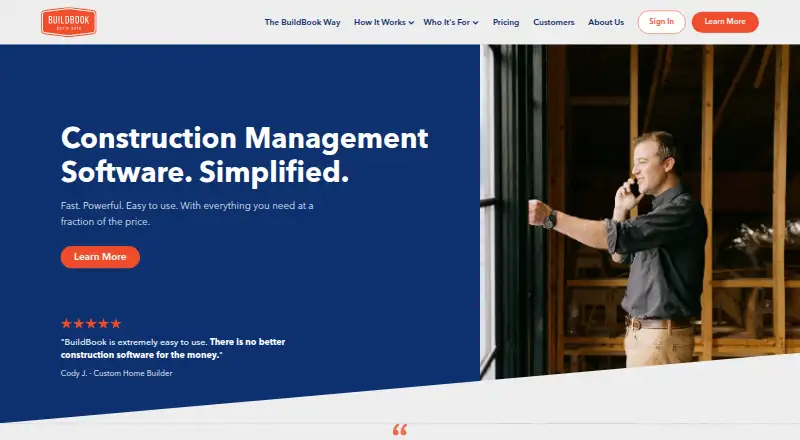
BuildBook is construction management software for residential home builders, remodelers, and contractors. It brings together sales, project scheduling, budgets, change orders, client selections, expenses, files, and project communications. Sales tools include a pipeline, contact management, estimates, branded proposals, digital approvals, and a reusable price book. Teams can use Gantt scheduling, task management, chat rooms, daily logs, client portals, inline comments, notifications, and public sharing links. BuildBook also syncs project data, bills, expenses, and invoices with QuickBooks Online, and schedules can sync with iCal calendars. It is available on the web, iOS, and Android; the maker says the mobile apps provide full feature functionality, notifications, camera roll access, and video recording. Guest access is available, while the free plan is limited to one user. The pricing note lists a 10-day trial with every feature and no credit card required. Paid pricing is listed from $79/user/mo (annual). BuildBook says it is not intended for large commercial firms or tract builders with internal sales teams and custom software systems.
Who it suits
BuildBook is aimed at residential custom home builders, remodelers, and specialty contractors who want sales and project coordination tools in one product. Its stated limits make it a poor fit for large commercial firms and tract builders with internal sales teams and custom systems.
What it does well
- Sales pipeline, estimates, proposals, and digital approvals.
- Gantt scheduling, tasks, budgets, and change orders.
- Guest access is available.
- Syncs project finances with QuickBooks Online.
- Mobile apps are available for iOS and Android.
What to know first
- Free plan is limited to one user.
- Paid plans start at $79/user/mo (annual).
- Not intended for large commercial construction firms.
Limits
The free plan is limited to one user. The 10-day trial includes every feature and requires no credit card.
Plans
| Plan | Billed and limits | Price |
|---|---|---|
| Team (annual plan) | $ 149/mo, Annual Plan · 2–5 users · unlimited projects · unlimited clients and subs · all features included | $149 a month |
| Team | Monthly Plan · 2-5 users · unlimited projects · unlimited clients and subs · all features | $179 a month |
| Team (monthly plan) | Monthly Plan: $179/mo · 2–5 users · unlimited projects · unlimited clients and subs · all features included | $179 a month |
| Additional Business user | Monthly add-on · Additional Pro Team member on Business plan | $20 a month |
| Additional Business user | Annual add-on · Additional Pro Team member on Business plan | $200 a year |
| Business (annual plan) | starting at $ 249/mo, Annual Plan · 6–8 users · unlimited projects · unlimited clients and subs · all features included | $249 a month |
| Business (monthly plan) | Monthly Plan: $299/mo · 6–8 users · unlimited projects · unlimited clients and subs · all features included | $299 a month |
| Business | Monthly Plan · 6-8 users · unlimited projects · unlimited clients and subs · all features | $299 a month |
The first 8 of 11 plans, as buildbook.co lists them, read 4 Oct 2026. The maker's own page has the final word. Every plan
Getting started
- Visit https://buildbook.co/.
- Choose the free plan or review the paid plans, which start at $79/user/mo on an annual basis.
- Start the 10-day trial to access every feature without a credit card.
- Use BuildBook on the web or its native iOS and Android apps.
- Invite project participants using guest access.
Overview
BuildBook brings residential construction sales, project coordination and homeowner communication into one service for custom builders, remodelers and specialty contractors. Its strongest case is a small or midsize residential business that wants to carry work from proposal through delivery; it is a poor fit for large commercial firms and tract builders with internal sales teams and custom systems.
The breadth is useful, but team size matters: the free plan is limited to one user, and paid tiers rise with the number of users. Guest access helps involve people outside the core team without making them plan users.
BuildBook is available on web, iOS and Android. Its maker says the native apps offer the full feature set, device notifications, camera-roll access and video recording, making mobile access more than a companion view.
Key features
Sales through delivery
A pipeline, contact management, estimates, branded proposals, digital approvals and reusable price book help contractors move a prospective job toward approval. Once work begins, Gantt scheduling, tasks, budgets, change orders, client selections, expense tracking and file sharing address the coordination that follows. This joined-up workflow is a practical advantage for residential teams; the Gantt view is the identified task view, so buyers who need other scheduling views should verify that fit before committing.
Client communication and financial handoff
Project chat rooms, daily logs, client portals, inline comments, notifications and public sharing links give teams options for keeping homeowners informed. The range suits projects where client selections and approvals are part of delivery, though it does not remove the need to decide which channel the team will use for each update.
QuickBooks Online syncs project data, bills, expenses and invoices, while iCal syncing can put project schedules on mobile and desktop calendars. These connections help bridge project work with accounting and personal calendars, but the named accounting integration is QuickBooks Online.
Storage and privacy
Storage scales from 1 TB on Solo to 5 TB on Team and 10 TB on Business, a meaningful allowance for teams sharing project files. BuildBook says it uses commercially reasonable safeguards for personal information, but does not guarantee that transmitted or stored information cannot be accessed, disclosed, altered or destroyed. Businesses handling sensitive project information should weigh that stated limitation in their security review.
Pricing
The free plan is capped at one user. It gives a solo operator a way to start, but it is not a free team tier. Paid plans include all features, unlimited projects and unlimited clients and subs; the practical trade-off between tiers is user capacity and storage.
| Plan | Price and terms | Fit |
|---|---|---|
| Solo | $79 a month, billed annually, for 1 user; 1 TB storage. | A one-person business that wants the full feature set and can pay annually. |
| Team | $149 a month, billed annually; plan details give 2–5 users, while the comparison also gives a 2–9 user range; 5 TB storage. | A small crew, but buyers should confirm the applicable seat ceiling before choosing it. |
| Business | $249 a month, billed annually, starting price; plan details give 6–8 users, while the comparison says 10+ users; 10 TB storage. | A larger team needing more storage, with the user range worth confirming before purchase. |
Monthly billing is $99 a month for Solo (1 user), $179 a month for Team (2–5 users), and $299 a month for Business (6–8 users). The annual rates are lower, but the conflicting Team and Business seat ranges mean teams near a tier boundary should verify their allowance. Business has a starting price rather than a fixed upper-tier quote.
The 10-day trial includes every feature, support-team access and no credit card requirement. BuildBook also promises direct access to a real person during the trial and as a customer. That is a useful way to assess the full workflow before paying, but the trial is brief.
Platforms
Web, iOS and Android support work from a browser or mobile device. BuildBook says its native apps provide full feature functionality plus notifications, camera-roll access and video recording. Calendar syncing through iCal can also carry schedules to mobile and desktop calendars.
Who it's for
BuildBook is designed for custom home builders, remodelers and specialty contractors working in residential construction. It is best suited to businesses that want sales, project management and client communications connected in one workflow. It is not designed for large commercial construction firms or tract builders with internal sales teams and custom software systems.
Pros and cons
Pros
- Broad residential workflow: Sales tools, delivery features and homeowner communication sit in one product, reducing the need to separate those stages across tools.
- Full-feature trial: Ten days without a credit card lets a business assess all features and speak with support before subscribing.
- Generous stated storage: The tiers provide 1 TB, 5 TB and 10 TB respectively for project files.
- Guest access and mobile apps: Teams can involve guests and use native apps across iOS and Android, including device notifications.
Cons
- Free access stops at one user: Teams must move to a paid plan to work together as users.
- Seat ranges need clarification: Team and Business user limits differ between plan descriptions and the comparison, complicating tier selection.
- Residential focus is narrow by design: Large commercial firms and tract builders with internal sales teams and custom systems are outside its intended audience.
- Security is not guaranteed: BuildBook's policy does not promise that stored or transmitted personal information cannot be accessed, altered or destroyed.
Alternatives
Buildxact is worth comparing for a builder interested in a free option with five complimentary credits, AI estimating, professional proposals and Home Depot material ordering; its listed platforms are also web, iOS and Android.
Beam may suit a very small operation that wants a no-subscription Core plan: it supports up to two users and includes five free AI estimates alongside unlimited estimates, projects, invoices and payments. It is web-only and has no free trial.
Hyphen CRM is an option for buyers who want a paid CRM and are willing to request a demo for pricing; it runs on web, iOS and Android.
BuildTools Bidding is an alternative for custom home builders and remodelers considering a construction management platform with guided onboarding; its starting package is $499 a month on a 12-month commitment, billed monthly.
Konstria, NEWSTAR, HomebuilderONE and MarkSystems are other paid alternatives.
Verdict
Choose BuildBook if you run a residential building, remodeling or specialty contracting business and want sales, job coordination and client updates tied together, with mobile access and QuickBooks Online syncing. Look elsewhere if you need a free multiuser plan, serve commercial or tract-building operations, or cannot proceed without firm seat limits that match your team size.
Verdict
BuildBook covers sales, project management, and client communication for residential construction work across web and mobile. Check its user limits and intended audience against the size and type of your business.
Questions
Is there a free plan?
Yes. BuildBook offers a free plan limited to one user.
How much do paid plans cost?
The pricing note lists paid plans from $79/user/mo on an annual basis.
Is there a free trial?
Yes. The 10-day trial includes every feature, requires no credit card, and provides access to the support team.
Which platforms does BuildBook support?
BuildBook is available on the web, iOS, and Android. It says its native iOS and Android apps provide full feature functionality.
Does BuildBook integrate with other products?
It automatically syncs project data, bills, expenses, and invoices with QuickBooks Online. Project schedules can also sync with iCal calendars.
Who makes BuildBook?
BuildBook's about page identifies Carson and Ryan Miller as its co-founders and says the company has operated remotely since day one.
Facts from BuildBook's own pages
- API and SDK documentation
- The official help center documents QuickBooks integration but does not provide public API or SDK reference material. · help.buildbook.co, 15 Oct 2026
- Availability limitation
- The terms provide no uptime or availability guarantee and allow service restrictions. · buildbook.co, 15 Oct 2026
- Budgeting
- Budget tools compare actual project costs with estimates and track change orders, allowances and payments. · buildbook.co, 15 Oct 2026
- Calendar syncing
- Project schedules can be added to mobile and desktop calendars by syncing with iCal. · buildbook.co, 4 Oct 2026
- Client dashboard
- Clients receive a branded dashboard for updates, chat, budgets, selections and tasks. · help.buildbook.co, 15 Oct 2026
- Client selections
- Selections can be organized by room or category with allowances, amounts and reference documents. · buildbook.co, 15 Oct 2026
- Communication
- The product offers project chat rooms, daily logs, client portals, inline comments, notifications, and public sharing links. · buildbook.co, 4 Oct 2026
- Company facts
- LinkedIn lists BuildBook as privately held, founded in 2018, headquartered in New York and employing 11-50 people. · linkedin.com, 15 Oct 2026
- Documentation
- The help center contains dedicated collections for projects, communication, tasks, schedules, financials, selections, people, portfolios and QuickBooks integration. · help.buildbook.co, 15 Oct 2026
- Expense tracking
- Users can attach invoices, bills and receipts to expenses and assign them to budget items or selections. · buildbook.co, 15 Oct 2026
- Files and media
- Projects support storage and sharing of photos, videos, documents and other files. · buildbook.co, 15 Oct 2026
- Founders
- The About page identifies brothers Carson Miller and Ryan Miller as co-founders. · buildbook.co, 15 Oct 2026
- Free plan
- The pricing page offers a free plan with access to sales and marketing tools for a construction business. · buildbook.co, 4 Oct 2026
- Google Play data safety
- Google Play says the app may share device or other IDs, collects personal information, encrypts data in transit and says data cannot be deleted. · play.google.com, 15 Oct 2026
- Guest access
- Yes · buildbook.co, 24 Sept 2026
- Headquarters
- Greenwich, Connecticut, United States · buildbook.co, 28 Sept 2026
- Integration
- BuildBook automatically syncs project data, bills, expenses, and invoices with QuickBooks Online. · buildbook.co, 4 Oct 2026
- Legal owner
- BuildBook terms identify Codefied Inc. as the service owner and operator. · buildbook.co, 15 Oct 2026
- Licence
- The service is licensed on a revocable, non-exclusive basis and is not sold to users. · buildbook.co, 15 Oct 2026
- Limit: Capterra financial depth
- Capterra reviewers request stronger invoicing, payment tracking and other financial functions. · capterra.com, 15 Oct 2026
- Limit: GetApp customization
- GetApp summaries report requests for more customization, stronger integrations, improved scheduling and a desktop app. · getapp.com, 15 Oct 2026
- Limit: iOS app reliability
- An App Store reviewer reported freezes, duplicate charges, slow performance and missing notifications. · apps.apple.com, 15 Oct 2026
- Limit: Software Advice pricing
- A Software Advice reviewer said the professional version was too expensive for their organization. · softwareadvice.com, 15 Oct 2026
- Maker
- The company’s about page identifies Carson and Ryan Miller as BuildBook’s co-founders and says it has operated remotely since day one. · buildbook.co, 4 Oct 2026
Where BuildBook stands on Freedom251
- Home Builder Software#1 of 32
- Contractor CRM software#1 of 29
- Construction invoicing software#1 of 28
- Remodeling Contractor Software#1 of 27
- Construction Project Tracking Software#1 of 26
- Construction Management Software#2 of 45
- Engineering Administration Software#1 of 20
- Construction change order software#1 of 18
- Construction Project Management Software#2 of 35
- Project Management Software#14 of 188
- Construction job costing software#1 of 13
- Project management tools#73 of 196