
Private Photo Vault
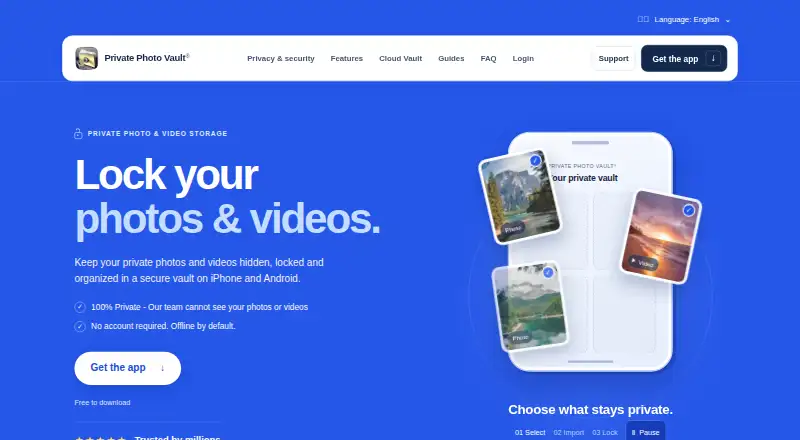
What Private Photo Vault is
Private Photo Vault is an iPhone and Android app for locking photos and videos in an encrypted vault. The on-device vault works offline by default, without an account or internet connection. Users choose a PIN, password, or pattern separate from the phone's unlock code, and can organize files in albums and sub-albums, including individually password-protected albums. The app also offers a private camera, photo and video editors, a built-in browser, duplicate detection, and WiFi file transfer through a computer browser. Optional Premium Cloud Vault backs up and syncs files between iPhone and Android, but needs an account and internet access. It encrypts files on the device before upload and uses Argon2id for password hashing. The maker says it cannot view cloud content; the Cloud Vault password cannot be recovered by the maker, app passcode, or recovery email. Importing files does not remove copies elsewhere, and only uploaded files are backed up. Basic is listed as free; current Premium prices appear in the app.
Who it suits
Private Photo Vault suits iPhone and Android users who want a separate offline vault for photos and videos. Users who want cloud backup should be prepared to manage the password and ensure files finish uploading.
What it does well
- On-device vault works offline without an account.
- Vault access can use a code separate from the phone unlock.
- Individual albums can be password-protected.
- Includes a private camera and WiFi file transfer.
- Cloud files are encrypted on the device before upload.
What to know first
- Cloud Vault password cannot be recovered by the maker.
- Importing files leaves copies elsewhere unless managed separately.
- Only fully uploaded files are backed up.
- Current Premium prices appear in the app.
Limits
The Basic plan is free and provides the on-device photo and video vault. Cloud Backup is deleted when switching to Basic; Cloud Vault backs up only files that have finished uploading.
Plans
| Plan | Billed and limits | Price |
|---|---|---|
| Basic | On-device photo and video vault · Cloud Backup is deleted when switching to Basic | Free |
As privatephotovault.com lists them, read 30 Sept 2026. The maker's own page has the final word.
Getting started
- Install Private Photo Vault on iPhone or Android.
- Choose a vault PIN, password, or pattern different from the phone unlock code.
- Import photos and videos into the on-device vault.
- Organize files into albums or sub-albums and password-protect albums as needed.
- For cloud backup and syncing, use Premium Cloud Vault with an account and internet connection.
Overview
Private Photo Vault is an iPhone and Android app for securing photos and videos in an encrypted on-device vault. It suits people who want private storage that does not depend on an account or internet connection, with cloud sync as an option. The local-first design is useful, but it does not remove copies outside the app or protect files that have not finished uploading.
Key features
Access can be protected with a PIN, password, or pattern distinct from the phone’s unlock code. Albums and sub-albums provide a practical way to organize a growing collection, and individual albums can have their own password protection. A decoy vault and intruder alerts add privacy controls; a private camera, photo and video editors, duplicate detection, built-in browser, and WiFi transfer through a computer browser extend its uses beyond storage.
Premium Cloud Vault adds backup and synchronization between iPhone and Android, but requires an account and internet connection. Files are encrypted on the device with AES-256 before upload, and Argon2id is used for password hashing. The maker says its team cannot decrypt or view Cloud Vault content because the Cloud Vault password is never uploaded. That boundary also makes the password unrecoverable: neither the maker, app passcode, nor recovery email can restore it.
The offline vault avoids account dependence, but it is not a backup. Only files whose uploads have completed are backed up, so files kept only on the phone may be lost if the app is deleted without a usable backup. Importing files also leaves any copies in Photos, other apps, shared albums, or separate backups in place; users must manage those independently. The maker describes its security page as product documentation, not an independent security audit.
Pricing
Private Photo Vault uses a freemium model. Basic is free and includes an on-device photo and video vault. It is the straightforward fit for users who want local storage and can manage their own backups; switching to Basic deletes Cloud Backup, so it is not a safe substitute for an active cloud-backed setup.
Premium Cloud Vault is the paid option for people who need backup and cross-platform sync. Current Premium plans and prices appear in the app, so the right choice depends on those terms. The maker also offers FAQ and tutorial resources, a support request form, and support email.
Platforms
The app is available for Android and iOS. Cloud Vault can sync files between iPhone and Android, while the offline vault works on-device without an account or connection.
Who it's for
Choose Private Photo Vault if you want a separate, offline-capable place for sensitive photos and videos, and value album-level protection and additional privacy controls. It is less suitable if you need recoverable cloud credentials, assume importing deletes originals, or want every file protected against device loss without checking that uploads have completed.
Pros and cons
- Pro: The on-device vault works offline and without an account, which suits people who prefer local storage.
- Pro: Separate vault credentials, password-protected albums, a decoy vault, and intruder alerts give users several access-control options.
- Pro: Optional Cloud Vault syncs across iPhone and Android, with on-device AES-256 encryption before upload.
- Con: A forgotten Cloud Vault password cannot be recovered by the maker or through the app passcode or recovery email.
- Con: Imports leave copies outside the app, and files not fully uploaded are not backed up; users must handle both risks themselves.
- Con: Basic does not retain Cloud Backup when switching to it, limiting its usefulness for users who rely on cloud copies.
Alternatives
Browse Photo Vault Apps for other options. Consider Keepsafe Photo Vault if a free tier with 200 cloud items or a $9.99 a month Premium plan better fits your needs. Weave Vault may suit users who want a free allowance of up to three vaults with 50 files per vault, or a Pro annual plan with a 7-day trial for new subscribers. Choose Obscura Photo Vault if an iOS-only vault capped at 50 photos for free, or unlimited photos, videos, and vaults for $6.99 a month, is a better match. PhotoGuard is an Android alternative with a free download and ads and in-app purchases. Secret Album: Photo Vault is an iPhone and iPad option with free encrypted storage for photos and videos. Vaulty may fit Android users looking for free automatic Google Drive backup, supported by ads. Photo Vault by Mightys is an iPhone and iPad choice with no subscription, cloud sync, or account requirement. GalleryVault is another Android and iOS option, with a 9.90 CNY a month plan that includes 100GB cloud storage and listed access and privacy controls.
Verdict
Private Photo Vault is a strong fit for people who want an offline, on-device photo vault with optional cross-platform cloud backup and multiple access controls. Its main reason to choose is that the local vault works without an account or connection; its main reason to look elsewhere is the combination of unrecoverable Cloud Vault credentials and the need to manage outside copies and unfinished uploads yourself.
Verdict
Private Photo Vault offers an offline on-device vault and optional cloud sync, with different requirements for each. Users should account for unrecoverable Cloud Vault passwords and copies that remain outside the app.
Questions
Which devices does Private Photo Vault support?
It is available on iPhone and Android.
Does the free Basic plan work offline?
Yes. The on-device vault works without an account or internet connection and is offline by default.
What does Premium Cloud Vault do?
It backs up and syncs vault files between iPhone and Android, and requires an account and internet connection.
How much does Premium cost?
Current Premium plans and prices appear in the app.
Can the maker recover my Cloud Vault password?
No. The password cannot be recovered by the maker, the app passcode, or the recovery email.
What happens to files when I import them?
Importing does not remove copies in Photos, other apps, shared albums, or separate backups. Those copies must be managed separately.
Facts from Private Photo Vault's own pages
- Additional features
- Features include a private camera, photo and video editors, a built-in web browser, duplicate detection, and WiFi file transfer through a computer browser. · privatephotovault.com, 30 Sept 2026
- App access
- Users can choose a vault PIN, password, or pattern that differs from their phone’s unlock code. · privatephotovault.com, 30 Sept 2026
- Backup limit
- Only files that have finished uploading are backed up, and files stored only on the phone may be lost if the app is deleted without a usable backup. · privatephotovault.com, 30 Sept 2026
- Cloud backup
- Optional Premium Cloud Vault backs up and syncs vault files between iPhone and Android, and requires an account and internet connection. · privatephotovault.com, 30 Sept 2026
- Cloud encryption
- Cloud Vault adds AES-256 encryption on the device before upload and uses Argon2id for password hashing. · privatephotovault.com, 30 Sept 2026
- Founded
- 2011 · privatephotovault.com, 28 Sept 2026
- Headquarters
- Las Vegas, Nevada, United States · privatephotovault.com, 28 Sept 2026
- Offline use
- The on-device vault works without an account or internet connection and is offline by default. · privatephotovault.com, 30 Sept 2026
- Organization
- The app supports albums and sub-albums, including password protection for individual albums. · privatephotovault.com, 30 Sept 2026
- Outside copies
- Importing files does not remove copies left in Photos, other apps, shared albums, or separate backups; users must manage those copies separately. · privatephotovault.com, 30 Sept 2026
- Password recovery limit
- The Cloud Vault password cannot be recovered by the maker, the app passcode, or its recovery email. · privatephotovault.com, 30 Sept 2026
- Pricing details
- The tutorials page says current Premium plans and prices appear in the app. · privatephotovault.com, 30 Sept 2026
- Privacy
- The maker says its team cannot decrypt or view Cloud Vault content because the Cloud Vault password is never uploaded to its servers. · privatephotovault.com, 30 Sept 2026
- Purpose
- Private Photo Vault locks and stores private photos and videos in an encrypted vault on iPhone and Android. · privatephotovault.com, 30 Sept 2026
- Security assurance
- The maker describes its security page as product documentation, not an independent security audit. · privatephotovault.com, 30 Sept 2026
- Support
- The maker offers FAQ and tutorial resources plus a support request form and support email. · privatephotovault.com, 30 Sept 2026
Where Private Photo Vault stands on Freedom251
- Photo Vault Apps#14 of 32