Photo Vault by Mightys
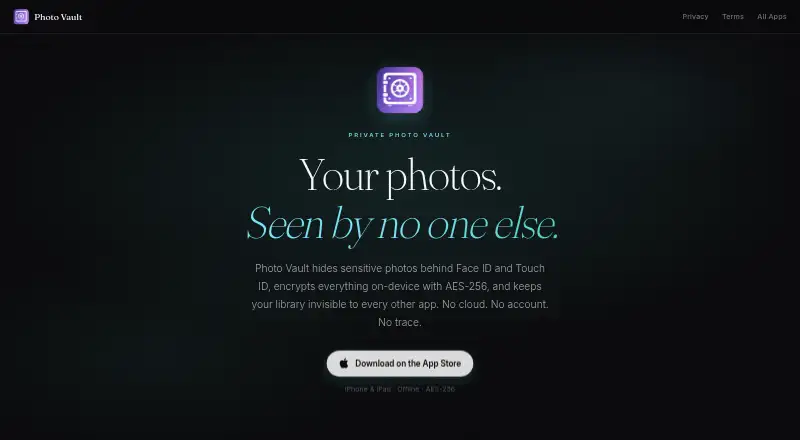
What Photo Vault by Mightys is
Photo Vault by Mightys is an iPhone and iPad app for keeping selected photos and videos behind Face ID, Touch ID, or a PIN. Media stays in the app’s sandboxed device storage and is not uploaded or synced to iCloud. When you import files, the app encrypts them with AES-256; it decrypts them only when you view them. The encryption key comes from your PIN and a device-specific salt and is stored in the iOS Keychain.
You can bring photos in through the gallery picker or the iOS share sheet extension. A second PIN opens a separate vault containing decoy photos. After repeated incorrect PIN attempts, the app can silently take a front-camera photo and store its timestamp inside the vault. It also offers nine alternate icons, including calculator and utility-style designs. The maker says no account is required and the app uses no analytics SDK, advertising identifier, or behavioral tracking. The Free plan costs nothing, with no subscription or cloud sync.
Who it suits
Photo Vault suits iPhone and iPad users who want to keep selected photos and videos in on-device storage behind biometric authentication or a PIN. Its decoy vault, alternate icons, and stated lack of account and tracking requirements may suit people seeking additional privacy controls.
What it does well
- Encrypts imported photos and videos with AES-256.
- Supports Face ID, Touch ID, or a PIN.
- Offers a separate decoy vault opened with a second PIN.
- Imports photos through the gallery picker or share sheet.
- Includes nine alternate app icons.
- Requires no account, according to the maker.
What to know first
- Available on iOS only.
- Media is not synced to iCloud and cloud backup is unavailable.
Limits
The Free plan costs nothing and has no subscription. It has no cloud sync, and cloud backup is unavailable.
Plans
| Plan | Billed and limits | Price |
|---|---|---|
| Free | iPhone and iPad · no subscription · no cloud sync · no account required | Free |
As mightys.dev lists them, read 4 Oct 2026. The maker's own page has the final word.
Getting started
- Visit the Photo Vault by Mightys website.
- Use an iPhone or iPad.
- Import photos with the gallery picker or iOS share sheet extension.
- Set up access using Face ID, Touch ID, or a PIN.
Verdict
Choose Photo Vault if you want an iPhone or iPad app that keeps imported media encrypted in on-device storage and provides PIN, biometric, and decoy-vault options. Look elsewhere if you need cloud sync or a platform other than iOS.
Questions
How much does Photo Vault cost?
The Free plan costs nothing and has no subscription.
Does it sync or back up media to the cloud?
No. Media stays in the app’s device storage and is not synced to iCloud; cloud backup is listed as unavailable.
Which devices does it support?
The maker describes it as an iPhone and iPad app. Its listed platform is iOS.
Does it require an account?
No. The maker says an account is not required.
How can I contact the maker?
The listed contact email is [email protected].
Facts from Photo Vault by Mightys's own pages
- App disguise
- The app includes nine alternate icons, including calculator and utility-style options. · mightys.dev, 4 Oct 2026
- Break-in detection
- After repeated wrong PIN attempts, the app can silently capture a front-camera photo and save its timestamp inside the vault. · mightys.dev, 4 Oct 2026
- Decoy vault
- A second PIN can open a separate vault containing decoy photos. · mightys.dev, 4 Oct 2026
- Encryption
- Photos and videos are encrypted with AES-256 on import and decrypted only when viewed. · mightys.dev, 4 Oct 2026
- Import options
- Photos can be imported using the gallery picker or the iOS share sheet extension. · mightys.dev, 4 Oct 2026
- Key storage
- The encryption key is derived from the PIN and a device-specific salt, then stored in the iOS Keychain. · mightys.dev, 4 Oct 2026
- On-device storage
- The app says photos and videos stay in its sandboxed device storage and are not uploaded or synced to iCloud. · mightys.dev, 4 Oct 2026
- Platform requirement
- The maker describes Photo Vault as an iPhone and iPad app. · mightys.dev, 4 Oct 2026
- Privacy
- The maker says the app requires no account and uses no analytics SDK, advertising identifier, or behavioral tracking. · mightys.dev, 4 Oct 2026
- Purpose
- Photo Vault hides sensitive photos behind Face ID, Touch ID, or a PIN. · mightys.dev, 4 Oct 2026
- Support
- The maker lists [email protected] for questions or feedback. · mightys.dev, 4 Oct 2026
Where Photo Vault by Mightys stands on Freedom251
- Photo Vault Apps#18 of 32