Photok
What Photok is
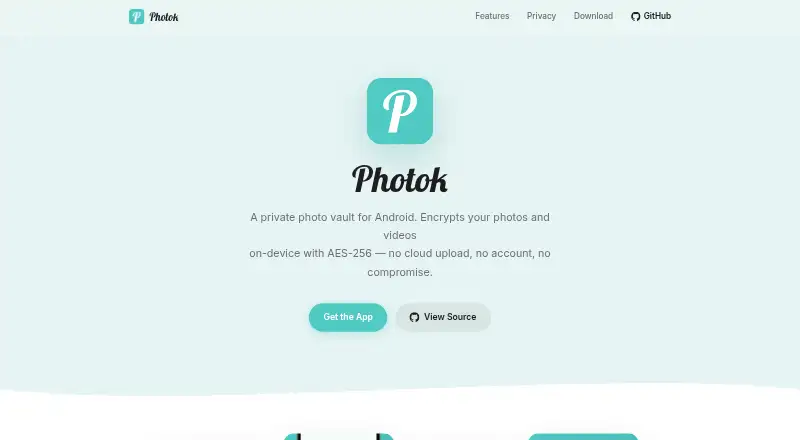
Photok is an Android vault for hiding private photos and videos. Users can import media, organize it into albums, and export files. The maker says files are encrypted locally with AES-256 and decrypted only in memory while the app is in use; cloud upload is not required. Users can unlock with a fingerprint, send items directly into the vault, hide the app icon, and delete originals after importing. The app also supports creating and restoring encrypted backups. Photok is open source under the Apache 2.0 License and is developed by Leon Latsch and public volunteers. Download sources include Google Play, F-Droid, and other alternatives. The maker describes the core app as identical in Google Play and FOSS versions, though telemetry defaults and optional Pro availability differ. Telemetry is enabled by default in Google Play and can be disabled; in FOSS it is disabled by default and can be enabled in settings. Photok FOSS costs nothing, has no ads or payments, and does not include Pro. Photok Pro is an optional Google Play add-on with no listed price.
Who it suits
Photok suits Android users who want to keep photos and videos in a locally encrypted vault without requiring cloud uploads. The FOSS version may suit those seeking an open-source option without ads or payments.
What it does well
- Encrypts files locally with AES-256.
- Cloud upload is not required.
- Supports encrypted backup creation and restoration.
- Includes fingerprint unlock and app-icon hiding.
- Open source under the Apache 2.0 License.
What to know first
- Available for Android only.
- Cloud backup is not available.
- Pro is unavailable in the FOSS version.
- Google Play telemetry is enabled by default.
Limits
The free Photok FOSS version has no ads or payments, but Photok Pro is not available in it. In the Google Play version, telemetry is enabled by default and can be disabled.
Plans
| Plan | Billed and limits | Price |
|---|---|---|
| Photok FOSS | Free open-source FOSS version · no ads · no payments · Photok Pro not available | Free |
| Photok Pro | Optional add-on for the Google Play version · unlocks additional features · not available in FOSS | On request |
As photok.app lists them, read 9 Oct 2026. The maker's own page has the final word.
Getting started
- Choose a download source such as Google Play or F-Droid.
- Install Photok on an Android device.
- Import photos or videos into the vault.
- Organize imported media into albums or create an encrypted backup.
- Review telemetry settings for the chosen variant.
Verdict
Photok focuses on local encryption and private media organization, with encrypted backups and several access controls. The FOSS version has no payments or Pro add-on, while the Google Play version enables telemetry by default and offers optional Pro at an unlisted price.
Questions
Is Photok free?
The Photok FOSS version is free, with no ads or payments.
What platforms support Photok?
Photok is listed for Android.
Is Photok open source?
Yes. It is licensed under Apache 2.0.
Does Photok upload media to the cloud?
The maker says files are encrypted locally and cloud upload is not required.
Where can I download Photok?
The maker lists Google Play, F-Droid, and other alternatives.
Is Photok Pro available in FOSS?
No. Pro is an optional add-on for the Google Play version and is unavailable in FOSS.
Facts from Photok's own pages
- Access and privacy features
- Features include fingerprint unlock, direct sharing into the vault, hiding the app icon, and deleting originals after import. · github.com, 9 Oct 2026
- Analytics use
- The maker says analytics are used to improve stability and user experience and are not used for advertising or cross-app tracking. · github.com, 9 Oct 2026
- Backups
- The app supports creating and restoring encrypted backups. · github.com, 9 Oct 2026
- Build variants
- The core app is described as identical across Google Play and FOSS variants, while telemetry defaults and optional Pro availability differ. · github.com, 9 Oct 2026
- Cloud use
- The maker says no cloud upload is required. · github.com, 9 Oct 2026
- Developer
- The project is developed by Leon Latsch and public volunteers. · github.com, 9 Oct 2026
- Distribution
- The maker lists Google Play and F-Droid, as well as other alternatives, as download sources. · github.com, 9 Oct 2026
- Encryption
- The maker says files are encrypted locally with AES-256 and decrypted only in memory while the app is in use. · github.com, 9 Oct 2026
- Headquarters
- Hamburg, Germany · photok.app, 28 Sept 2026
- Media organization
- Users can import photos and videos, organize them into albums, and export files. · github.com, 9 Oct 2026
- Open source
- Photok is open source under the Apache 2.0 License. · github.com, 9 Oct 2026
- Product
- Photok is an Android photo and video vault for hiding private media. · github.com, 9 Oct 2026
- Support
- The Google Play listing provides [email protected] as the support email. · play.google.com, 9 Oct 2026
- Telemetry
- Telemetry is enabled by default in the Google Play version and can be disabled; in FOSS it is disabled by default and can be enabled in settings. · github.com, 9 Oct 2026
Where Photok stands on Freedom251
- Photo Vault Apps#17 of 32