Obscura Photo Vault
What Obscura Photo Vault is
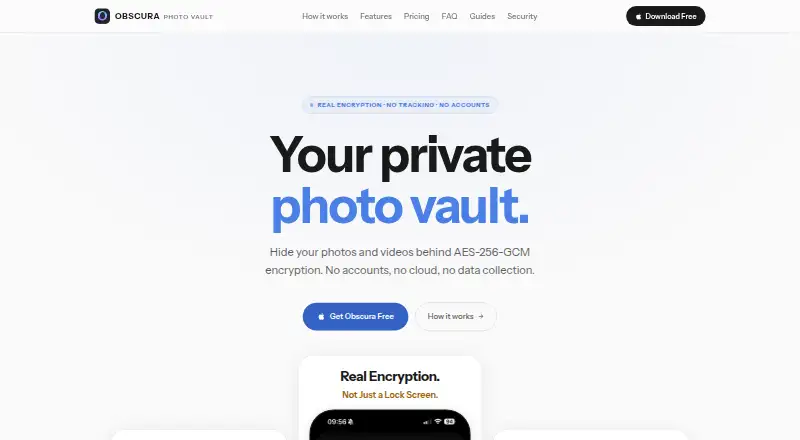
Obscura Photo Vault stores photos and videos in encrypted vaults on iOS. It uses AES-256-GCM encryption, with vault keys derived through 600,000 rounds of PBKDF2-HMAC-SHA256. The maker says the app functions without network access, has no server or account system, and collects no installation, usage, or analytics data. Users can unlock with Face ID or Touch ID, configure auto-lock, set progressive delays after failed attempts, and clear memory when a vault locks. Photo tools include editing, collages, tags, favorites, manual arranging, duplicate detection, and Live Photo frame extraction. Photos and videos can be imported from the camera roll, and a vault can be exported as a password-protected encrypted .obscura file. Vault data is included in iCloud Backup by default and remains encrypted there. The app has ten encrypted vault slots, though its security document limits its indistinguishability property to stated threat-model bounds. Free includes one vault for up to 50 photos. Pro Monthly is $6.99/mo; Pro Yearly is $29.99/year after a seven-day trial. Pro Lifetime costs $39.99 once. Forgotten passwords cannot be recovered.
Who it suits
Obscura suits iOS users who want to keep photos and videos in encrypted vaults, with offline operation and no account system. Users should be comfortable managing their own vault passwords, which cannot be recovered if forgotten.
What it does well
- Uses AES-256-GCM encryption for vaults.
- Works without network access, according to the maker.
- Offers Face ID and Touch ID unlocking.
- Includes photo editing, tagging, and duplicate detection.
What to know first
- Free plan is limited to 50 photos in one vault.
- Forgotten vault passwords cannot be recovered.
- Available only on iOS.
- Imports pause after a subscription ends once the free limit is reached.
Limits
The Free plan allows up to 50 photos in a single vault. After a subscription ends, saved media remains accessible, but importing pauses once the free 50-photo limit is reached.
Plans
| Plan | Billed and limits | Price |
|---|---|---|
| Free | $0 · up to 50 photos · one vault | Free |
| Pro Yearly | $29.99 USD billed yearly after a 7-day free trial · unlimited photos and videos · unlimited vaults | $29.99 a year |
| Pro Lifetime | $39.99 USD one payment, no renewals · unlimited photos and videos · unlimited vaults | $39.99, paid once |
| Pro Monthly | $6.99 USD monthly · unlimited photos and videos · unlimited vaults | $6.99 a month |
As obscura-vault.com lists them, read 15 Oct 2026. The maker's own page has the final word.
Getting started
- Install Obscura on an iOS device.
- Create a vault and set its password.
- Import photos or videos from the camera roll.
- Use Face ID or Touch ID and configure auto-lock if desired.
- Choose a Pro plan for unlimited photos, videos, and vaults.
Verdict
Obscura combines encrypted storage with photo organization tools and offline operation. Its free plan is limited, and forgotten vault passwords cannot be recovered.
Questions
Is Obscura free?
Yes. Free costs nothing and allows up to 50 photos in one vault.
What do the paid plans cost?
Pro Monthly is $6.99 a month. Pro Yearly is $29.99 a year after a 7-day free trial, and Pro Lifetime is 39.99 USD as a one-time payment.
Which devices does it support?
Obscura is available on iOS.
Does it need an internet connection or account?
The maker says the app requires zero network access to function and has no server or account system.
Can I recover a forgotten vault password?
No. The maker says forgotten vault passwords cannot be reset or recovered.
What happens to saved media if a subscription ends?
Saved media remains accessible. Imports pause once the free limit of 50 photos is reached.
Facts from Obscura Photo Vault's own pages
- App privacy
- Apple's privacy label says the developer reports collecting no data from the app. · apps.apple.com, 15 Oct 2026
- App size
- The iOS listing reports an app size of 10.2 MB. · apps.apple.com, 15 Oct 2026
- Backup
- The maker says vault data is included in iCloud Backup by default and remains encrypted there. · obscura-vault.com, 2 Oct 2026
- Biometric unlock
- Face ID and Touch ID unlock are supported through iOS Secure Enclave and Keychain protections. · obscura-vault.com, 15 Oct 2026
- Command-line tool
- The repository includes an obscura CLI that can create vaults, encrypt and decrypt media, change passwords and extract backup contents. · github.com, 15 Oct 2026
- Company activity
- Crunchbase describes Orlio as building Shopify inventory software alongside mobile utility and security applications including Obscura Photo Vault. · crunchbase.com, 15 Oct 2026
- Company headquarters
- Crunchbase lists Orlio's headquarters in Calgary, Alberta, Canada. · crunchbase.com, 15 Oct 2026
- Company legal name
- Crunchbase lists the maker's legal name as Orlio Inc. · crunchbase.com, 15 Oct 2026
- Company size
- Crunchbase reports an employee range of 1 to 10 people. · crunchbase.com, 15 Oct 2026
- Developer package
- ObscuraCrypto implements password derivation, media encryption, folder protection and .obscura backup reading using Swift and Apple frameworks. · github.com, 15 Oct 2026
- Developer requirements
- Building the public package requires a Mac with Xcode or Swift toolchain version 6 or later, and it has no third-party dependencies. · github.com, 15 Oct 2026
- Documentation depth
- The security paper documents key hierarchy, file formats, chunked media, folder protection, export format, threat limitations and testing procedures. · obscura-vault.com, 15 Oct 2026
- Encrypted export
- Vaults can be exported as password-protected .obscura files for storage or transfer. · obscura-vault.com, 15 Oct 2026
- Encryption
- The app uses AES-256-GCM with 600,000 PBKDF2 key-derivation rounds. · obscura-vault.com, 15 Oct 2026
- Folder passwords
- Folders can receive a second password and an additional encryption layer. · obscura-vault.com, 15 Oct 2026
- Headquarters
- Calgary, Alberta, Canada · obscura-vault.com, 28 Sept 2026
- Hidden vaults
- The app maintains ten encrypted vault slots, while the security document says the indistinguishability property applies only under stated threat-model bounds. · obscura-vault.com, 2 Oct 2026
- iCloud backup
- Vault data is included in iCloud Backup by default, but the backup contains encrypted data and can be disabled in iOS settings. · obscura-vault.com, 15 Oct 2026
- Import and export
- Users can import photos and videos from the camera roll and export a vault as a password-protected encrypted .obscura file. · obscura-vault.com, 2 Oct 2026
- Licence
- The public ObscuraCrypto repository is licensed under GNU GPL version 3.0 or later. · github.com, 15 Oct 2026
- Limit: free-tier cap
- An App Store reviewer complained that the 50-photo free limit was too small and made the free listing feel misleading. · apps.apple.com, 15 Oct 2026
- Limit: iPhone focus
- An independent comparison characterizes Obscura as iPhone-only and notes that Calculator Mode was removed in version 1.13.3. · stashphotovault.com, 15 Oct 2026
- Limit: no independent audit
- The official safety guide states that no outside security firm has independently audited the app or its encryption code. · obscura-vault.com, 15 Oct 2026
- Limit: password loss
- The Vaultaire review identifies irreversible loss after a forgotten password as the main tradeoff of the no-recovery design. · vaultaire.app, 15 Oct 2026
Where Obscura Photo Vault stands on Freedom251
- Photo Vault Apps#12 of 32