Freedom251 › Game Profiling Software
PresentMon
What PresentMon is
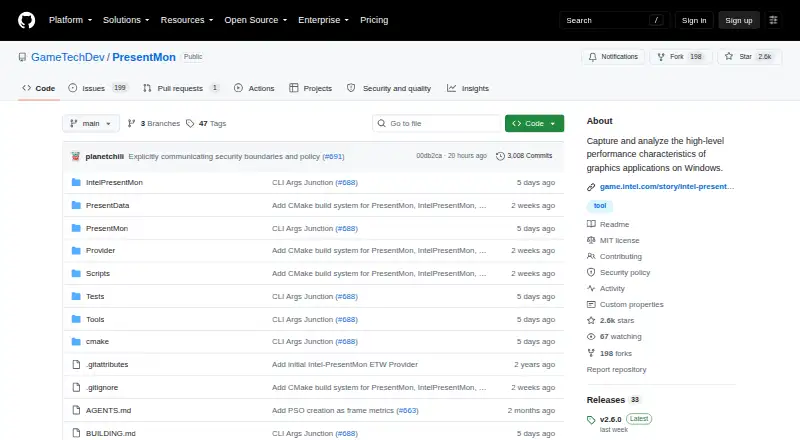
PresentMon is a free Windows toolset for capturing and analyzing performance characteristics of graphics applications. It traces CPU, GPU, and display frame durations and latencies across DirectX, OpenGL, and Vulkan applications. Its console application can send captured data to the console or CSV files, while the Capture Application shows real-time graphs and readouts in an overlay and can record per-frame CSV data. PresentMon combines ETW frame data with hardware telemetry such as GPU temperature and power. Client applications can access service data through the PresentMon API and SDK; listed telemetry paths include ADL, NVAPI/NVML, IGCL, and WMI. The project describes support for Windows desktop and UWP applications, and lists version 2.6.0 as its latest release. Users must belong to the Windows Performance Log Users group. Administrator privileges are needed for complete process information across user accounts and short-lived processes. Some OpenGL and Vulkan measurements can be less accurate, and GPU execution metrics may also be less accurate with Hardware-Accelerated GPU Scheduling enabled. The software is MIT-licensed and provided without warranty.
Who it suits
PresentMon suits Windows users who want to capture graphics-application frame data and view it in a console, CSV, or overlay. It may also suit developers accessing service data through its API and SDK.
What it does well
- Tracks CPU, GPU, and display frame durations
- Supports DirectX, OpenGL, and Vulkan applications
- Console and overlay capture options
- Combines ETW data with hardware telemetry
- Free and MIT-licensed
What to know first
- Windows Performance Log Users group membership is required
- Administrator privileges are needed for some process information
- Some OpenGL and Vulkan metrics may be less accurate
- GPU execution metrics may be less accurate with HAGS enabled
Limits
PresentMon is free, but users must belong to the Windows Performance Log Users group. Administrator privileges are needed for complete process information across user accounts and short-lived processes. CPUFramePacingStall is always zero and CPUFrameTime may be less accurate for OpenGL and Vulkan apps reported with runtime “Other”; GPU execution metrics may also be less accurate with Hardware-Accelerated GPU Scheduling enabled.
Plans
| Plan | Billed and limits | Price |
|---|---|---|
| PresentMon | Windows graphics applications · MIT-licensed software | Free |
As github.com lists them, read 3 Oct 2026. The maker's own page has the final word.
Getting started
- Visit the PresentMon GitHub project page.
- Use a Windows desktop or UWP environment for supported applications.
- Join the Windows Performance Log Users group.
- Use the console application or Capture Application to collect performance data.
- Use administrator privileges when complete process information across user accounts or short-lived processes is needed.
Verdict
PresentMon offers several ways to capture and view Windows graphics performance data, including CSV output and a real-time overlay. Users should account for its access requirements and the stated measurement limitations.
Questions
Is PresentMon free?
Yes. The listed PresentMon plan is free, and the software is MIT-licensed.
Which applications does PresentMon support?
It traces DirectX, OpenGL, and Vulkan applications, and lists support for Windows desktop and UWP applications.
What output options are available?
The console application can output captured data to the console or CSV. The Capture Application shows an overlay and can capture per-frame CSV data.
Does PresentMon have an API?
Yes. Client applications can access service data through the PresentMon API using the PresentMon SDK.
What permissions are required?
Users must belong to the Windows Performance Log Users group. Administrator privileges are needed for complete process information across user accounts and short-lived processes.
Is PresentMon open source?
The repository includes an MIT license and states that the software is provided “AS IS,” without warranty.
Facts from PresentMon's own pages
- Access requirement
- PresentMon requires the user to belong to the Windows Performance Log Users group, and administrator privileges are needed for complete process information across user accounts and for short-lived processes. · github.com, 3 Oct 2026
- API
- Client applications can access service data through the PresentMon API using the PresentMon SDK. · github.com, 3 Oct 2026
- Capture formats
- The console application outputs captured data to the console or CSV files. · github.com, 3 Oct 2026
- Frame metrics
- It traces CPU, GPU, and display frame durations and latencies across DirectX, OpenGL, and Vulkan applications. · github.com, 3 Oct 2026
- GPU scheduling limitation
- GPU execution metrics may be less accurate with Hardware-Accelerated GPU Scheduling enabled. · github.com, 3 Oct 2026
- GUI overlay
- The Capture Application displays real-time performance graphs and readouts in an overlay and can capture per-frame CSV data. · github.com, 3 Oct 2026
- Hardware integrations
- The v2.6.0 release notes list telemetry paths including ADL, NVAPI/NVML, IGCL, and WMI. · github.com, 3 Oct 2026
- License
- The repository includes an MIT license and states that the software is provided “AS IS,” without warranty. · github.com, 3 Oct 2026
- Metric limitation
- For OpenGL and Vulkan apps reported with runtime “Other,” CPUFramePacingStall is always zero and CPUFrameTime may be less accurate. · github.com, 3 Oct 2026
- Platform
- The project describes PresentMon as a Windows toolset and its main release page lists version 2.6.0 as the latest release. · github.com, 3 Oct 2026
- Purpose
- PresentMon captures and analyzes high-level performance characteristics of graphics applications on Windows. · github.com, 3 Oct 2026
- Related tools
- The project README lists AMD OCAT, CapFrameX, RTSS RivaTuner Statistics Server, Microsoft PIX on Windows System Monitor, and NVIDIA FrameView as tools that build on or visualize its functionality. · github.com, 3 Oct 2026
- Security
- The project directs users to report security vulnerabilities under Intel's vulnerability reporting guidelines. · github.com, 3 Oct 2026
- Support
- The README directs users to GitHub Issues for reported issues and to CONTRIBUTING.md for feature requests and issue reporting. · github.com, 3 Oct 2026
- Telemetry
- The service combines ETW frame data with hardware telemetry such as GPU temperature and power. · github.com, 3 Oct 2026
Where PresentMon stands on Freedom251
- Game Profiling Software#14 of 25