RenderDoc
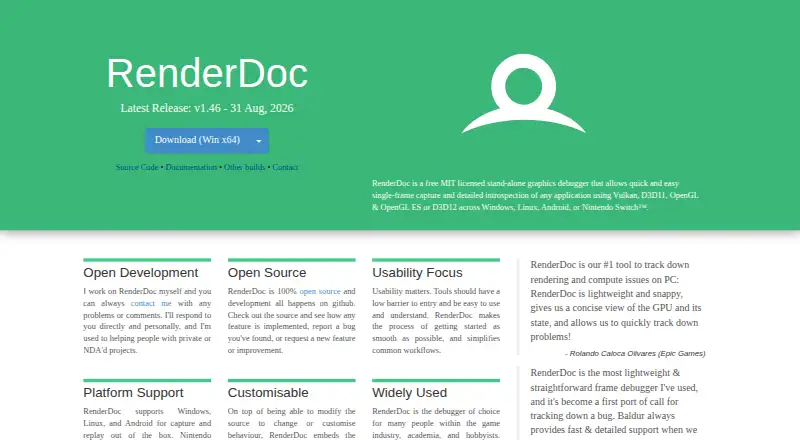
What RenderDoc is
RenderDoc is a free, open-source frame-capture graphics debugger for graphics development, released under the MIT license. It supports Vulkan, D3D11, D3D12, OpenGL, and OpenGL ES. The project lists Windows, Linux, and Android, with Nintendo Switch support for authorized developers using NintendoSDK. Its support table marks OpenGL 1.0–2.0 compatibility as supported, while D3D9/10 and Metal are unavailable. Linux support is limited to 64-bit x86. Windows users can choose 32-bit or 64-bit builds or a portable ZIP; the 64-bit build can capture 32-bit programs. Binary releases include stable and nightly builds, and stable versions are recommended for new users because nightlies may be less stable. Documentation is available online for the latest stable version and as a CHM file in builds, with introductory videos also linked. RenderDoc is intended for debugging programs users created, and public support channels do not allow discussion of capturing programs they did not create.
Who it suits
RenderDoc suits graphics developers debugging their own programs on supported platforms and APIs. Windows users can choose an installer build or portable ZIP; Linux users need 64-bit x86.
What it does well
- Free and released under the MIT license.
- Supports Vulkan, D3D11, D3D12, OpenGL, and OpenGL ES.
- Windows offers 32-bit, 64-bit, and portable ZIP options.
- Online documentation, CHM documentation, and introductory videos are listed.
- Stable and nightly binary releases are available.
What to know first
- Linux support is limited to 64-bit x86.
- D3D9/10 and Metal are unavailable.
- Nightly builds may be less stable.
- Public support channels exclude captures of programs you did not create.
Limits
RenderDoc is free, with no trial required. Linux support is limited to 64-bit x86; D3D9/10 and Metal are unavailable, and nightly releases may be less stable than stable builds.
Plans
| Plan | Billed and limits | Price |
|---|---|---|
| RenderDoc | Open-source software under the MIT license | Free |
As renderdoc.org lists them, read 4 Oct 2026. The maker's own page has the final word.
Getting started
- Visit https://renderdoc.org/ and choose a stable release for a new installation.
- On Windows, install a 32-bit or 64-bit build, or download the portable ZIP.
- On Linux, use a 64-bit x86 system; Android is also listed as a supported platform.
- Read the online documentation or the CHM documentation included in builds, or watch the linked introductory videos.
- Use GitHub issues, email, IRC, or Discord for questions about debugging programs you created.
Verdict
RenderDoc offers frame-capture debugging across several graphics APIs, with platform-specific limits to consider. It is intended for debugging your own programs, and stable builds are recommended for new users.
Questions
How much does RenderDoc cost?
The listed RenderDoc plan costs nothing. It is open-source software under the MIT license.
Is there a free plan or trial?
RenderDoc is free, and no free trial is listed.
Which platforms does it support?
Windows, Linux, and Android are listed. Nintendo Switch support is available to authorized developers through NintendoSDK; Linux support is limited to 64-bit x86.
Which graphics APIs are supported?
The project lists Vulkan, D3D11, D3D12, OpenGL, and OpenGL ES. Its support table marks D3D9/10 and Metal as unavailable.
What license does RenderDoc use?
RenderDoc is released under the MIT license.
Can I use RenderDoc to debug programs made by others?
RenderDoc is intended for debugging your own programs. Its public support channels do not allow discussion of capturing programs you did not create.
Facts from RenderDoc's own pages
- API limits
- The support table marks OpenGL 1.0–2.0 compatibility and D3D9/10 unsupported, and lists Metal as unavailable. · github.com, 4 Oct 2026
- Documentation
- Documentation is available online for the latest stable version and as a CHM file in builds, with introductory videos also linked. · github.com, 4 Oct 2026
- Downloads
- Binary releases include stable and nightly builds, and the README recommends stable builds for new users because nightly builds may be less stable. · github.com, 4 Oct 2026
- Founded
- 2014 · renderdoc.org, 28 Sept 2026
- Graphics APIs
- The project describes support for Vulkan, D3D11, D3D12, OpenGL, and OpenGL ES. · github.com, 4 Oct 2026
- Integrations
- The README links a community extensions repository and says projects made with third-party engines such as Unreal or Unity are supported. · github.com, 4 Oct 2026
- Intended use
- RenderDoc is intended for debugging your own programs, and its public support channels do not allow discussion of capturing programs you did not create. · github.com, 4 Oct 2026
- License
- RenderDoc is released under the MIT license. · github.com, 4 Oct 2026
- Linux requirement
- The README says Linux support is limited to 64-bit x86. · github.com, 4 Oct 2026
- Purpose
- RenderDoc is a frame-capture based graphics debugger for graphics development. · github.com, 4 Oct 2026
- Support
- The project lists GitHub issues, email, IRC, and Discord as channels for questions, suggestions, or problems. · github.com, 4 Oct 2026
- Supported systems
- The README lists Windows, Linux, and Android, and separately notes Nintendo Switch support for authorized developers through NintendoSDK. · github.com, 4 Oct 2026
- Windows installation
- Windows users can install 32-bit or 64-bit builds or download a portable ZIP; the 64-bit build supports capturing 32-bit programs. · github.com, 4 Oct 2026
Where RenderDoc stands on Freedom251
- Debuggers#15 of 27
- Game Profiling Software#15 of 25