Freedom251 › Container Development Environments
Podman Desktop
What Podman Desktop is
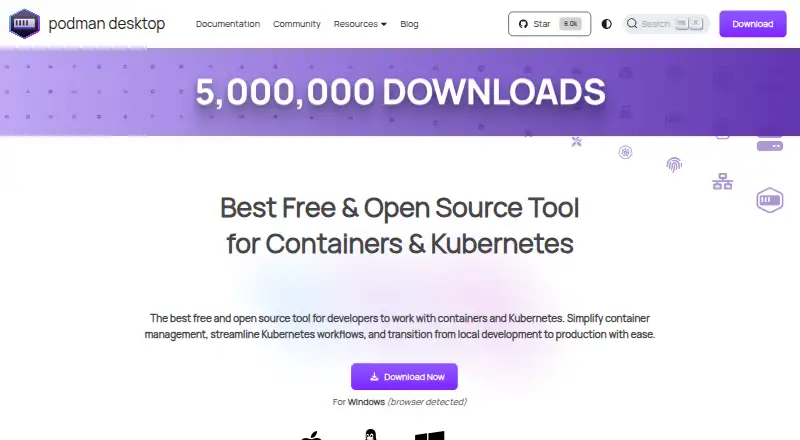
Podman Desktop is a free graphical developer tool for creating, managing and running containers, pods and Kubernetes workloads locally. Its interface can list, search, inspect, connect to, run and stop containers; users can also build images and pull or push them through managed registries. Kubernetes workflows include local Kind and Minikube clusters and managing deployments through the interface. Docker-compatible settings let Docker applications and tools use a Podman engine. Extensions can add container engines such as Podman or Docker, virtual machine integrations such as Lima, and tools such as Kind or Compose. Each extension is isolated and communicates through the Podman Desktop API. The application runs on Linux, macOS and Windows, but running the Podman engine on macOS or Windows requires a Linux virtual machine. Restricted-environment installers are available, although the Windows and macOS installers omit additional utilities such as Compose or Kind. The product site describes security foundations including daemonless, rootless containers, SELinux support, network policy enforcement and immutable containers. Documentation points users to troubleshooting guides and the project repository for unresolved issues.
Who it suits
It suits developers who want a graphical interface for local containers and Kubernetes workflows on Linux, macOS or Windows. Users on macOS or Windows need a Linux virtual machine to run the Podman engine.
What it does well
- Manage containers, pods and Kubernetes workloads locally.
- Build images and pull or push through registries.
- Supports local Kind and Minikube clusters.
- Docker-compatible settings can use a Podman engine.
- Extensions add engines, integrations and tools.
What to know first
- macOS and Windows need a Linux virtual machine for the engine.
- Restricted-environment Windows and macOS installers omit utilities such as Compose or Kind.
Limits
The free plan costs nothing. On macOS and Windows, the Podman engine requires a Linux virtual machine; restricted-environment installers for those platforms omit additional utilities such as Compose or Kind.
Plans
| Plan | Billed and limits | Price |
|---|---|---|
| Free | Free and open source · Containers · Kubernetes · macOS, Windows, and Linux | Free |
As podman-desktop.io lists them, read 30 Sept 2026. The maker's own page has the final word.
Getting started
- Visit https://podman-desktop.io/.
- Choose the installer for Linux, macOS, or Windows.
- Install Podman Desktop; on macOS or Windows, provide a Linux virtual machine to run the Podman engine.
- Use the interface to manage containers, build images, or work with local Kind or Minikube clusters.
- Add extensions for supported engines, virtual machine integrations, or tools such as Kind or Compose.
Verdict
Podman Desktop brings container and local Kubernetes tasks into a graphical interface across Linux, macOS and Windows. The Linux virtual machine requirement on macOS and Windows, and installer omissions for restricted environments, are worth checking first.
Questions
How much does Podman Desktop cost?
Its Free plan costs nothing, and the product is described as free and open source.
Which operating systems does it support?
Podman Desktop runs on Linux, macOS, and Windows.
Can it manage Kubernetes workloads?
Yes. It supports local Kind and Minikube clusters and management of Kubernetes deployments through its interface.
Can Docker applications use Podman Desktop?
Docker-compatible settings let Docker applications and tools use a Podman engine.
Does the Podman engine run directly on macOS and Windows?
Running the Podman container engine on macOS and Windows requires a Linux virtual machine.
Where can users seek help?
Documentation points users to troubleshooting guides and the project repository for unresolved issues. Extension documentation points users to Discord.
Facts from Podman Desktop's own pages
- Container management
- It lets users list, search, inspect, connect to, run, and stop containers. · podman-desktop.io, 30 Sept 2026
- Docker compatibility
- Docker-compatible settings let Docker applications and tools use a Podman engine. · podman-desktop.io, 30 Sept 2026
- Extension isolation
- Each extension is isolated and communicates through the Podman Desktop API. · podman-desktop.io, 30 Sept 2026
- Images and registries
- Users can build images in the tool and pull or push images through managed registries. · podman-desktop.io, 30 Sept 2026
- Integrations
- Extensions can add container engines such as Podman or Docker, virtual machine integrations such as Lima, and tools such as Kind or Compose. · podman-desktop.io, 30 Sept 2026
- Kubernetes
- It supports local Kubernetes workflows, including Kind and Minikube clusters, and management of Kubernetes deployments through its interface. · podman-desktop.io, 30 Sept 2026
- Platform limitation
- On macOS and Windows, running the Podman container engine requires a Linux virtual machine. · podman-desktop.io, 30 Sept 2026
- Project affiliation
- The site identifies Podman Desktop as a Cloud Native Computing Foundation sandbox project and a Series of LF Projects, LLC. · podman-desktop.io, 30 Sept 2026
- Purpose
- Podman Desktop is a graphical developer tool for creating, managing, and running containers, pods, and Kubernetes workloads locally. · podman-desktop.io, 30 Sept 2026
- Restricted environments
- Restricted-environment installers are available, but the Windows and macOS installers do not include additional utilities such as Compose or Kind. · podman-desktop.io, 30 Sept 2026
- Security
- The product site describes Podman's security foundations as daemonless, rootless containers, SELinux support, network policy enforcement, and immutable containers. · podman-desktop.io, 30 Sept 2026
- Support
- The documentation directs users to troubleshooting guides and the project repository for unresolved issues; extension documentation points users to Discord for assistance. · podman-desktop.io, 30 Sept 2026
Where Podman Desktop stands on Freedom251
- Container Development Environments#26 of 40
- Container Runtime Software#19 of 28