Freedom251 › Container Development Environments
Orca Desktop
What Orca Desktop is
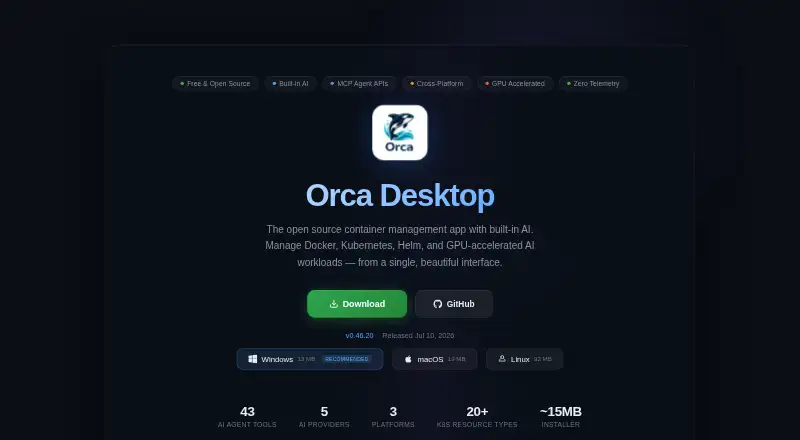
Orca Desktop is a free, open-source desktop app for managing Docker, Kubernetes, Helm, and GPU-accelerated AI workloads. It provides container lifecycle controls, resource monitoring, interactive terminals, logs, and file browsing. Image workflows include builds with live output, layer visualization, Docker Hub search, and authentication for Docker Hub, GitHub, GitLab, and ECR registries. Trivy enables one-click vulnerability scans with exportable HTML reports and severity levels. Orca manages Kubernetes resources, supports one-click k3s setup, and installs or uninstalls Helm releases. Its AI assistant supports Claude, GPT, Gemini, Ollama, and custom OpenAI-compatible providers; an MCP server has 43 tools. Developer integrations include an OpenAI-compatible endpoint, direct tool execution, and bearer-token authentication. The app can manage Linux servers using groups, tags, bulk operations, health alerts, and remote deployments. A managed Caddy gateway supports localhost and custom domains, automatic TLS, path routing, and one-click exposure. The maker says there are no analytics, crash reporting, accounts, or cloud service.
Who it suits
It suits developers and teams managing containers, Kubernetes, Helm, GPU workloads, or Linux-server fleets from Windows, macOS, or Linux. Teams focused on local operation and data security may value its stated offline and privacy model.
What it does well
- Free and MIT licensed
- Manages Docker, Kubernetes, Helm, and GPU workloads
- Includes Trivy vulnerability reports
- Supports several AI providers and MCP tools
- Offers fleet management and gateway features
What to know first
- No free trial is listed because it is free
- AI requests send context to the selected provider
- Some features depend on external registries or providers
- No cloud service or account system is provided
Limits
The Free plan costs nothing and is free forever. The maker describes no account or cloud service, so operation is centered on the desktop application and local daemon.
Plans
| Plan | Billed and limits | Price |
|---|---|---|
| Free | Free forever · MIT licensed | Free |
As orca-desktop.com lists them, read 5 Oct 2026. The maker's own page has the final word.
Getting started
- Open the Orca Desktop website
- Download the release for Windows, macOS, or Linux
- Launch the desktop application
- Connect Docker, Kubernetes, registries, or Linux hosts
- Choose an AI provider or local Ollama when needed
Verdict
Orca Desktop combines local container, Kubernetes, registry, AI, fleet, and gateway tools in one free application. Its provider-dependent AI behavior and local-first design should be weighed against the workflows you need.
Questions
How much does Orca Desktop cost?
The Free plan costs nothing and is free forever.
Which operating systems are supported?
Orca Desktop supports Windows, macOS, and Linux.
Is Orca Desktop open source?
Yes. The project is described as MIT-licensed and auditable.
Can it run without internet access?
The site says Orca works offline with cached templates, local Ollama AI, and private registries.
Which AI providers can it use?
The assistant supports Claude, GPT, Gemini, Ollama, and custom OpenAI-compatible providers.
Facts from Orca Desktop's own pages
- AI integrations
- Its AI assistant supports Claude, GPT, Gemini, Ollama, and custom OpenAI-compatible providers, and includes an MCP server with 43 tools. · orca-desktop.com, 5 Oct 2026
- Container management
- It supports container lifecycle controls, live resource monitoring, interactive terminals, log viewing, and container file browsing. · orca-desktop.com, 5 Oct 2026
- Developer API
- It provides an OpenAI-compatible endpoint, direct tool execution, and bearer-token authentication for agent integrations. · orca-desktop.com, 5 Oct 2026
- Fleet management
- A desktop app can manage Linux servers with host groups, tags, bulk operations, health alerts, and remote deployments. · orca-desktop.com, 5 Oct 2026
- Gateway
- Its managed Caddy gateway supports localhost and custom domains, automatic TLS, path-based routing, and one-click container exposure. · orca-desktop.com, 5 Oct 2026
- Images and builds
- It offers image builds with live output, image layer visualization, Docker Hub search, and authentication for Docker Hub, GitHub, GitLab, and ECR registries. · orca-desktop.com, 5 Oct 2026
- Intended users
- The maker describes Orca as built for teams concerned with data security and highlights team configuration sharing and fleet workflows. · orca-desktop.com, 5 Oct 2026
- Kubernetes and Helm
- It manages Kubernetes resources, supports one-click k3s setup, and can install and uninstall Helm releases. · orca-desktop.com, 5 Oct 2026
- Network calls
- The site says automatic update checks and template-catalog requests send no user data, while AI requests send the context shown to the selected provider. · orca-desktop.com, 5 Oct 2026
- Offline use
- The site says Orca works offline with cached templates and supports local Ollama AI and private registries. · orca-desktop.com, 5 Oct 2026
- Privacy
- The maker states that Orca has no analytics, crash reporting, accounts, or cloud service, and that its daemon binds to localhost. · orca-desktop.com, 5 Oct 2026
- Purpose
- Orca Desktop is an open-source container management app for managing Docker, Kubernetes, Helm, and GPU-accelerated AI workloads in one interface. · orca-desktop.com, 5 Oct 2026
- Security
- The maker describes the project as MIT-licensed and auditable, with signed update manifests and Apple-notarized macOS and EV-signed Windows releases. · orca-desktop.com, 5 Oct 2026
- Support and community
- The site links to GitHub releases, a security policy, and a community app catalog where users can contribute templates. · orca-desktop.com, 5 Oct 2026
- Vulnerability scanning
- It uses Trivy for one-click image vulnerability scans and provides exportable HTML reports with severity levels. · orca-desktop.com, 5 Oct 2026
Where Orca Desktop stands on Freedom251
- Container Development Environments#25 of 40