Freedom251 › Routine Planner Apps

Planner Pig
What Planner Pig is
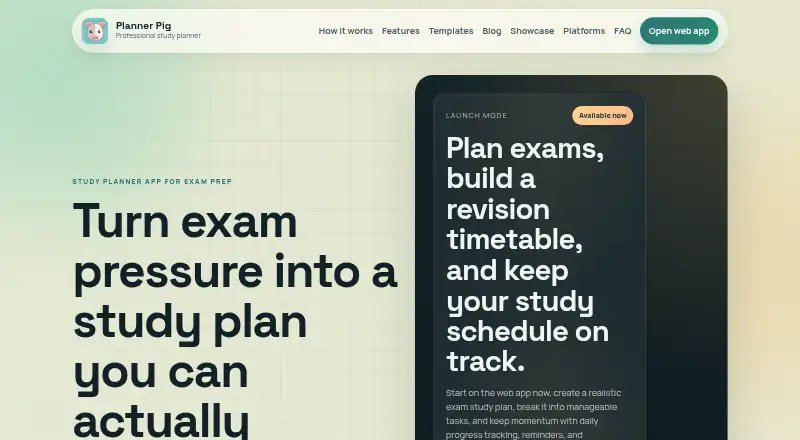
Planner Pig helps students organize revision around exams, topics and the time they have available each week. Add exam dates, topic weightings and study hours to build a plan, then review study schedules in monthly, weekly or daily views. Topics can become milestone-based task lists, with options to mark work complete or reschedule unfinished study. Progress tools include daily updates, study history, weekly summaries and charts. The searchable library contains 133 exam templates covering professional, finance, accounting, actuarial and admissions pathways; users can preview, merge or replace topic structures. Buddy requests and a social feed let users share selected progress snapshots. Planner Pig has a free plan and runs on Android, iOS, macOS and the web. Prepaid plans cost $1.99, paid once for one month, $4.99, paid once for three months, $8.99, paid once for six months, or $14.99, paid once for 12 months. Its privacy policy says it does not sell personal information, though it may collect account details, user content, social data, support communications and technical usage information.
Who it suits
Planner Pig suits students who want to schedule revision by exam, topic and available study time. Its templates cover professional, finance, accounting, actuarial and admissions pathways.
What it does well
- Builds plans from exams, topics and weekly hours
- Monthly, weekly and daily study views
- 133 searchable exam templates
- Tracks progress with summaries and charts
- Free plan and four prepaid durations
What to know first
- Privacy policy allows collection of user and technical data
- No third-party integrations are stated
Plans
| Plan | Billed and limits | Price |
|---|---|---|
| 12 months pre-paid plan | 12 months · Pre-paid plan | $14.99, paid once |
| 1 month pre-paid plan | 1 month · Pre-paid plan | $1.99, paid once |
| 3 months pre-paid plan | 3 months · Pre-paid plan | $4.99, paid once |
| 6 months pre-paid plan | 6 months · Pre-paid plan | $8.99, paid once |
As plannerpig.com lists them, read 2 Oct 2026. The maker's own page has the final word.
Getting started
- Visit https://www.plannerpig.com/.
- Choose a platform: web, iOS, Android, or macOS.
- Add exam dates, topics, topic weightings, and available weekly study hours.
- Select monthly, weekly, or daily views to organize study.
- Use the free plan or choose a prepaid plan.
Overview
Planner Pig is a study planner for students who need to turn exam topics and available study time into a manageable revision schedule. Its mix of exam templates, progress tracking and optional buddy sharing makes it most compelling for learners who want structure and accountability in one place.
It covers the cycle from planning through rescheduling unfinished work, though its social features are focused on sharing progress rather than broader collaboration.
Key features
Planning starts with the inputs that shape a revision timetable: exams and dates, topics, topic weightings and weekly study hours. Monthly, weekly and daily views let students move between an overall plan and the next study session. Turning topics into milestone-based task lists gives larger subjects a sequence of smaller steps; marking tasks complete and rescheduling unfinished study helps keep the plan usable when work slips.
Daily progress updates, study history, weekly summaries and charts provide several ways to see whether study is keeping pace. Buddy requests and selected progress snapshots in a social feed add an accountability option, but this is not a substitute for stated third-party integrations.
The searchable template library has 133 exam templates spanning professional, finance, accounting, actuarial and admissions pathways. Students can preview templates, merge them or replace topic structures, which can reduce setup for a covered exam while leaving room to adapt the outline. The range is useful, but its strongest fit is someone whose pathway appears in those categories.
Pricing
Planner Pig has a free plan, but its caps and included features are not defined. That makes it a sensible starting point, rather than a clear basis for judging how much planning a student can do without paying.
Paid access is sold in prepaid durations: the 1 month pre-paid plan costs $1.99, paid once (billed 1 month); the 3 months pre-paid plan costs $4.99, paid once (billed 3 months); the 6 months pre-paid plan costs $8.99, paid once (billed 6 months); and the 12 months pre-paid plan costs $14.99, paid once (billed 12 months). The shorter options suit students who want to cover a limited revision period, while the longer terms cost less per month: about 1.50 USD for three months, 1.33 USD for six, and 1.25 USD for twelve, compared with 1.99 USD for one month. These are one-time prepaid terms, not stated recurring subscriptions. The included features and any account or usage limits for each duration are not defined, so there is no stated feature difference to weigh between them.
Platforms
Planner Pig is available on web, iOS, Android and macOS. That spread suits students who want access across desktop and mobile, though no further platform-specific differences are described.
Who it's for
Planner Pig is a good fit for students who have exams to organize, want to break topics into milestones and benefit from visible progress or a buddy check-in. Its templates are especially relevant to professional, finance, accounting, actuarial and admissions candidates. Students looking for a general-purpose routine planner, or needing integrations with other services, should consider alternatives instead.
Pros and cons
- Pros: Exam dates, topic weightings and available hours inform the plan, making scheduling more tailored than a bare task list.
- Pros: Milestone tasks, completion tracking and rescheduling help students respond when a study session is missed.
- Pros: 133 searchable templates, with preview, merge and replace options, can save setup work for covered exam pathways.
- Pros: Buddy requests and selected progress sharing give accountability-minded students a social option.
- Cons: Free-plan caps and the feature differences between prepaid terms are not defined, making it harder to choose a paid duration with confidence.
- Cons: The templates are organized around specific academic and professional pathways, so students outside those areas may get less setup benefit.
- Cons: The privacy policy says the company may collect account details, user content, social data, support communications and technical usage information. It says reasonable administrative, technical and organizational safeguards are used, but does not guarantee absolute security.
Alternatives
For a broader selection of study-focused options, compare Study Planner Apps; for planning routines beyond exam revision, see Routine Planner Apps.
Thruday is worth considering for visual daily planning, priority to-do lists, reminders and breathing exercises, rather than an exam-template-led study plan. Tiimo may suit someone who wants selected planning tools and can work without web access on its free plan; its listed free plan excludes the web app. Fabulous is an alternative for iOS and Android users considering a habit-oriented app with a free plan and trial. LearnWell Languages is a narrower alternative for learners seeking language study on iOS or macOS.
MyRoutine, Routinery, TimeBloc and My Morning Routine are additional routine-planning alternatives.
Verdict
Choose Planner Pig if exam revision is the problem to solve: it connects timetable inputs, milestone tasks, progress views and optional buddy sharing, with templates that can reduce setup for covered pathways. Look elsewhere if you need clearly defined free-plan limits, integrations or a general routine planner; the strengths here are distinctly study-centered.
Verdict
Planner Pig combines revision scheduling, progress tracking and exam templates, with buddy sharing as an accountability option. A free plan is available, alongside four prepaid durations.
Questions
Does Planner Pig have a free plan?
Yes. Planner Pig offers a free plan.
What do the prepaid plans cost?
The listed options are $1.99, paid once for 1 month, $4.99, paid once for 3 months, $8.99, paid once for 6 months, and $14.99, paid once for 12 months.
Which platforms can I use?
Planner Pig is available on the web, iOS, Android, and macOS.
What exam templates are included?
Its searchable library contains 133 templates for professional, finance, accounting, actuarial, and admissions pathways.
Does Planner Pig sell personal information?
Its privacy policy says the company does not sell personal information. It may collect account details, user content, social data, support communications, and technical usage information.
Does it connect to third-party services?
The maker's pages describe buddy sharing and app platforms, but do not state third-party integrations.
Facts from Planner Pig's own pages
- Audience
- The template library covers professional, finance, accounting, actuarial, and admissions pathways. · plannerpig.com, 2 Oct 2026
- Integrations
- The maker's pages reviewed describe buddy sharing and app platforms but do not state third party integrations. · plannerpig.com, 2 Oct 2026
- Planning
- Users can add exams, dates, topics, topic weightings, and available weekly study hours to build a study plan. · plannerpig.com, 2 Oct 2026
- Platforms
- The maker says the app is live on web, Android, iPhone, and Mac; Windows is listed as coming soon. · plannerpig.com, 2 Oct 2026
- Privacy
- The privacy policy says the company does not sell personal information and may collect account details, user content, social data, support communications, and technical usage information. · plannerpig.com, 2 Oct 2026
- Progress tracking
- Planner Pig includes daily progress updates, a study history, weekly summaries, and progress charts. · plannerpig.com, 2 Oct 2026
- Purpose
- Planner Pig helps students create revision timetables, organize daily study schedules, track progress, and stay accountable. · plannerpig.com, 2 Oct 2026
- Security
- The privacy policy says the company uses reasonable administrative, technical, and organizational measures, but does not guarantee absolute security. · plannerpig.com, 2 Oct 2026
- Social features
- Users can send buddy requests and share selected progress snapshots through a social feed. · plannerpig.com, 2 Oct 2026
- Support
- The maker lists [email protected] for privacy requests and contact about school rollouts or partnerships. · plannerpig.com, 2 Oct 2026
- Task management
- Users can turn topics into milestone based task lists, mark work complete, and reschedule unfinished study. · plannerpig.com, 2 Oct 2026
- Templates
- The searchable in-app library contains 133 exam templates, with options to preview, merge, or replace topic structures. · plannerpig.com, 2 Oct 2026
- Views
- The app provides monthly, weekly, and daily study views. · plannerpig.com, 2 Oct 2026
Where Planner Pig stands on Freedom251
- Routine Planner Apps#4 of 27
- Study Planner Apps#13 of 38