Freedom251 › Routine Planner Apps
Focus Area
What Focus Area is
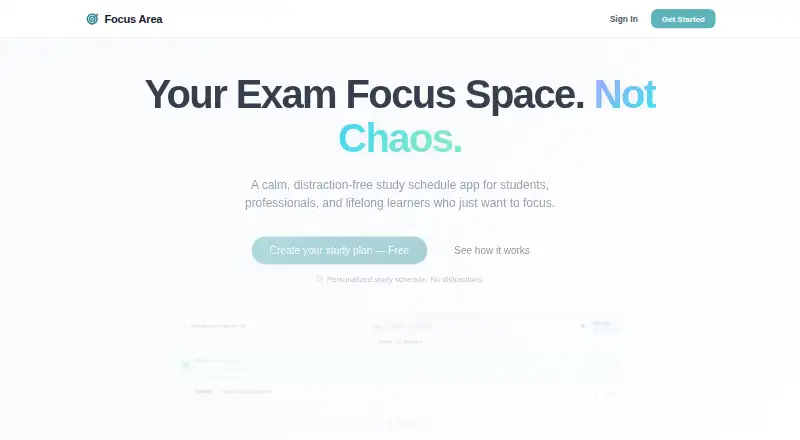
Focus Area is a web study planner for people preparing for exams or working toward other long-term goals. It supports daily, weekly, and monthly routines that generate daily tasks, along with syllabus tracking for any curriculum. A visual calendar shows studied days, planned days, and exam dates, while the app displays the time remaining until an exam. Its distraction-free, Pomodoro-style timer supports study sessions. Progress tracking covers consistency and study hours, and the product describes its progress view as avoiding aggressive charts. Users can import schedules from mentors or friends through read-only links. The site says the app works offline and stores personal progress data on the user's device; shared schedule links are read-only, and personal data does not leave the device. The free Aspirant plan allows one active exam goal and seven-day history tracking. Ranker costs ₹49 a month and adds unlimited exam goals, advanced analytics and trends, multi-device cloud sync, priority support, and premium themes. Focus Area describes its users as including competitive exam candidates, university students, and people preparing for professional certifications.
Who it suits
Focus Area suits students, professionals, and lifelong learners organizing study for exams or other long-range goals. Its examples include competitive entrance exams, university syllabi, civil services, and professional certifications such as CPA, bar, and medical exams.
What it does well
- Routines automatically generate daily tasks.
- Syllabus tracking works with any curriculum.
- The site says the app works offline.
- Shared schedules use read-only links.
- Free plan includes one active exam goal.
What to know first
- Free plan limits users to one active exam goal.
- Free plan keeps only seven days of history.
- Ranker costs ₹49 a month.
Limits
The free Aspirant plan is limited to one active exam goal and seven-day history tracking. Ranker adds unlimited exam goals, advanced analytics and trends, multi-device cloud sync, priority support, and premium themes.
Plans
| Plan | Billed and limits | Price |
|---|---|---|
| Aspirant | forever · 1 Active Exam Goal · Daily Task Planner · Basic Focus Timer · 7-Day History Tracking · Weekly/Monthly Routines · Cloud Sync | Free |
| Ranker | ₹49/mo · Unlimited Exam Goals · Weekly & Monthly Auto-Routines · Advanced Analytics & Trends · Multi-Device Cloud Sync · Priority Support · Premium Themes | ₹49 a month |
| Ranker | ₹599/ year · Unlimited Exam Goals · Weekly & Monthly Auto-Routines · Advanced Analytics & Trends · Multi-Device Cloud Sync · Priority Support · Premium Themes | ₹599 a year |
As focusarea.app lists them, read 4 Oct 2026. The maker's own page has the final word.
Getting started
- Open https://www.focusarea.app/ in a browser.
- Choose the free Aspirant plan or Ranker at ₹49 a month.
- Create a daily, weekly, or monthly routine to generate daily tasks.
- Add an exam goal and track its syllabus and date.
- Import a mentor's or friend's schedule through a read-only link if one is available.
Verdict
Focus Area brings routines, syllabus tracking, exam dates, and a focus timer into a study planner. The free plan has limits on active goals and history; Ranker adds more goals and analytics for ₹49 a month.
Questions
Is Focus Area free?
Yes. Aspirant costs nothing, billed forever, and includes one active exam goal and seven-day history tracking.
How much does Ranker cost?
Ranker costs ₹49 a month.
What does Ranker add?
It adds unlimited exam goals, advanced analytics and trends, multi-device cloud sync, priority support, and premium themes.
Which platforms support Focus Area?
Focus Area is available on the web.
Does Focus Area work offline?
The site says the app works offline and personal progress data is stored on the user's device.
Can I import a schedule from someone else?
Yes. Users can import study schedules shared by mentors or friends through read-only links.
Facts from Focus Area's own pages
- Calendar and exam dates
- Its visual study calendar shows studied, planned, and exam days, and the product displays the time remaining until an exam. · focusarea.app, 4 Oct 2026
- Focus timer
- It includes a distraction-free, Pomodoro-style focus timer for study sessions. · focusarea.app, 4 Oct 2026
- Free-plan limit
- The Aspirant plan includes one active exam goal and seven-day history tracking. · focusarea.app, 4 Oct 2026
- Intended users
- The site describes the product for competitive entrance exams, university syllabi, civil services, and professional certifications such as CPA, bar, and medical exams. · focusarea.app, 4 Oct 2026
- Offline and privacy
- The site says the app works offline and that personal progress data is stored on the user's device; it also says shared schedule links are read-only and personal data does not leave the device. · focusarea.app, 4 Oct 2026
- Paid-plan additions
- Ranker includes unlimited exam goals, advanced analytics and trends, multi-device cloud sync, priority support, and premium themes. · focusarea.app, 4 Oct 2026
- Planning
- It supports daily, weekly, and monthly routines that automatically generate daily tasks. · focusarea.app, 4 Oct 2026
- Progress tracking
- Focus Area tracks consistency and study hours, and describes its progress view as avoiding aggressive charts. · focusarea.app, 4 Oct 2026
- Purpose
- Focus Area is a distraction-free study planner for students, professionals, and lifelong learners preparing for exams or other long-term goals. · focusarea.app, 4 Oct 2026
- Schedule sharing
- Users can import study schedules shared by mentors or friends through read-only links. · focusarea.app, 4 Oct 2026
- Support
- The site lists [email protected] for help and contact. · focusarea.app, 4 Oct 2026
- Syllabus tracking
- The planner supports syllabus tracking for any curriculum. · focusarea.app, 4 Oct 2026
Where Focus Area stands on Freedom251
- Routine Planner Apps#7 of 27