Freedom251 › Routine Planner Apps
FocusForce+
What FocusForce+ is
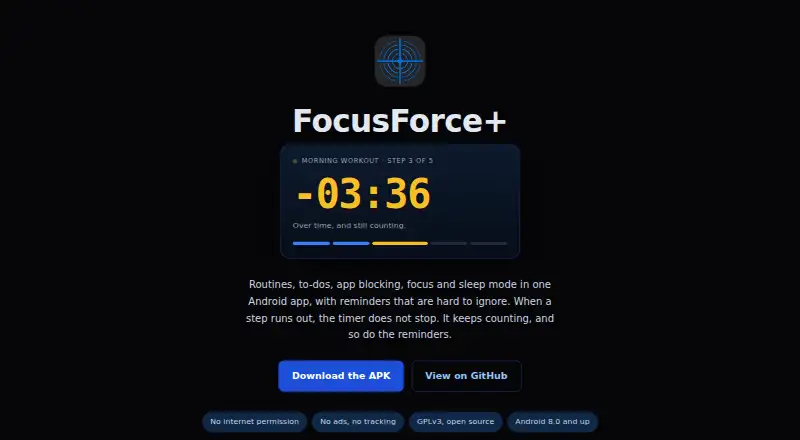
FocusForce+ is a free Android app that combines routines, to-dos, app blocking, focus sessions, and sleep scheduling. A routine starts with an alarm and gives each step a countdown. If a step runs over, its timer continues and reminders keep coming. Timed to-dos can use alarms, loose to-dos resurface during the day, and overdue items remain pinned until addressed.
App blocking can apply daily limits or fixed time windows, or activate automatically during routines and focus sessions. Groups of apps can share limits and schedules. Focus sessions can enable Do Not Disturb and block selected apps. Sleep mode schedules wind-down reminders, nighttime blocking, and wake-up routines. Invincible Mode can prevent an active routine, focus session, or blocking rule from being canceled or weakened before it ends.
The maker says the app has no internet permission, accounts, cloud sync, analytics, crash reporting, or advertising, and that app data stays on the device. You can export it as a plain JSON file and import it on another device. FocusForce+ supports Android 8.0 and newer, is distributed as a directly installed APK, and is in public beta. The maker describes it as a self-help tool, not a medical device or substitute for professional care.
Who it suits
FocusForce+ suits Android users looking for more structure through timed routines, resurfacing to-dos, app blocking, focus sessions, or sleep scheduling. Its maker also identifies people with ADHD, habit-control difficulties, or excessive phone use as intended users.
What it does well
- Combines routines, to-dos, app blocking, focus sessions, and sleep mode.
- Keeps reminders going when routine steps run over time.
- Supports shared limits and schedules for app groups.
- Can enable Do Not Disturb during focus sessions.
- Keeps app data on-device and supports JSON export and import.
- Has no internet permission, accounts, analytics, crash reporting, or ads.
What to know first
- Requires Android 8.0 or newer.
- Distributed as an APK because it is not yet on the Play Store.
- The project is in public beta.
- Accessibility access is used to detect opened apps for blocking.
Plans
| Plan | Billed and limits | Price |
|---|---|---|
| Free | Free under GNU GPL v3.0 · Android 8.0+ · Public beta · APK installed directly | Free |
As karos555.github.io lists them, read 7 Oct 2026. The maker's own page has the final word.
Getting started
- Open the FocusForce+ website.
- Get the APK from the project's GitHub release route.
- Install the APK directly on a device running Android 8.0 or newer.
- Grant Accessibility access if you want app blocking to detect which app is open.
- Create routines, to-dos, focus sessions, app rules, or sleep schedules.
- Export app data as JSON if you want to import it on another device.
- Use Obtainium to watch GitHub releases and update the APK, as suggested by the maker.
Verdict
Choose FocusForce+ if you want routines, tasks, app controls, focus sessions, and sleep scheduling in one Android app, with data kept on-device. It is available as a direct APK and is in public beta, so the maker invites bug reports and feedback through GitHub issues. The maker describes it as a self-help tool rather than medical care.
Questions
How much does FocusForce+ cost?
The Free plan is listed as free under GNU GPL v3.0.
Which devices can run it?
It supports Android 8.0 (API 26) and newer.
How do I install it?
FocusForce+ is distributed as an APK because it is not yet on the Play Store. The maker suggests using Obtainium to watch GitHub releases for updates; the app cannot check for updates itself.
Does it use cloud sync or require an account?
The app says it has no accounts or cloud sync, and that app data stays on the device. It also says it has no internet permission, analytics, crash reporting, or advertising.
Can I move my data to another device?
Yes. You can export app data as a plain JSON file and import it on another device.
Is FocusForce+ a medical device?
No. The maker describes it as a self-help tool, not a medical device or substitute for professional care.
Facts from FocusForce+'s own pages
- App blocking
- The app blocker supports daily limits, fixed time windows, and automatic blocking during routines or focus sessions, with app groups sharing limits and schedules. · karos555.github.io, 7 Oct 2026
- Data portability
- Users can export app data as a plain JSON file and import it on another device. · karos555.github.io, 7 Oct 2026
- Focus and sleep
- Focus sessions can enable Do Not Disturb and block selected apps, while sleep mode schedules wind-down reminders, night blocking, and wake-up routines. · karos555.github.io, 7 Oct 2026
- Health disclaimer
- The maker describes FocusForce+ as a self-help tool, not a medical device or substitute for professional care. · karos555.github.io, 7 Oct 2026
- Intended users
- The maker describes it as intended for people who want more structure, including people with ADHD, habit-control difficulties, or excessive phone use. · github.com, 7 Oct 2026
- Invincible Mode
- Invincible Mode can prevent an active routine, focus session, or blocking rule from being canceled or weakened until it ends. · karos555.github.io, 7 Oct 2026
- Permissions
- Accessibility access is used to detect which app was opened for blocking, and the privacy policy says it does not read screen content. · github.com, 7 Oct 2026
- Platform and installation
- FocusForce+ supports Android 8.0 (API 26) and newer and is distributed as an APK because it is not yet on the Play Store. · karos555.github.io, 7 Oct 2026
- Privacy
- The app says it has no internet permission, accounts, cloud sync, analytics, crash reporting, or advertising, and that app data stays on the device. · github.com, 7 Oct 2026
- Purpose
- FocusForce+ combines routines, to-dos, app blocking, focus mode, and sleep mode in one Android app. · karos555.github.io, 7 Oct 2026
- Routines
- Routines have a start alarm and a countdown for each step, and keep counting and reminding after a step runs over time. · karos555.github.io, 7 Oct 2026
- Support and status
- The project is in public beta, and the maker invites users to report bugs and feedback through GitHub issues. · github.com, 7 Oct 2026
- To-dos
- Timed to-dos can alarm like routines, loose to-dos resurface during the day, and overdue items stay pinned until addressed. · karos555.github.io, 7 Oct 2026
- Updates
- The app cannot check for updates itself; the maker suggests using Obtainium to watch GitHub releases and update the APK. · karos555.github.io, 7 Oct 2026
Where FocusForce+ stands on Freedom251
- Routine Planner Apps#8 of 27