Freedom251 › AI Project Management Software

PlanIQAI
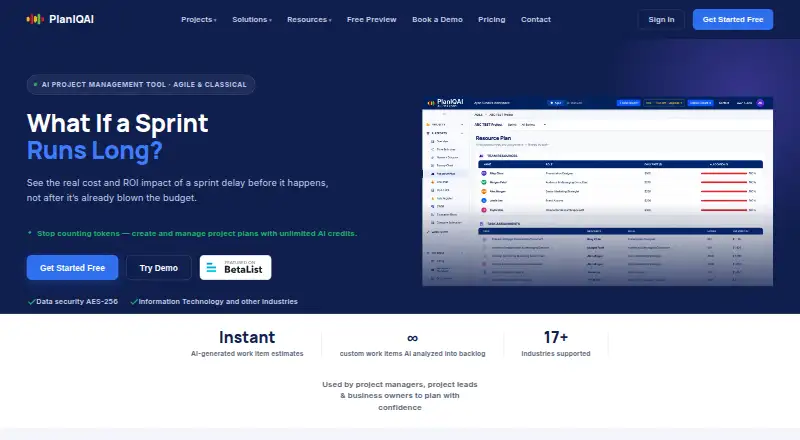
What PlanIQAI is
PlanIQAI turns a project description written in plain English into a structured project plan. The site says GPT-4.1 can generate scope, task breakdowns, Kanban views, Burnup or Gantt charts, resource plans, cost breakdowns, risks and ROI. It supports Agile planning with backlogs and Classical planning with WBS phases, and includes task dependencies, resource management and time tracking. Its estimates draw on PERT, Monte Carlo and COCOMO II, according to the maker.
Users can compare two plans across scope, timeline, budget, risk and methodology fit, then receive an AI recommendation. Listed planning outputs include a network diagram or critical path, a resource and team plan, budget breakdown, risk register, SWOT analysis and ROI business case. Planning views can be edited and exported as a PDF report. The maker states that data security uses AES-256. PlanIQAI runs on the web and offers a free plan and free trial. The free plan includes three AI analyses for life; paid plans are priced per editor seat, while viewers are free. Annual billing saves 20%.
Who it suits
PlanIQAI suits project managers, project leads and business owners who want to turn a written project brief into plans, estimates and planning reports. The maker also lists PMOs, consultants, startups and enterprises as audiences, with Agile and Classical planning options.
What it does well
- Creates plans from plain-English project descriptions.
- Supports Agile backlogs and Classical WBS phases.
- Compares two plans across five planning factors.
- Includes task dependencies, resource management and time tracking.
- Planning views can be edited and exported as PDF.
- Viewers are free; annual billing saves 20%.
What to know first
- Free plan includes only three AI analyses for life.
- Starter limits use to 30 AI analyses per month.
- The product does not yet have integrations.
Limits
The Free plan includes three AI analyses for life. Starter costs $9 a month per editor seat and includes 30 AI analyses per month; Team and Business include unlimited analyses, with seat counts varying by plan.
Plans
| Plan | Billed and limits | Price |
|---|---|---|
| Free | $0 forever · 3 AI analyses lifetime · Agile + Classical · All planning views · All reports | Free |
| Business | $12 /editor seat/mo · 10–20 editor seats · Unlimited AI analyses · Agile + Classical · All planning views and reports · Export & Save PDF · Priority support | $12 a month |
| Team | $15 /editor seat/mo · 3–9 editor seats · Unlimited AI analyses · Agile + Classical · All planning views and reports · Export & Save PDF | $15 a month |
| Starter | $9 /editor seat/mo · 1–2 editor seats · 30 AI analyses/mo · Agile + Classical · All planning views and reports · Export & Save PDF | $9 a month |
As planiqai.com lists them, read 30 Sept 2026. The maker's own page has the final word.
Getting started
- Open the PlanIQAI website in a web browser.
- Choose the free plan or start the free trial.
- Select Agile planning or Classical planning for a project.
- Enter a plain-English project description to generate a plan.
- Choose a paid plan if you need more analyses or editor seats.
- Edit planning views and export a PDF report.
Verdict
Choose PlanIQAI if you want AI-generated project plans, multiple planning outputs and comparison between two scenarios. Its free plan is limited to three lifetime analyses, while ongoing use requires a paid per-editor plan; viewers remain free.
Questions
Is there a free plan?
Yes. The Free plan costs nothing and includes three AI analyses for life.
What do paid plans cost?
Starter is $9 a month per editor seat, Team is $15 a month per editor seat, and Business is $12 a month per editor seat. Annual billing saves 20%.
Which platforms does PlanIQAI support?
PlanIQAI is available on the web.
What project planning methods does it support?
It supports Agile planning with backlogs and Classical planning with WBS phases.
Can users export plans?
Yes. Users can edit planning views and export a PDF report.
Does PlanIQAI have integrations?
The product does not yet have integrations.
Facts from PlanIQAI's own pages
- AI model
- The site says GPT-4.1 generates project scope, Kanban views, Burnup or Gantt charts, resource plans, cost breakdowns, risks, and ROI. · planiqai.com, 30 Sept 2026
- Estimation
- The maker says PERT, Monte Carlo, and COCOMO II inform its estimates. · planiqai.com, 30 Sept 2026
- Exports
- The site says users can edit planning views and export a professional PDF report. · planiqai.com, 30 Sept 2026
- Integrations
- A PlanIQAI buyer's guide notes that the product does not yet have integrations. · planiqai.com, 30 Sept 2026
- Intended users
- The maker describes the product as used by project managers, project leads, and business owners, and lists solutions for PMOs, consultants, startups, and enterprises. · planiqai.com, 30 Sept 2026
- Methodologies
- It supports Agile and Classical project planning, including backlogs or WBS phases, respectively. · planiqai.com, 30 Sept 2026
- Planning outputs
- Listed deliverables include a network diagram or critical path, resource and team plan, budget breakdown, risk register, SWOT analysis, and ROI business case. · planiqai.com, 30 Sept 2026
- Purpose
- PlanIQAI generates project plans from plain-English project descriptions. · planiqai.com, 30 Sept 2026
- Scenario comparison
- Users can compare two plans across factors such as scope, timeline, budget, risk, and methodology fit and receive an AI recommendation. · planiqai.com, 30 Sept 2026
- Seat and viewer terms
- Editor seats are billed and viewers are always free; the site says annual billing saves 20%. · planiqai.com, 30 Sept 2026
- Security
- The maker's industry pages state “Data security AES-256.” · planiqai.com, 30 Sept 2026
- Support
- The site says it typically responds to support, feedback, or partnership inquiries the same day; Business includes priority support. · planiqai.com, 30 Sept 2026
Where PlanIQAI stands on Freedom251
- AI Project Management Software#15 of 27